Talking Speedometer
+ Bike Computer + GPS tracker
Designed for iPhone, iPod touch
$2.99
- Age rating4+
- CategoryHealth & Fitness
- DeveloperDmitriy Kharutskiy
- LanguagesEnglish+ 6 more
- Size26.0 MB
Links to the official App Store page
Download.org hosts no file of Talking Speedometer. The button opens its official App Store page, published by Dmitriy Kharutskiy. Listing last checked on Nov 20, 2026.
Screenshots

About
A TALKING VERSION OF ANOTHER SPEEDOMETER. DOWNLOAD OUR FREE SPEEDOMETER TO TRY OUT THE KEY FEATURES.
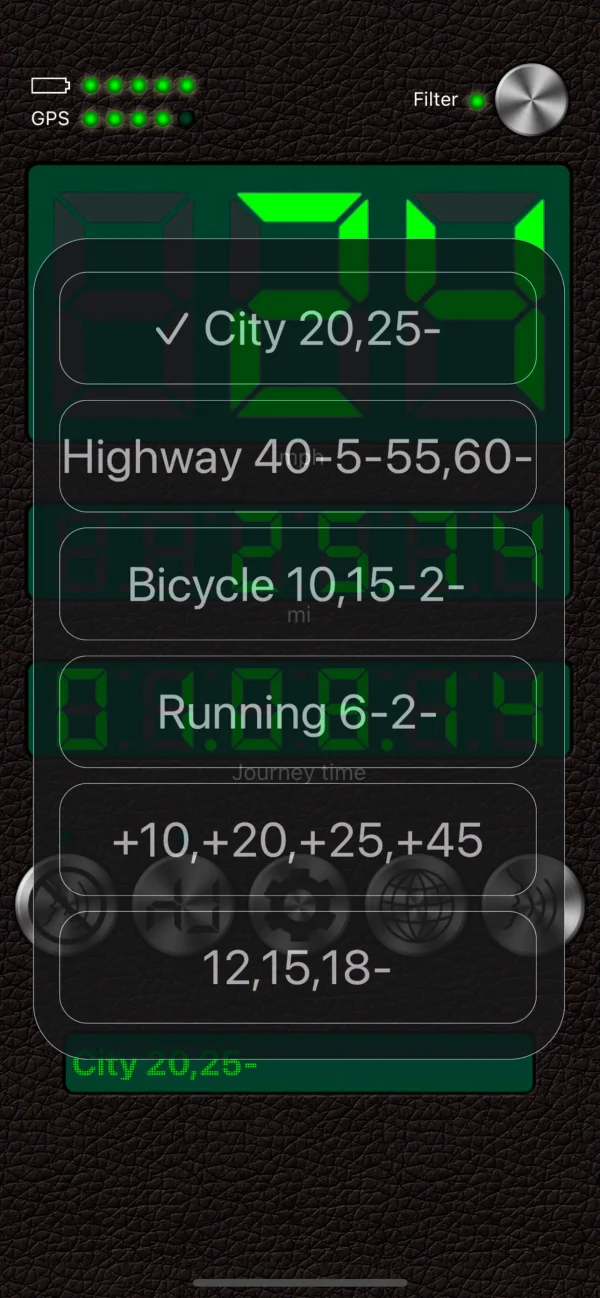
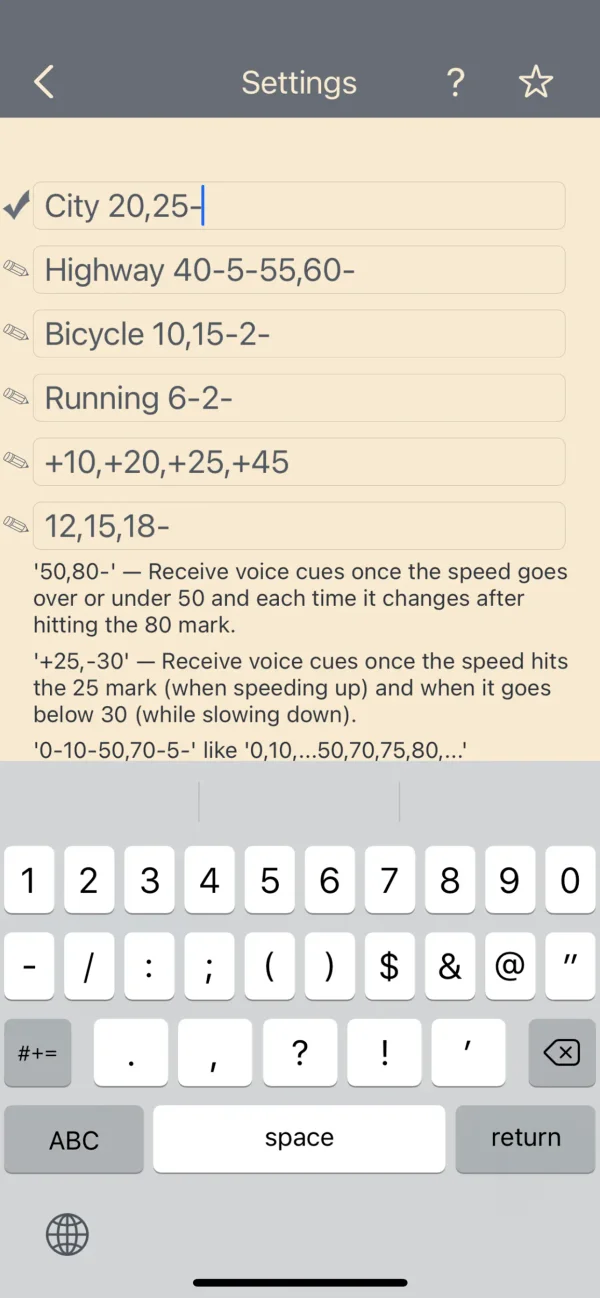
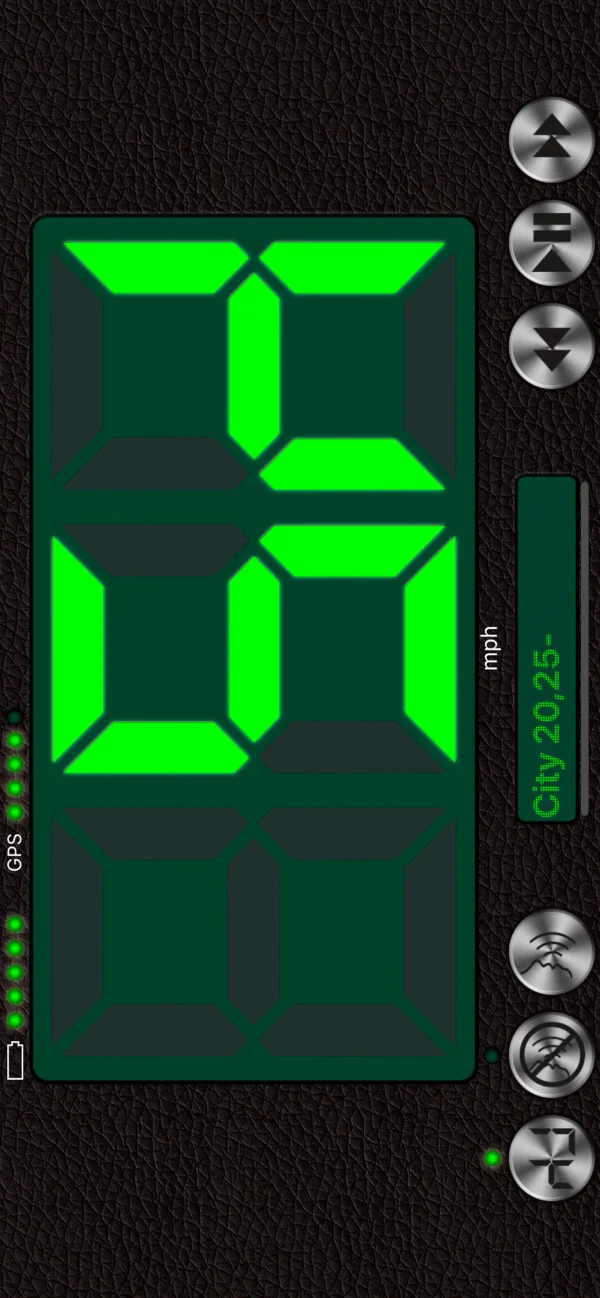
1. Voice cues to notify you when you reach the selected speed. About 25* languages supported. Receive speed voice cues while listening to music.
2. Speed data filtering. Readings with the filter on are more inert than those with the filter off though. THE FILTER MUST BE ON WHEN CYCLING, JOGGING OR WALKING.
3. The G-meter. Get APPROXIMATE acceleration calculated based on your speed variation. Why use the GPS G-meter: no need to keep your iPhone in a fixed position or connect it to your vehicle’s computer system, which means speed readings can be taken discreetly, for example, during a test drive. Taking a number of readings compensates lesser accuracy. Acceleration is calculated only when the filter is off. Acceleration cannot be measured near tall buildings, in the mountains or woods.
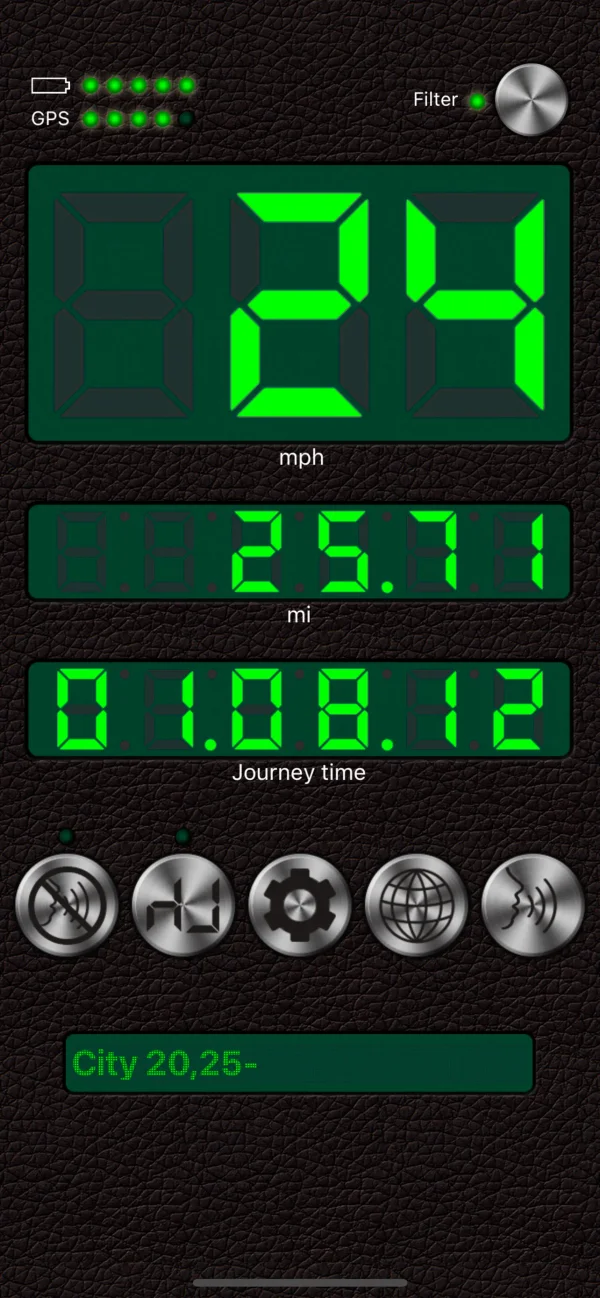
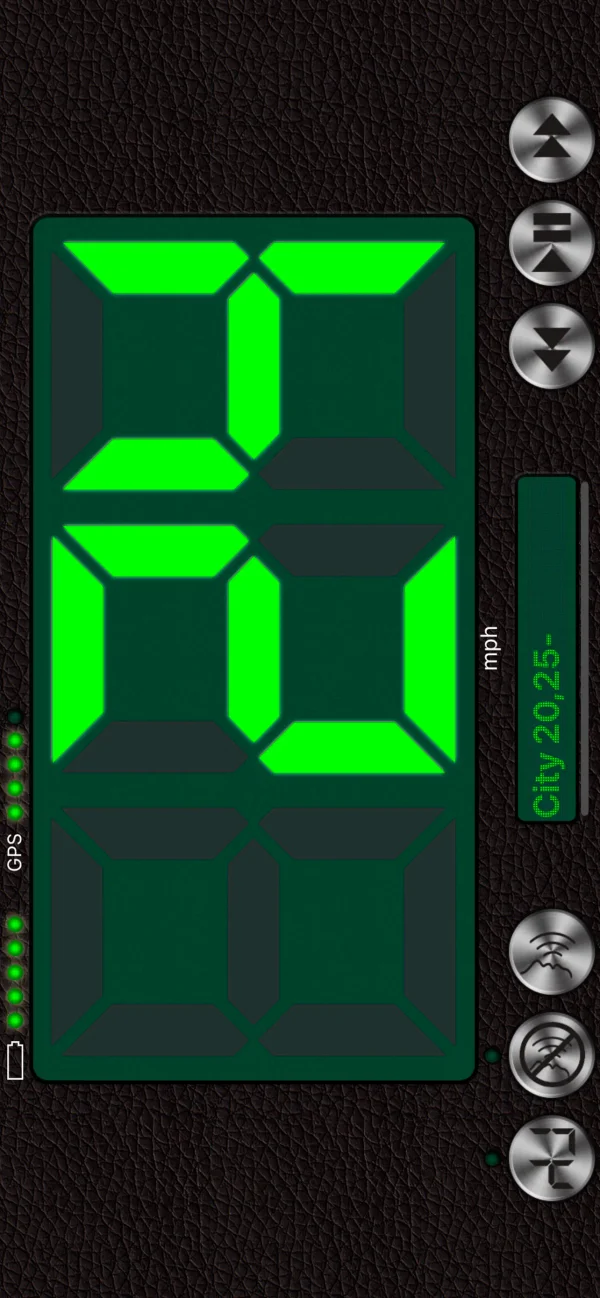
4. Large, well-lit digits
5. HUD (the speed is displayed in the windscreen reflection at night time or in cloudy weather)
6. Background mode. Continued use of GPS running in the background can dramatically decrease battery life.
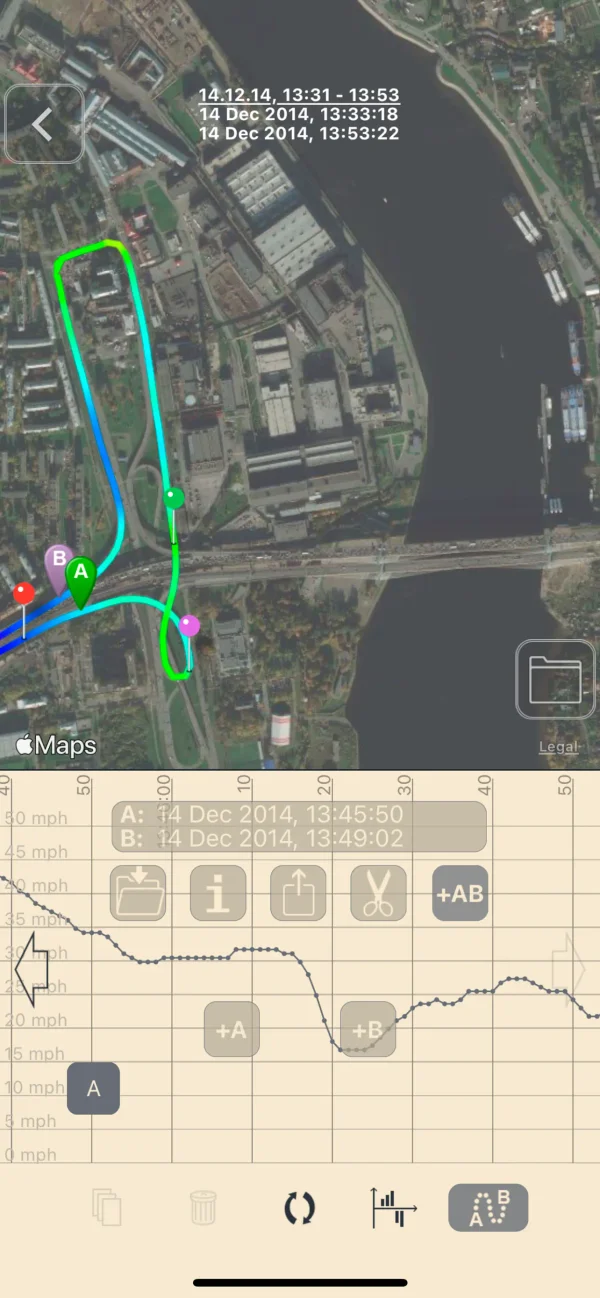
7. Speed and acceleration graphs
8. Odometer
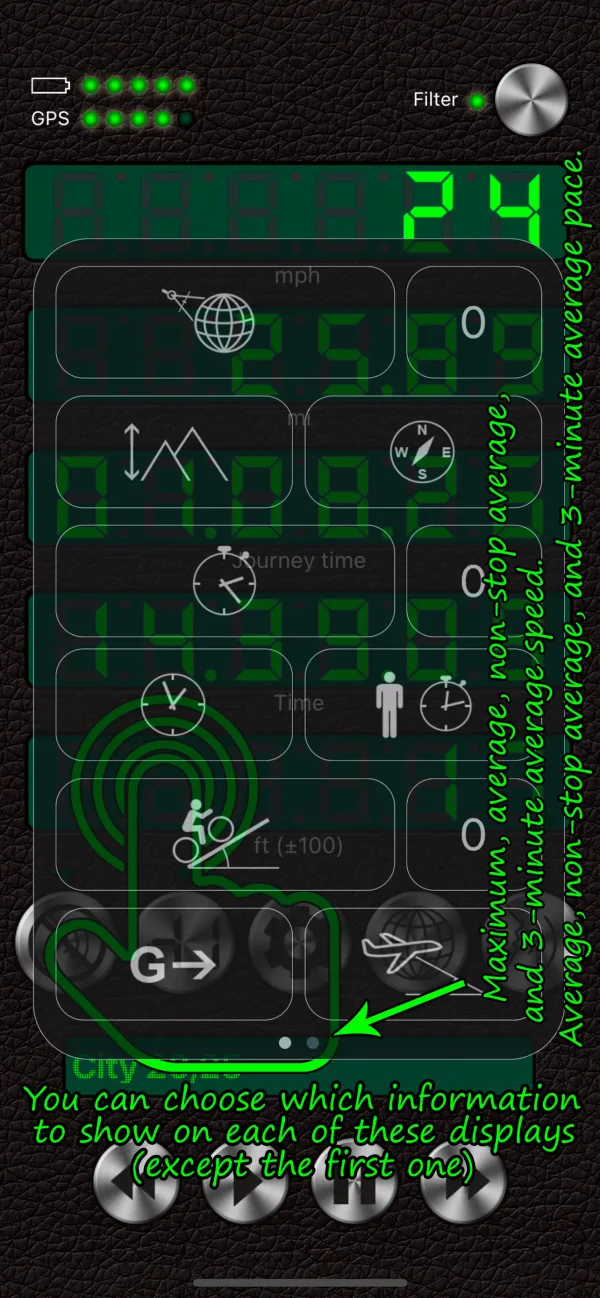
9. Altimeter
10. Time, journey duration, and current stop duration. The current stop duration will be reset after 20 seconds of motion.
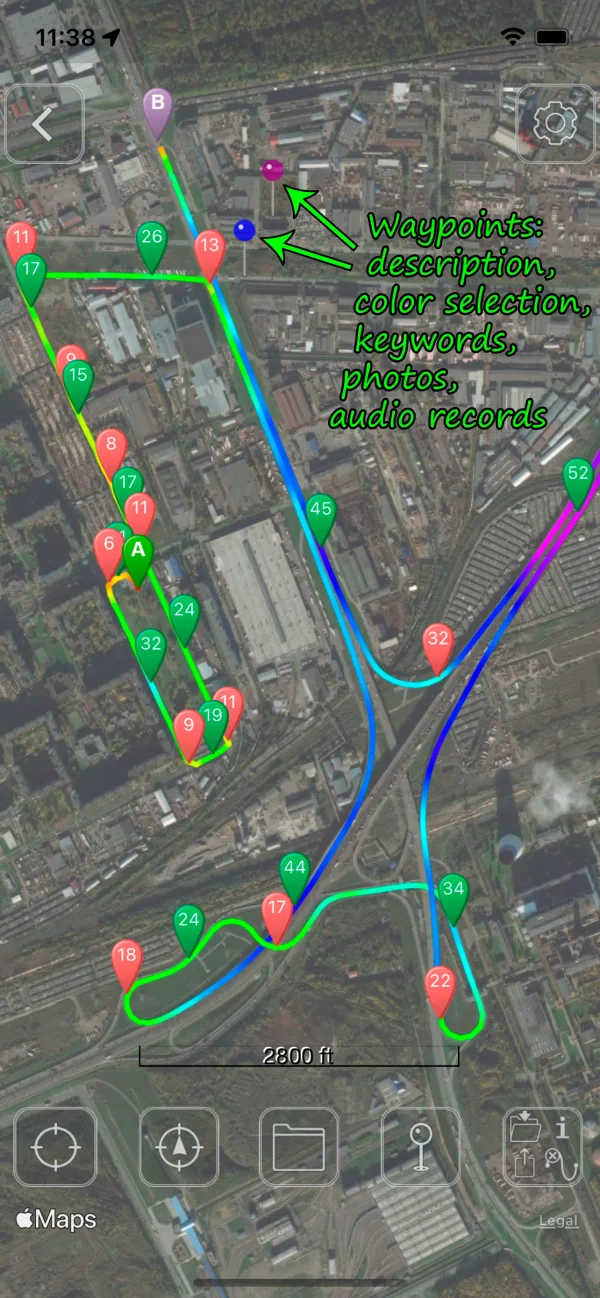
11. See tracks on the map
12. Save tracks
13. Compass
14. Angle of incline (inclinometer)
15. Aircraft descent/climb angle
16. Get detailed stats for any part of your journey
17. Export your journey to a KMZ or GPX file
18. Export track statistics table to a CSV file
19. Load and show your route (journey plan) on the map together with a track. To do this, create a route, using a special online service (such as GPX Editor - https://www.gpxeditor.co.uk/map, The online GPX file editor - https://gpx.studio/, Track drawing websites - https://wiki.openstreetmap.org/wiki/Track_drawing_websites) on your desktop, and export it as a GPX (KML, CSV) file. The file name must begin with "Route". Using iTunes, transfer the file into the app (OR use the "Files" app). Following this, you will be able to select your route at the bottom of your track list. Now you can easily travel following your route line, even without loading a map.
20. Export and import files via iTunes and email
21. Waypoints (description, color selection, keywords, photos, audio records)
22. A single waypoint database with a filter option
23. Music controls
24. No annoying ads
25. Vintage design
Why use voice cues:
1. Get notified if you have gone over the speed limit.
2. Voice cues allow novice drivers to find out their current speed without taking their eyes off the road.
3. Control your speed, even when you have limited or no access to your phone's screen, for example, when you are out jogging, roller-skating, cycling or skiing.
4. Keep your speed under control when you are driving at high speeds , as taking your eyes off the road can be highly dangerous.
5. Control your speed discreetly by using headphones.
Voice cues rules:
• "50,80-" — Receive voice cues once the speed goes over or under 50 and each time it changes after hitting the 80 mark.
• "+25,-30" — Receive voice cues once the speed hits the 25 mark (when speeding up) and when it goes below 30 (while slowing down).
• "10-20" like "10,11,12,...19,20".
• "0-10-60,70-5-" — Detailed cues, such as "0,10,20,...60,70,75,80,85,90,...".
• "-10-10-40,+70-5-" — Detailed cues, such as "-10, -20, -30, -40, +70, +75, +80, +85, +90,...".
• You can use rules for sound signals (for example "55!! 60!!!"). But then the rules for pronouncing the speed will not work.
https://youtu.be/fu7nlxfjkf8
* — English, Deutsch, 日本語, Español, Français, Italiano, Русский, العربية, ไทย, Nederlands, Português, Polski, Ελληνικά, Bahasa Indonesia, Svenska, Türkçe, 한국어, Magyar, Čeština, Dansk, Suomi, Română ...
What’s new
Version 2.5.6 · Nov 19, 2026
The app has been updated only to answer new age rating questions.
App privacy
What Dmitriy Kharutskiy declares on the App Store about how this app handles data.
-
Data not collected
The developer does not collect any data from this app.
Privacy practices may vary, for example with the features you use or your age.
Information
- Seller
- Dmitriy Kharutskiy
- Category
- Health & Fitness
- Version
- 2.5.6
- Updated
- Nov 19, 2026
- Released
- Jun 29, 2014
- Size
- 26.0 MB
- Requires
- iOS 15.6 or later
- Age rating
- 4+
- Price
- $2.99
- Languages
- English, French, German, Italian, Japanese, Russian, Spanish
- Copyright
- © 2014 Dmitriy Kharutskiy
You might also like
-
 Zone 2 Plus: Cardio FitnessLow heart rate training
-
 tebChart: Discharge & MedsMed list, reminders & ER card
-
 Step Counter: Walk PotatoFunny Daily Walking Goals
-
 Lower LoungeHealth & Fitness
-
 Smoke Journal2024 Best Lifestyle App
-
 Memory Training 123Health & Fitness
-
 Suiff PROHealth & Fitness
-
 MuscleMind: AI Workout PlannerEarn rewards. Fitness tracker.
-
 Eye Fitness Workout TrainingYour Daily Eye Fitness Workout
-
 80-20 NutritionHealth & Fitness