TalkMirror - Shadowing
Speech, Diction & Rehearsal
Designed for iPhone, iPad
Free · In-app purchases
- Age rating4+
- CategoryEducation
- Developer奇濂 任
- LanguagesEnglish+ 19 more
- Size26.4 MB
Links to the official App Store page
Download.org hosts no file of TalkMirror - Shadowing. The button opens its official App Store page, published by 奇濂 任. Listing last checked on Nov 24, 2026.
Screenshots

About
Open it and speak. Stop, and hear yourself right away.
Work on pronunciation, get ready for talks and interviews, or read lines aloud, in any language. Your recordings stay in your device's memory and are never saved or uploaded.
You notice pronunciation, pacing, rhythm and clarity while the moment is still fresh.
CHOOSE HOW YOU WANT TO PRACTICE
• Free speaking: use instant playback like an acoustic mirror.
• Today's shadowing: pick an optional prompt and compare it with a reference voice.
• Rehearse: prepare a presentation, interview, speech, or script at your own pace.
THREE FREE PRACTICE TOOLS
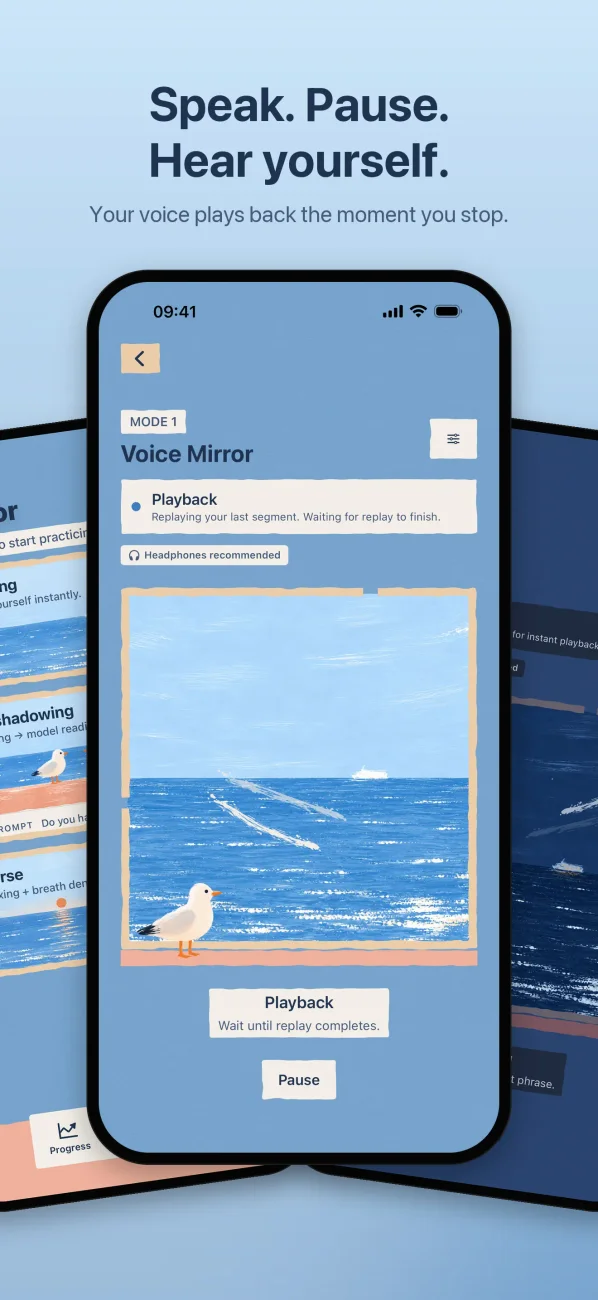
Mode 1 — Voice Mirror
Hear each phrase immediately after you pause.
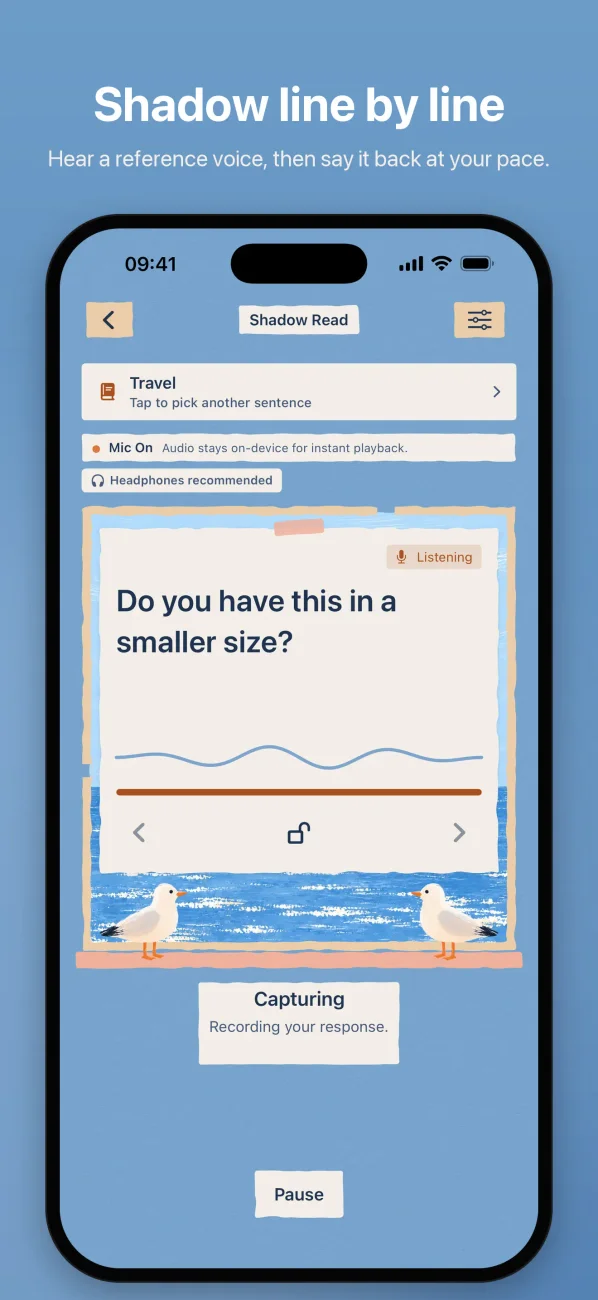
Mode 2 — Shadowing
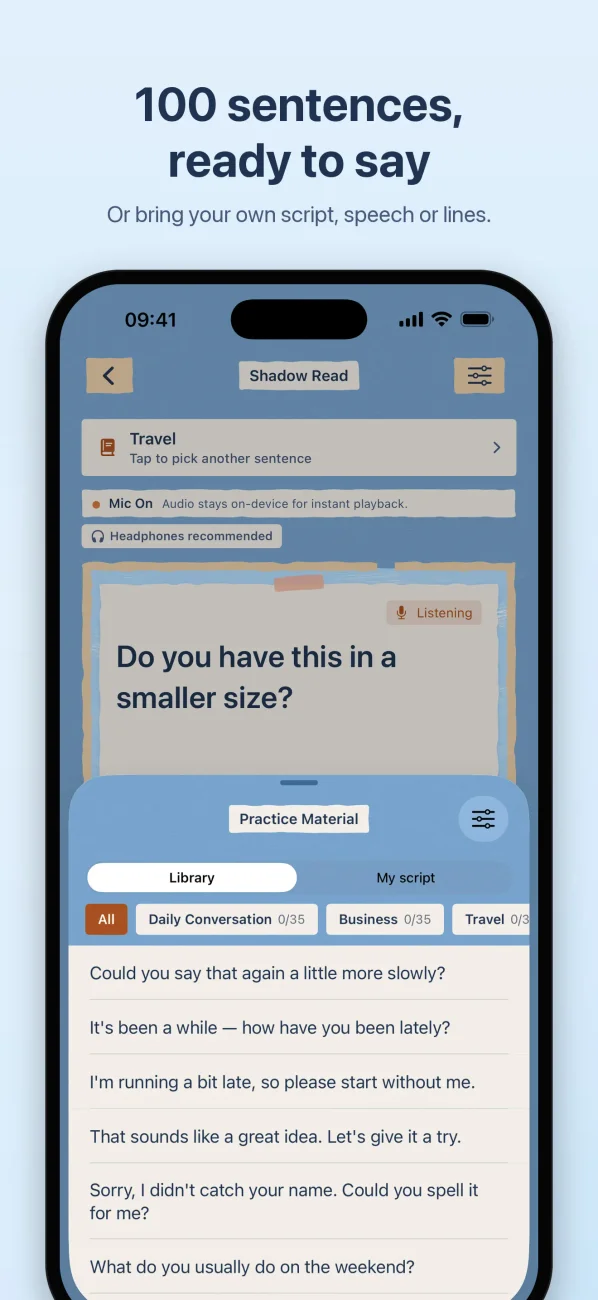
Choose from 100 built-in English prompts or paste your own script. Practice line by line: hear your voice first, then the reference voice.
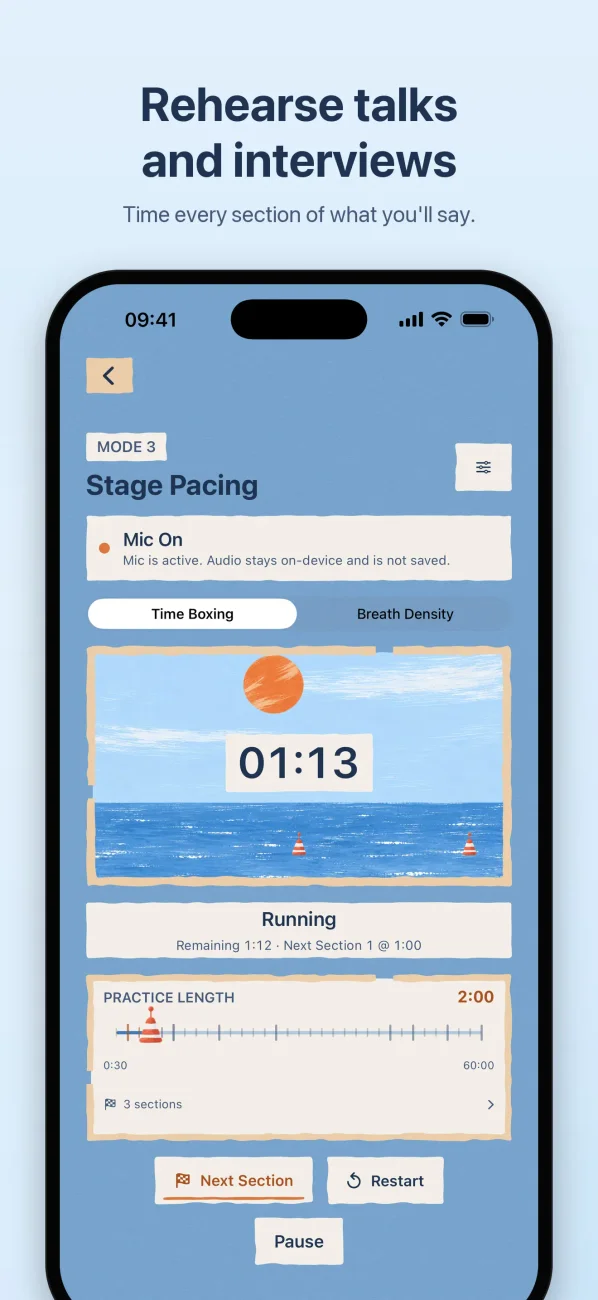
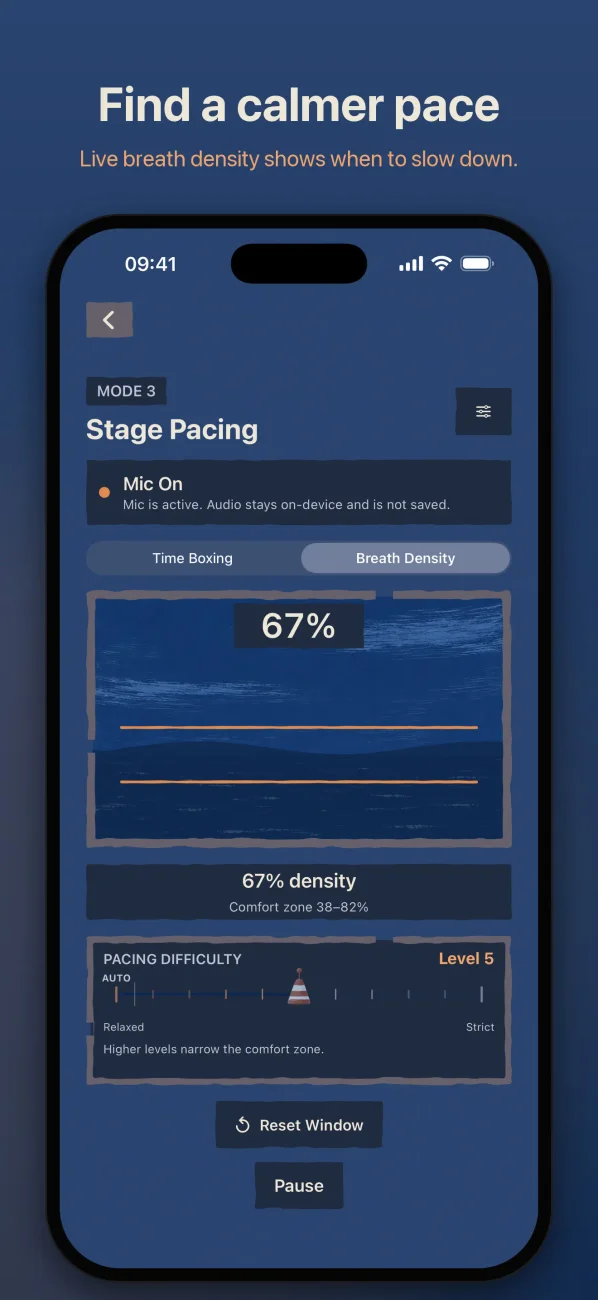
Mode 3 — Stage Pacing
Time-box a presentation with checkpoints, or use Breath Density cues with Auto and levels 1–10 to shape pacing and pauses.
SEE HOW THE ROUND WENT
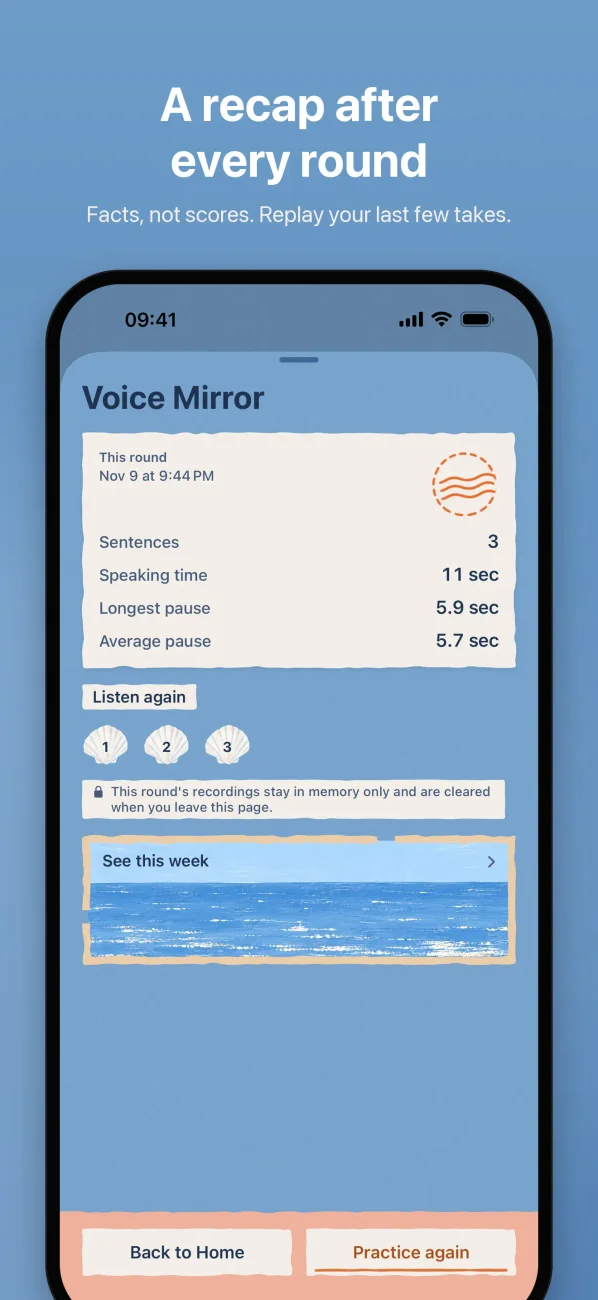
After you practice, a short recap shows what happened: sentences, speaking time and pauses, side by side with your last session in that mode. In Free speaking and Today's shadowing you can replay your last few takes before they're gone.
Make it yours with six themes: Seaside Window, Default, Paper & Ink, Pixel Arcade, Spotlight and Night Radio. Each one restyles all three modes—gulls on a windowsill by the sea, an ink drop that spreads as you speak, a pixel companion that talks along, a stage spotlight or a glowing VU meter—on iPhone and iPad.
PRIVATE BY DESIGN
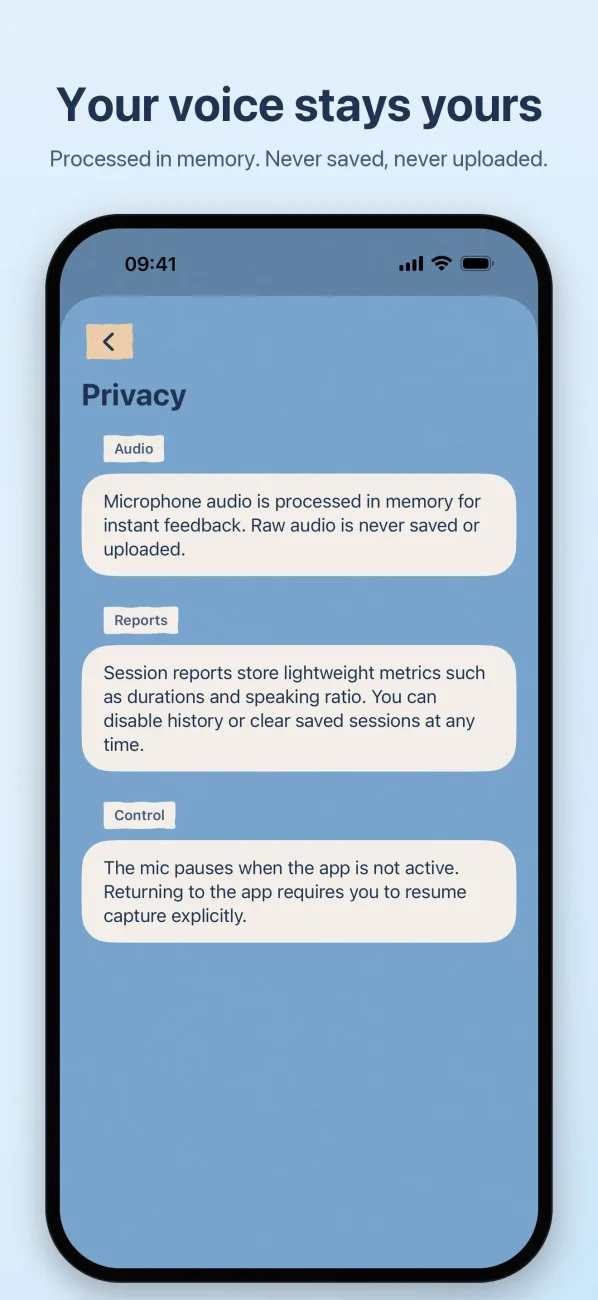
• Audio is processed in memory for immediate playback.
• Raw recordings are never stored on disk.
• Audio is never uploaded to a server.
• The microphone stops in the background or when the screen locks.
• Recording never resumes without your action.
• Takes you replay in the recap stay in memory too, and are cleared when you leave.
All core modes and the built-in practice library are free. There are no subscriptions, ads, accounts, or locked practice features.
What’s new
Version 2.1 · Nov 11, 2026
What's new in TalkMirror 2.1
• Seaside Window, a new theme: a painted window onto the sea, gulls on the sill that talk along, and a night version.
• A recap after you practice: sentences, speaking time and pauses, side by side with your last session in that mode.
• Replay your last few takes from the recap in Free speaking and Today's shadowing. They stay in memory and are cleared when you leave.
• Your current theme stays as it is. Tap the palette on Home to try Seaside Window.
Raw audio is still never saved or uploaded.
App privacy
What 奇濂 任 declares on the App Store about how this app handles data.
-
Data not collected
The developer does not collect any data from this app.
Privacy practices may vary, for example with the features you use or your age.
Information
- Seller
- 奇濂 任
- Category
- Education
- Version
- 2.1
- Updated
- Nov 11, 2026
- Released
- Jan 26, 2026
- Size
- 26.4 MB
- Requires
- iOS 17.0 or later
- Age rating
- 4+
- Price
- Free
- In-app purchases
- Yes
- Languages
- English, Arabic, Danish, Dutch, Finnish, French, German, Indonesian, Italian, Japanese, Korean, Polish + 8 more
- Copyright
- © 2026 RENQILIAN
You might also like
-
 SpeechShotSpeak & Compare in 20+ langs
-
 ShadowingGOShadow English with YouTube
-
 Articulated: Public SpeakingAI Articulation Training
-
 Shadowing English: Speak ProFluency Pronunciation Practice
-
 Shadowing English - SpeakFoxLearn with YouTube & Movies
-
 Shadowing English With VideoPractice English Speaking
-
 4You: Learn language via videoListening, Shadowing, Vocab
-
 Parroto: Shadowing & DictationEnglish Speaking & Listening
-
 Shadowing - English SpeakingShadow a speech, get a score
-
 Speakometer-Accent Training AILearn English Pronunciation