Tally: Time Journal & Tracker
Daily Log, Time Blocks & Focus
Designed for iPhone, iPad
Free · In-app purchases
- Age rating4+
- CategoryProductivity
- DeveloperYoussef Ismaili
- LanguagesEnglish+ 9 more
- Size31.4 MB
Links to the official App Store page
Download.org hosts no file of Tally: Time Journal & Tracker. The button opens its official App Store page, published by Youssef Ismaili. Listing last checked on Nov 20, 2026.
Screenshots


About
You know the feeling. It's 9 PM and you're wondering where the day went. You were busy — but doing what, exactly?
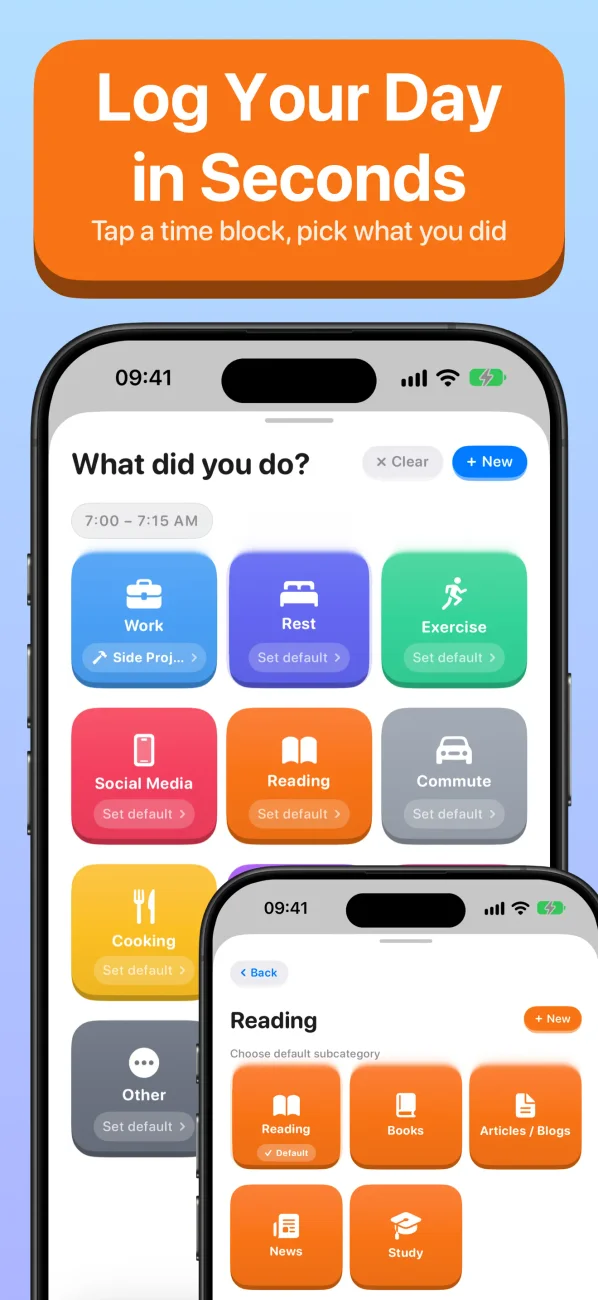
Tally answers that question. Not with timers or complicated tracking. Just a gentle nudge throughout the day: "What did you just do?" Tap a category and you're done. Three seconds, tops.
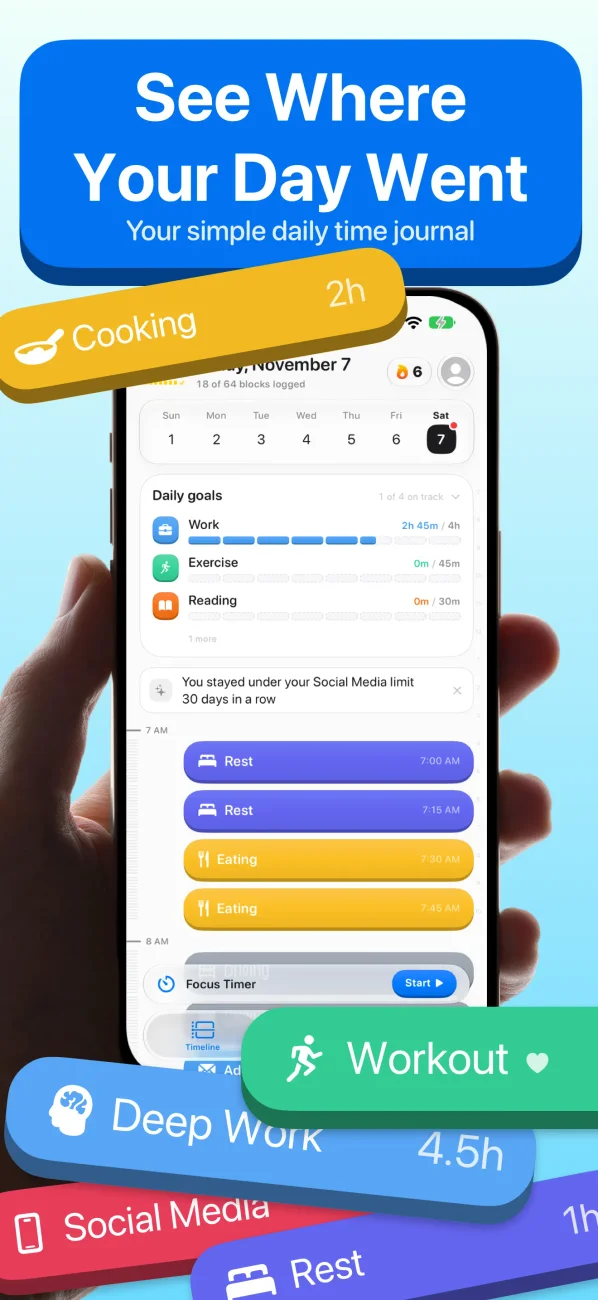
Do this for a few days and something shifts. You stop guessing and start seeing. The afternoon you thought was productive? Mostly phone. The evening you felt was wasted? Actually a solid mix of cooking and reading.
Tally doesn't judge. It just shows you the picture.
YOUR DAY AT A GLANCE
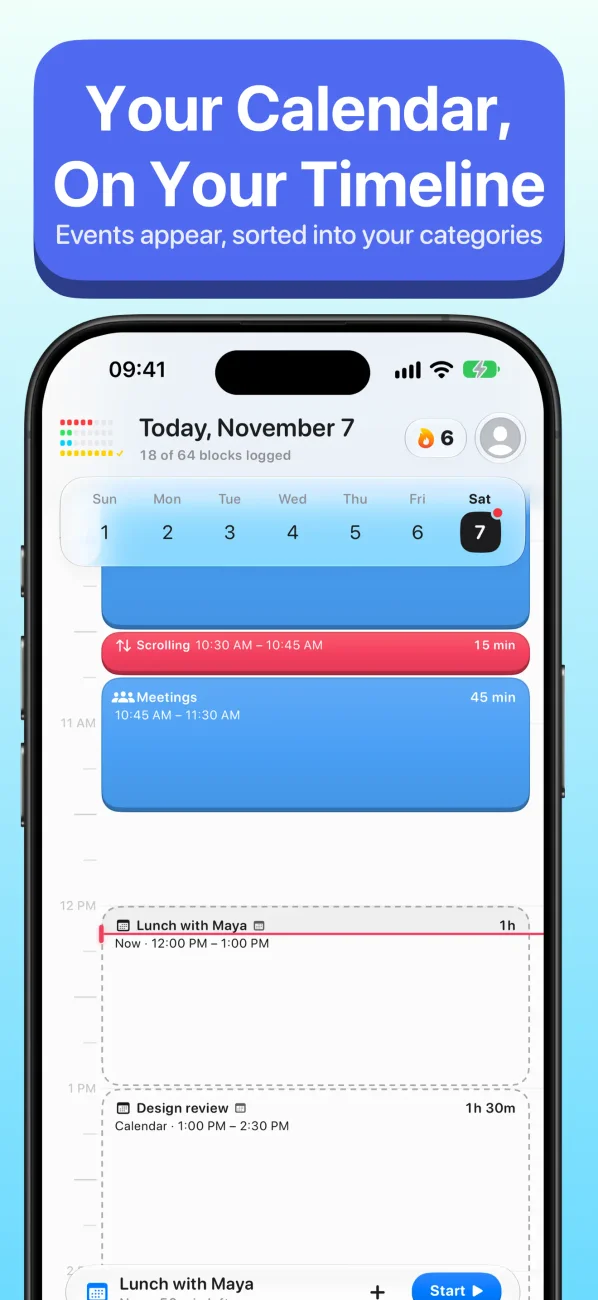
Your daily timeline is a visual map of how your hours were spent, color-coded by category. At a glance, you see the shape of your day — what you did, and what slipped by unlogged.
LOG WITHOUT THINKING
- A gentle nudge at the interval you choose
- Quick-log directly from the notification — no need to open the app
- Pick from your most-used categories with a single tap
- Only active during your waking hours — you set the schedule
CATEGORIES THAT FIT YOUR LIFE
Tally comes with 10 default categories: Work, Rest, Exercise, Social Media, Reading, Commute, Cooking, Entertainment, Social, and Other. Add your own — unlimited, with custom icons and colors. Your categories should reflect how you actually spend time, not how you wish you did.
BALANCE, NOT JUST DATA
Tally tracks four dimensions of a well-spent day through balance bars:
- Create: time spent on focused, productive work
- Recharge: rest, exercise, cooking — recovery that actually counts
- Focus: your day minus the distractions
- Awareness: how much of your day you've accounted for
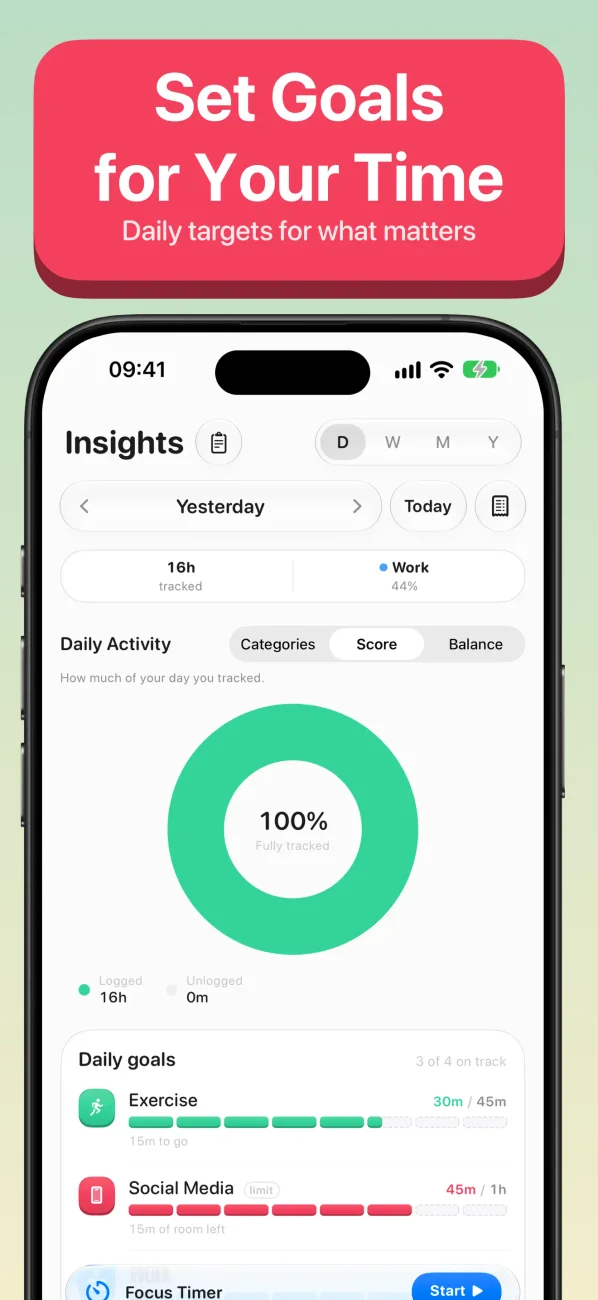
Each bar has a personal target. When all four close, you've had a balanced day — by your own definition, not anyone else's.
SEE THE PATTERNS
The Insights tab breaks down your time across four views:
- Daily: where today's hours went, charted by category
- Weekly: seven days side by side — spot the rhythm of your week
- Monthly: trends that only emerge over longer stretches
- Yearly: the full picture of how your time adds up
No scores designed to guilt you. Just clean data about your own life.
BUILT TO STAY OUT OF YOUR WAY
- iCloud sync keeps your data across all your devices
- Dark mode that follows your system setting
- Works offline — your data is local first, always
- No account required. No sign-up. No analytics tracking you.
Tally is completely free. Every feature, every insight, every category — no paywalls, no limits, no "upgrade to unlock" screens.
WHAT TALLY IS NOT
Tally is not a Pomodoro tool. There are no work/break cycles.
Tally is not a billing tracker. There are no projects or clients.
Tally is a mirror. It shows you where your time goes. What you do with that information is entirely up to you.
Terms of Use: https://www.theblackholecompany.com/termsConditions.html
What’s new
Version 1.1 · Nov 10, 2026
Tally 1.1 brings a new way to log your day.
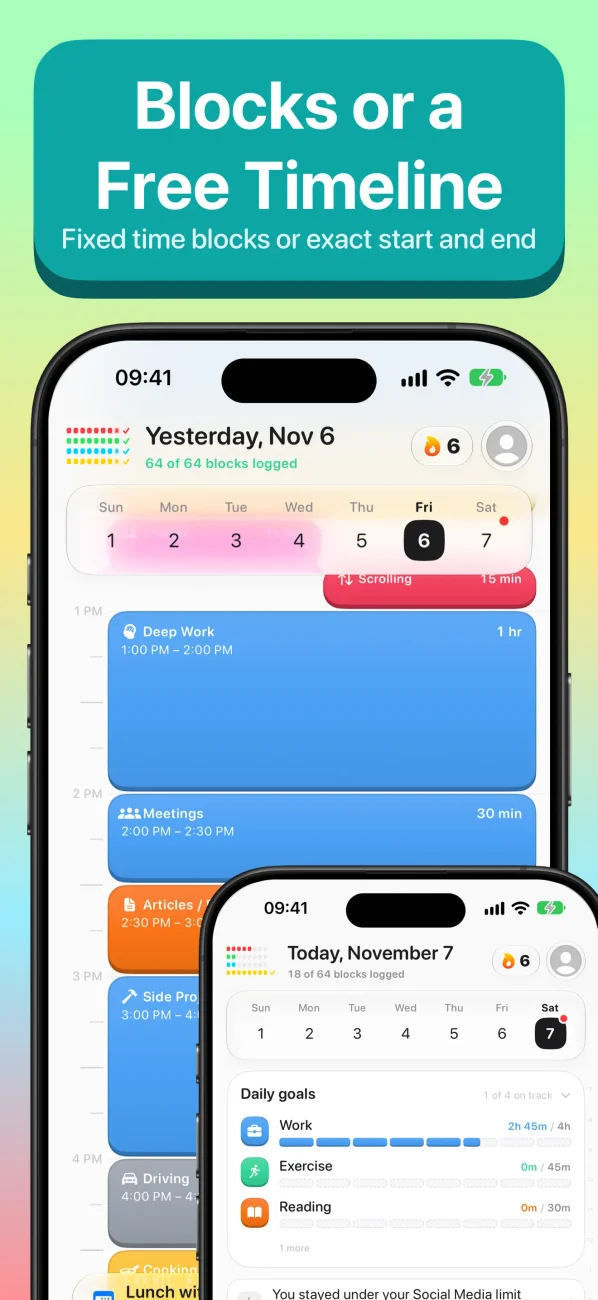
• A free timeline: log with exact start and end times, or keep your blocks. Switch any time in Settings.
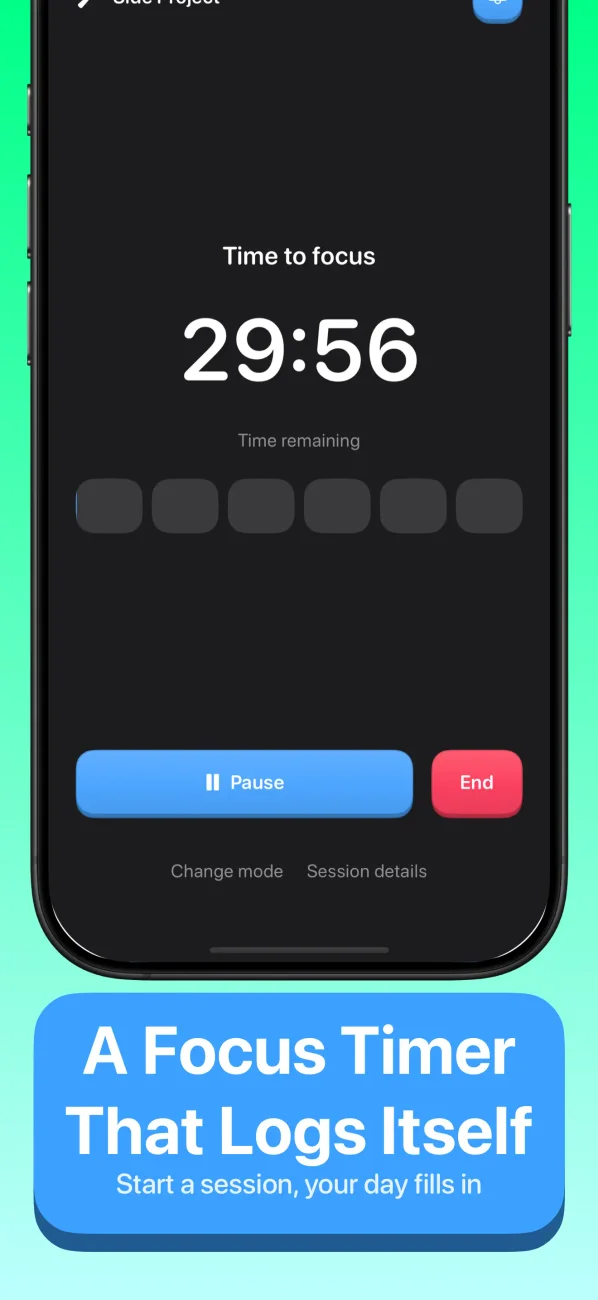
• A new focus timer: Pomodoro rounds, count up or down, and a Live Activity on your Lock Screen.
• Your calendar on your day: events appear on your timeline. Confirm them in one tap, or add your blocks to your calendar.
• Plan ahead: drag out blocks for later in the day and get a reminder when each one starts.
• A Weekly Review you can act on: see where your week went and adjust a goal in one tap.
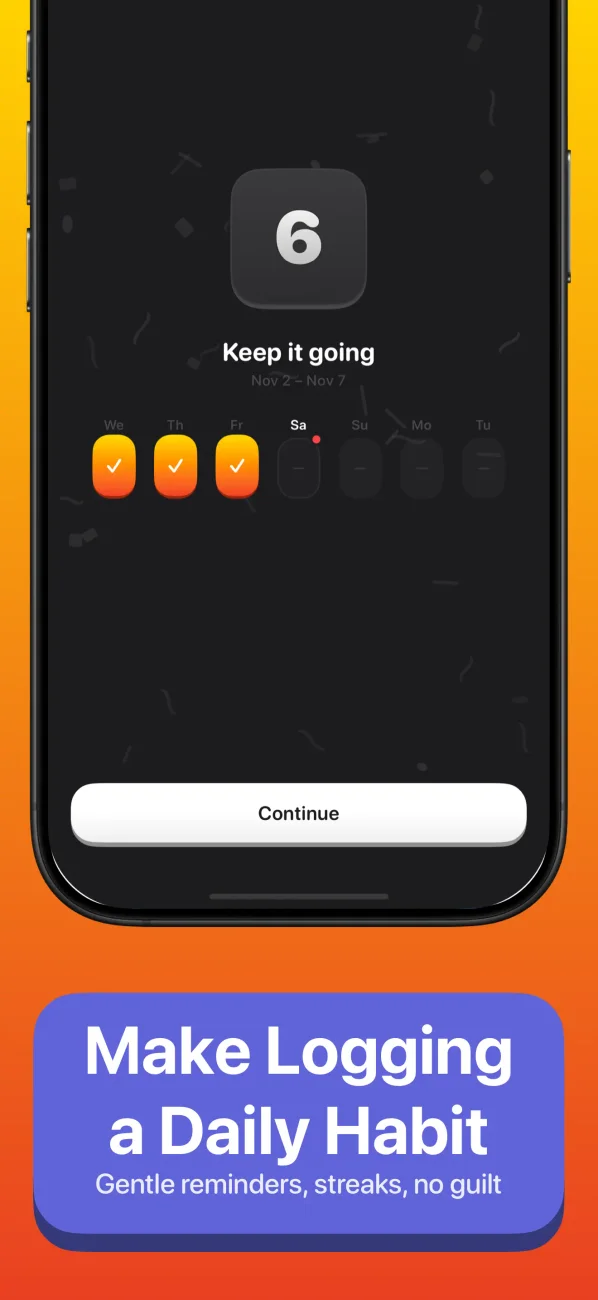
• Calmer reminders: nudges are spaced out and never arrive all at once.
Some features are part of Tally Pro. If you downloaded Tally before this update, Pro is yours for life, as a thank-you.
App privacy
What Youssef Ismaili declares on the App Store about how this app handles data.
-
Data not linked to you
May be collected but is not linked to your identity.
- Usage data
- Diagnostics
Privacy practices may vary, for example with the features you use or your age.
Information
- Seller
- Youssef Ismaili
- Category
- Productivity
- Version
- 1.1
- Updated
- Nov 10, 2026
- Released
- Apr 3, 2026
- Size
- 31.4 MB
- Requires
- iOS 18 or later
- Age rating
- 4+
- Price
- Free
- In-app purchases
- Yes
- Languages
- English, French, German, Italian, Japanese, Korean, Portuguese, Simplified Chinese, Spanish, Traditional Chinese
- Copyright
- © 2026 BlackholeStudio
You might also like
-
 1% Better: Habit TrackerWatch Your Progress Compound
-
 Prompto Your AI prompt librarySave & organize AI prompts
-
 Tomorrow - Plan TonightWrite tonight. Do tomorrow.
-
 Nerve - Screen Time ControlBrain Game App Blocker & Focus
-
 AI Daily Task Assistant ScytheTake notes & chop down tasks
-
 Diem – The Better To-Do ListProductivity
-
 HIKE.SH - Hike and Trail LogLog Every Hike & Summit
-
 Dotly - Habit TrackerTrack Habits. Count Every Day.
-
 Cortex - Local AIPrivate AI. No Cloud. Ever.