
TallyVally: Expense Tracker
Scan receipts, track spending
Designed for iPhone
Free · In-app purchases
- Age rating4+
- CategoryFinance
- DeveloperAlisher Serikbayev
- LanguagesEnglish+ 2 more
- Size15.4 MB
Links to the official App Store page
Download.org hosts no file of TallyVally: Expense Tracker. The button opens its official App Store page, published by Alisher Serikbayev. Listing last checked on Nov 18, 2026.
Screenshots
About
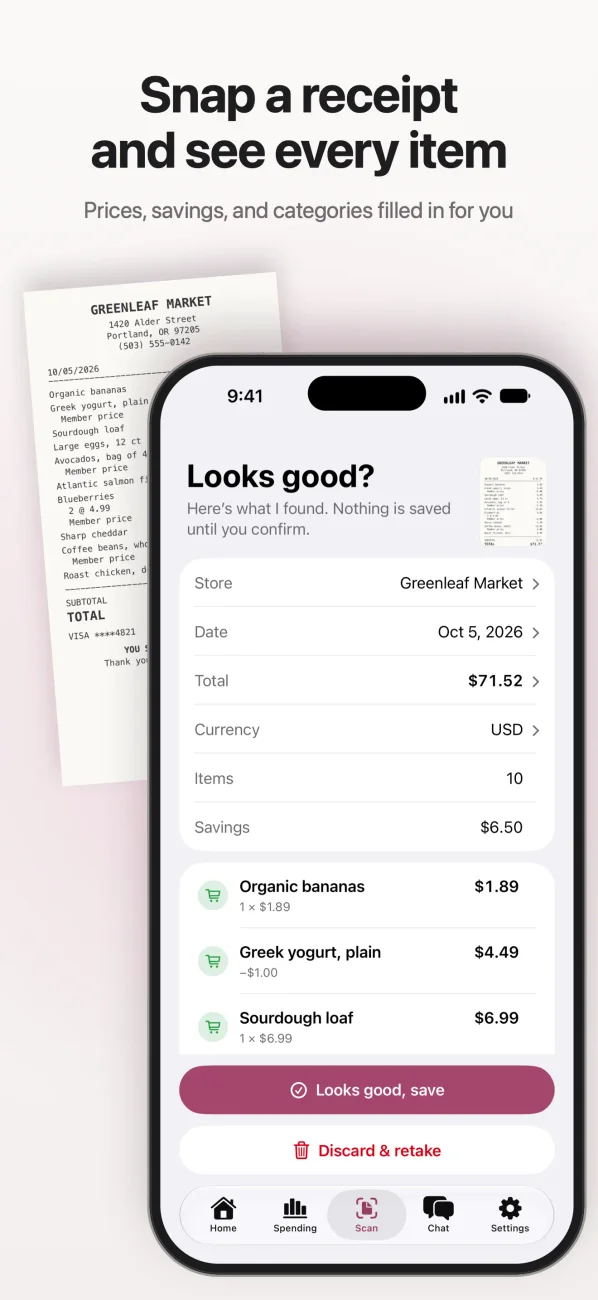
TallyVally turns the paper in your pocket into a spending record with every line in it. Snap a receipt or add a PDF, and you get the store, the date, each item, each discount and the total. No typing. No bank login. No account to create.
TallyVally is rebuilt from the ground up for iPhone. Your receipts, photos and subscription come with you.
One photo, every line item
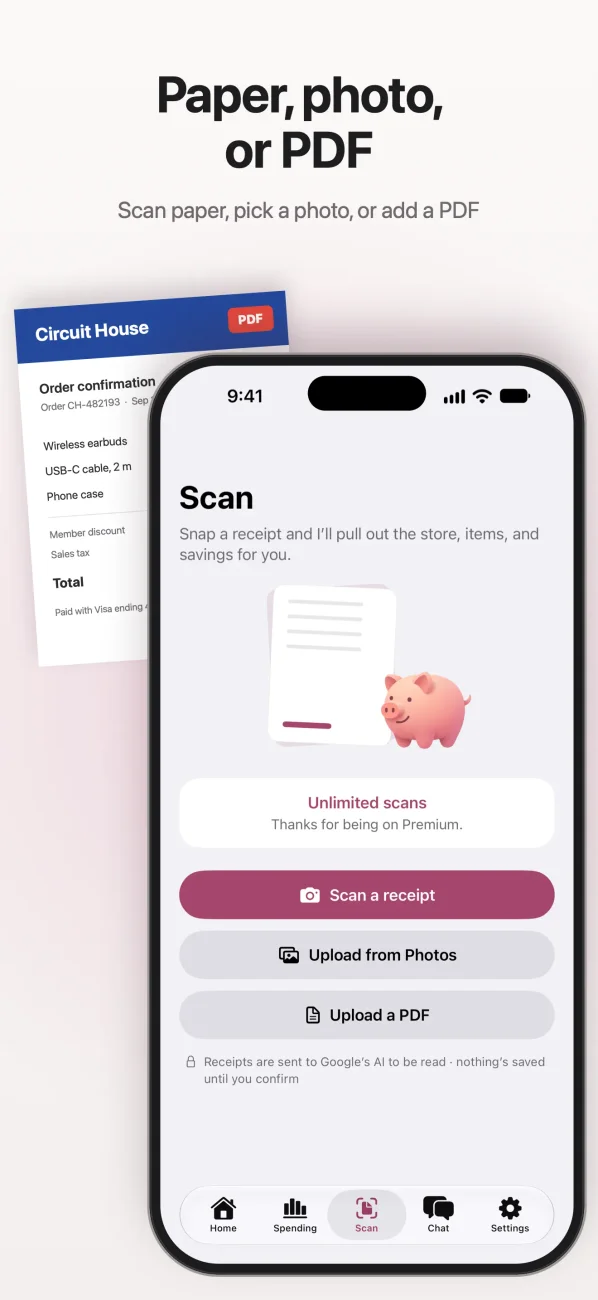
Hold a receipt under the new receipt camera and it takes the photo by itself, straightened and trimmed. Or pick a photo from your library, or add a PDF from Files. TallyVally reads the store, the date, every item with its price and quantity, the discounts and the total, and sorts each item into a category. Nothing is saved until you check it and tap Save, and you can fix anything by hand. If a receipt looks like one you already saved, TallyVally asks first.
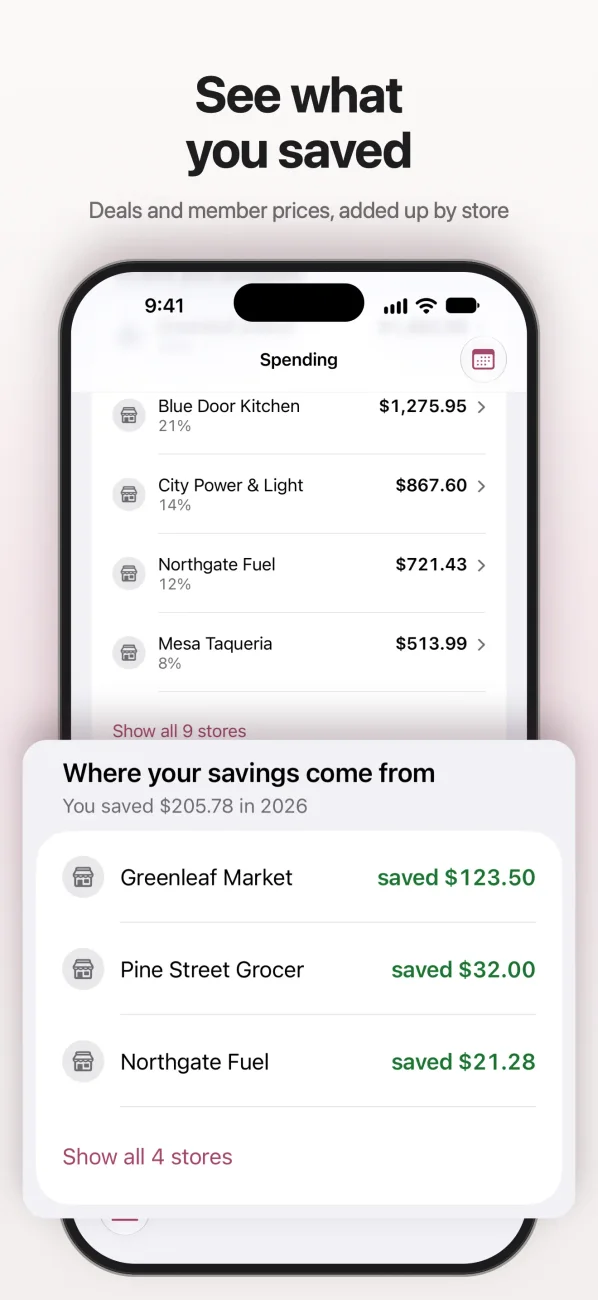
See what you saved, not just what you spent
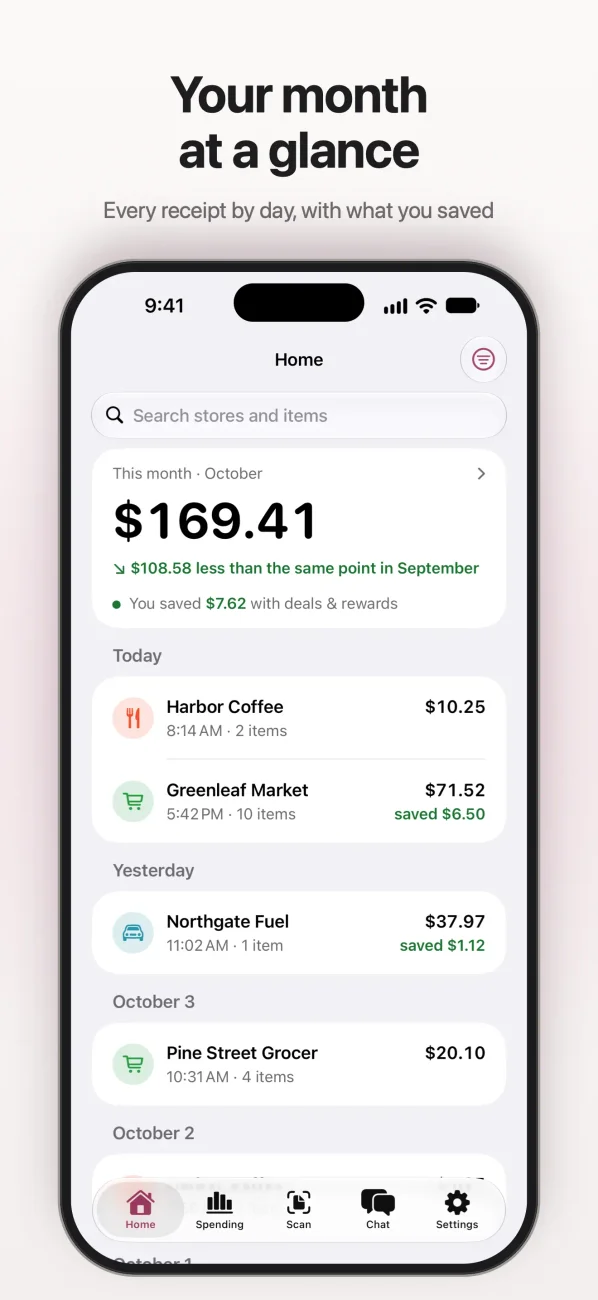
Coupons, loyalty discounts and member prices come straight off the receipt and are added up for you, store by store. Your bank sees what left your account. It can't see the coupon printed on the paper.
Find anything you bought
Search every receipt by store or by item. Type "avocado" and see every receipt it's on.
Your year, already added up
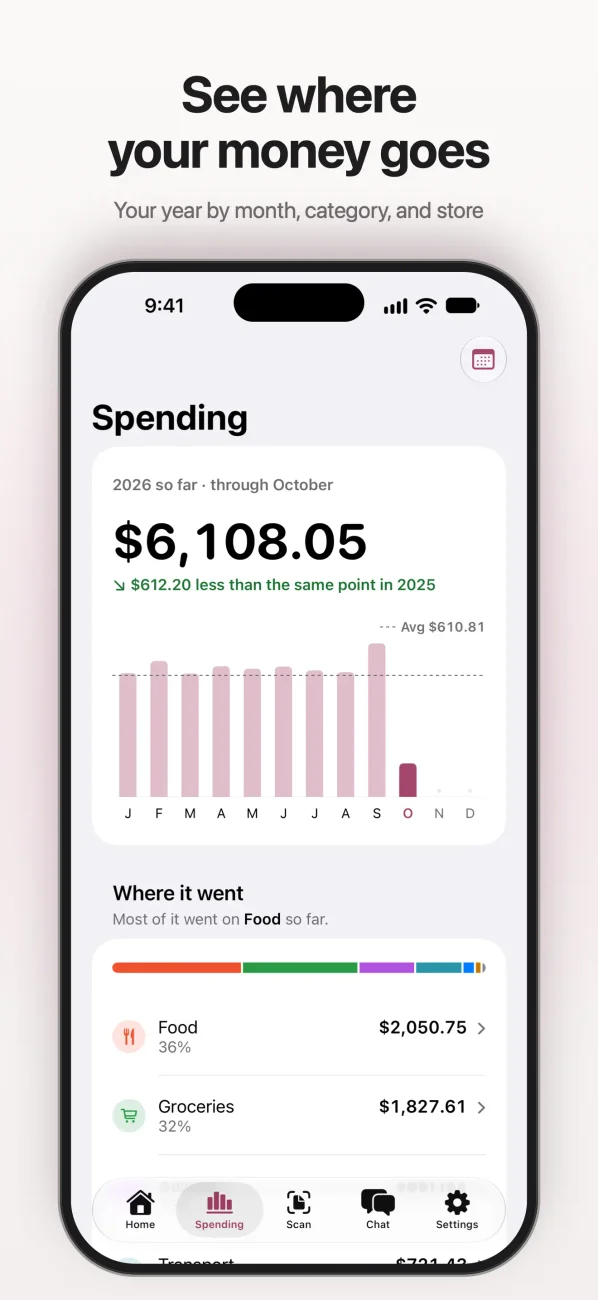
Spending shows your year month by month, your categories and your stores, compared with the same point last year. Touch and hold the chart and slide to see any month, and tap a category or a store to see the receipts behind it.
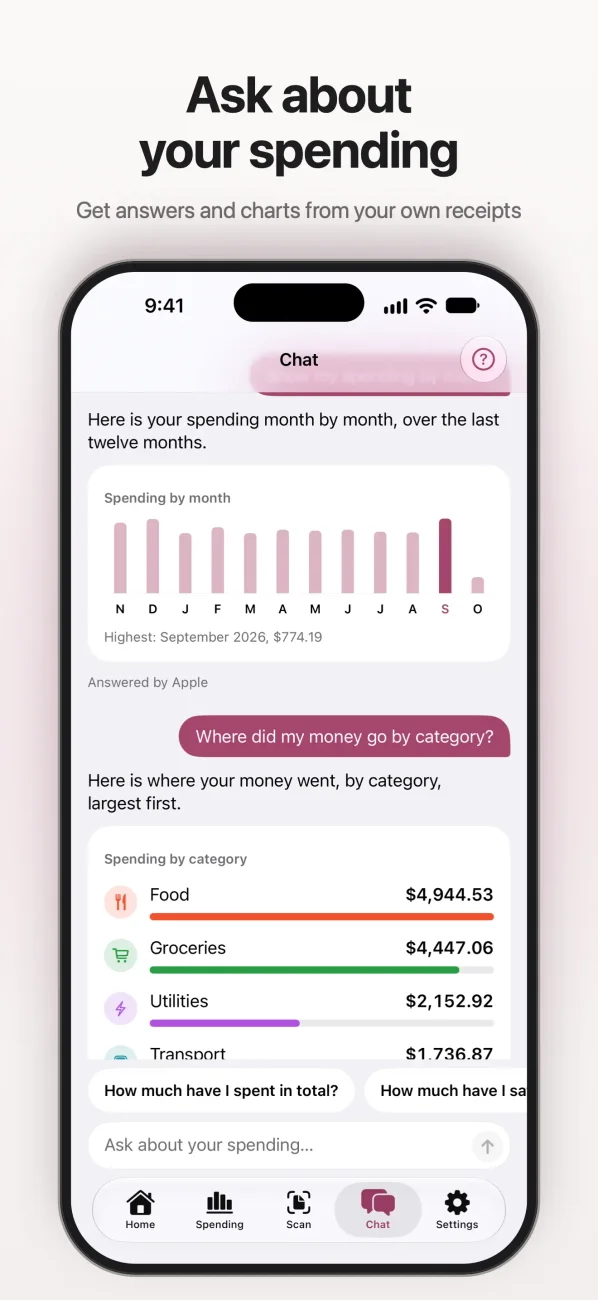
Ask a question, get a real answer
"Where did my money go this year?"
"What did I spend on groceries last month?"
"When did I last shop there?"
Ask in your own words. The figures come from the receipts on your iPhone.
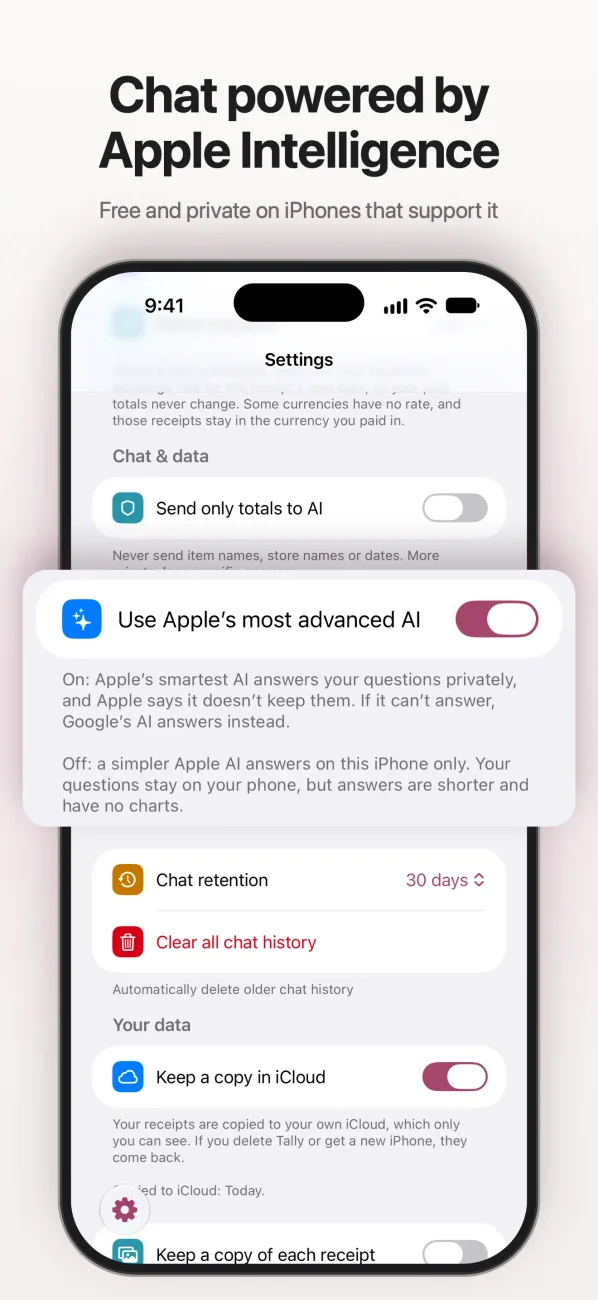
On iPhones that support Apple Intelligence, chat uses Apple's most advanced AI. It's free, it doesn't count against your questions, and its answers can include a chart. If it can't answer, Google's AI answers instead. Prefer to keep chat entirely on your iPhone? Turn that setting off, and a simpler Apple AI answers on the device.
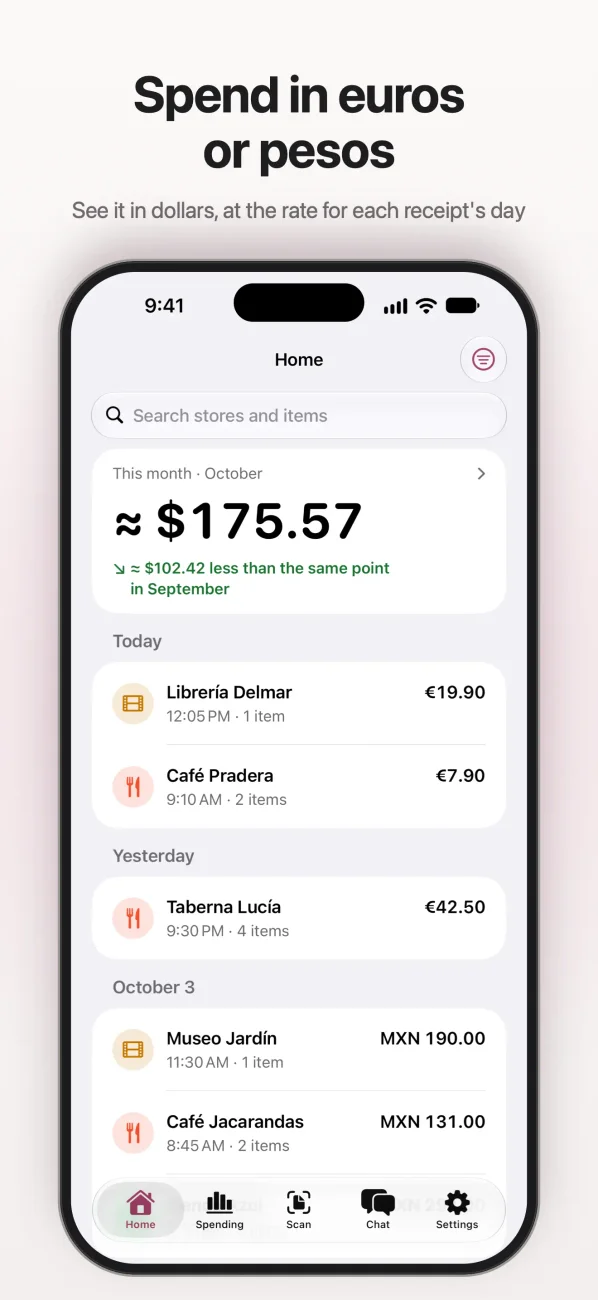
Traveling?
TallyVally reads the currency from each receipt and keeps it with that purchase, then converts it at the published rate for the day you paid, so last March's total doesn't move tomorrow.
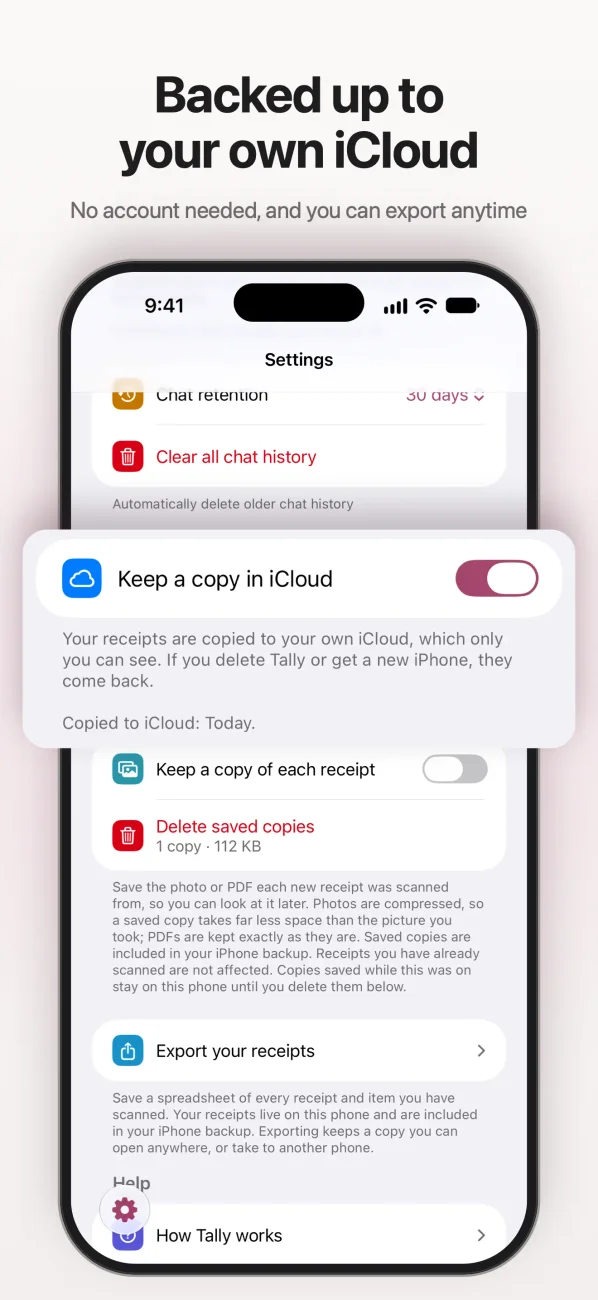
Backed up in your own iCloud
TallyVally keeps a copy of your receipts in your own iCloud, so they come back on a new iPhone. It goes to your Apple account, never to us, and you can turn it off in Settings. You can also keep a copy of each receipt's photo or PDF, and export everything to a spreadsheet whenever you like.
Your money stays yours
Your receipts live on your iPhone. No account, and no copy of your spending on our servers.
Reading a receipt sends that photo or PDF to Google's Gemini AI, so whatever is printed on it gets read, including the payment method and a card's last four digits. TallyVally never asks for or stores a full card number, PIN or CVV. Chat never sends card details, and a stricter setting sends totals alone. No tracking, no ads, nothing sold.
Free, and genuinely generous
Start with 10 scans that never expire and 10 questions for Google's AI, then 3 more scans and 5 more questions at the start of every month. A scan that fails never counts. Your full history, every breakdown, search, the iCloud copy and export stay free.
Premium removes both limits: scan as many receipts as you like, and ask as many questions as you like. Monthly or yearly, priced in your own currency by the App Store, renewing until you cancel.
Terms of Use: https://www.apple.com/legal/internet-services/itunes/dev/stdeula/
Requires iOS 26 or later.
What’s new
Version 2.3.0 · Nov 3, 2026
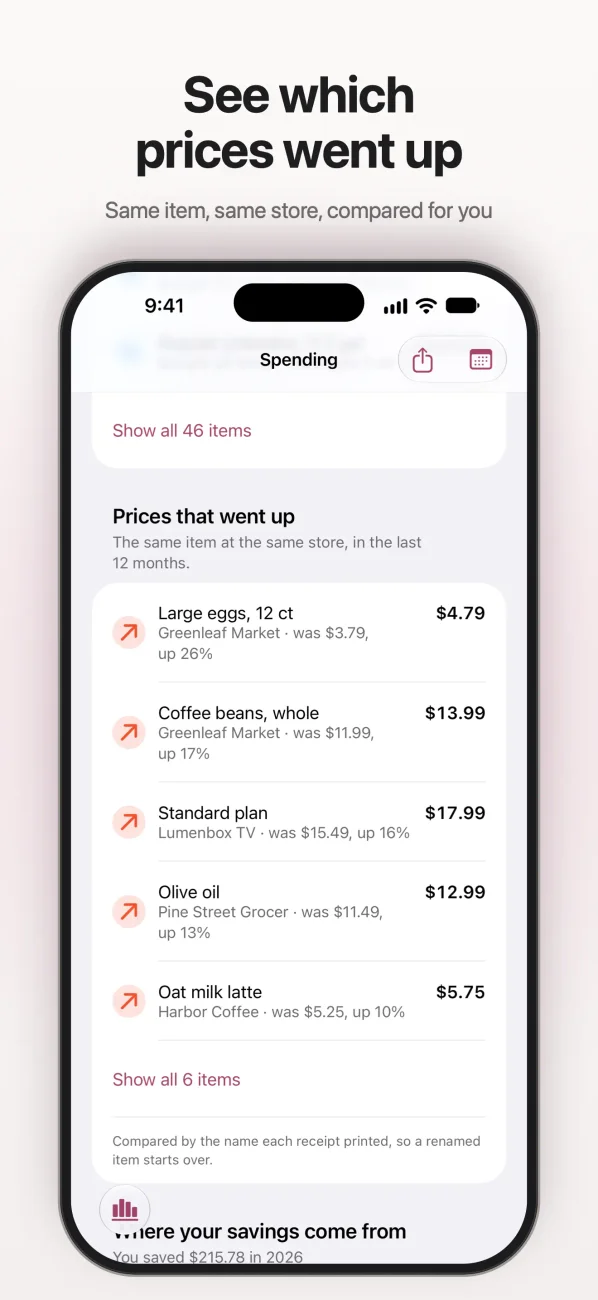
• Spending now has two views. Switch to Noticed to see your savings, prices that went up, and what you buy most.
• A category that costs more than usual now shows the amount, not a percent.
• In the first days of a month, Home shows where last month ended.
• Simpler Settings: each note is one line, with "Learn more" for the details.
• A shorter welcome for new users.
• Fixes for larger text sizes and for iPhone Duo.
App privacy
What Alisher Serikbayev declares on the App Store about how this app handles data.
-
Data not linked to you
May be collected but is not linked to your identity.
- Purchases
- Financial info
- User content
- Identifiers
- Diagnostics
Privacy practices may vary, for example with the features you use or your age.
Information
- Seller
- Alisher Serikbayev
- Category
- Finance
- Version
- 2.3.0
- Updated
- Nov 3, 2026
- Released
- Sep 2, 2026
- Size
- 15.4 MB
- Requires
- iOS 26.0 or later
- Age rating
- 4+
- Price
- Free
- In-app purchases
- Yes
- Languages
- English, Russian, Spanish
- Copyright
- © 2026 Alisher Serikbayev
You might also like
-
 SpendSnap - Expense TrackerFast, multi-currency expenses
-
 Pocket: Spending TrackerSpending Manager & Tracker
-
 SnapSpend: Receipt TrackerExpense & budget tracker
-
 Spendful - Mindful SpendingSimple daily spend awareness
-
 Debt Guide - Payoff PlannerSnowball Calculator & Tracker
-
 Expense Tracker: SpendoTrack spending, save money
-
 Qalta AI: Expense TrackerBudget Planner, Voice & Scan
-
 Asterium WalletFuture of finances
-
 Halyk FinanceInvestments with Halyk Finance
-
 Luxon PayMulti-currency global wallet