TAME Storage Analyzer
Storage cleaner and analyzer
Designed for iPhone
Free · In-app purchases
- Age rating4+
- CategoryUtilities
- Developer海舰 彭
- LanguagesEnglish+ 1 more
- Size23.1 MB
Links to the official App Store page
Download.org hosts no file of TAME Storage Analyzer. The button opens its official App Store page, published by 海舰 彭. Listing last checked on Nov 17, 2026.
Screenshots
About
Your iPhone keeps filling up, but it's hard to tell what to delete. TAME Storage Analyzer finds the photos and files you can let go of, right on your iPhone. Nothing is uploaded and no account is needed.
Photos
• Similar photos: shots of the same scene taken minutes apart, grouped by what's in the picture. The sharpest one in each set is kept.
• Screenshots: all in one place, with Select All.
• Low-quality photos: camera shots that are clearly blurry, too dark or overexposed. Nothing is preselected; you decide.
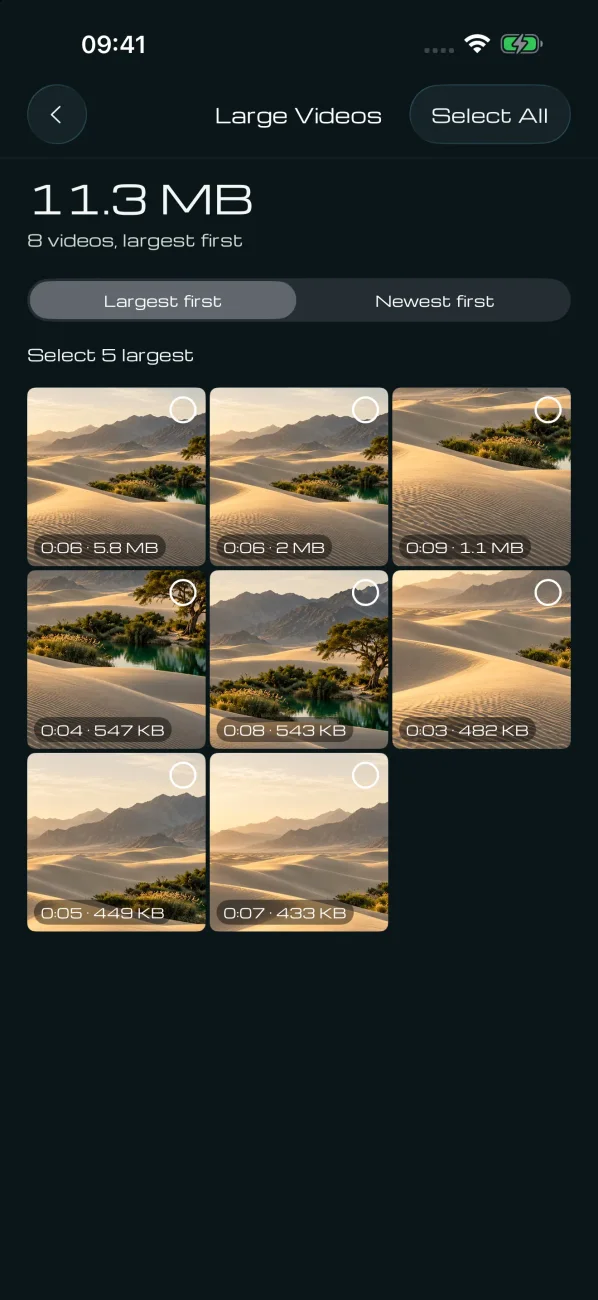
• Large videos: sorted by size, biggest first. Free to use.
Video compression
Select large videos and tap Compress. A smaller HEVC copy is saved to your library with the original date and place, and the original moves to Recently Deleted after the iOS confirmation. Videos that are already efficient are left alone, and a copy that would save less than 15% is discarded.
Files
Choose folders in the Files app and see their large and duplicate files. Files that live only in iCloud and aren't on your iPhone are left out, since deleting them wouldn't free space.
Apps
iOS doesn't let apps read how much space other apps use, so this guide shows you where to see it in Settings and explains the difference between offloading and deleting an app.
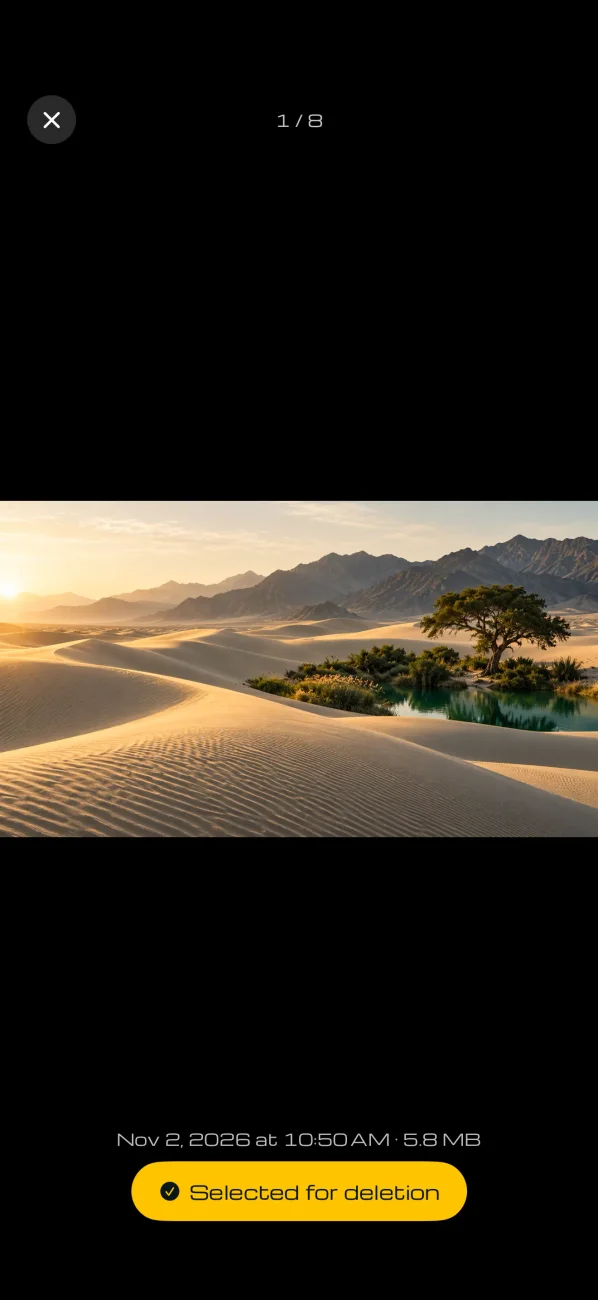
The home screen shows how much space you can free, with your own photos. Tap any thumbnail to view it full screen before deciding. Photo deletions go through the iOS confirmation and move to Recently Deleted, where you can restore them for 30 days; space is freed once it's emptied. Files deleted from On My iPhone can't be restored from this app.
Viewing and deleting large videos and the app guide are always free. Similar photos, screenshots, low-quality photos, file cleanup and video compression include 1 GB of free cleanup; after that, a one-time lifetime unlock removes the limit. It's not a subscription. Restore your purchase anytime.
What’s new
Version 1.2.1 · Nov 12, 2026
When your selection exceeds the free cleanup allowance, you can choose to clean up what fits. The results show what was removed, and the remaining photos stay selected.
App privacy
What 海舰 彭 declares on the App Store about how this app handles data.
-
Data not collected
The developer does not collect any data from this app.
Privacy practices may vary, for example with the features you use or your age.
Information
- Seller
- 海舰 彭
- Category
- Utilities
- Version
- 1.2.1
- Updated
- Nov 12, 2026
- Released
- Jun 3, 2026
- Size
- 23.1 MB
- Requires
- iOS 17.0 or later
- Age rating
- 4+
- Price
- Free
- In-app purchases
- Yes
- Languages
- English, Simplified Chinese
- Copyright
- © 2026 haijian peng
You might also like
-
 EasyBeauty-Beauty is so easyBeauty is so easy
-
 ClickPing: Click to ChatChat without saving the number
-
 SearchAppsFind Your Perfect App
-
 Network Monitor: WiFi ScannerWiFi Analyzer & Speed Test
-
 ASABlockerPrivate browser, no ads
-
 avsonarUtilities
-
 MyKeyboard LegacyClassic Keyboard
-
 FileFlip: Convert FilesPrivate Offline Converter
-
 Cleanup & Declutter PhotosRemove,Delete, Free Up Storage
-
 VRLinkADB Tools,Debug Control