
- Age rating4+
- CategoryHealth & Fitness
- DeveloperKlemen Mercun
- LanguagesEnglish
- Size1.8 MB
Links to the official App Store page
Download.org hosts no file of TanitaSync. The button opens its official App Store page, published by Klemen Mercun. Listing last checked on Nov 17, 2026.
Screenshots
About
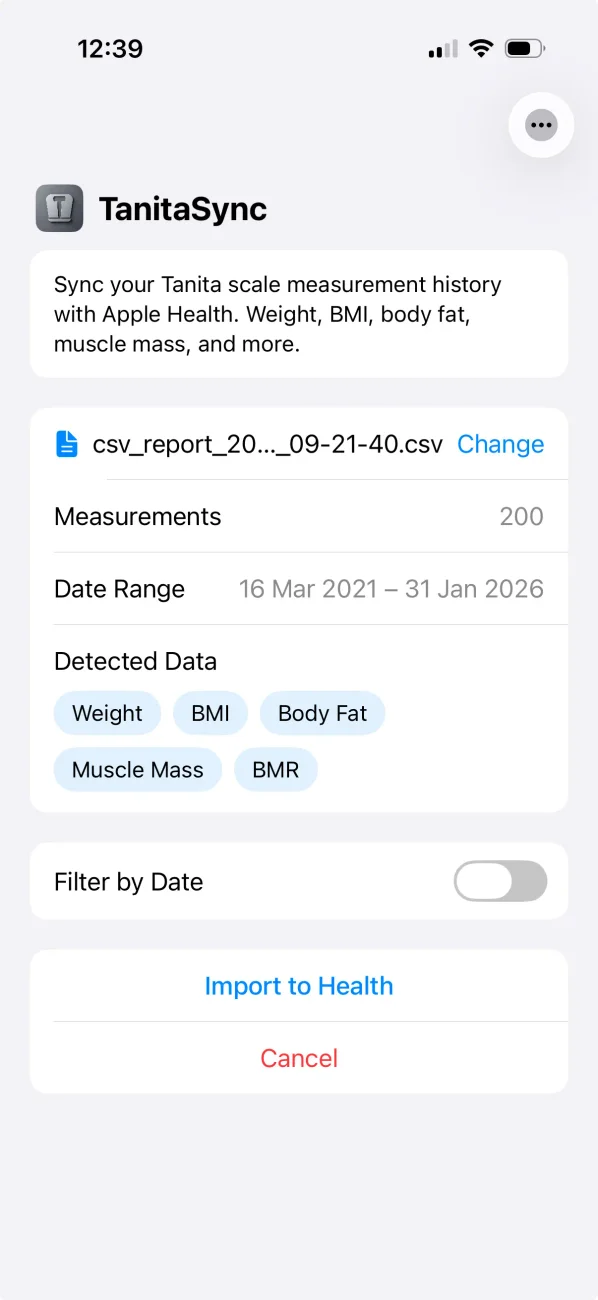
Have months or years of Tanita scale measurements stuck in the My Tanita app? TanitaSync lets you import your complete history into Apple Health with just a few taps.
WHY TANITASYNC?
My Tanita only syncs new measurements going forward. If you forgot to enable sync, or want to import older data, TanitaSync lets you bulk import your entire history into Apple Health.
WHAT YOU CAN IMPORT:
• Weight
• BMI
• Body Fat Percentage
• Muscle Mass
• Basal Metabolic Rate (BMR)
• Heart Rate
HOW IT WORKS:
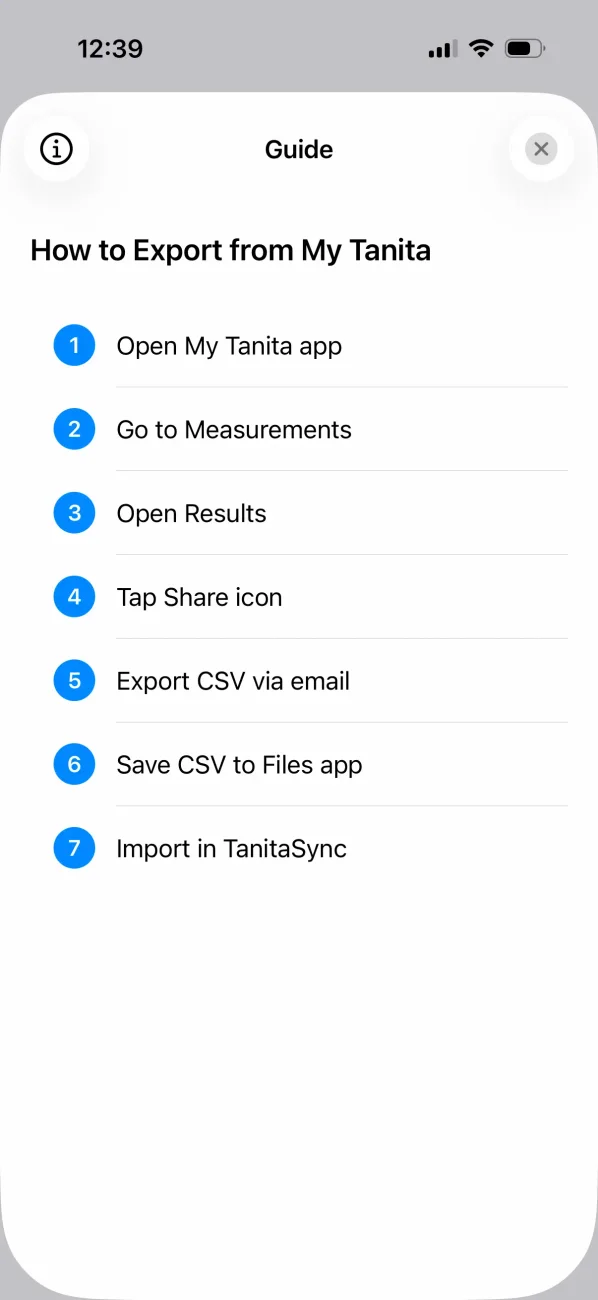
Export your measurements as CSV from the My Tanita app
Open TanitaSync and select the CSV file
Preview the data and optionally filter by date range
Tap Import — done!
SMART FEATURES:
• Automatic duplicate detection — won't re-import existing measurements
• Date filtering — import only the range you need
• Delete option — remove previously imported data if needed
PRIVACY FIRST:
Your health data stays on your device and syncs directly to Apple Health. TanitaSync does not collect, store, or transmit any personal information.
Note: This app is not affiliated with Tanita Corporation.
App privacy
What Klemen Mercun declares on the App Store about how this app handles data.
-
Data not collected
The developer does not collect any data from this app.
Privacy practices may vary, for example with the features you use or your age.
Information
- Seller
- Klemen Mercun
- Category
- Health & Fitness
- Version
- 1.0
- Updated
- Feb 6, 2026
- Released
- Feb 5, 2026
- Size
- 1.8 MB
- Requires
- iOS 18.0 or later
- Age rating
- 4+
- Price
- $2.99
- Languages
- English
- Copyright
- © 2026 Klemen Mercun
You might also like
-
 Calorie Balance: Weight TrendDeficit, Intake & Burn Tracker
-
 LyteFast: Weight Loss TrackerAI Muscle & Physique Rating
-
 WODPASSBook CrossFit & HYROX drop-ins
-
 MySparkDxYour Body. Understood.
-
 The DeficitTrack your Calorie Deficit.
-
 AlaConnectHealth & Fitness
-
 Hepatica: Fatty Liver Diet AINAFLD Coach: Labs & Food Scan
-
 Kygo Health: Nutrition TrackerAI Food Log for Your Wearable
-
 Supplement & Vitamin TrackerReminders & Ingredient Scanner
-
 Liver Nutrition AppTrack meals, protect the liver