- Age rating4+
- CategoryMusic
- DeveloperLuis Diaz-Faes
- LanguagesEnglish+ 6 more
- Size101.6 MB
Links to the official App Store page
Download.org hosts no file of Tapiz. The button opens its official App Store page, published by Luis Diaz-Faes. Listing last checked on Nov 12, 2026.
Screenshots


About
Tapiz is a multisampler made for creating sounds, not just playing them back. Bring in a sound, record it, draw it or take it from another instrument; then look at it cycle by cycle, raise and lower its harmonics, morph it into another, turn it into a wavetable and scan it by hand. Everything you do is visible, and almost everything is done with your finger instead of a knob.
THE TAPESTRY
Every zone at once, woven over the keyboard: keys from left to right, velocity from bottom to top. Move and stretch them with your finger, and what plays runs down its key like a thread.
SEE THE SOUND
The wave with its loop and the seam of the loop point, sample by sample. Relief: the sound as stacked lines, cycle by cycle, so you can see how the timbre changes. Harmonics: thirty-two bars to raise, lower or remove each one from a real recording, without losing its attack.
EDIT BY HAND
An edit screen in pages, like the samplers of old: cut, copy and paste, reverse, repeat, normalize, fades you draw as a curve, time stretch without changing pitch and pitch shift without changing length, slice by hits and run the sound through an 80s sampler. And a four-track montage table to turn several sounds into one.
CREATE NEW SOUNDS
Draw a cycle with your finger and it plays in tune across the whole keyboard. Morph the harmonics of one sound into those of another. Turn any note into a wavetable and scan it with a knob, the LFO, an envelope or velocity.
MODULATE AND PLAY
Sixteen filters you shape by their curve, three envelopes you drag, twelve effects in series, eight named macros and a 32-route modulation matrix with a tempo-synced LFO. Hold down a sound in the browser to hear it without loading it.
RECORD AND SAMPLE
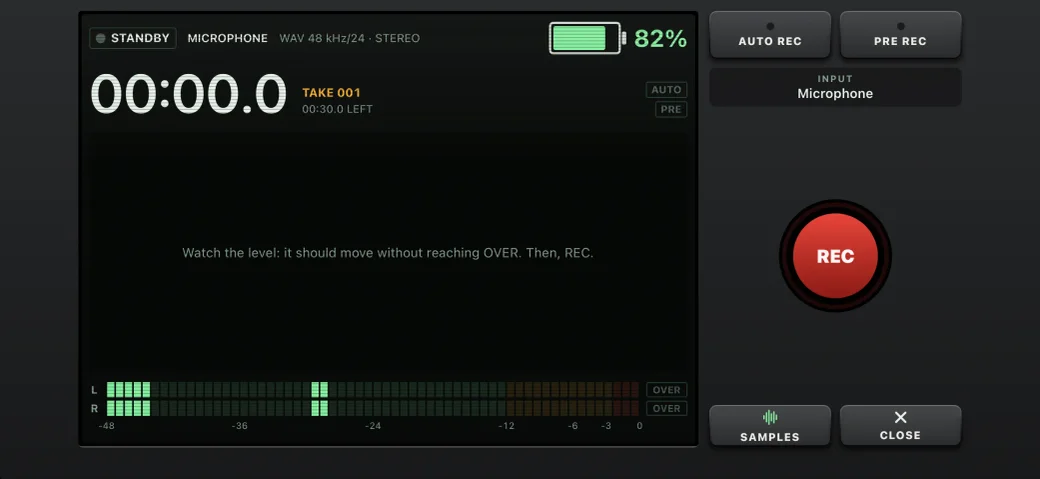
Record from the microphone or an interface, with level trigger and pre-record. Every take is saved as it was in Samples and travels through iCloud to your other devices. The sampler loads another Audio Unit instrument and records its notes one by one, without cables.
MAC, IPAD AND IPHONE
On Mac and iPad, the full rack; on iPhone, for playing and recording. As an Audio Unit instrument (AUv3) it opens in Logic Pro, GarageBand and other apps that load Audio Units v3, with its eight macros ready to automate. MIDI with Program Change, Bank Select and your controller's knobs. Export to WAV and AIFF.
1024 FACTORY SOUNDS
In eight banks of 128 by type: bass, acid, leads, keys, pads, bells and metals, textures and effects. And two banks for your own sounds, which travel through iCloud.
One purchase, no subscriptions, no accounts, no ads. No data collected.
What’s new
Version 1.0.1 · Nov 5, 2026
Ableton Link: tempo and the program LFO stay in sync with Live and other apps on the same network.
Fixed: a program that arrived through iCloud before its audio stayed silent. It now waits for its sound and, if it arrives without it, completes itself.
The manual is now in chapters, and the Programs popover has more room.
App privacy
What Luis Diaz-Faes declares on the App Store about how this app handles data.
-
Data not collected
The developer does not collect any data from this app.
Privacy practices may vary, for example with the features you use or your age.
Information
- Seller
- Luis Diaz-Faes
- Category
- Music
- Version
- 1.0.1
- Updated
- Nov 5, 2026
- Released
- Oct 30, 2026
- Size
- 101.6 MB
- Requires
- iOS 18.0 or later
- Age rating
- 4+
- Price
- $22.99
- Languages
- English, French, German, Italian, Japanese, Portuguese, Spanish
- Copyright
- © 2026 Triade
You might also like
-
 Terrarium MachineWeather you can play. AUv3
-
 Additive SynthSpectral Morphing Synthesizer
-
 SpectraPadSpectral Synthesizer
-
 RUN4 - Tape & Texture MachineCreative Sampler & Looper
-
 BATTUTA 8Drum Synth & Sequencer AUv3
-
 SandbenderFM Performance Synth
-
 Materia - Additive SynthAdditive Re-synthesizer
-
 ImpulseDie - Symbiotic DrumMusic
-
 GrasswhistleSequenced arpeggiator
-
 Oxo Synth2Virtual Analog Synth