- Age rating4+
- CategorySports
- DeveloperIouri Zinoviev
- LanguagesEnglish+ 9 more
- Size1.9 MB
Links to the official App Store page
Download.org hosts no file of TapSplit – Coach Stopwatch. The button opens its official App Store page, published by Iouri Zinoviev. Listing last checked on Nov 15, 2026.
Screenshots



About
TapSplit is a no-nonsense stopwatch built for coaches and athletes who need to trust their timing.
TAP ANYWHERE — START, LAP, RESUME
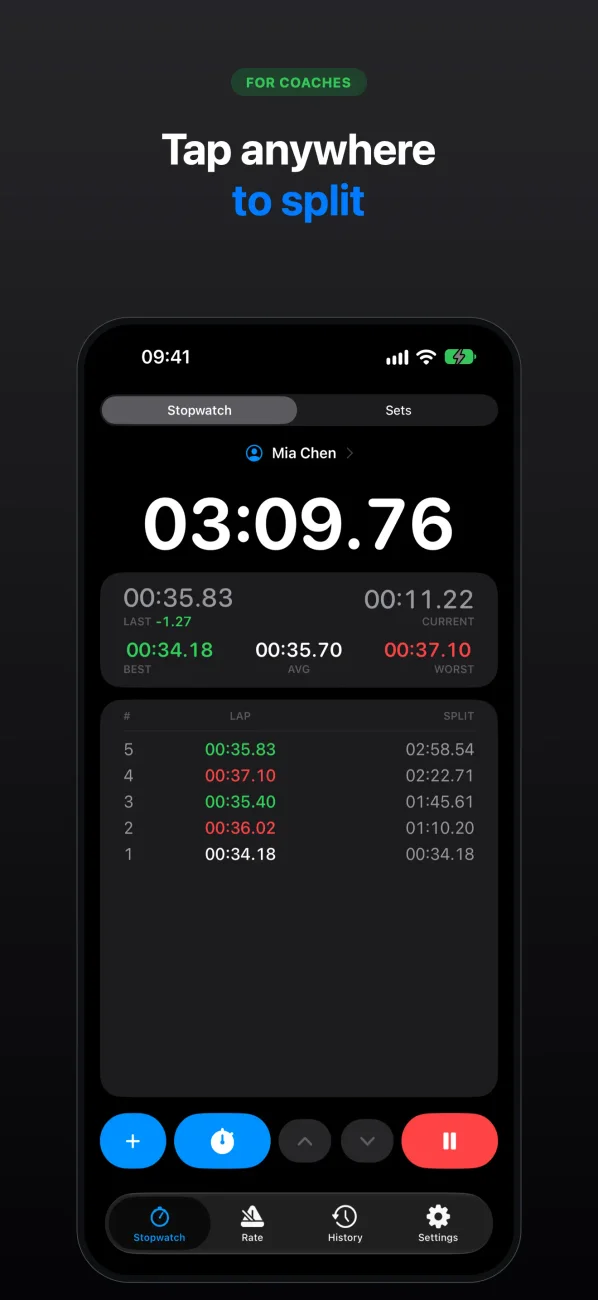
The whole screen is your button. Tap to start, tap for every lap (zero debounce — every touch counts), tap to resume after a stop. Each tap fires a crisp haptic. No tiny targets, no missed splits — just keep your eyes on the athlete.
LAP & SPLIT AT A GLANCE
See each lap time and its cumulative split side by side, with a running BEST / AVERAGE / WORST strip so trends jump out at a glance.
PLAN YOUR SETS
Save a set like 8×100m on 1:30 and load it onto the stopwatch. TapSplit counts the reps and shows live "Rep 3 of 8" progress, so you just tap the splits — no counting in your head. Give the set a send-off interval and it counts down to your next rep during the rest, buzzing when it's time to go — a real interval trainer. Keep a reusable library of your go-to sets, each with its own note.
TIME YOUR WHOLE SQUAD
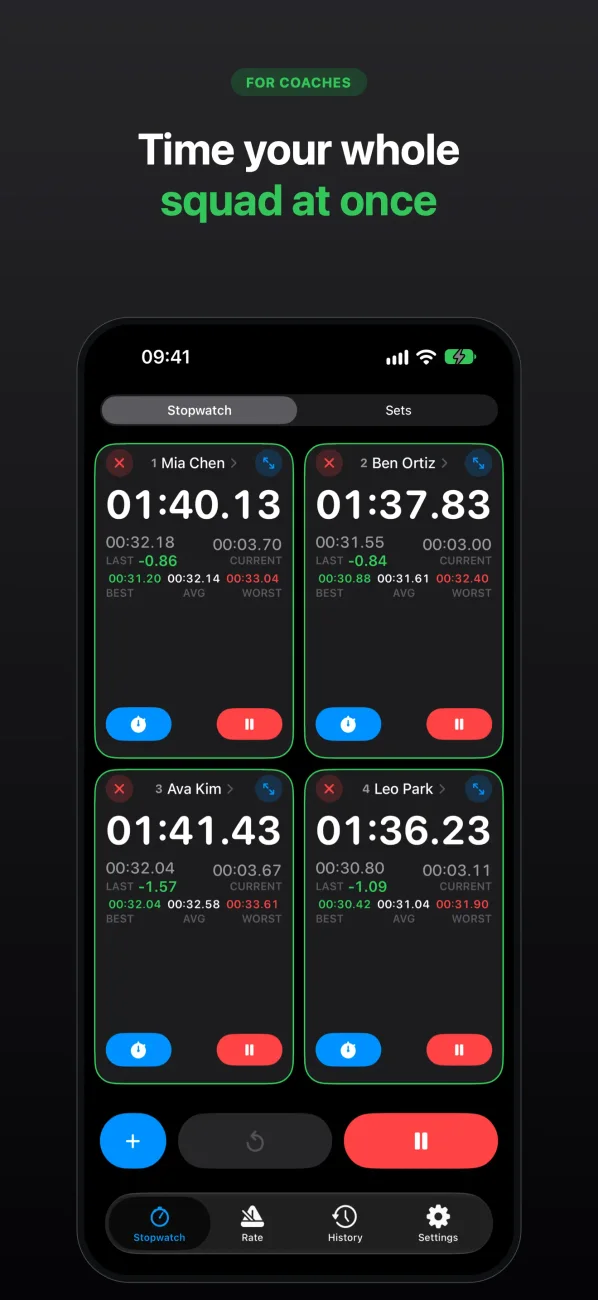
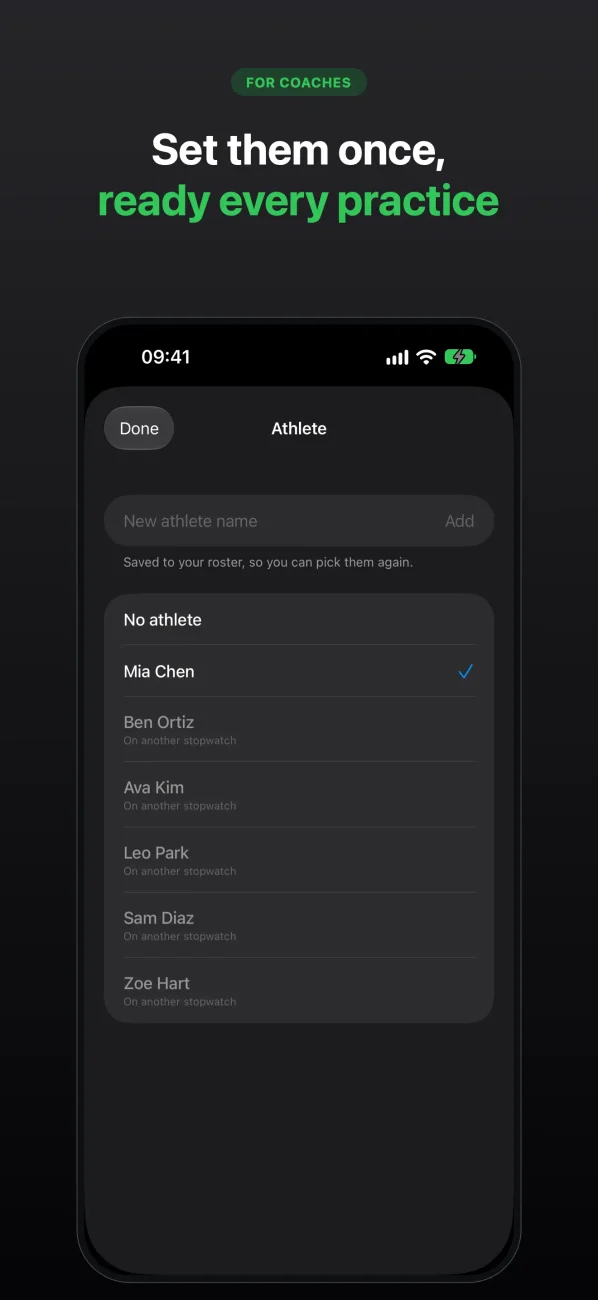
It all happens on one Stopwatch screen. Start with one big tap-anywhere clock, then tap + to add another stopwatch whenever you need it — even while the first one runs — up to six on one screen. Tap a stopwatch's name to pick an athlete from your saved list, or leave it unnamed. Start them all together for a mass start, or each one as they go. Every run saves as its own session.
HEAR EVERY LAP
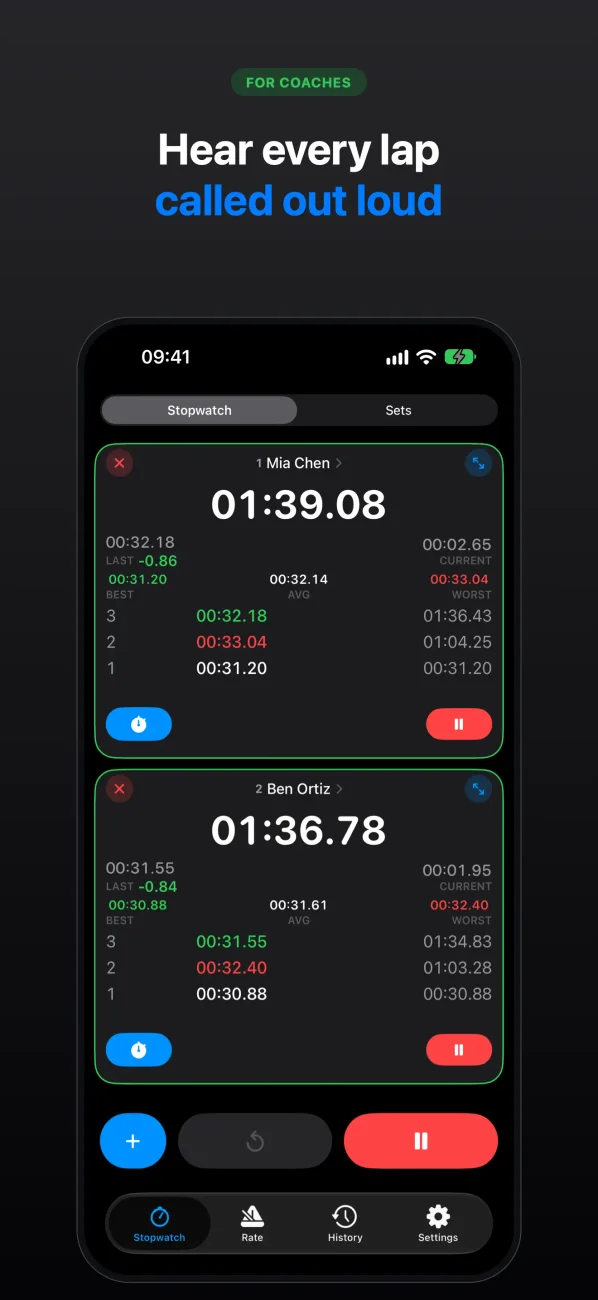
Turn on Speak times and TapSplit calls each lap aloud through your earbud, on every stopwatch — with the athlete's name or number when you time more than one — so your eyes stay on the water. Pick Normal, Fast, or Faster in Speaking speed.
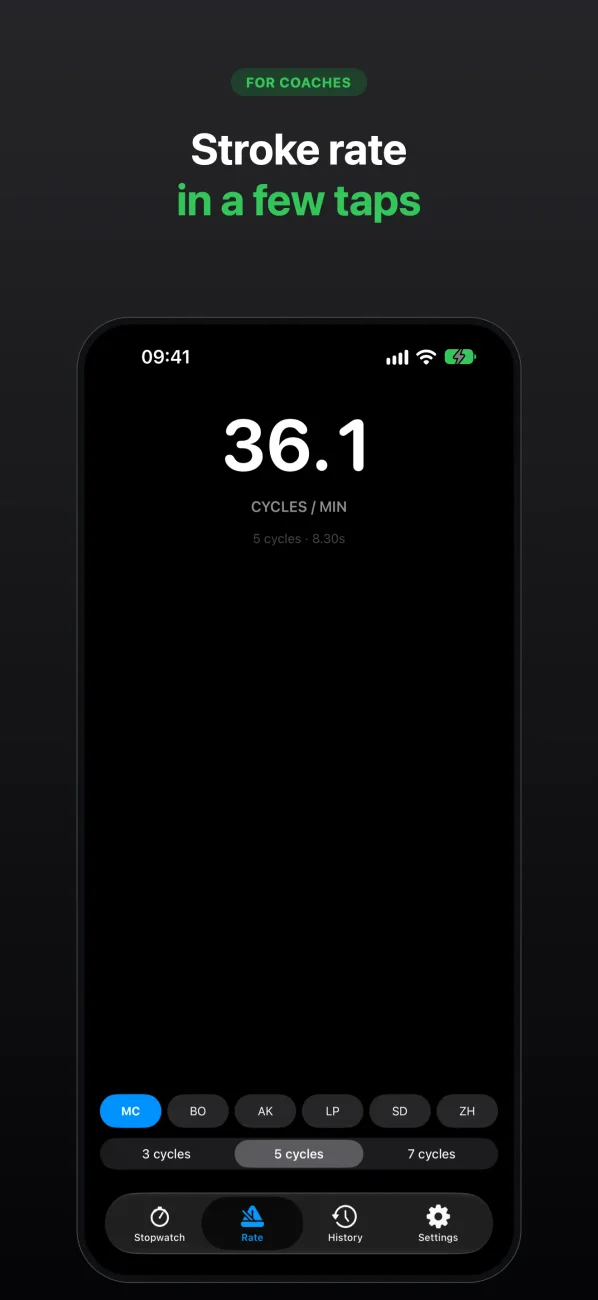
STROKE RATE IN A FEW TAPS
Press and hold while you count a few cycles — strokes, steps, or pedal strokes — and release. TapSplit times the hold and gives you the rate per minute. Measure mid-session and it pairs with the lap you took it on, so rate sits right beside that length's split.
REVIEW EVERYTHING IN HISTORY
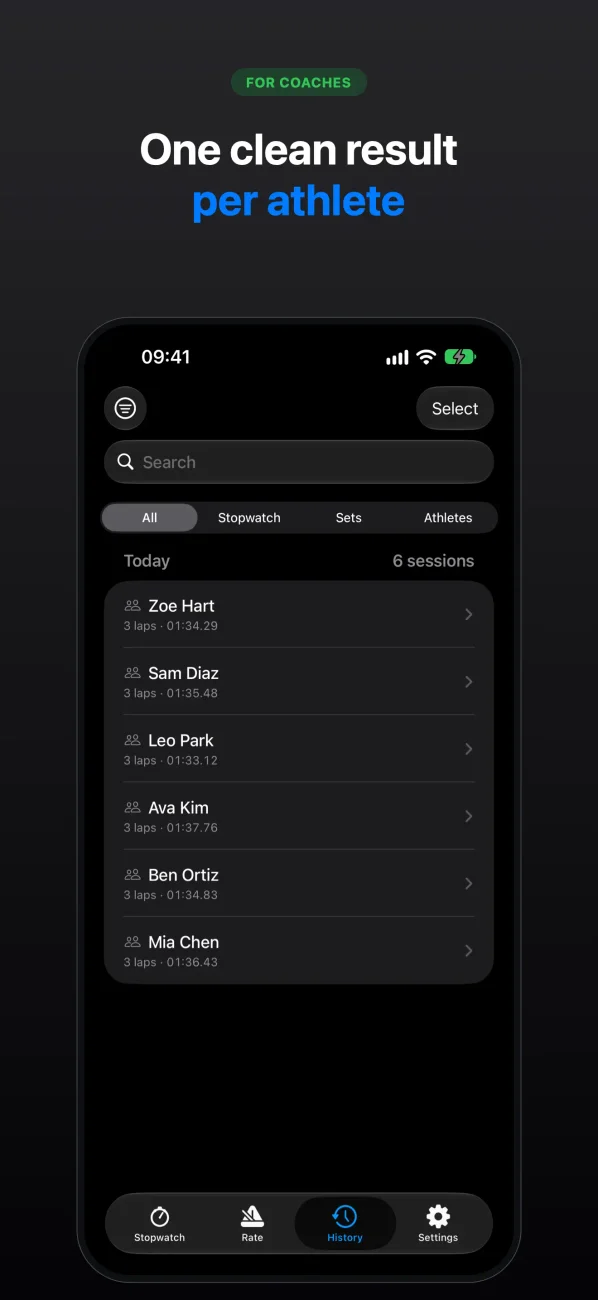
Every session is saved the moment you start — there's no Save button to forget. Filter by stopwatch, set, or athlete, search your sessions, and browse them grouped by day. Rename sessions and add notes.
ROCK-SOLID ACCURACY
TapSplit runs on a monotonic clock that never drifts — accurate across stop and resume, and it keeps running even when your phone is locked or the app is in the background.
SHARE YOUR DATA
Export any session as a clean text or CSV file — or select several and share them all as one combined file. Save to Files, AirDrop, or email straight from the share sheet.
PRIVATE BY DESIGN
No accounts. No analytics. No network requests. Everything stays on your device, full stop.
FEATURES
• Tap anywhere to start, lap, and resume — zero debounce
• One to six stopwatches on one screen, plus Sets mode for a planned set
• Spoken lap times on every stopwatch, with three speaking speeds
• Training Sets — save and reuse planned sets, with live "Rep N of M" progress
• Send-off intervals — a live countdown to the next rep, turning Sets into an interval trainer
• Reusable saved athlete list
• Stroke-rate (SPM) measurement, paired to each lap
• Pro controls: Lap / Stop, Start / Reset
• Live current-lap time, plus BEST / AVG / WORST
• Millisecond precision (MM:SS.hh), rolls over to hours for long efforts
• Auto-saved sessions — filter, search, and browse grouped by day
• Editable session titles and notes
• Undo lap deletions; duplicate and prune sessions
• Text or CSV export — per session, or several combined into one file
• Light / Dark / System appearance
• Haptic feedback (with on/off toggle)
• Screen stays awake while timing
Whatever the sport, TapSplit keeps the timing honest and out of your way.
What’s new
Version 1.5.0 · Nov 4, 2026
One Stopwatch screen, from one athlete to six.
Single and Multi are now one screen. Start with one big tap-anywhere clock and tap + to add another stopwatch any time, up to six.
Also new:
• Easier tile buttons: red to remove, blue for full screen
• Tap the name on any stopwatch to pick an athlete
• Spoken times on every stopwatch, with a new Speaking speed setting
• A smarter rating request: it can now also appear after you share results
App privacy
What Iouri Zinoviev declares on the App Store about how this app handles data.
-
Data not collected
The developer does not collect any data from this app.
Privacy practices may vary, for example with the features you use or your age.
Information
- Seller
- Iouri Zinoviev
- Category
- Sports
- Version
- 1.5.0
- Updated
- Nov 4, 2026
- Released
- Jun 3, 2026
- Size
- 1.9 MB
- Requires
- iOS 17.0 or later
- Age rating
- 4+
- Price
- Free
- Languages
- English, Arabic, French, German, Hindi, Portuguese, Russian, Simplified Chinese, Spanish, Turkish
- Copyright
- © 2026 Iouri Zinoviev
You might also like
-
 Multi Stopwatch Lap TimerSports Training Lap SplitTimer
-
 Race TrajectoryTrack & Field Results Diary
-
 Run Lap Tap: XC Race TimerCross Country & Track Timing
-
 Running Coach's ClipboardTiming, Splits & Results
-
 BolTimerTrack & Swim Video Timing
-
 Touchpad: Swim Coach ToolsMulti-lane stopwatch and more
-
 Rowing Tools for CoachesStroke rate, timing & crews
-
 Stroke Rate StopwatchTrack times, rates & counts
-
 秒表摄像机 / StopwatchCamera为运动训练、比赛记录提供精确的计时和视频记录功能
-
 CronoPat: Swimming StopwatchLanes, splits and relays