- Age rating4+
- CategoryLifestyle
- DeveloperGeoffrey Silva
- LanguagesEnglish+ 7 more
- Size23.6 MB
Links to the official App Store page
Download.org hosts no file of Task(ed). The button opens its official App Store page, published by Geoffrey Silva. Listing last checked on Nov 12, 2026.
Screenshots
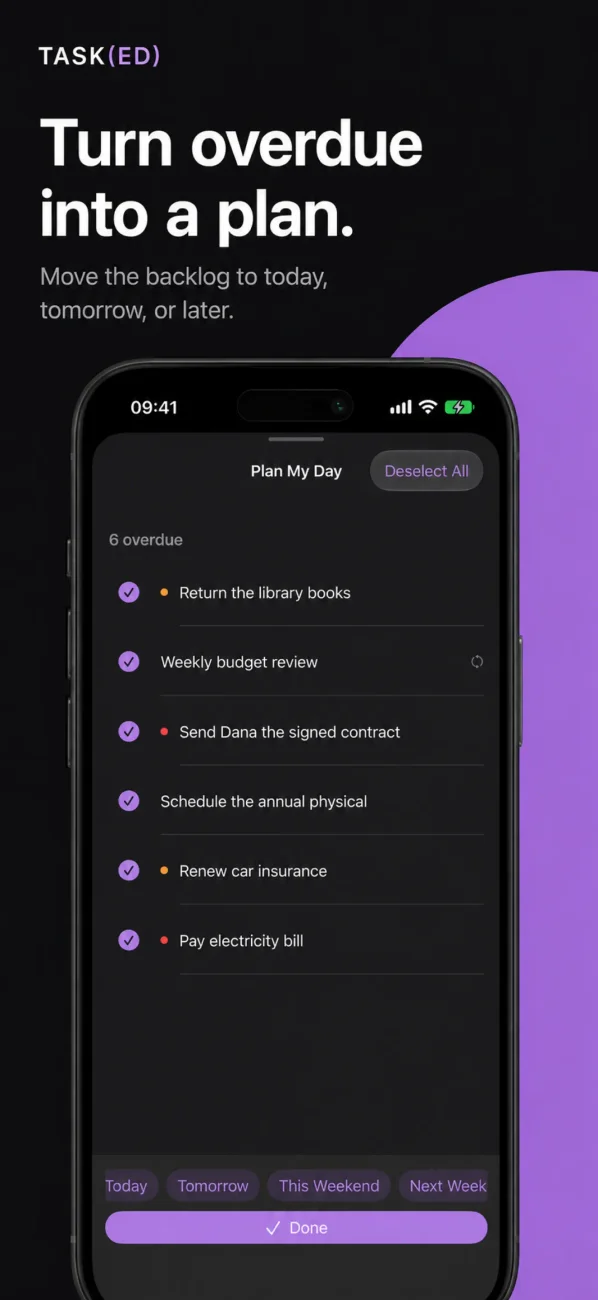


About
Task(ed) — Capture it. Organize it. Done.
A focused task manager that gets out of your way. Smart sections sort your tasks automatically, recurring schedules keep routines on track, and a calendar view shows what's ahead — all without an account or subscription.
Natural Language Input
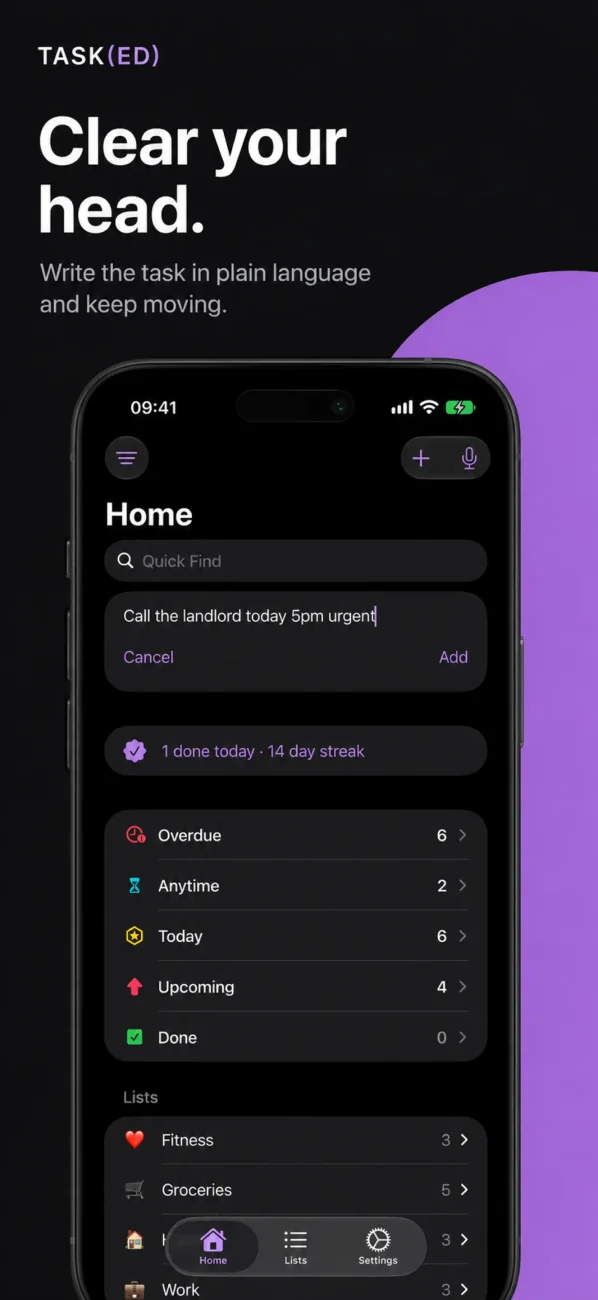
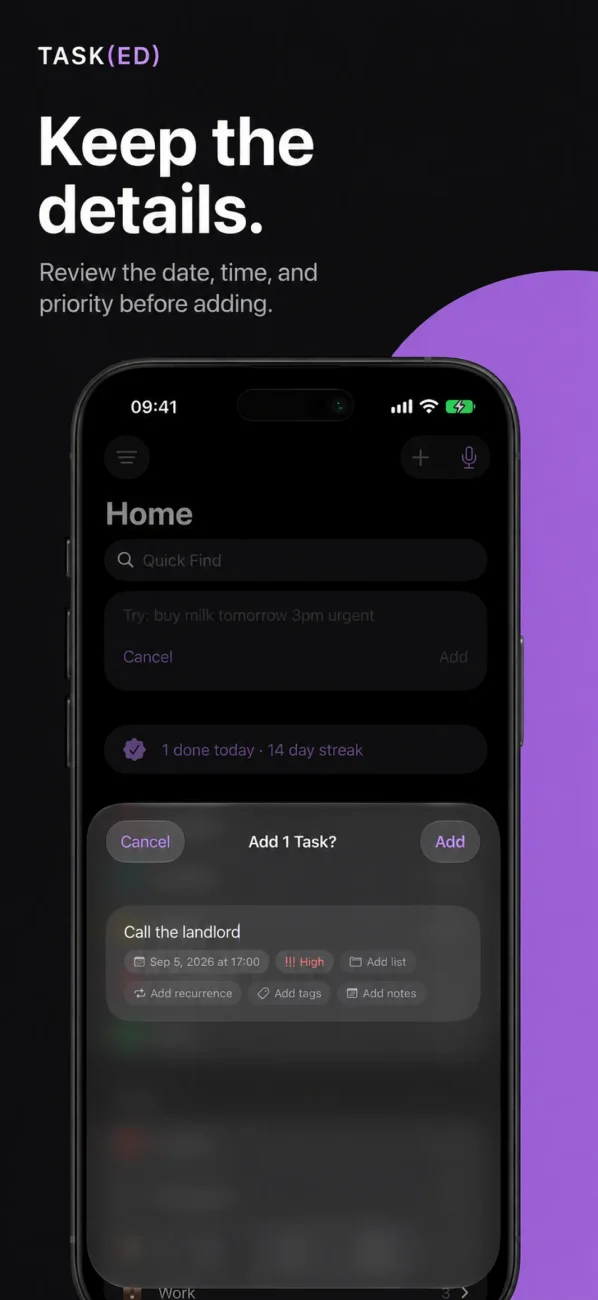
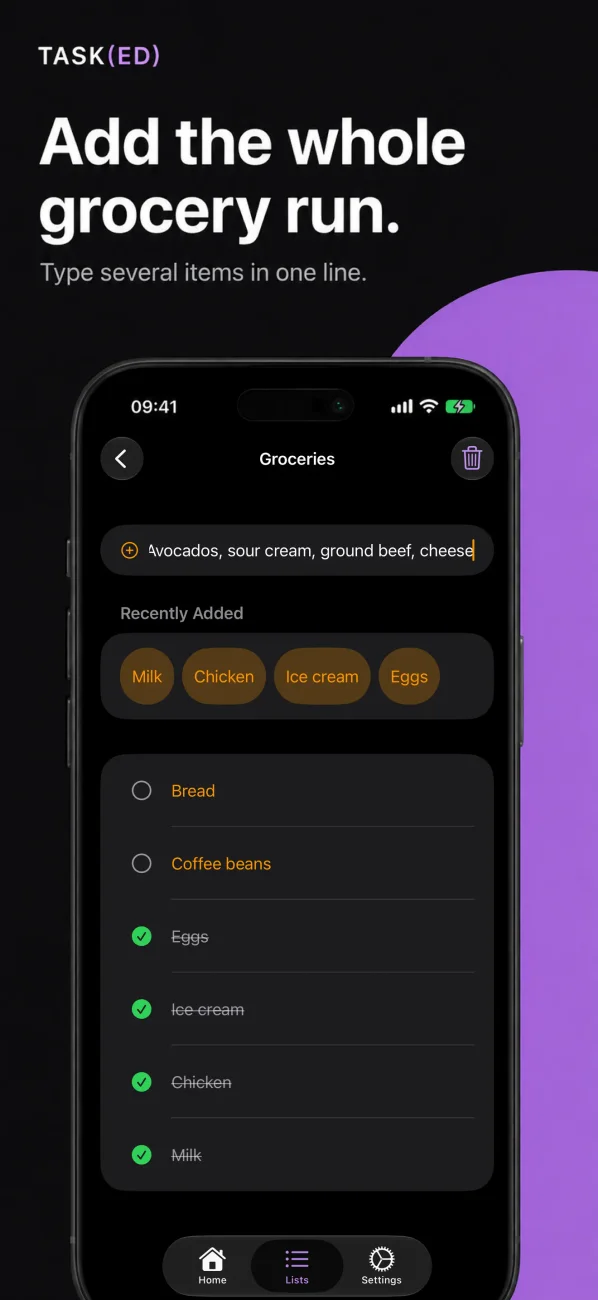
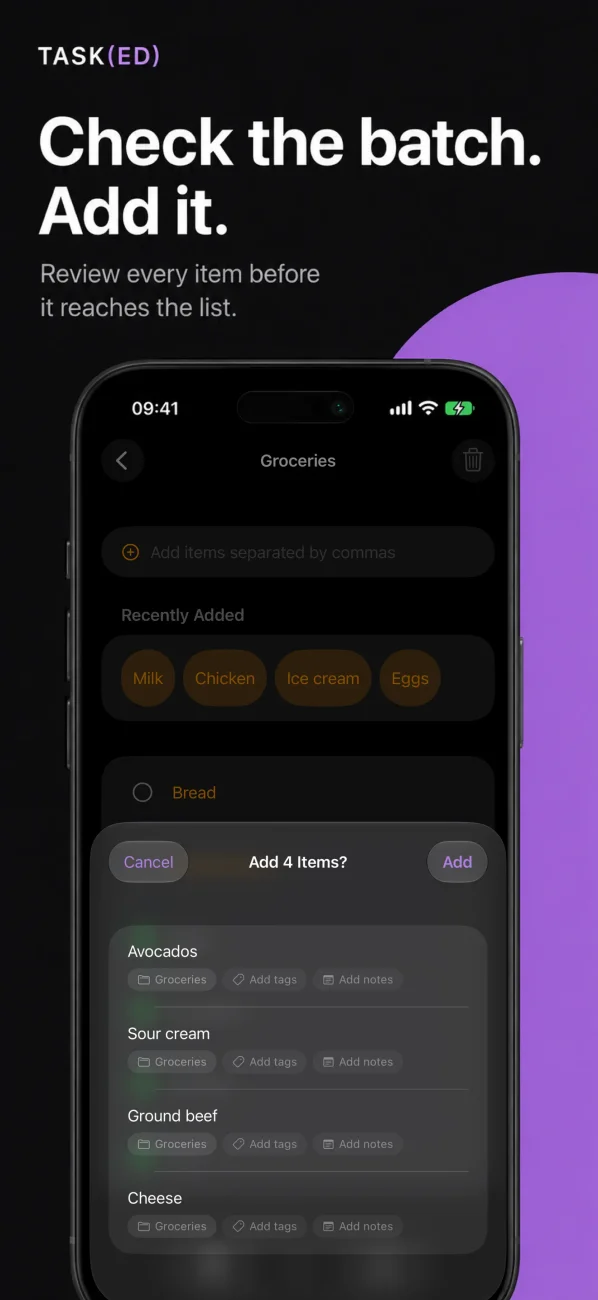
Type or speak in plain language. "Call mom Friday at 3pm" extracts the title, date, and time. "Add taco ingredients to Groceries" generates the items and routes them to the right list. Review everything in a confirmation card with tappable chips before adding.
Smart Sections
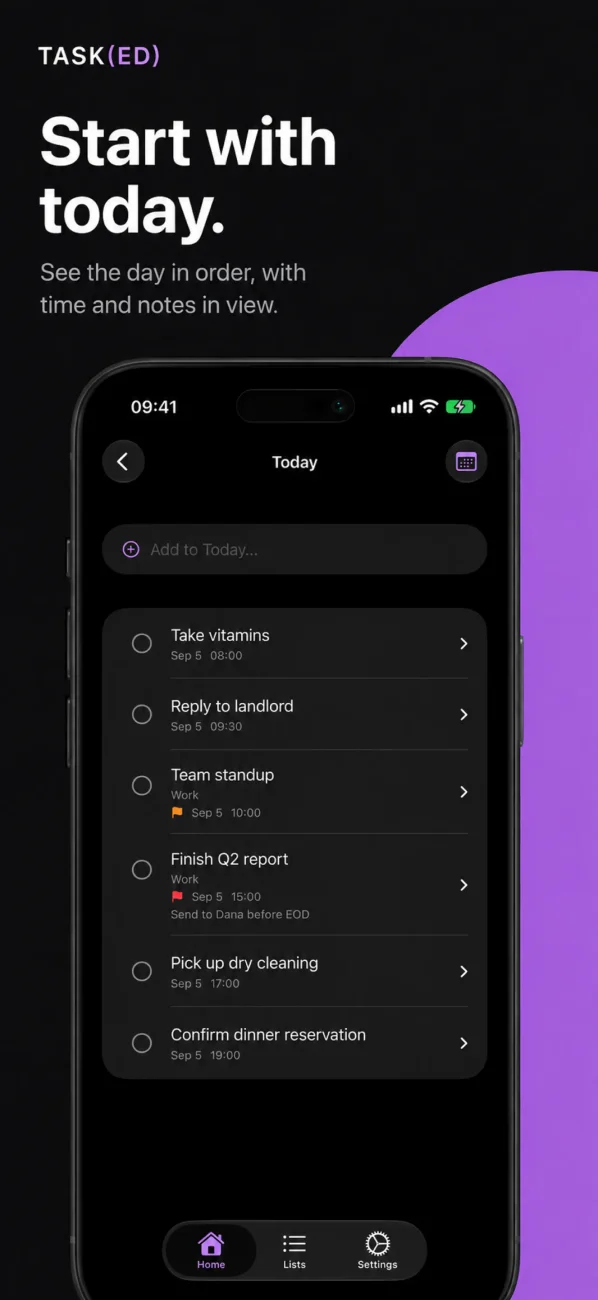
Tasks sort themselves into Overdue, Today, Upcoming, Anytime, and Done. No manual triage — open the app and see what matters now.
Subtasks & Inline Editing
Expand any task row to see notes, check off subtasks, or add new ones inline. Return key commits and opens a fresh input for rapid entry.
Daily Wins
A small counter tracks tasks completed today, your current streak, and your own reward milestones. Just enough signal to keep momentum without turning your list into a chore.
Recurring Tasks
Daily, weekdays, weekly, biweekly, monthly, yearly, or custom rules. Set it once and the next instance appears when you complete. Change a date and choose whether to move just this occurrence or change the schedule.
Apple Reminders
Import reminders into Task(ed) or export your tasks to Reminders. Preview each transfer and reuse saved list pairings. Transfers happen when you start them.
Calendar View
Visual dots on the calendar grid show task density. Tap a day to see what's due. Overdue markers in red.
All features included, no paywalls:
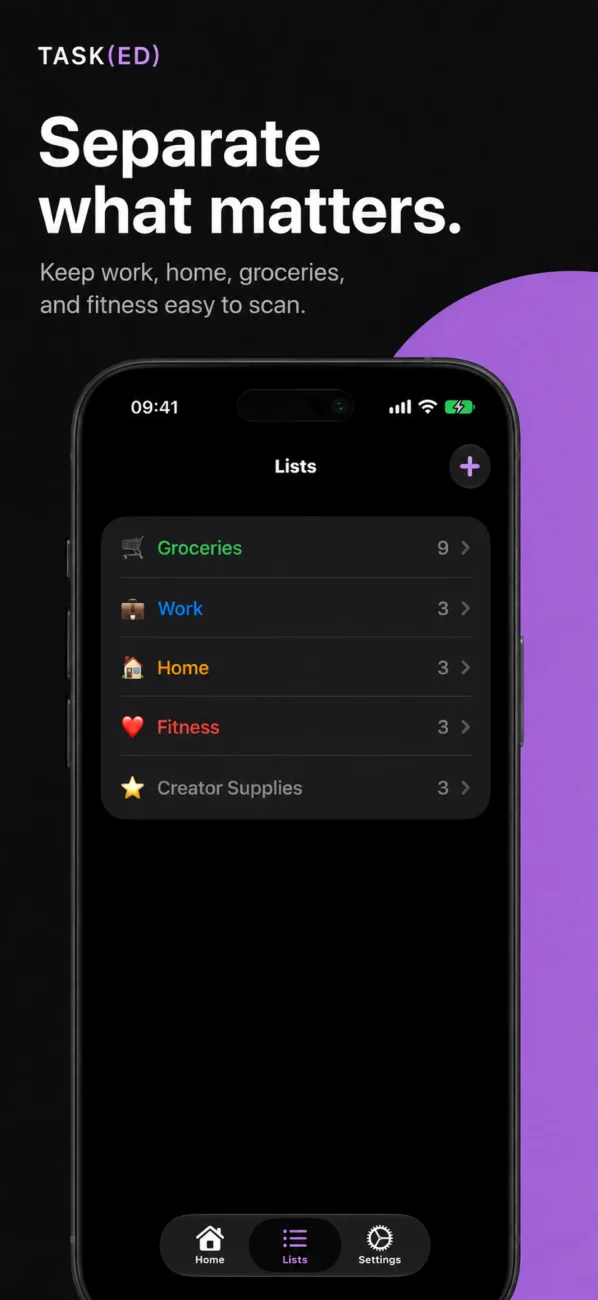
• Unlimited tasks and lists
• Subtasks with inline add
• Tags for filtering and organization
• Priority flags and recurrence indicators
• Native Light and Dark appearance with a purple accent and list colors
• Home screen widget (configurable sources)
• Siri & Shortcuts integration, with task completion from cards in Shortcuts
• Spotlight search across your active tasks (titles and notes)
• Notifications with snooze, complete, and optional hourly follow-ups
• Automatic iCloud backup with restore
• Full JSON backup and restore
• Deep linking (tasked:// URL scheme)
• 8 languages supported
No accounts. No subscriptions. No ads.
What’s new
Version 3.1.1 · Nov 2, 2026
Task(ed) 3.1.1 makes room for more on iPhone Duo.
• See Home with your selected tasks, or browse Calendar alongside the selected day.
• Keep context visible while editing a task or planning your day.
• Keep your selection and unfinished input as you open or fold your device.
App privacy
What Geoffrey Silva declares on the App Store about how this app handles data.
-
Data not collected
The developer does not collect any data from this app.
Privacy practices may vary, for example with the features you use or your age.
Information
- Seller
- Geoffrey Silva
- Category
- Lifestyle
- Version
- 3.1.1
- Updated
- Nov 2, 2026
- Released
- Nov 25, 2025
- Size
- 23.6 MB
- Requires
- iOS 18.6 or later
- Age rating
- 4+
- Price
- Free
- Languages
- English, French, German, Italian, Japanese, Korean, Simplified Chinese, Spanish
- Copyright
- © 2026 Geoffrey Silva
You might also like
-
 Cowboy: Texas StickersCowboy, BBQ & State Pride
-
 NearNote - Parent & ChildDaily Family Notes
-
 LastSince: Routine TrackerRemember when you last did it
-
 Moments Later – Memory JournalCapture life as it happens
-
 Yasin - Streak that countsDaily Prayer Tracker & Streaks
-
 ChoreHero+Chore Manager and Tracker
-
 IMPULSE: Stop Cravings & UrgesQuit Drinking, Smoking, Vaping
-
 Weekly Planner : DoIT! ProMic Powered Task Manager
-
 Calluna: Gratitude JournalCultivate three good things
-
 Presented: Birthday CountdownGift Wishlist & Reminder