
- Age rating4+
- CategoryProductivity
- DeveloperVlad Popov
- LanguagesEnglish
- Size48.4 MB
Links to the official App Store page
Download.org hosts no file of Task & Event Tracker. The button opens its official App Store page, published by Vlad Popov. Listing last checked on Nov 12, 2026.
Screenshots

About
Task & Event Tracker keeps your tasks, calendar, reminders, timer and countdowns in one quiet, fast app — on iPhone and in the browser, always in sync.
TASKS THAT STAY OUT OF YOUR WAY
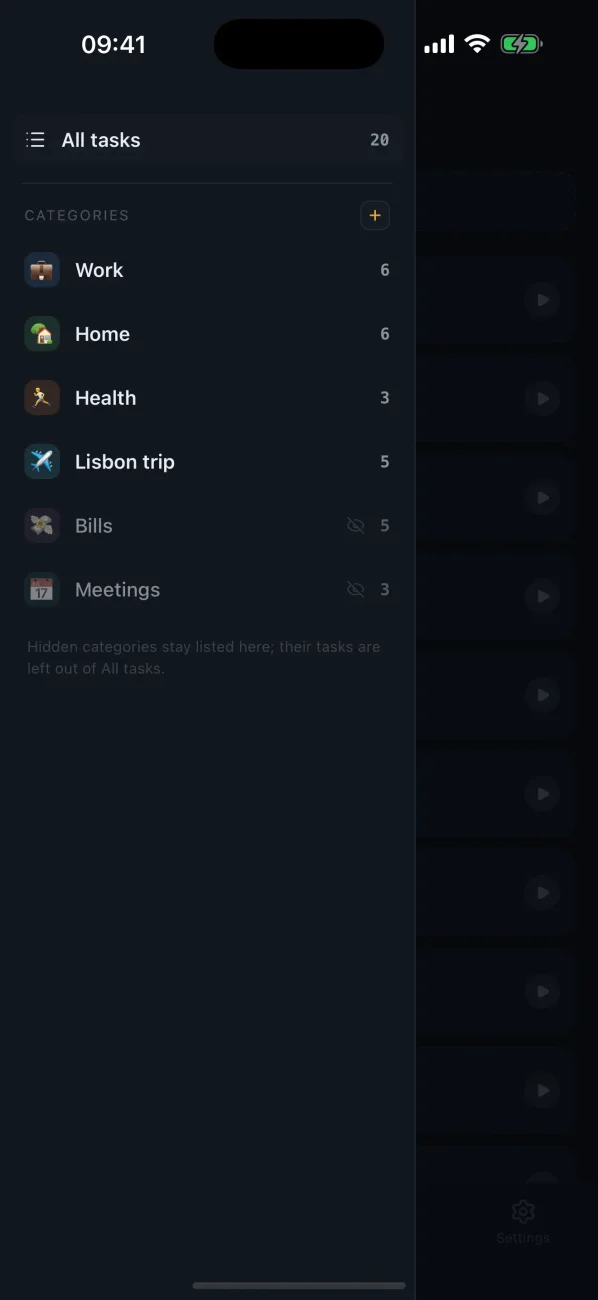
• Group tasks into contexts — Work, Home, Routine, anything you like — each with its own colour and emoji
• Hide a whole context from the main list: monthly bills or standing meetings live in their own context and stop cluttering your day until you open it
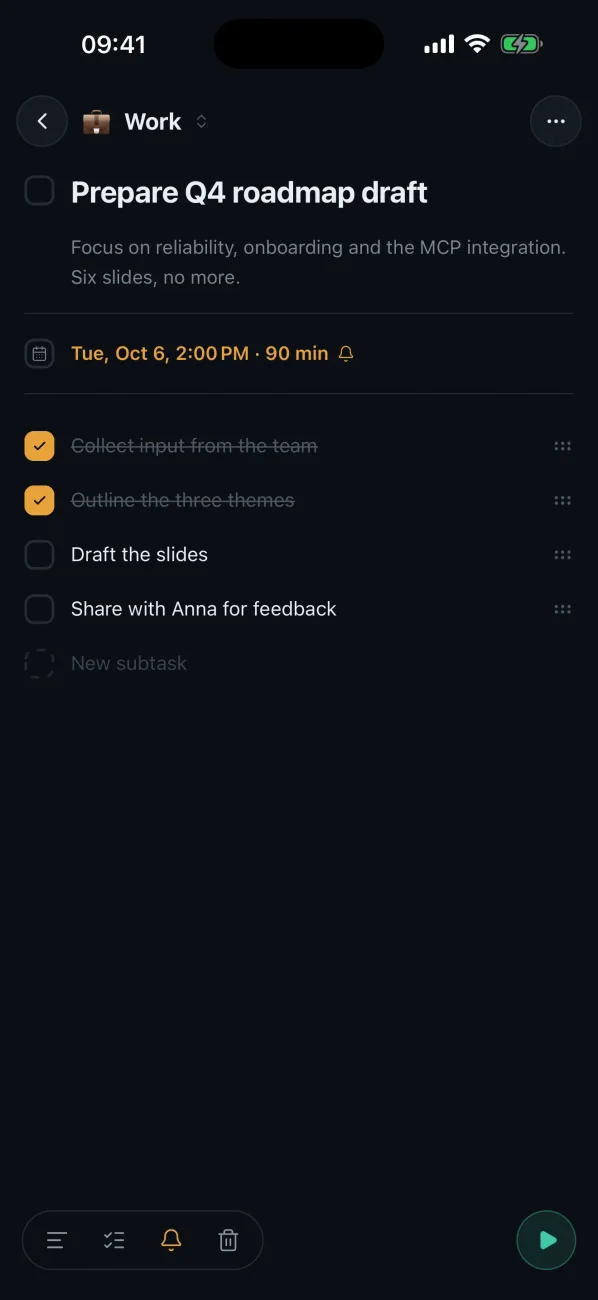
• Add a note, a checklist, a due date and time, a duration and a recurrence rule, one tap each
REPEATING TASKS DONE RIGHT
• A completed repeating task leaves the list and comes back on its own when the next period starts — so an empty list means you really are done. The Completed view still keeps every one.
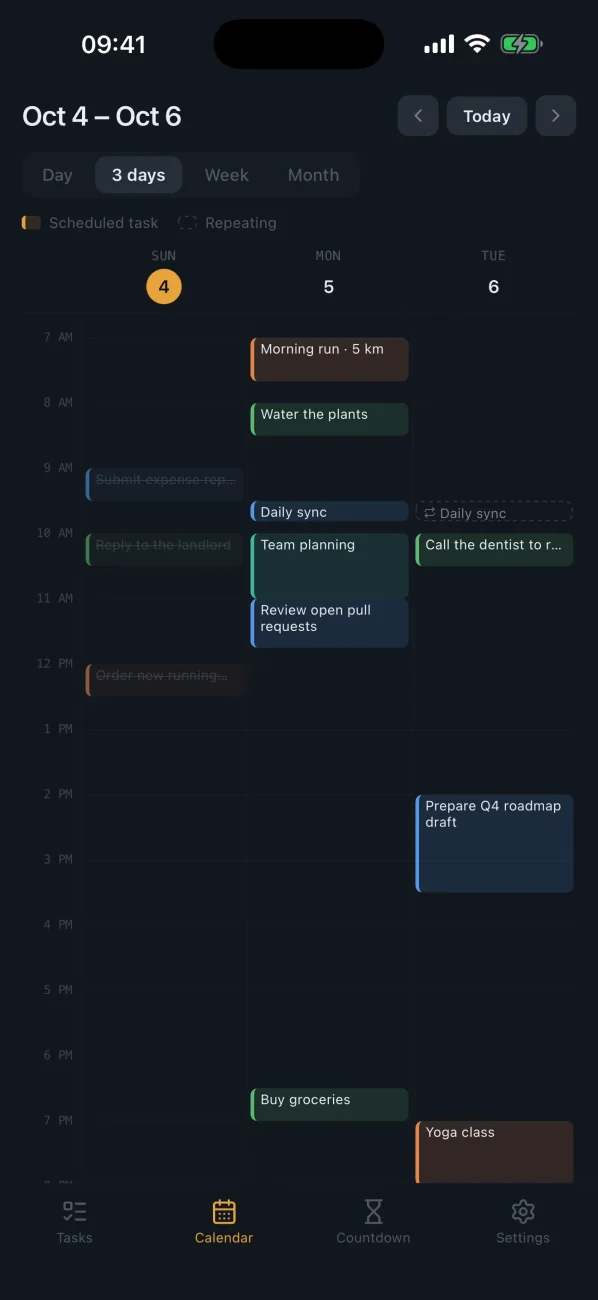
• Routine items like a daily stand-up are drawn with a dashed outline, so you always see what is routine and what is a real one-off
• Edit a repeating task as "this one" or "this and all following", so a changed plan does not break the series
CALENDAR
• Day, 3-day, week and month views
• Drag a task to another time or day; recurring tasks already show up on the days they will happen
• Open and complete any task straight from the calendar
REMINDERS THAT ACTUALLY FIRE
• Push reminders at the time you set, with Snooze 10 / 30 / 60 minutes right in the notification
• A morning summary of what is due today
• Time-sensitive delivery, so reminders get through Focus modes when you allow it
TIMER
• Start a timer on any task and see where the hours actually went
• Time entries stay attached to the task, so a weekly review takes seconds
COUNTDOWNS
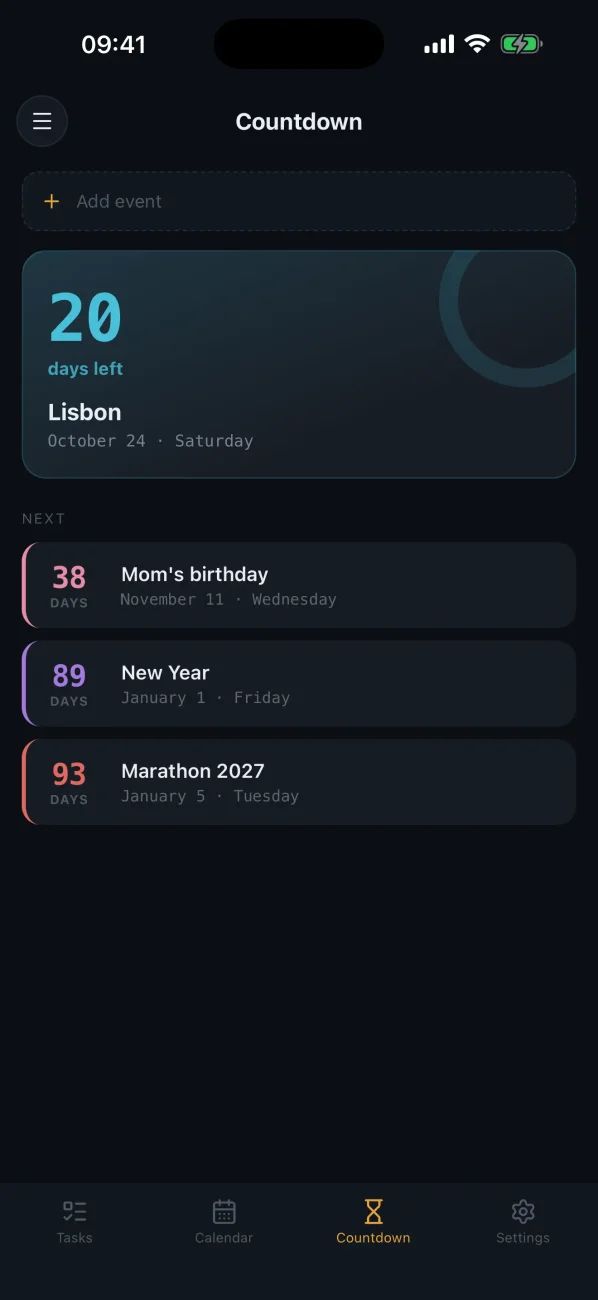
• Count down to the dates that matter — a trip, a launch, a birthday, a deadline — on a card you will want to look at
AI ASSISTANT (OPTIONAL)
• Connect Claude, ChatGPT or any other assistant that supports the Model Context Protocol (MCP) — the app has its own MCP server
• Then just talk: "what's on my plate today?", "move the dentist to Thursday", "tick off the groceries", "add a checklist to the trip task" — the assistant creates, updates and reviews tasks right in your contexts
• You issue a personal token in Settings and can revoke it at any time; nothing is shared until you do
ALSO IN THE BROWSER
• The same account at task-tracker.net — plan on a big screen, get reminded on your phone
PRIVATE BY DESIGN
• Sign in with a one-time email code — no passwords to remember or leak
• No ads, no tracking, no analytics SDKs; delete your account and all of its data from Settings whenever you want
FREE
• Everything is free. No subscriptions, no in-app purchases.
Available in English, Ukrainian, Polish and Russian.
Questions or ideas? Write to support@task-tracker.net.
App privacy
What Vlad Popov declares on the App Store about how this app handles data.
-
Data linked to you
May be collected and linked to your identity.
- Contact info
- User content
- Identifiers
-
Data not linked to you
May be collected but is not linked to your identity.
- Diagnostics
Privacy practices may vary, for example with the features you use or your age.
Information
- Seller
- Vlad Popov
- Category
- Productivity
- Version
- 1.0
- Updated
- Oct 15, 2026
- Released
- Oct 15, 2026
- Size
- 48.4 MB
- Requires
- iOS 16.4 or later
- Age rating
- 4+
- Price
- Free
- Languages
- English
- Copyright
- © 2026 Vladyslav Popov
You might also like
-
 Vohnyk: Family OrganizerShared lists, calendar & docs
-
 Againly: Track Recurring TasksNext due tasks, done your way
-
 DoList - ToDo List AppProductivity
-
 Why Pay?! - Task ManagerSimple Task Manager & Planner
-
 LazyflowAI Planner & Focus Timer
-
 Minds: Mind Map, Notes & IdeasVoice & photo. Sort your ideas
-
 mirvLocal-first tasks & notes
-
 Imprint: Habit TrackerSee Your Habits in Patterns
-
 Tallies — Habit TrackerA quiet tally app & counter
-
 Pomodoro Timer : Study TimerFocus Timer & Task Tracker