Task Focus: ADHD App Blocker
Finish Tasks, Stop Scrolling
Designed for iPhone
Free · In-app purchases
- Age rating4+
- CategoryProductivity
- DeveloperSascha Thiele
- LanguagesEnglish+ 6 more
- Size17.8 MB
Links to the official App Store page
Download.org hosts no file of Task Focus: ADHD App Blocker. The button opens its official App Store page, published by Sascha Thiele. Listing last checked on Nov 17, 2026.
Screenshots
About
You know what you have to do. Your phone pulls you away anyway.
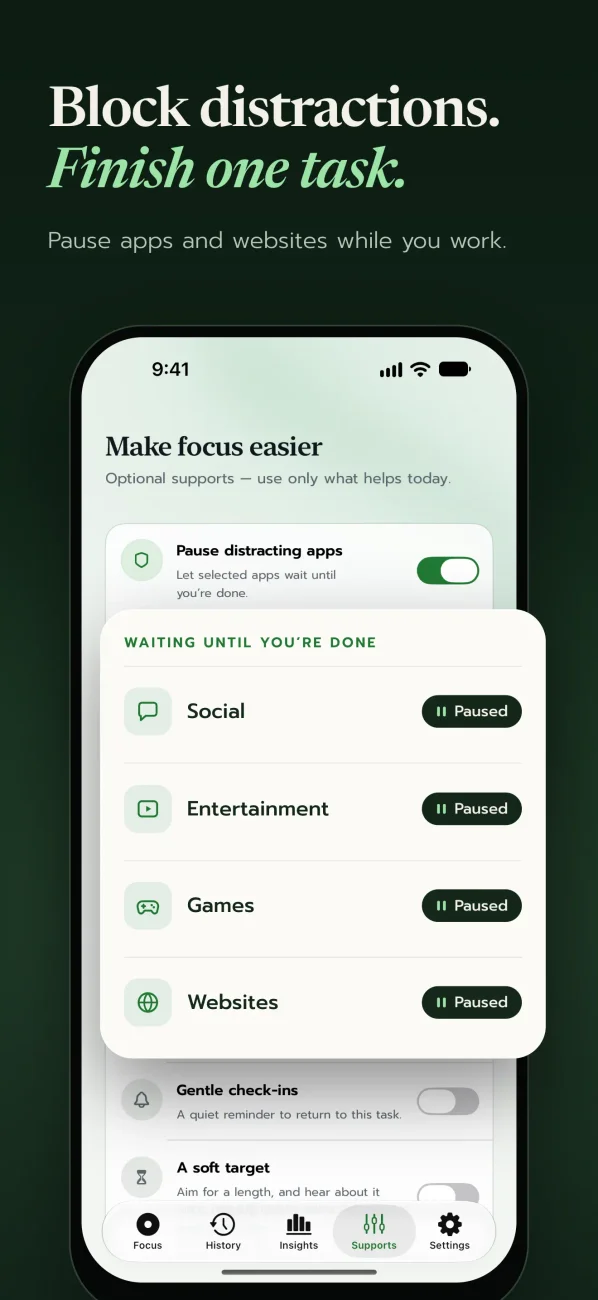
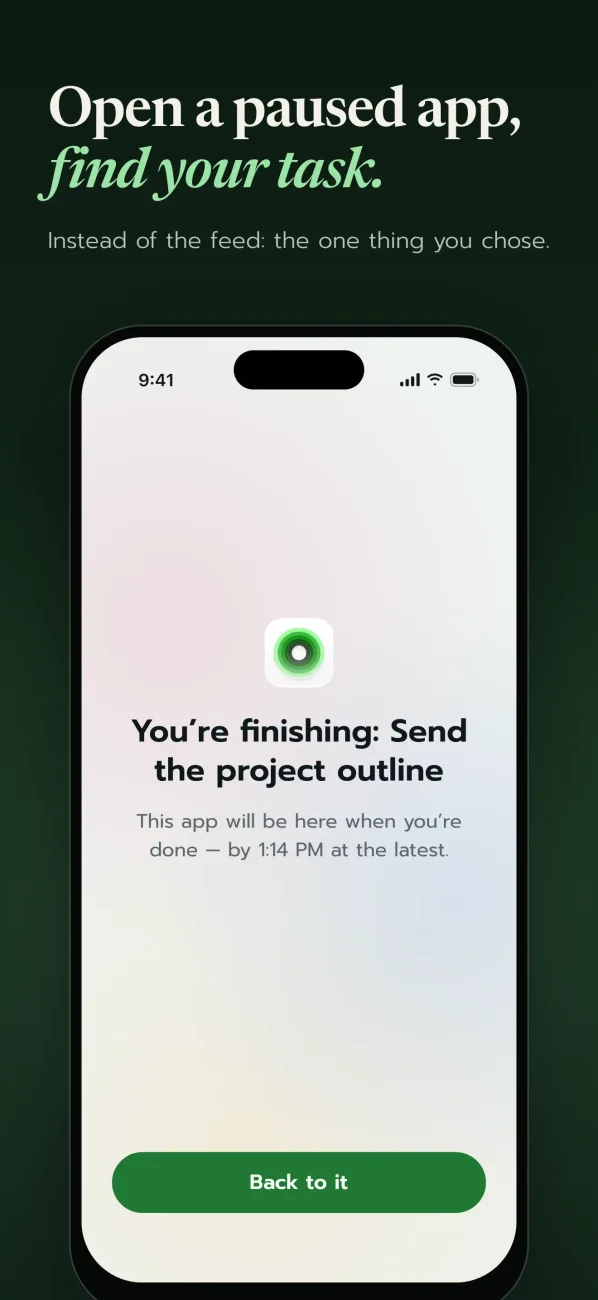
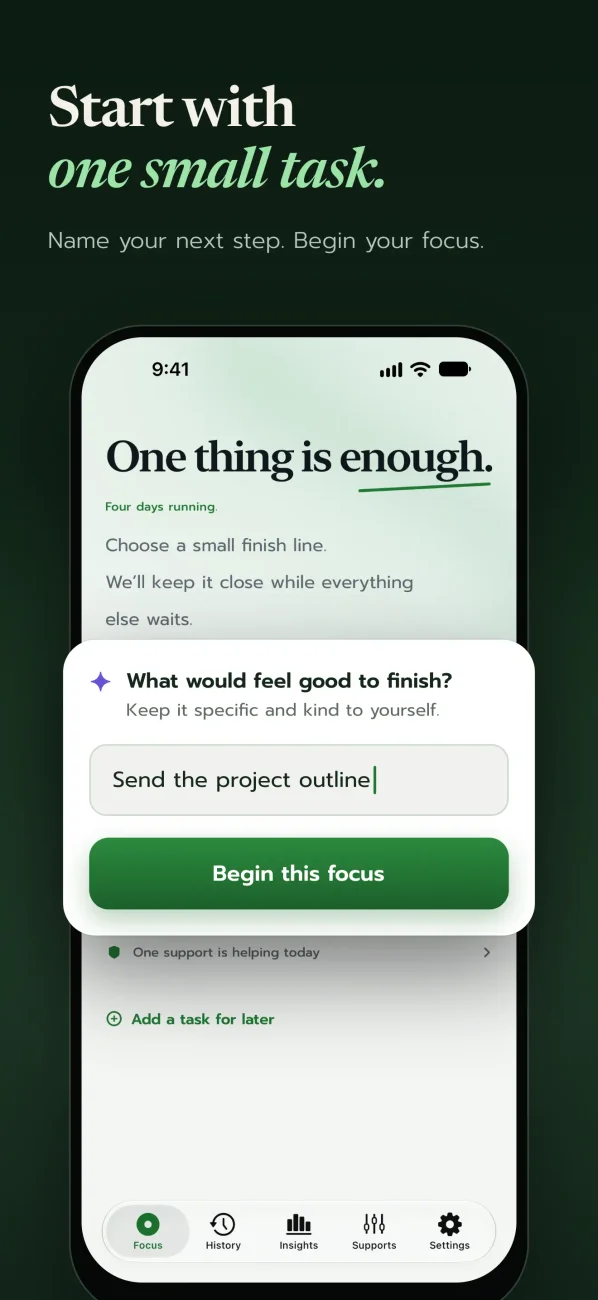
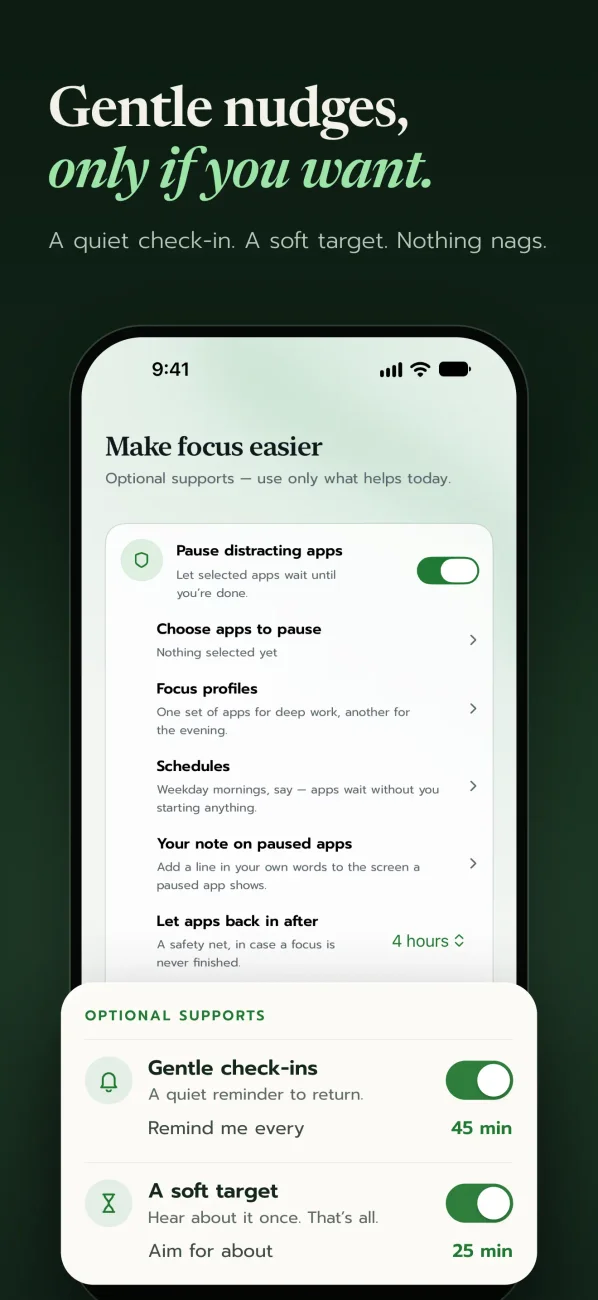
Task Focus pauses the apps that distract you until your one task is finished. Write down the one thing, pick what to pause, and start. Open a paused app in the middle of it, and you see your task instead of the feed.
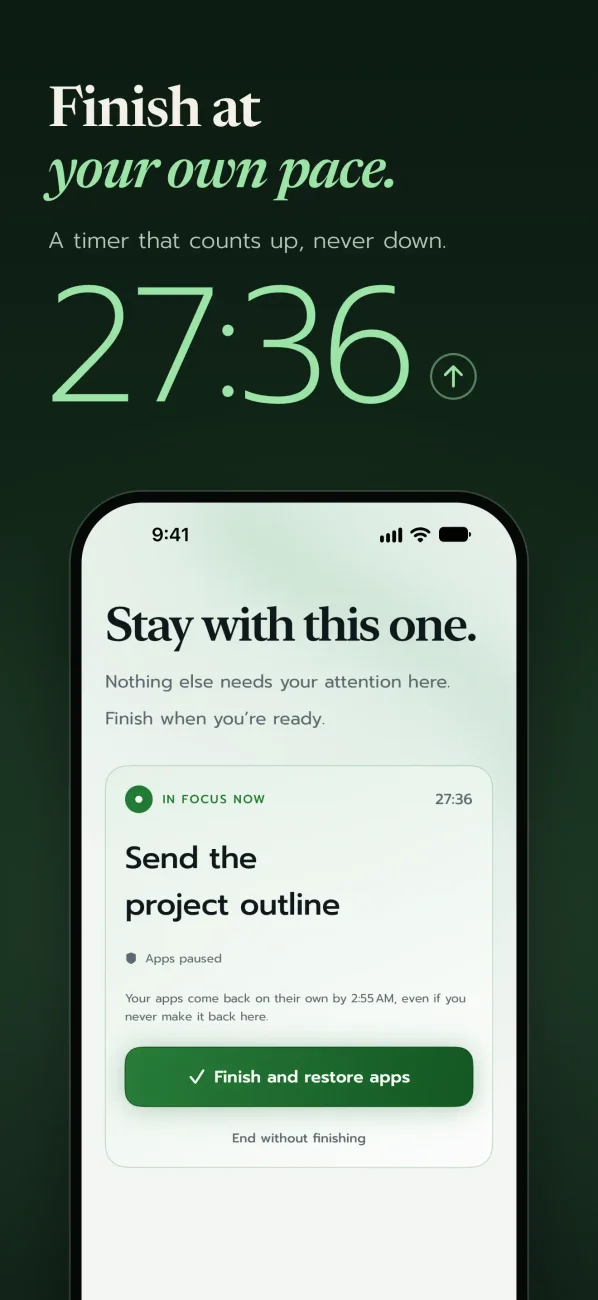
There is no countdown on the screen. Time counts up, and a focus ends when you say it is finished — not when a timer decides you failed. The one limit is a safety net you set yourself, between one and eight hours, that hands your apps back if you never get round to tapping "I'm done".
WHAT IT DOES
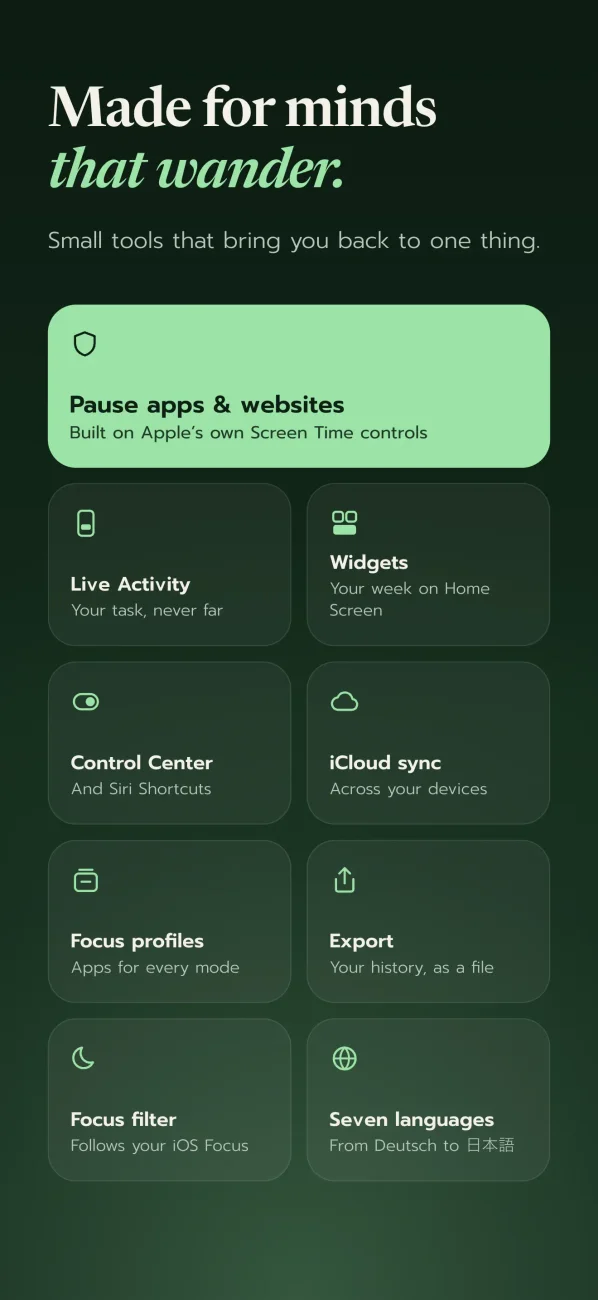
• Pauses the apps you choose, using Screen Time. Feeds, timelines, the endless pull-to-refresh — closed until you are done.
• Turns a paused app into a reminder: open one, and it shows the task you are finishing and when the app comes back.
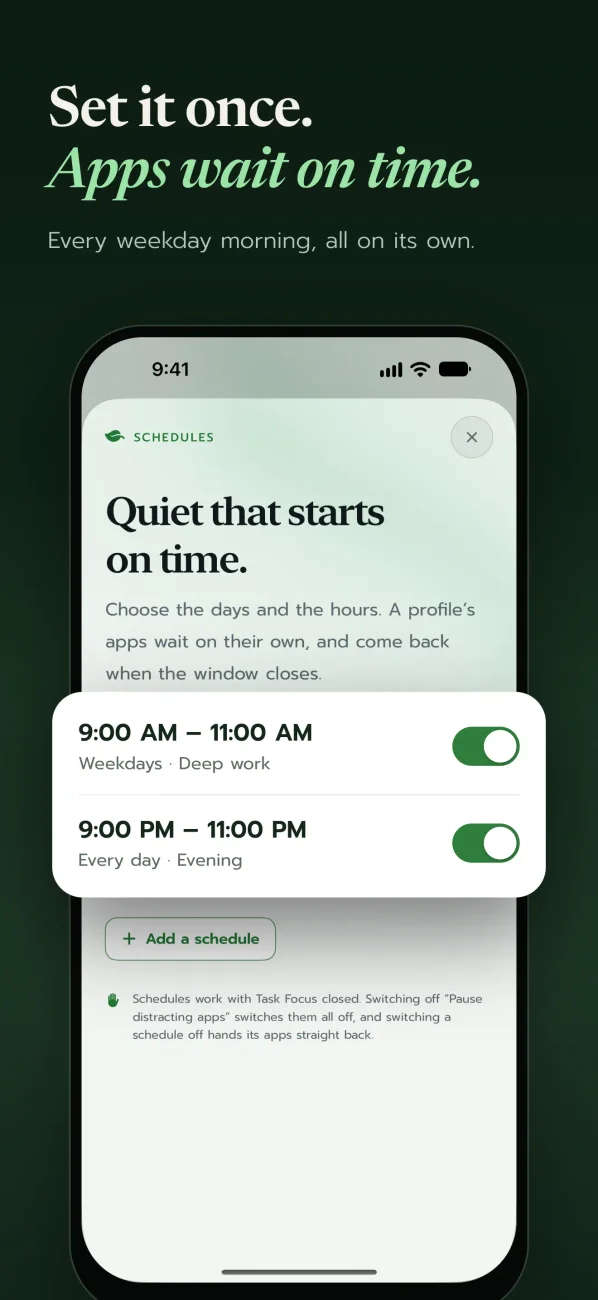
• Pauses on a schedule — weekday mornings, every evening — without you starting anything.
• Works with iOS Focus: add Task Focus as a Focus filter, and a Focus like Work or Study pauses the apps you chose.
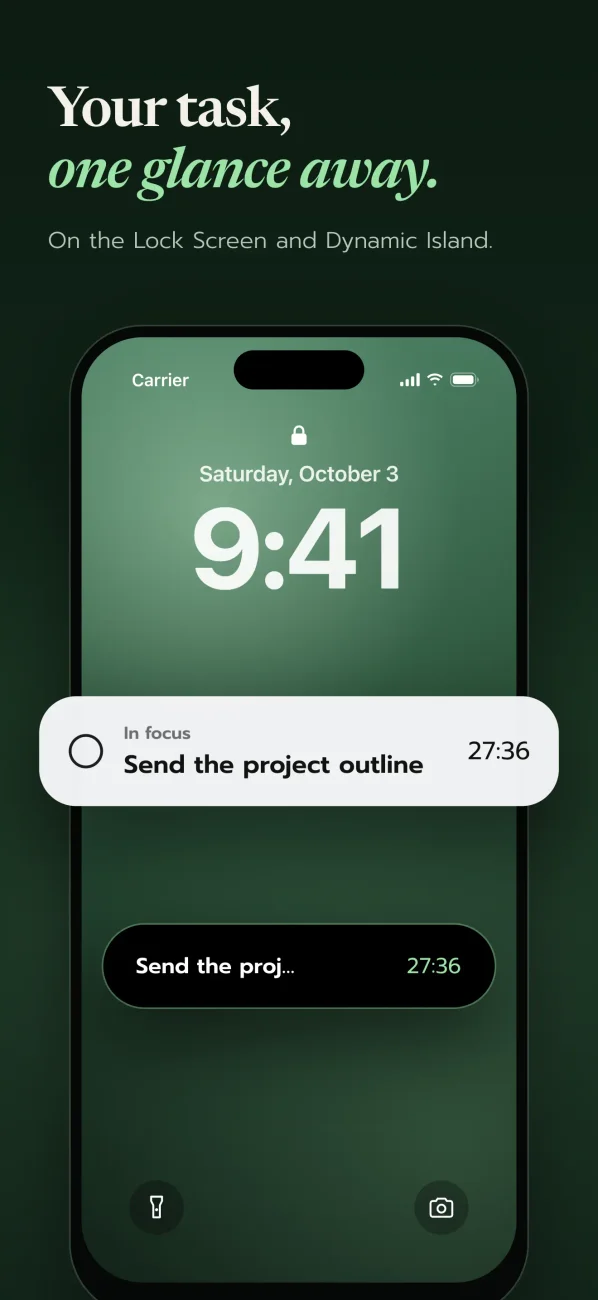
• Puts the one thing on your Lock Screen and in a widget, so it is always one glance away and never out of sight.
• Gives everything back the moment you tap "I'm done". One toggle in Settings takes it back too, any time.
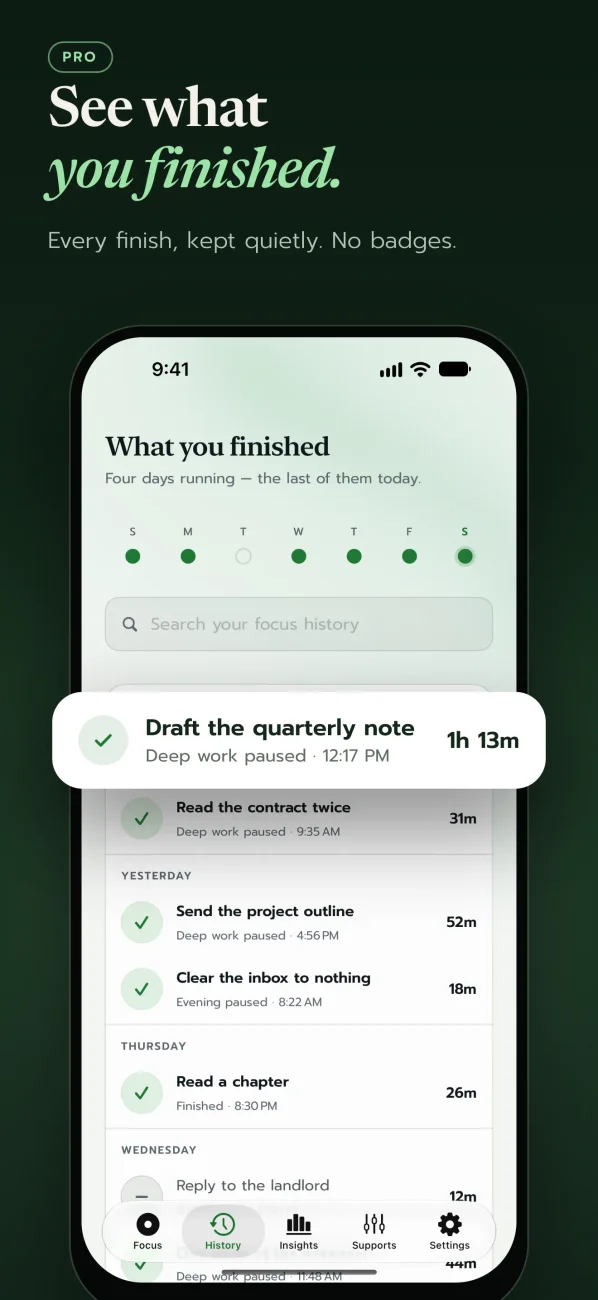
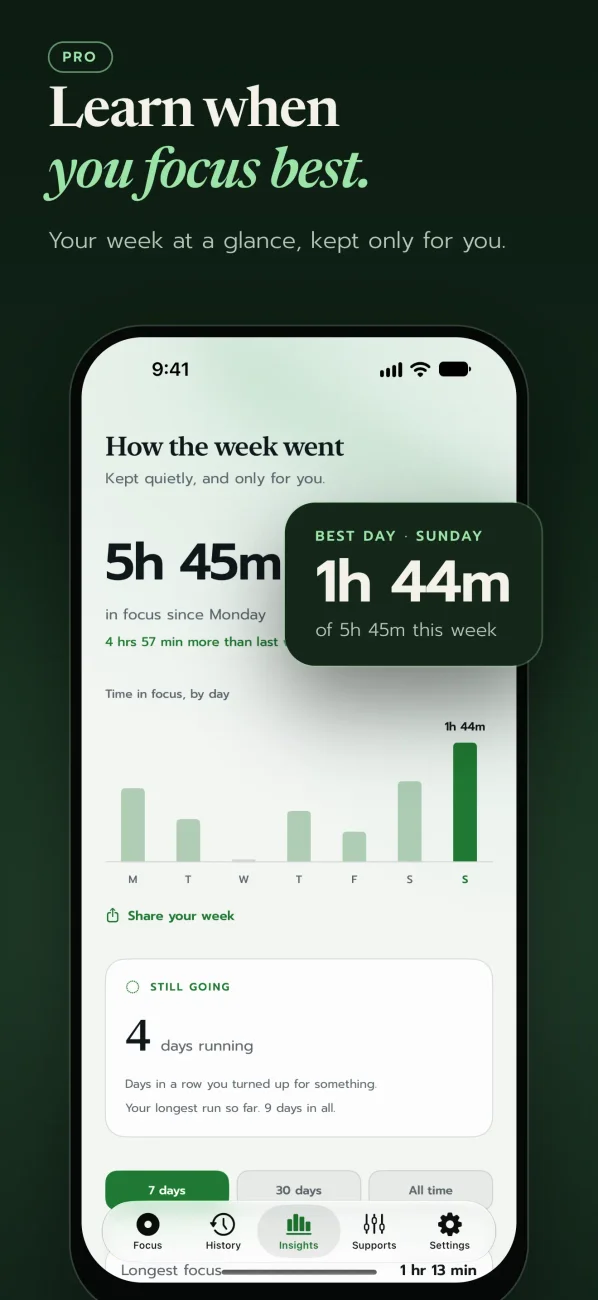
• Keeps what you finished, so a week adds up to something.
NOTHING HERE IS A TARGET
No streaks to break. No score to keep up. No badge for a good week and no guilt for a quiet one. The history is a record, not a report card.
FREE, AND PRO
Pausing apps is free and always will be.
Task Focus Pro is everything the app remembers afterwards:
• Every session you finish, kept for good — free keeps this week
• What your focus actually adds up to
• A profile for each kind of focus, so the right apps pause for the right work
• More than one schedule, and a line of your own on the screen over a paused app
Pro opens on its own for seven days, the first time you finish a focus. Nothing to sign up for and nothing to cancel. When the seven days are up, history goes back to the last week, insights to this week, and profiles to one — nothing is deleted, and pausing apps carries on free as always. Schedules you have made keep running; adding another takes Pro.
One payment. No renewal. Nothing to cancel.
YOURS TO TAKE WITH YOU
Your history follows you between your own devices through your iCloud account, and exports as a file you keep — whatever you use next.
The app counts only what happens, anonymously — that a focus was finished, say — and you can switch that off in Settings. What you focus on, and what you choose to pause, stay on your device and in your own private iCloud database. We cannot read either one.
What’s new
Version 1.3 · Oct 26, 2026
New in 1.3:
• Keep a short list of tasks in Next up, ready to start when you finish.
• Choose 2, 5 or 10-minute breaks and up to three breaks per focus with Pro.
• See what your seven-day Pro trial includes from the start.
App privacy
What Sascha Thiele declares on the App Store about how this app handles data.
-
Data not linked to you
May be collected but is not linked to your identity.
- Purchases
- Identifiers
- Usage data
Privacy practices may vary, for example with the features you use or your age.
Information
- Seller
- Sascha Thiele
- Category
- Productivity
- Version
- 1.3
- Updated
- Oct 26, 2026
- Released
- Aug 24, 2026
- Size
- 17.8 MB
- Requires
- iOS 17.0 or later
- Age rating
- 4+
- Price
- Free
- In-app purchases
- Yes
- Languages
- English, French, German, Japanese, Simplified Chinese, Spanish, Traditional Chinese
- Copyright
- © 2026 Sascha Thiele
You might also like
-
 FocusBlocks — Deep WorkFocus Timer & Smart Breaks
-
 Focus BreakFocus timer with guided breaks
-
 FocusPiece: Art Study TimerDeep focus reveals a painting
-
 Today — Todos for EverydayTodos and Notes By Day
-
 Tempo - Plan your daySmart Daily Task Planner
-
 Unsway: Strict App BlockerBlock Apps & Limit Screen Time
-
 Realign: Productivity SystemAchieve goals easily
-
 Threely: 3 Tasks, ADHD PlannerFocus Mode, Brain Dump & Calm
-
 Inkoum: Tasks, Notes & FocusPlanner, Habits & Calendar
-
 Totly: ADHD To Do List & TasksBrain Dump, Focus & Planner