
Task Rainbow: Time Tracker
Plan tasks. See your progress.
Designed for iPhone, iPad
Free · In-app purchases
- Age rating4+
- CategoryProductivity
- DeveloperToshiaki Nakamura
- LanguagesEnglish+ 1 more
- Size84.7 MB
Links to the official App Store page
Download.org hosts no file of Task Rainbow: Time Tracker. The button opens its official App Store page, published by Toshiaki Nakamura. Listing last checked on Nov 23, 2026.
Screenshots


About
Tasks take longer than you expect, and the rest of your day slips.
You stay busy, but it is hard to tell where the time went.
Get a clearer sense of how long your work takes, so you can plan a day that fits your pace. Task Rainbow helps you compare your estimates with the time you actually spend and use today's experience to plan what comes next.
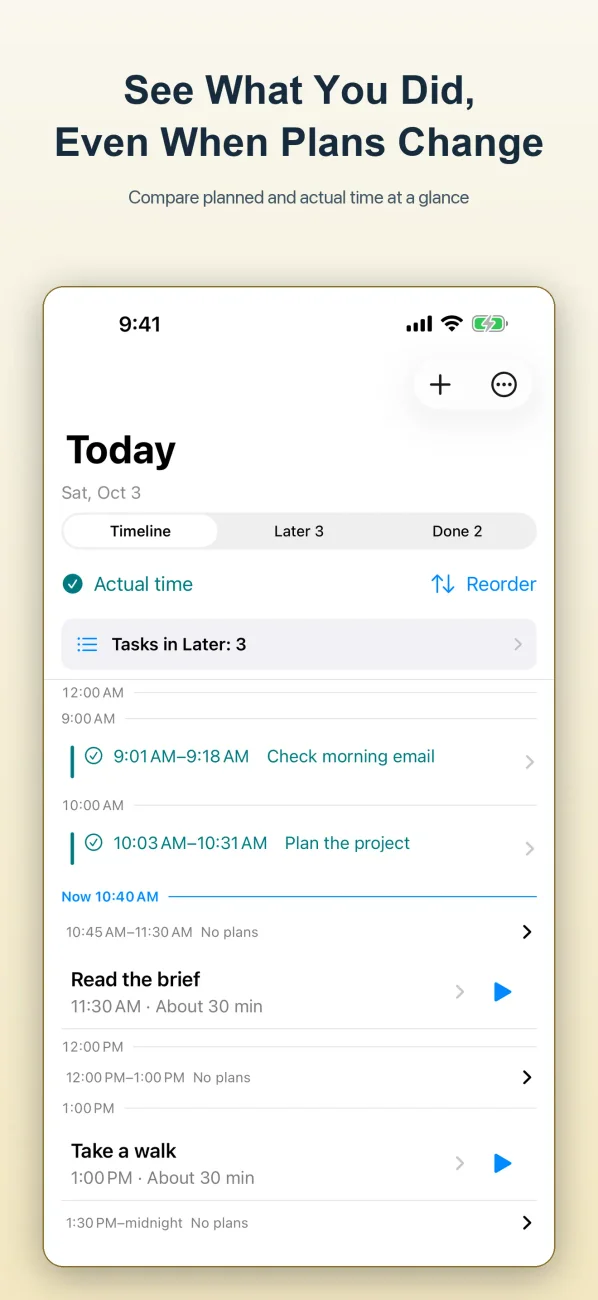
Track time as you work, see it against your estimate in rainbow rings and bars, and review your records when you are done.
MAKE ROOM FOR TODAY'S TASKS
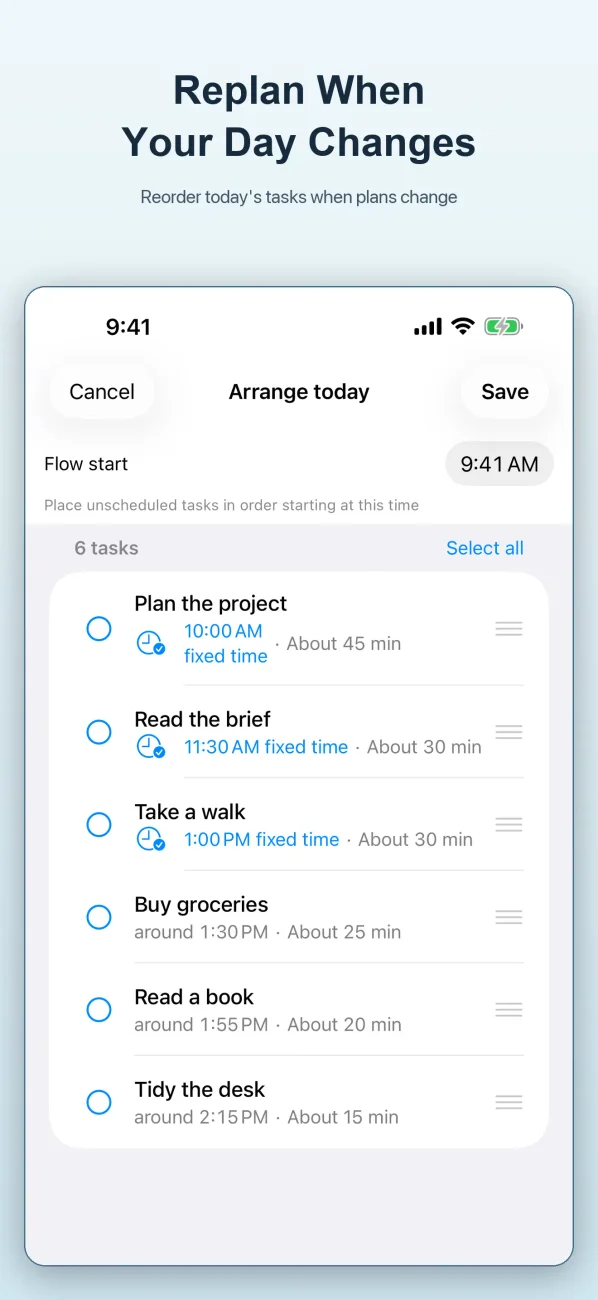
Organize the tasks you want to work on today and save other tasks for later. Add time estimates to give each task a starting point.
KEEP YOUR ESTIMATE IN SIGHT
Rainbow rings and bars show elapsed time relative to your estimate. See an estimate of the time remaining while you are within your planned duration. When there is no estimate, or you go over it, the display shows elapsed time. You can keep tracking beyond your estimate.
USE TODAY'S RECORDS TO PLAN WHAT COMES NEXT
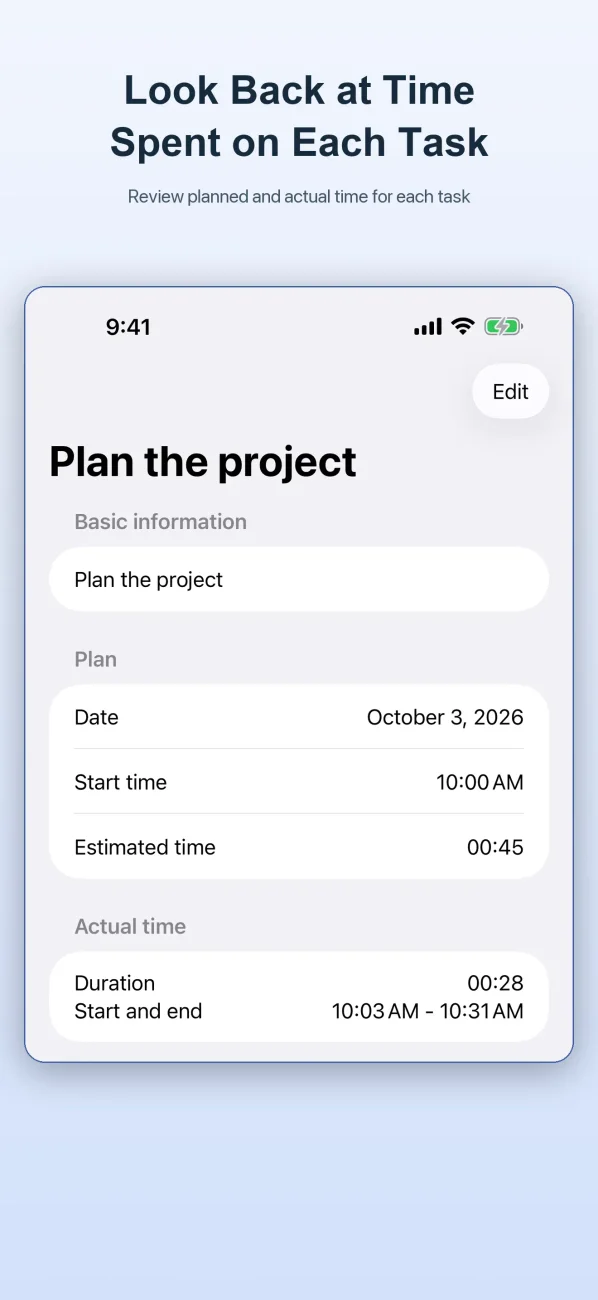
Start, stop, and resume as you work, then mark the task complete. Review your recorded work sessions to see how you used your time and inform your next estimate.
MAKE EVERYDAY PLANNING EASIER
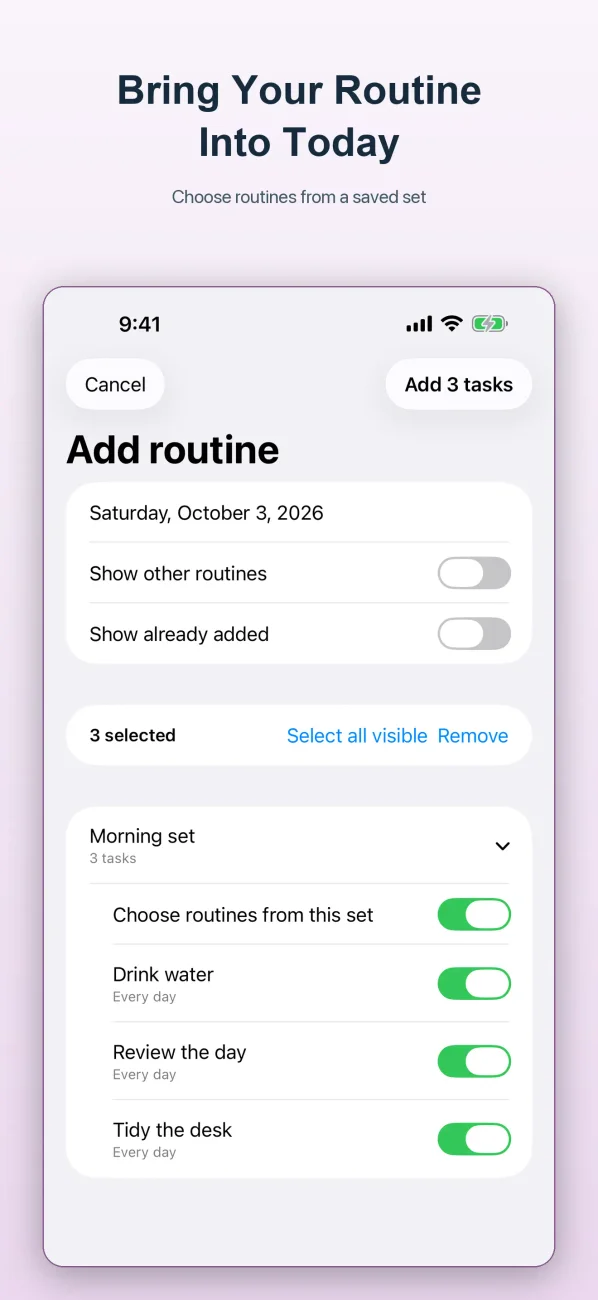
Group routines into sets and reuse them in your daily plans. Keep familiar steps ready for regular preparation and recurring work.
START WITH THE FREE FEATURES
Basic planning, time tracking, and records are free. Save up to 5 routine sets, with up to 10 routines in each set.
TASK RAINBOW PREMIUM
Remove the limits on routine sets and routines per set. Save and share a PDF of your tasks and time records for a selected day.
Premium is available as a monthly or annual auto-renewable subscription. Your subscription renews automatically unless canceled. See the in-app purchase screen for pricing and purchase terms.
Privacy Policy: https://sites.google.com/view/studio-rainbow-terms/
Terms of Use: https://www.apple.com/legal/internet-services/itunes/dev/stdeula/
What’s new
Version 1.0.2 · Nov 15, 2026
Added a button to dismiss the keyboard when entering tasks, routines, and other text. Hide the keyboard without losing your input.
App privacy
What Toshiaki Nakamura declares on the App Store about how this app handles data.
-
Data not linked to you
May be collected but is not linked to your identity.
- Usage data
- Diagnostics
Privacy practices may vary, for example with the features you use or your age.
Information
- Seller
- Toshiaki Nakamura
- Category
- Productivity
- Version
- 1.0.2
- Updated
- Nov 15, 2026
- Released
- Oct 14, 2026
- Size
- 84.7 MB
- Requires
- iOS 18.5 or later
- Age rating
- 4+
- Price
- Free
- In-app purchases
- Yes
- Languages
- English, Japanese
- Copyright
- © 2026 Studio Rainbow
You might also like
-
 Tocksy: Persistent RemindersCapture fast. Never miss it.
-
 TodOne: Simple Today To-DoDaily planner: just talk to AI
-
 DEA*PAD - Quick 3-Page NotepadSimple Notepad for Quick Notes
-
 かってに通知メモProductivity
-
 目標boxProductivity
-
 NextDate TimelineProductivity
-
 引越しタスク - やること手続きチェックリストProductivity
-
 dayGLANCE: Daily PlannerPlanner, goals & habit tracker
-
 PickLog: Grocery Shared ListVoice Input: Shared Shop List
-
 Tanameetings that ship