Task Writer - Touch or Stylus
Write Your Plans and Reminders
Designed for iPhone, iPad
Free · In-app purchases
- Age rating4+
- CategoryProductivity
- DeveloperJoshua Lubins
- LanguagesEnglish+ 1 more
- Size30.7 MB
Links to the official App Store page
Download.org hosts no file of Task Writer - Touch or Stylus. The button opens its official App Store page, published by Joshua Lubins. Listing last checked on Nov 12, 2026.
Screenshots
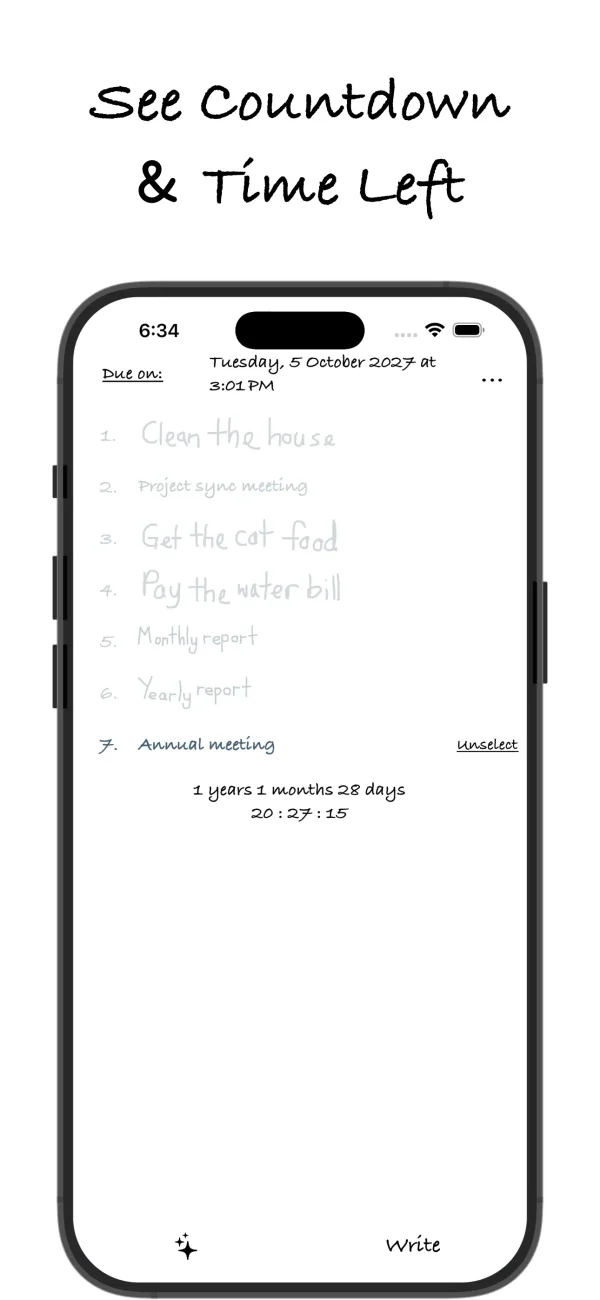
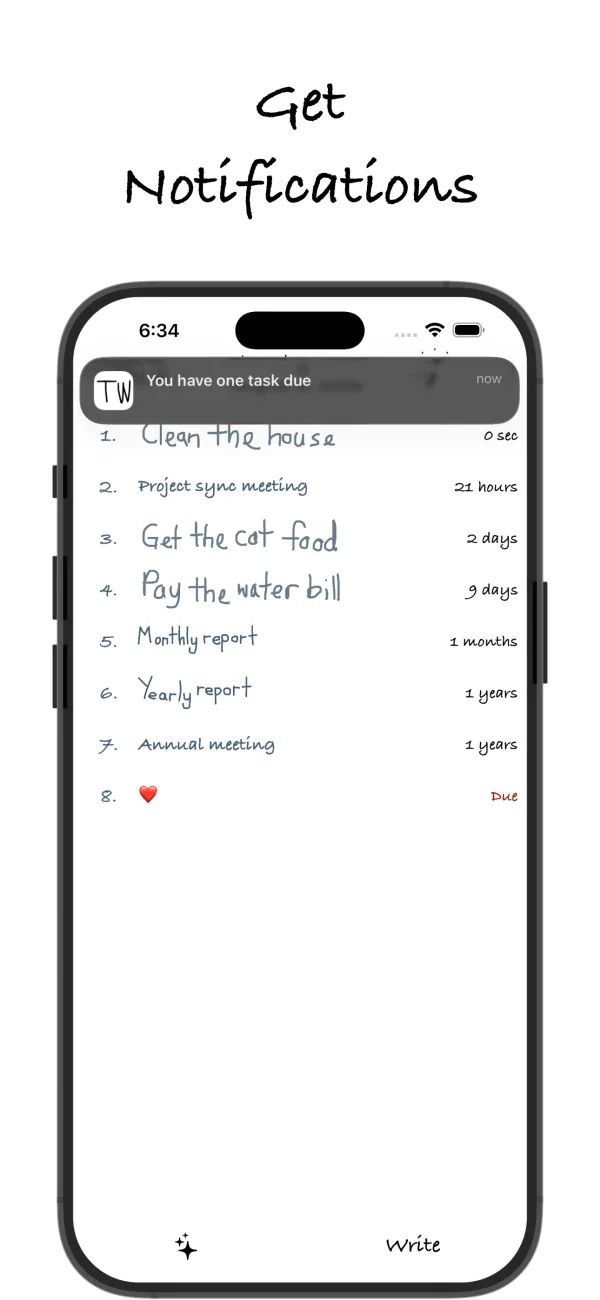
About
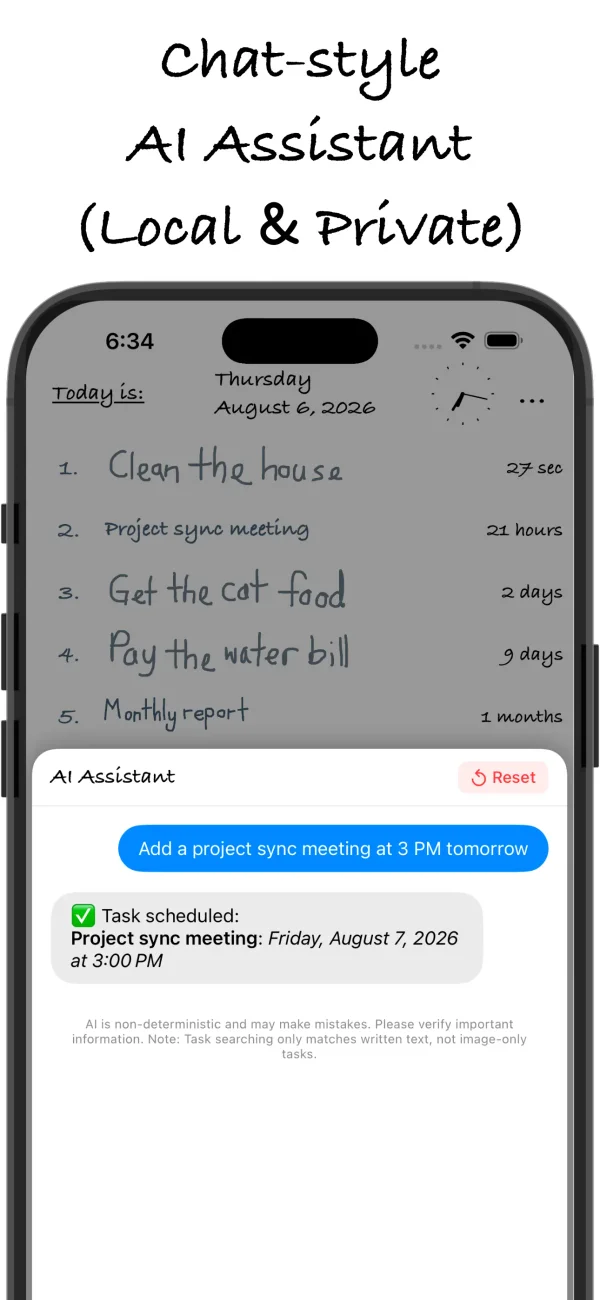
Write, type, draw, and organize your tasks locally and privately with our powerful new On-Device AI Assistant!
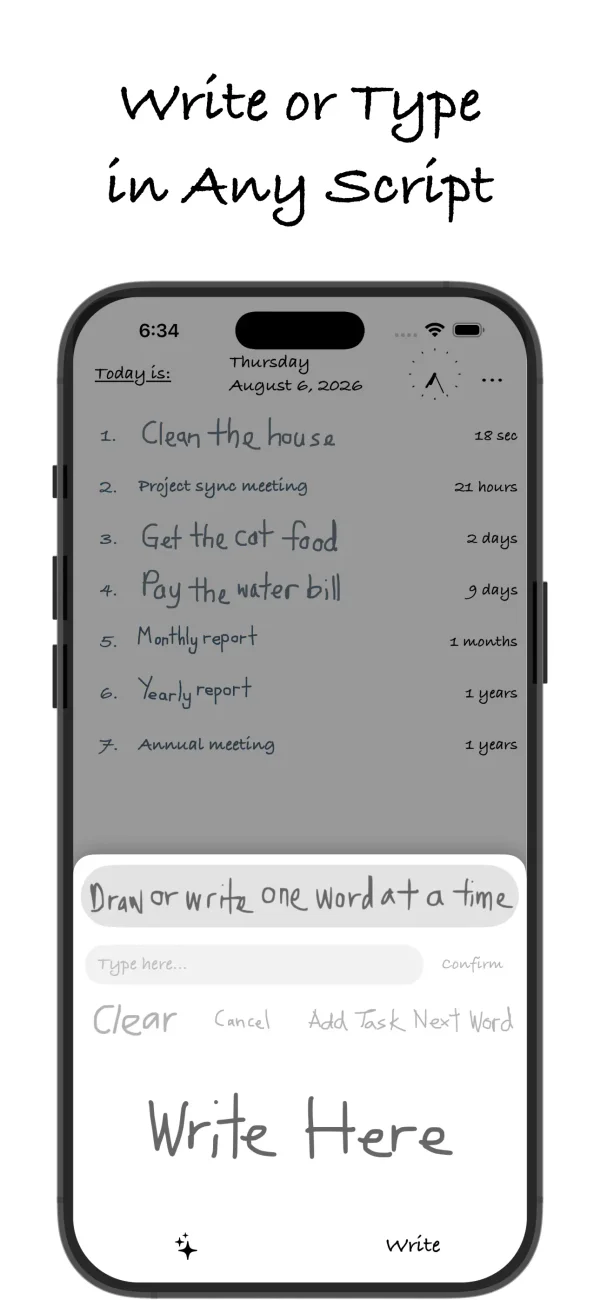
Task Writer gives you the freedom to build to-do lists your way. Write with your stylus, draw task ideas with your finger, or type them directly using the keyboard. Choose whichever input fits your flow.
*** WHAT'S NEW IN VERSION 3.0 ***
ON-DEVICE AI ASSISTANT
- NATURAL LANGUAGE SCHEDULING: Type or dictate requests (e.g., "remind me to jog tomorrow at 8 AM") to write and schedule tasks completely offline.
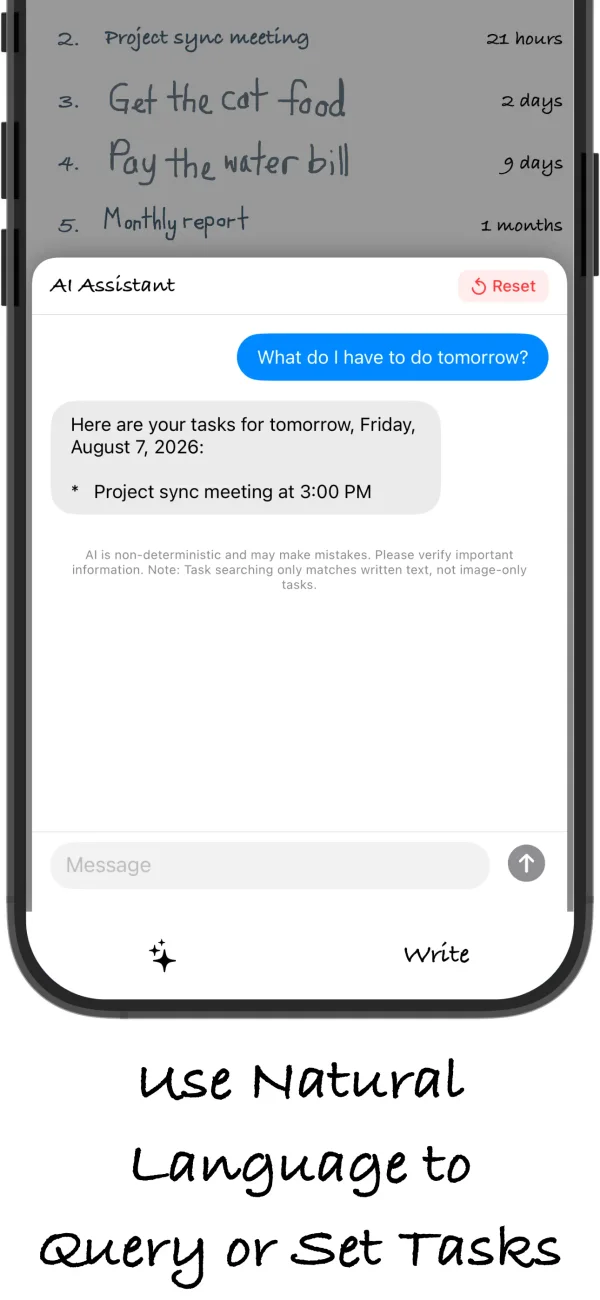
- SEMANTIC SEARCH: Easily search and filter your tasks using plain English queries.
LOCAL HANDWRITING OCR
- TEXT SUGGESTIONS: Instantly convert your handwritten strokes on the canvas into digital text. Tap any of the three suggested OCR candidates to auto-fill your tasks without typing.
TASK RECURRENCE
- RECURRING SCHEDULES: Schedule tasks daily, weekly, monthly, or yearly to stay on top of recurring routines and habits.
100% OFFLINE PRIVACY
All AI reasoning, task scheduling, semantic search, and handwriting OCR processing run completely on-device. Your tasks, inputs, and drawings are never uploaded to any servers.
*** CORE FEATURES ***
- Handwrite, Draw, or Type: Write your tasks naturally in any language, draw sketches to represent goals, or type them directly using your keyboard.
- Precise Alerts: Get to-the-minute notifications when a task is due.
- Touch Support: Works best with a stylus or just use your finger.
Task Writer is a freemium app that is free to use. You can upgrade to Task Writer Premium through an auto-renewable subscription to unlock the following custom styling and ad-free features:
- Change Stroke Color
- Change Stroke Width
- Enable or Disable Advertisements
Install Task Writer now and experience private, AI-powered task management.
Terms of Use (EULA): https://www.apple.com/legal/internet-services/itunes/dev/stdeula/
What’s new
Version 3.0 · Aug 8, 2026
- Introduces a private, on-device AI Assistant to write, schedule, and search tasks offline using natural language.
- Integrates local Vision OCR to generate tap-to-insert text suggestions directly from your handwritten canvas strokes.
- Adds support for recurring tasks, allowing you to schedule daily, weekly, monthly, or yearly events.
- Minor GUI refinements.
App privacy
What Joshua Lubins declares on the App Store about how this app handles data.
-
Data not linked to you
May be collected but is not linked to your identity.
- Purchases
Privacy practices may vary, for example with the features you use or your age.
Information
- Seller
- Joshua Lubins
- Category
- Productivity
- Version
- 3.0
- Updated
- Aug 8, 2026
- Released
- Sep 8, 2015
- Size
- 30.7 MB
- Requires
- iOS 17.6 or later
- Age rating
- 4+
- Price
- Free
- In-app purchases
- Yes
- Languages
- English, Japanese
- Copyright
- © 2015 Joshua Lubins
You might also like
-
 LinHand-handwritten notestake notes & PDF
-
 Pocket Note - Handwritten noteNotepad for handwriting
-
 AxNote: Note TakingSketches, text & images
-
 iWriterswrite for Dropbox and Evernote
-
 Saber: Handwritten NotesThe app built for handwriting
-
 Notes Air - Simple NotesTags Organizer & Planner
-
 Adonit OneRecords moments, Capture ideas
-
 Carbo › Pencil Notes & DrawingDraw, sketch, pen handwriting
-
 JotTheDate-Draw your Calendar.Why type? Just draw.
-
 Meeting Notes & Work PlannerTake Notes & Track Work Tasks