
TaskFlow: To-Do & Planner
Eisenhower Matrix, Focus Timer
Designed for iPhone, iPad, iPod touch
In-app purchases
- Age rating4+
- CategoryProductivity
- DeveloperMustafa BILGIC
- LanguagesEnglish
- Size27.7 MB
Links to the official App Store page
Download.org hosts no file of TaskFlow: To-Do & Planner. The button opens its official App Store page, published by Mustafa BILGIC. Listing last checked on Nov 8, 2026.
Screenshots
About
TaskFlow is a to-do list and daily planner that helps you decide what to do first, and then do it.
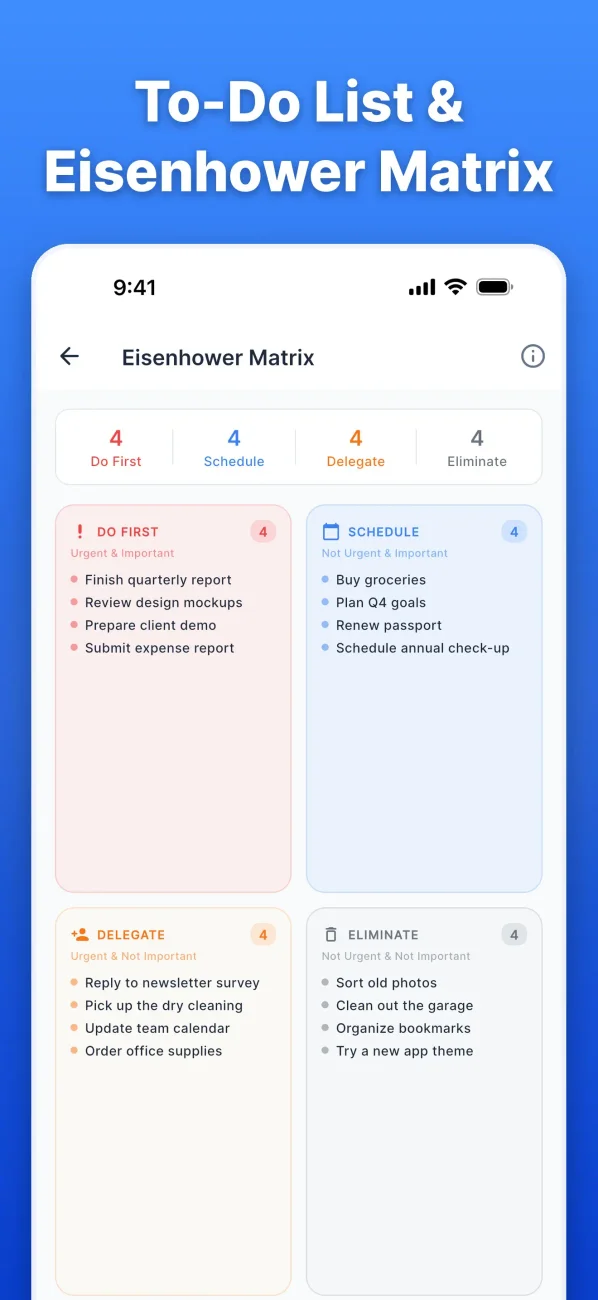
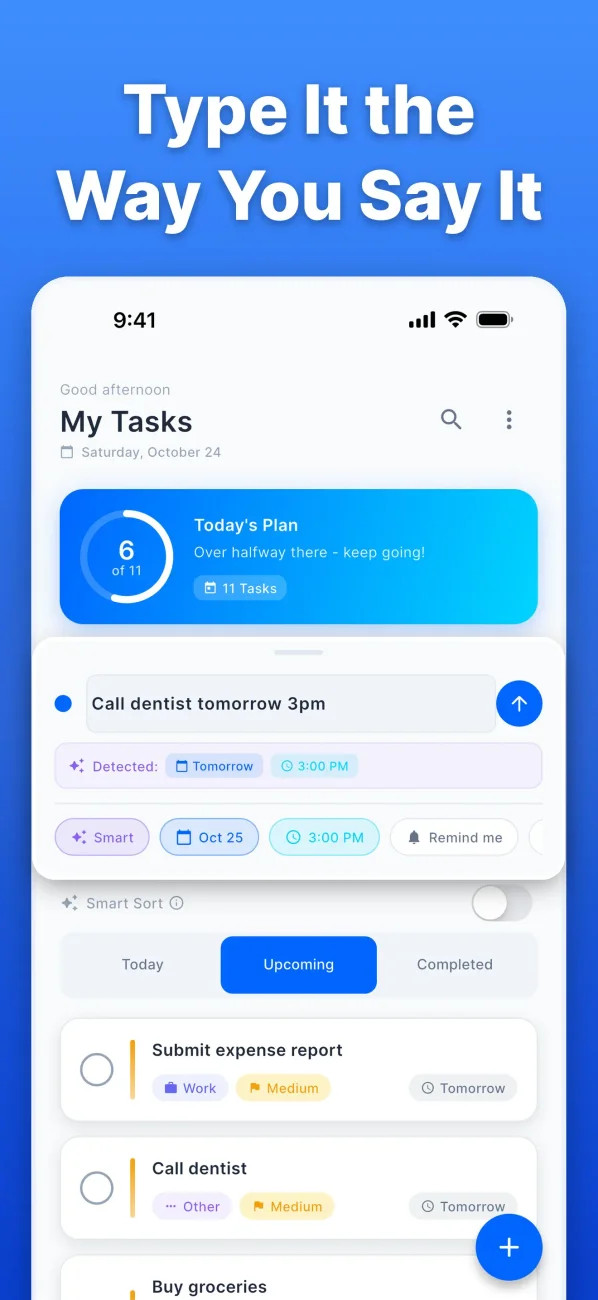
Type a task the way you would say it: "Call dentist tomorrow 3pm" sets the date and the time for you. TaskFlow sorts your open tasks into an Eisenhower Matrix, a built-in focus timer keeps you on one thing at a time, and a weekly review shows how your week went.
EISENHOWER MATRIX
• Your open tasks are sorted automatically into Do First, Schedule, Delegate and Eliminate, from their priority and due date
• See at a glance what is urgent and what is important
QUICK ADD IN PLAIN ENGLISH
• Dates, times, priorities and categories are picked up from what you type: "tomorrow", "next week", "at 5pm", "high priority"
• Subtasks, tags and notes for bigger tasks
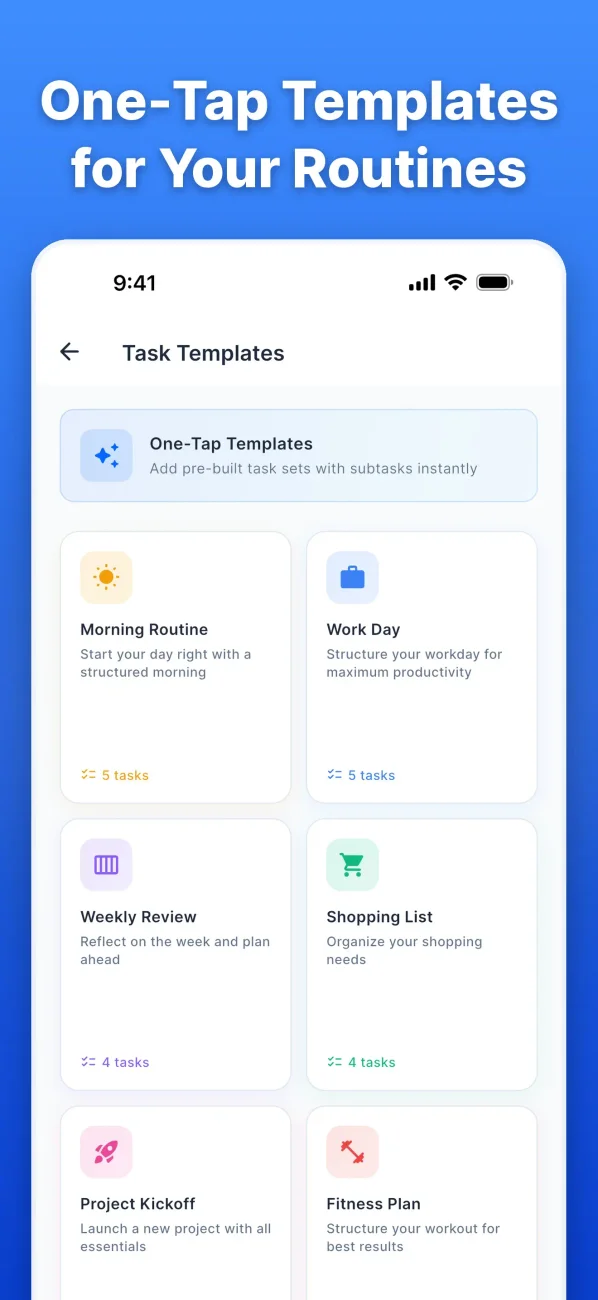
• Ready-made templates such as Morning Routine, Work Day and Weekly Review
FOCUS TIMER
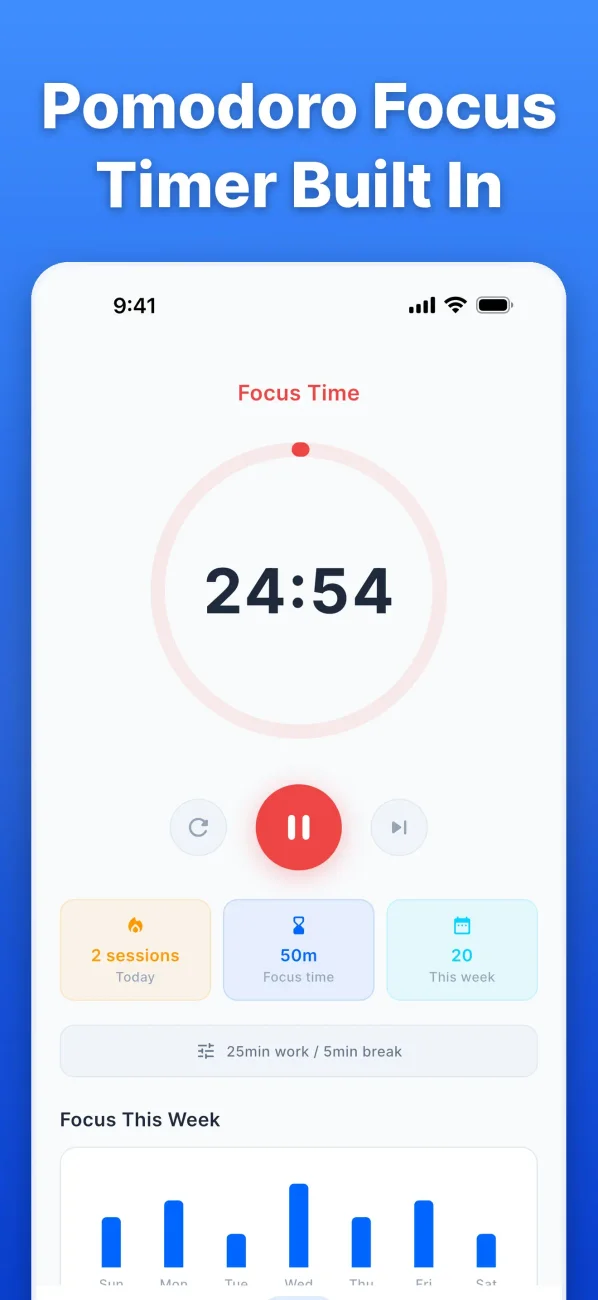
• Pomodoro-style work and break sessions with durations you choose
• Link a session to a task and watch your focus minutes add up
PLAN YOUR DAY
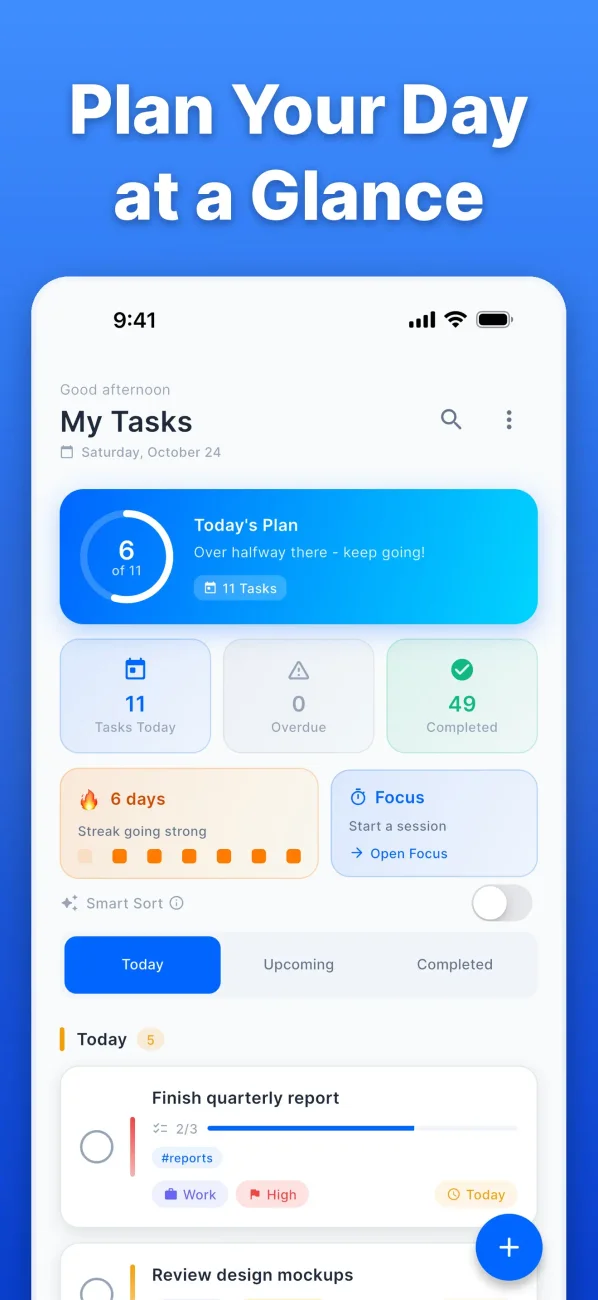
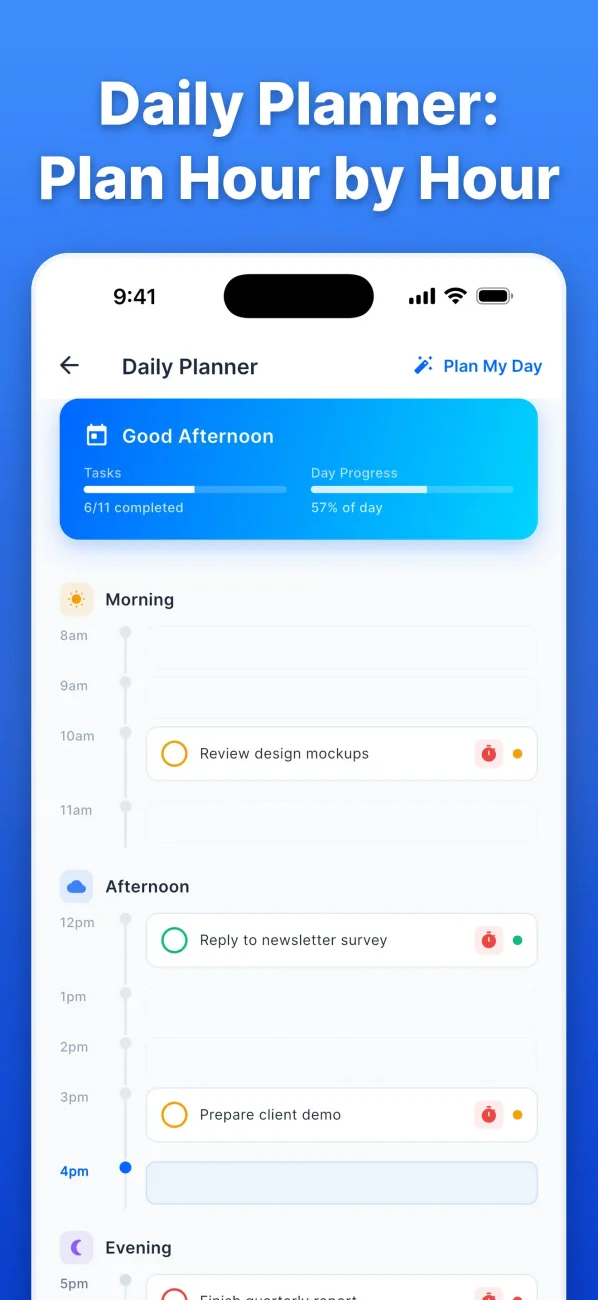
• Overdue, Today and Tomorrow at a glance, with a progress ring for today's plan
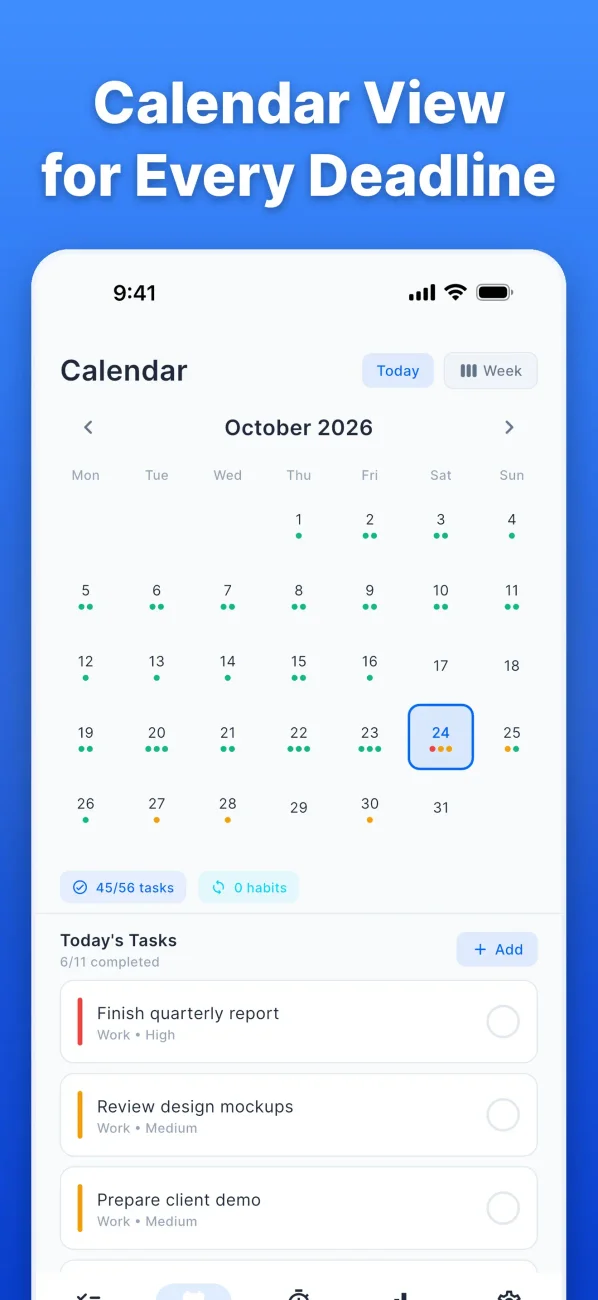
• Calendar view and an hour-by-hour daily planner
• Smart Lists: Overdue, High Priority, Due This Week, or your own filters by tag, priority and category
• Smart Sort orders tasks by urgency (due date and priority)
REVIEW YOUR WEEK
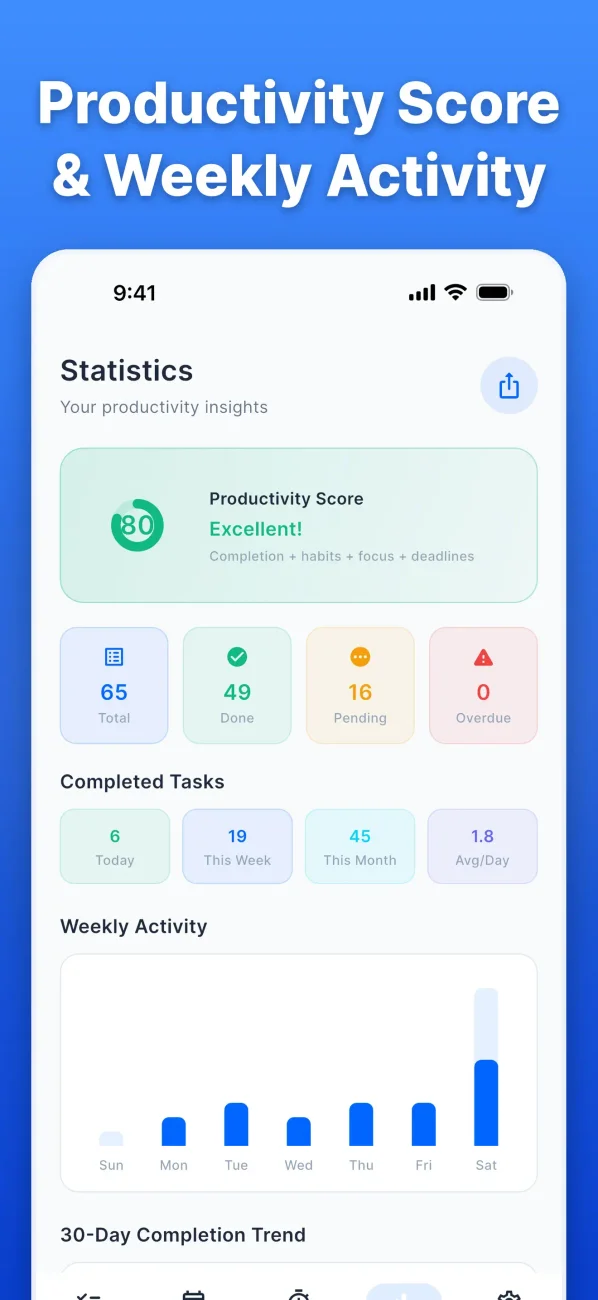
• Weekly Review with a productivity score from 0 to 100, compared with last week
• Statistics for completed tasks, focus time and habits
HABITS AND NOTES
• Simple daily habits with streaks and a heatmap
• Colour-coded quick notes with search
REMINDERS
• Reminders for individual tasks, plus an optional morning overview, evening summary and overdue alerts
PRIVATE BY DESIGN
• Works offline, with no account and no sign-up
• Your tasks stay on your device; no ads, no tracking
• Export your tasks as a backup file (JSON) whenever you like
TASKFLOW PREMIUM (OPTIONAL)
Everything above is free. Premium adds recurring tasks:
• Repeat any task daily, on weekdays, weekly or monthly
• Type "daily" or "every week" in quick add to make a task repeat
• When you complete a repeating task, the next one is ready, with its reminder
Plans (US prices; your local price is shown before you buy):
• Weekly: $1.99 per week
• Monthly: $4.99 per month
• Annual: $29.99 per year
• Lifetime: $69.99, one-time purchase
New subscribers get a 7-day free trial on the weekly, monthly and annual plans. Payment is charged to your Apple ID at confirmation of purchase, or when the free trial ends. Subscriptions renew automatically unless cancelled at least 24 hours before the end of the current period. Manage or cancel them in your App Store account settings.
Privacy Policy: https://cinderspire.github.io/support/privacy-taskflow.html
Terms of Use (EULA): https://www.apple.com/legal/internet-services/itunes/dev/stdeula/
What’s new
Version 1.1.12 · Nov 1, 2026
Added a Repeat option to Quick Add. What you typed stays in place when you close a prompt. Small fixes and stability improvements.
App privacy
What Mustafa BILGIC declares on the App Store about how this app handles data.
-
Data not collected
The developer does not collect any data from this app.
Privacy practices may vary, for example with the features you use or your age.
Information
- Seller
- Mustafa BILGIC
- Category
- Productivity
- Version
- 1.1.12
- Updated
- Nov 1, 2026
- Released
- May 14, 2026
- Size
- 27.7 MB
- Requires
- iOS 15.0 or later
- Age rating
- 4+
- In-app purchases
- Yes
- Languages
- English
- Copyright
- © 2026 Mustafa Bilgic
You might also like
-
 QuadrivaFocus on what matters
-
 垒记-GTD任务管理Productivity
-
 Habit Goal: Track & AchieveProductivity
-
 Talivo - Task PlannerPlan tasks and stay organized
-
 DecisionOSCompare. Evaluate. Invest.
-
 Tetrad: Eisenhower MatrixUrgent vs Important To-Do
-
 Ticko: Focus & To-Do PlannerStay focused. Finish tasks.
-
 Habitme: Habit & Mood TrackerBuild routines. Track progress
-
 Я в порядкеProductivity
-
 Ortak - Dijital AsistanProductivity