To-Do List & Planner : Taskito
Timeblock, Calendar, Reminders
Designed for iPhone, iPad
Free · In-app purchases
- Age rating4+
- CategoryProductivity
- DeveloperStudio Zeli
- LanguagesEnglish+ 7 more
- Size29.0 MB
Links to the official App Store page
Download.org hosts no file of To-Do List & Planner : Taskito. The button opens its official App Store page, published by Studio Zeli. Listing last checked on Nov 23, 2026.
Screenshots

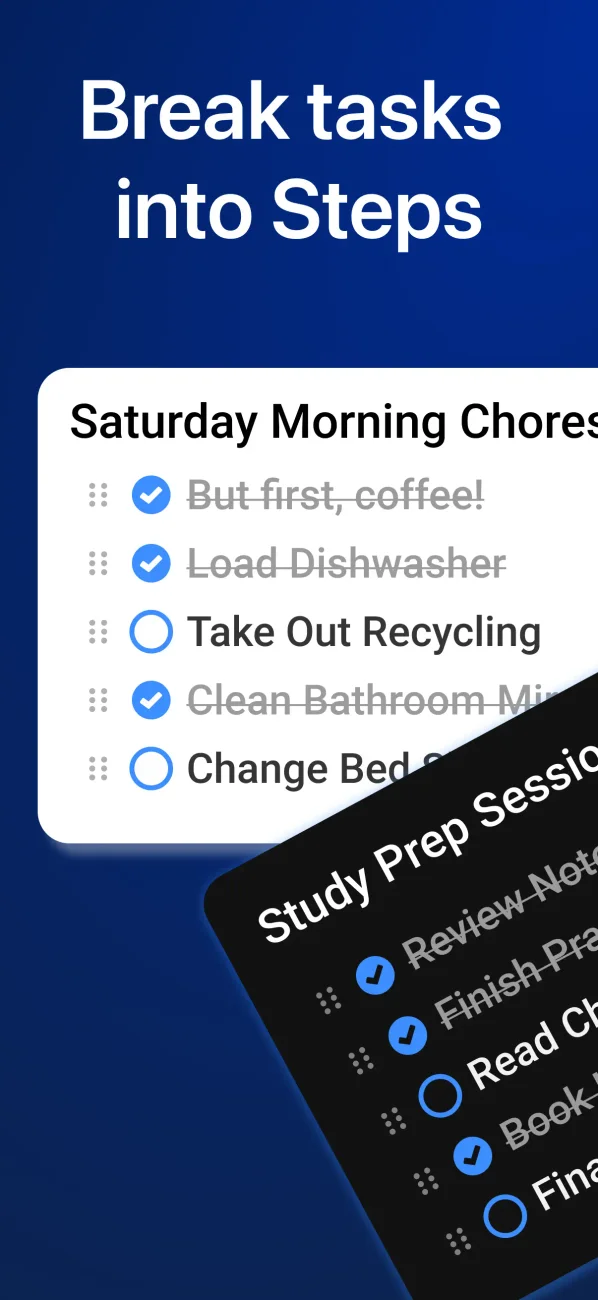

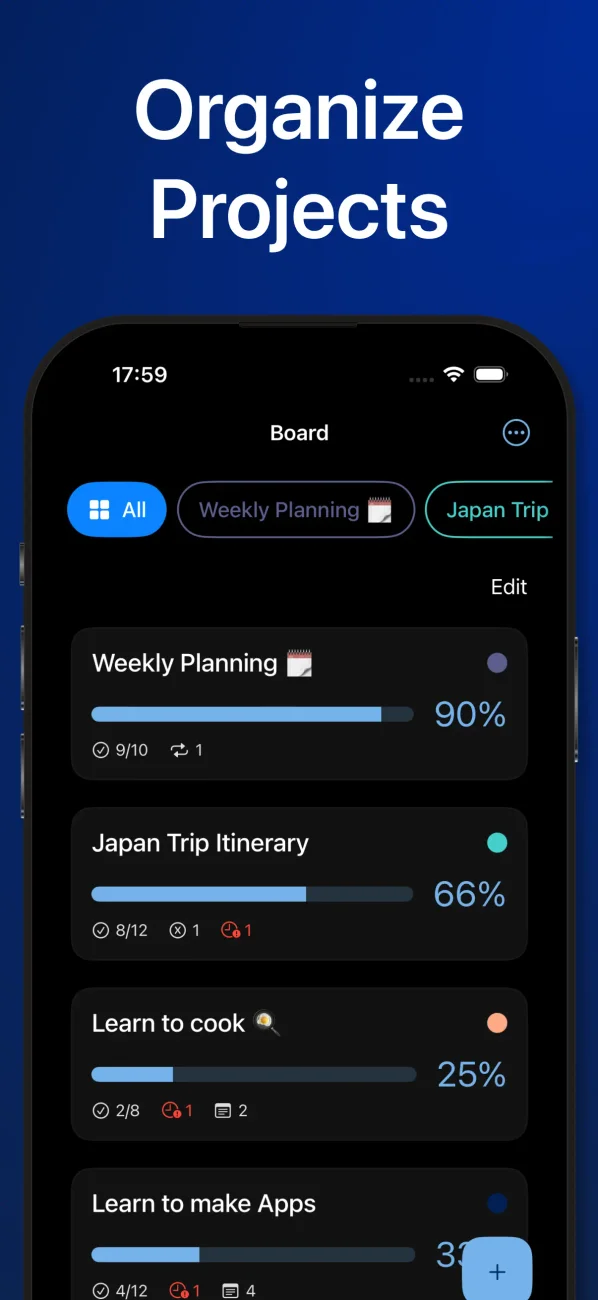
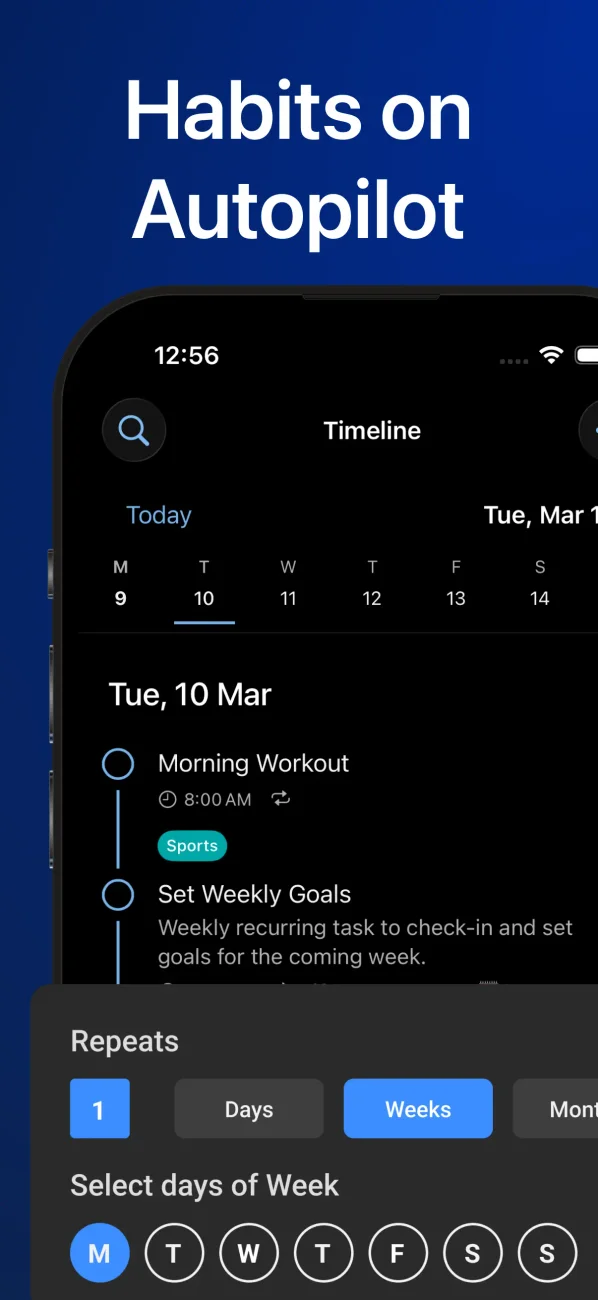

About
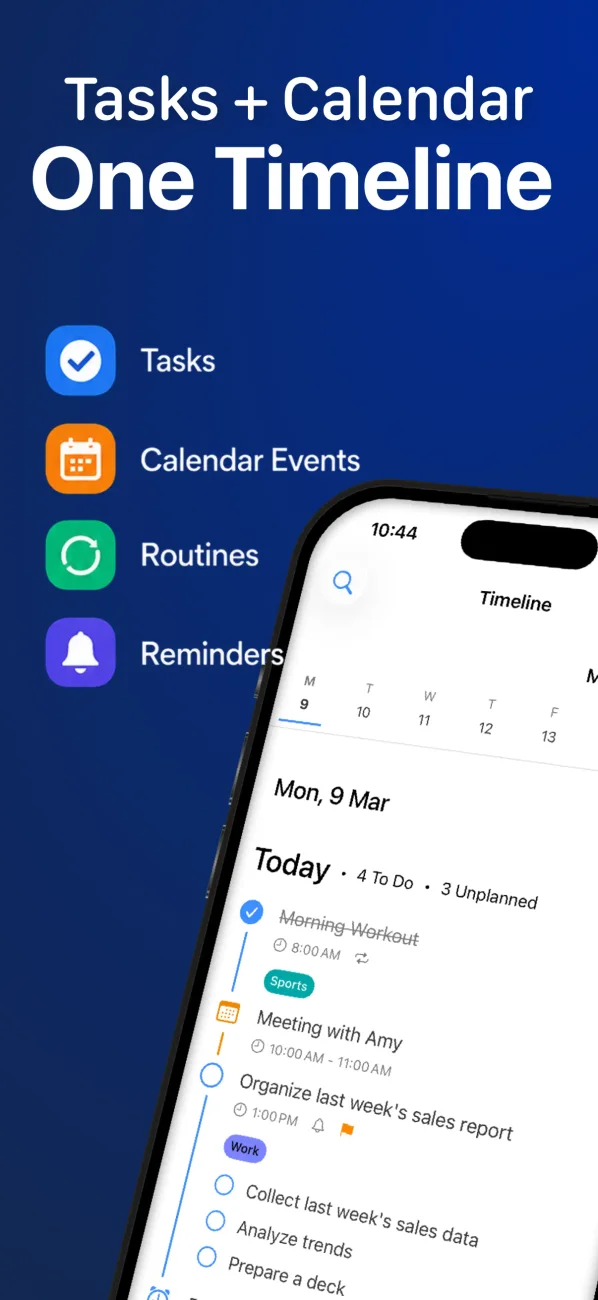
With the balance of simplicity & features, you can organize tasks, notes, calendar events, todo list, reminders, recurring tasks - All in one Timeline.
Use Taskito to stay organized and manage day-to-day agenda. Make a shopping list or task lists, take notes, track projects and set reminders to increase productivity and focus on what matters to you.
Students find it easy to manage schedule, assignments and curriculum with Taskito. You can create to.do list for each subject, add task with checklist for each chapter. Professionals can schedule daily agenda with calendar events integration. Scheduling can also help you with time blocking.
Taskito is versatile and configurable. Import Calendar to see meetings and tasks side-by-side. Organize your board with color coded projects to accomplish hobbies, school work or side projects. Taskito to.do app is one of the best apps for organizing.
Taskito focuses on daily tasks. Create todo lists and add task reminders to get rich notifications. Break down your tasks with checklists. Create daily recurring tasks to build a routine.
Based on suggestions from people, we keep improving Taskito to make it the best task manager app.
Core features:
- Timeline View to see all your to-do tasks, checklists, notes, calendar events, reminders in one place.
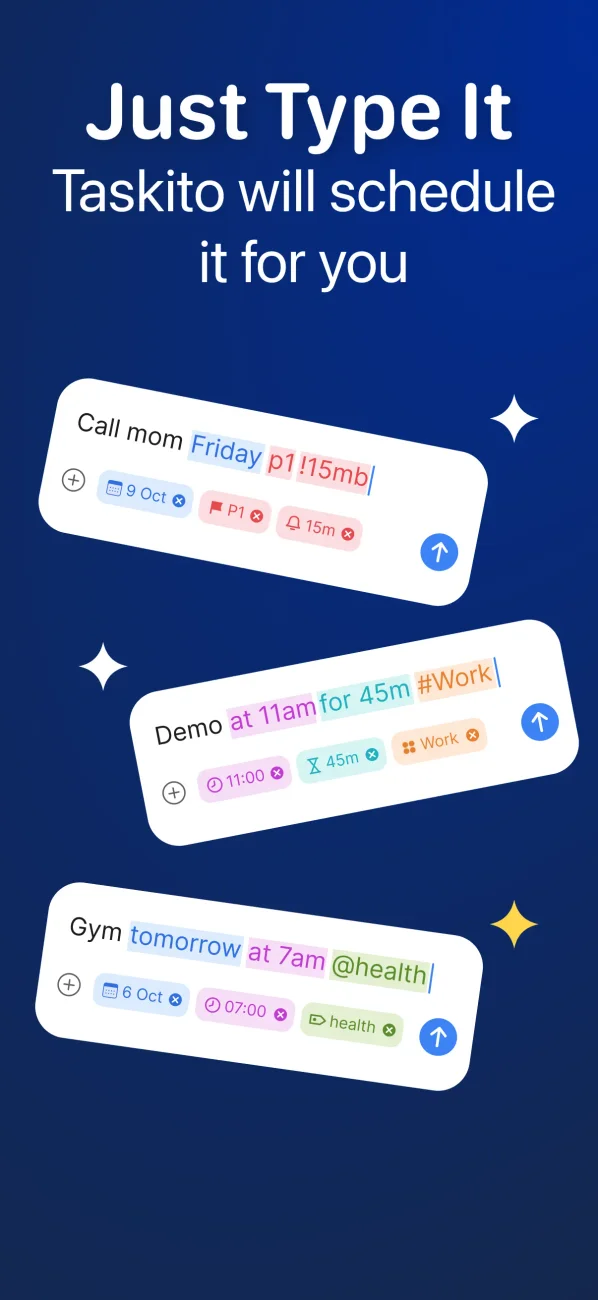
- Smart Parsing: Just type "Make dinner tomorrow 7pm" and a task will be scheduled for tomorrow at 7pm for you. No need to select date, time, priority, etc manually.
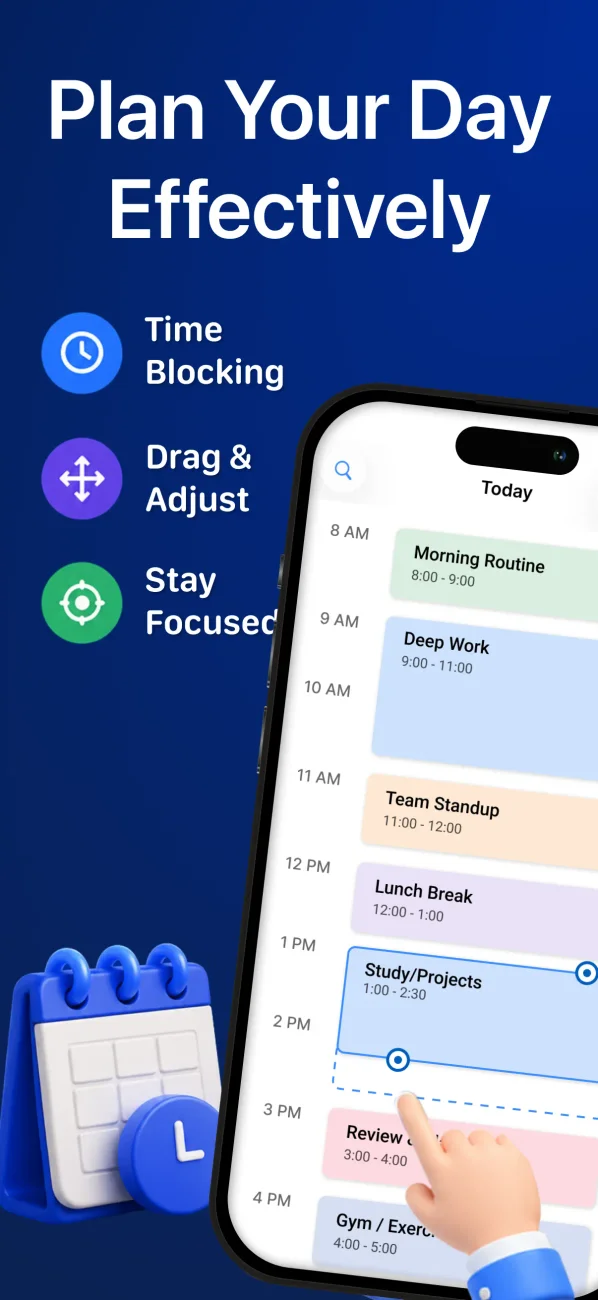
- Agenda View: See your tasks and events as blocks. Drag your tasks to reschedule and use time blocking method.
- Easy to access calendar with busy or overdue indicators.
- Manage daily to-do lists with Day Mode.
- Add reminder to keep check on your agenda.
- Kanban board to manage projects.
- Import Calendar events to see daily schedule.
- Recurring tasks or habit tracking.
- Get daily reminders. Weekly or Monthly reminders to keep track of your important tasks.
- Reminder notifications.
- Sync tasks and projects instantly with multiple devices.
Why people love Taskito?
- Sort project tasks based on priority, due date, or manual drag and drop.
- Crate color coded tags and labels. Categorize to-do tasks with tags.
- Templates to automate your day. Create grocery checklist template, workout routine templates, daily routine template.
- Assign color to projects, manually change to do task order by simple drag/drop.
- Bulk actions.
How people use Taskito:
- Make a digital planner and timeline diary.
- Make a Bullet Journal (BuJo) using Timeline & projects.
- Habit tracker with recurring tasks and reminders.
- To-Do list & Task Manager.
- Grocery list, shopping checklist template.
- Daily reminder to track work and plan meetings.
- Keep a health log with notes and tags.
- Make comprehensive work log.
- Daily diary and notes.
- Kanban style project management.
- Import calendars to keep track of holiday events, meeting events, time blocking and much more.
Taskito will assist you to improve your productivity.
If you have feedback or suggestions, feel free to send us an email: hey.taskito@gmail.com
Website: https://taskito.io/
Help Center: https://taskito.io/help
Blog: https://taskito.io/blog
Terms of use: https://www.apple.com/legal/internet-services/itunes/dev/stdeula/
What’s new
Version 1.1.6 · Nov 20, 2026
Your best To-Do List & Planner got a major update.
- In-depth statistics: see how you spent your time by project, by tags, by priority. Breakdown of your habits - see yearly chart.
- Support for iPhone Duo!
- Smart Parsing: Just type "Gym tomorrow at 8am" and Taskito will schedule it for you.
- Content rich notifications
- Create task with smart parsing using Siri Shortcuts
App privacy
What Studio Zeli declares on the App Store about how this app handles data.
-
Data not linked to you
May be collected but is not linked to your identity.
- Purchases
- Contact info
- User content
- Identifiers
- Usage data
- Diagnostics
Privacy practices may vary, for example with the features you use or your age.
Information
- Seller
- Studio Zeli
- Category
- Productivity
- Version
- 1.1.6
- Updated
- Nov 20, 2026
- Released
- Mar 8, 2024
- Size
- 29.0 MB
- Requires
- iOS 17.0 or later
- Age rating
- 4+
- Price
- Free
- In-app purchases
- Yes
- Languages
- English, French, German, Japanese, Korean, Portuguese, Simplified Chinese, Spanish
- Copyright
- © Taskito Technologies
You might also like
-
 Time Blocking Planner — ArcushDaily Schedule, Routine, ADHD
-
 TaskMind: Daily Planner AgendaTask Manager,To do list,Kanban
-
 Simplified - AI Daily PlannerCalendar, To Do List, Tracker
-
 LiveIt Journal, Planner, NotesPlanner, Notes, Organization
-
 To-Do List: Time PlannerDaily Schedule, Task Organizer
-
 Ellie - Daily PlannerTime Blocking & Brain Dump
-
 ByDesign: ToDo List & CalendarDaily Planner, Tasks & Habits
-
 Tweek: Minimal Weekly PlannerTo Do List, Reminders & Tasks
-
 Routine: Calendars & TasksTasks, Calendars, Notes...
-
 Mono Task - Focus Day PlannerStructured Time Blocking