
taskr: Chores & Screen Time
Lock Apps Until Chores Done
Designed for iPhone, iPad, iPod touch
Free · In-app purchases
- Age rating4+
- CategoryProductivity
- DeveloperTASKR LLC
- LanguagesEnglish+ 43 more
- Size73.9 MB
Links to the official App Store page
Download.org hosts no file of taskr: Chores & Screen Time. The button opens its official App Store page, published by TASKR LLC. Listing last checked on Nov 24, 2026.
Screenshots

About
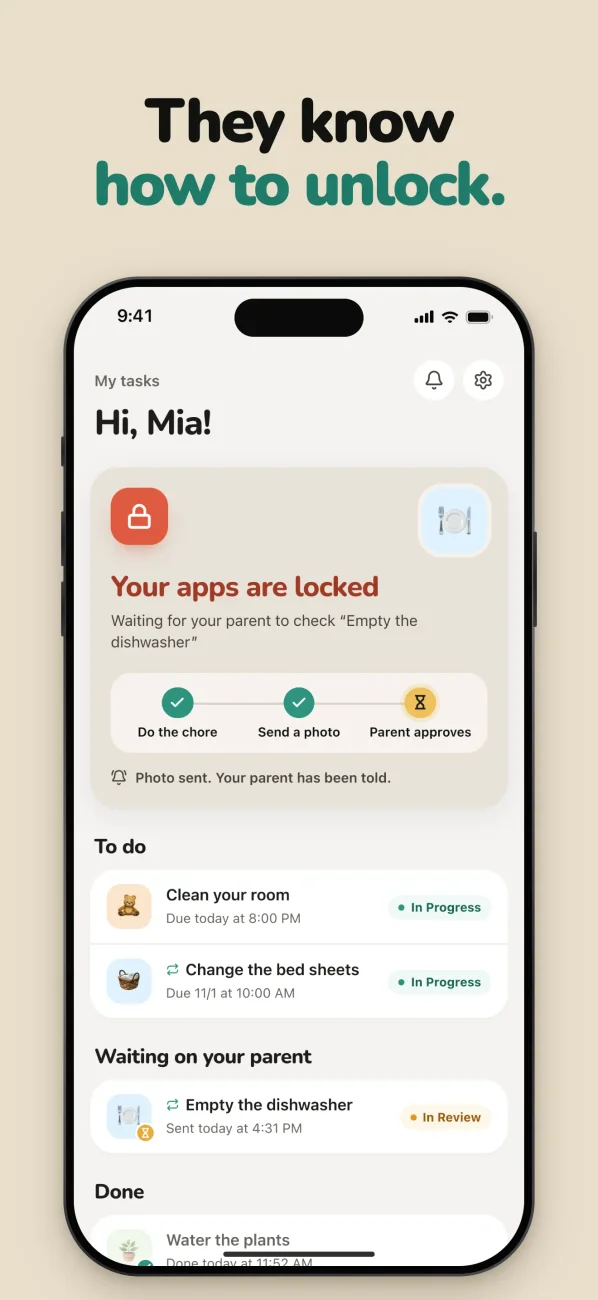
taskr is a screen time and parental control app that locks the apps on your kid's iPhone or iPad until their chores are done.
You set the chore and a deadline. If it isn't done on time, the apps you chose (games, YouTube, TikTok) lock automatically and stay locked until your kid sends a photo of the finished chore and you approve it. If getting them to empty the dishwasher turns into a negotiation every night, taskr changes who holds the line: the phone does, not you.
HOW IT WORKS
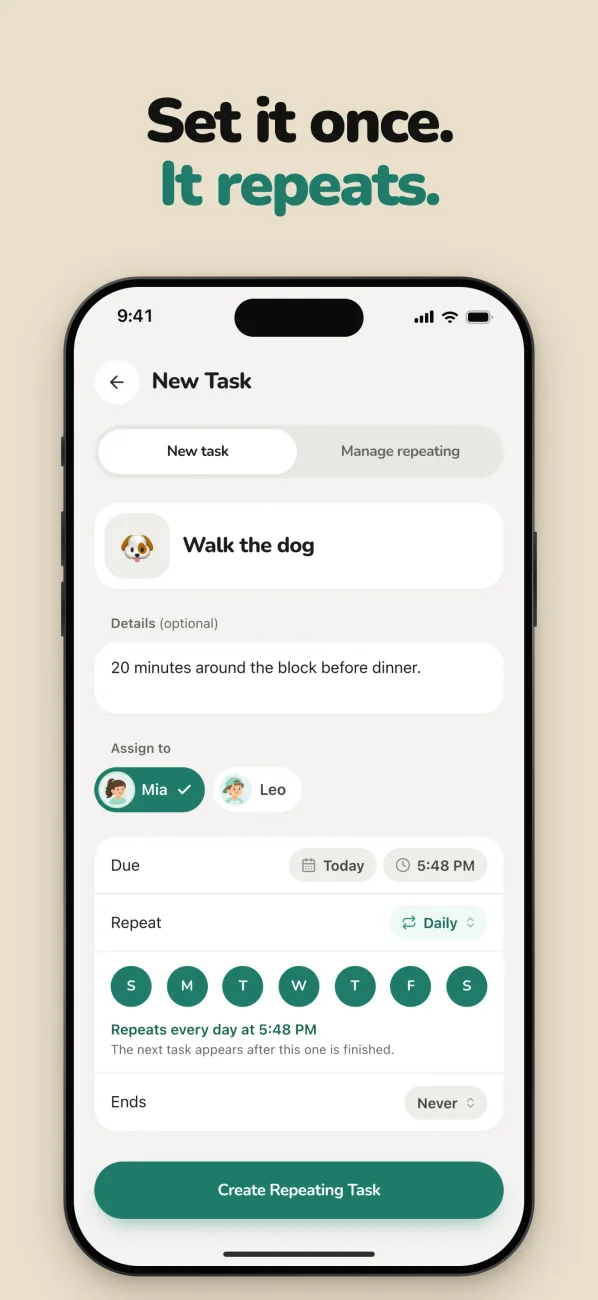
1. Assign a chore with a deadline. "Dishwasher by 6pm." Make it repeat daily or weekly if you like.
2. Pick the apps to block if it's late. Usually the ones the fight is about: Roblox, YouTube, TikTok, Snapchat, games.
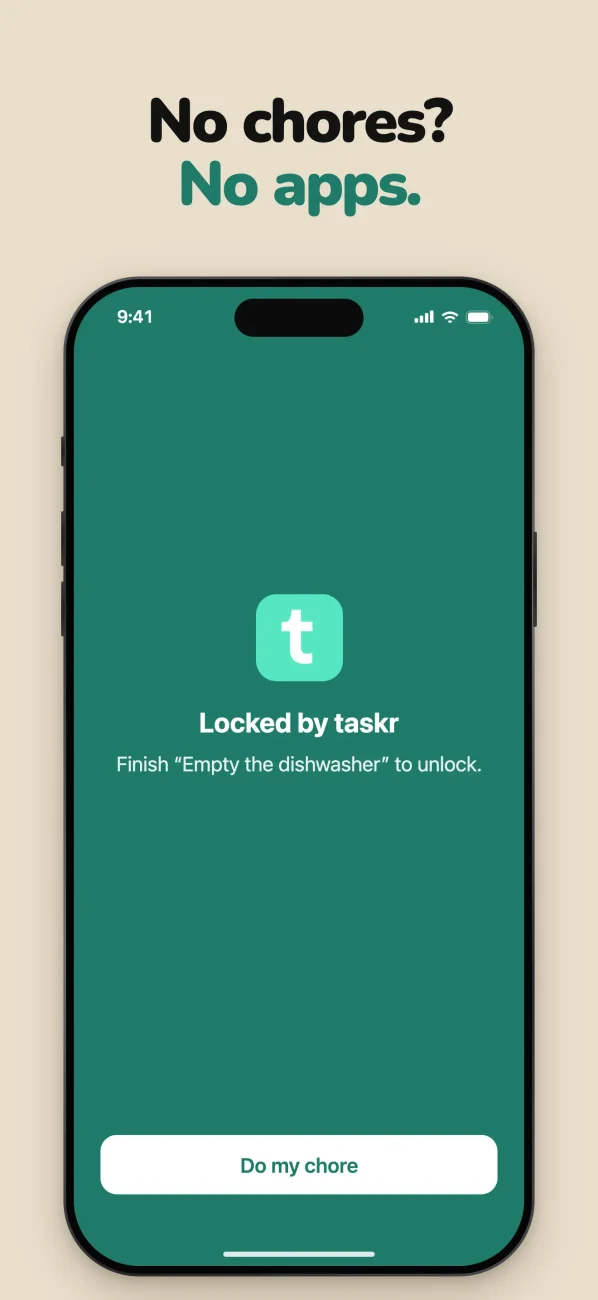
3. The deadline passes with no proof? Those apps lock on your kid's device. No reminder from you, no warning shot, no argument.
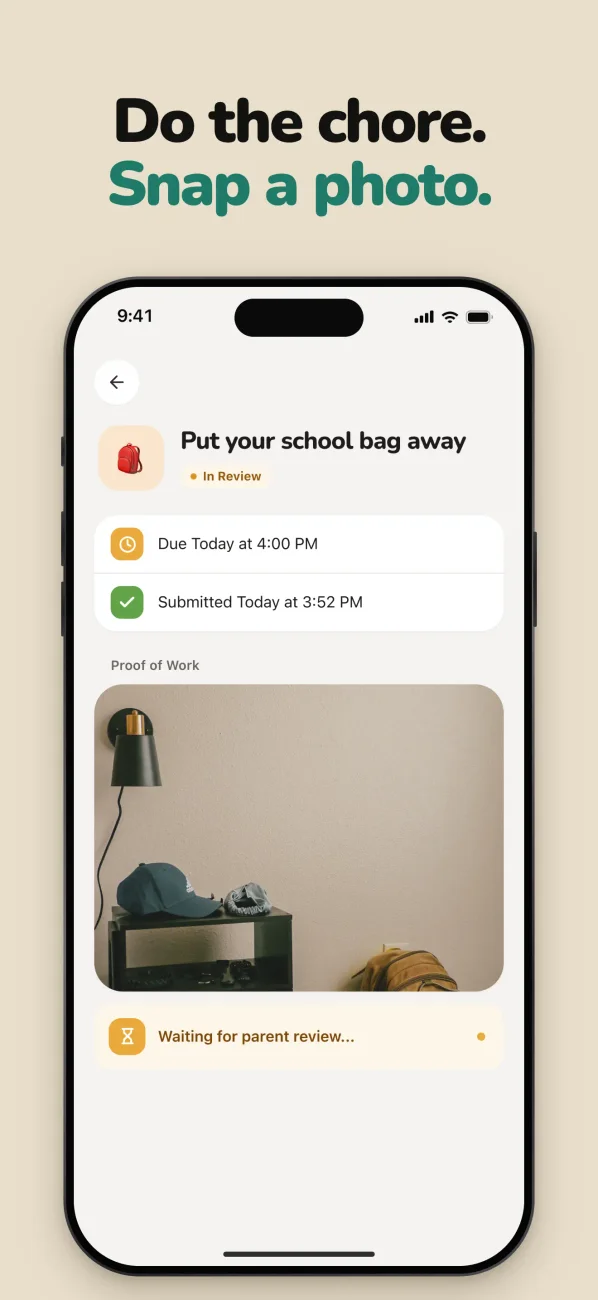
4. Your kid does the chore and snaps a photo as proof.
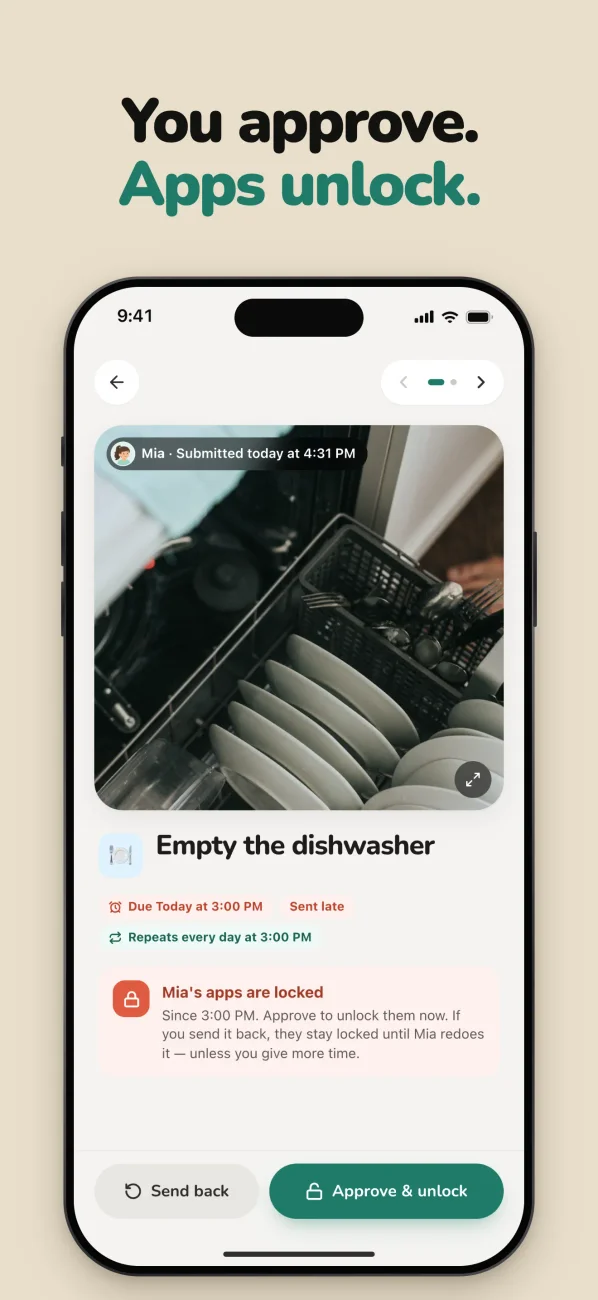
5. You get the photo, take a look, tap Approve.
6. Their apps unlock.
Done on time, nothing locks at all. There are no points or earned minutes to manage: their phone works normally until a chore is late. Kids figure out quickly that the shortest way back to their apps is to just do the thing.
WHY IT WORKS
The consequence comes from the phone, not from you. You're not nagging, counting to three, or taking anything away. The rule is set once and the device keeps it, the same way every day. There's nothing left to argue about, so most of the arguing stops.
Photo proof ends "I already did it." You see the made bed, the clean counter, the walked dog, and you decide whether it's done.
WHAT LOCKS, AND WHAT DOESN'T
Only the apps you pick. Messages, Maps, the school portal, and anything else you leave off the list stay open. Closing taskr doesn't lift a lock, because the lock is enforced by iOS through Apple's Family Controls, not by an app your kid can swipe away. If Screen Time access is ever switched off on their device, you get a notification.
Works for more than one kid, and for chores that repeat. Homework, instrument practice, walking the dog, taking out the trash: if it has a deadline, taskr can hold it.
GOOD FOR AGES 7 TO 16
Younger kids like the photo part. Teens respect a rule that's clear and the same every day. Parents like not being the bad guy.
PRIVACY
- No ads, ever.
- Built on Apple's Family Controls, the same system behind Screen Time. Apple reviews and approves every app that uses it.
- Proof photos are private to your family. They're never shared or sold, and they aren't used for anything else.
- taskr doesn't collect precise location or read your kid's messages. It locks the apps you chose when a chore is late. That's it.
QUESTIONS PARENTS ASK
"What if my kid just deletes taskr?" iOS stops them. Once you approve Screen Time access with your Apple Account, Apple won't let your kid delete taskr. The in-app guide also shows you how to turn off app deletion as a second layer.
"Do I have to be home?" No. The photo comes to your phone wherever you are, and you approve from there.
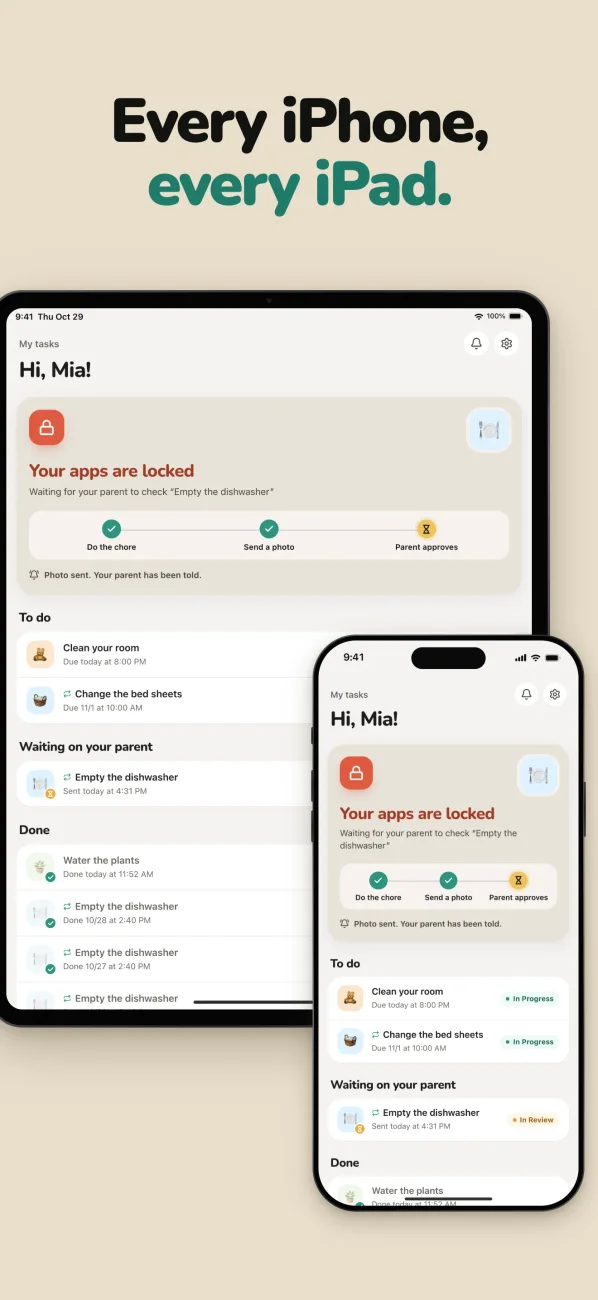
"Does it work on an iPad?" Yes. taskr blocks apps on a kid's iPhone or iPad.
"Will my kid see it as punishment?" Most don't. Nothing happens when the chore is done on time, the rule is the same every day, and they hold the key.
SETUP
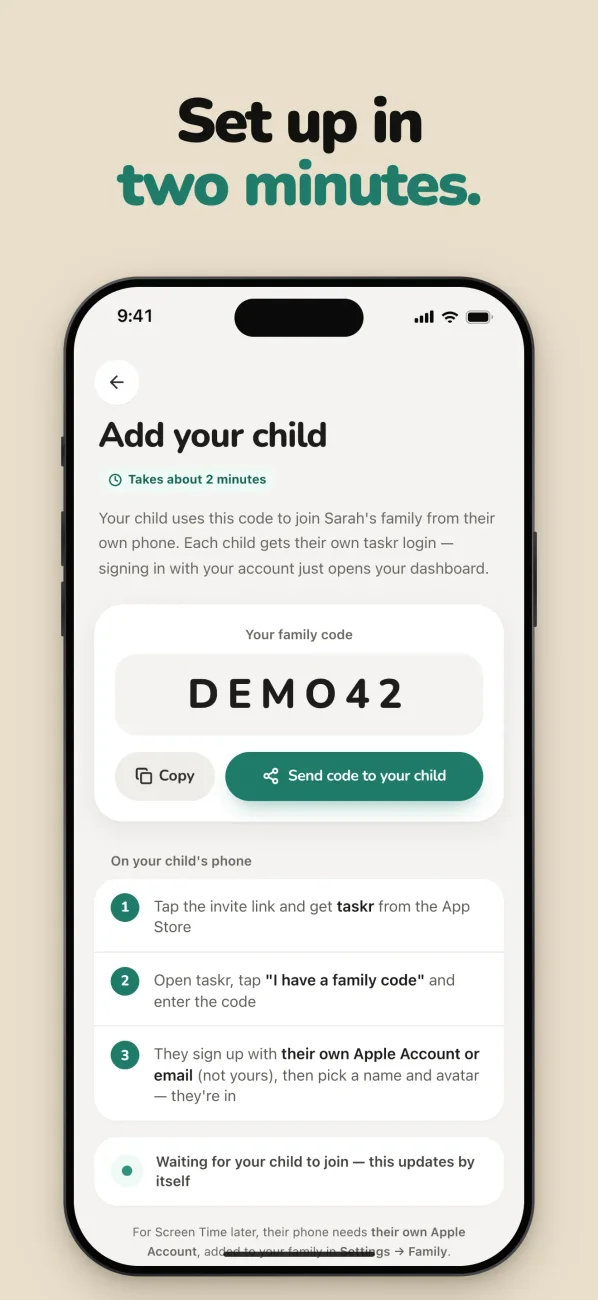
About ten minutes: create your family, your kid joins with a code on their own device, you connect Screen Time, you assign the first chore. There's a step-by-step guide in the app, and a real person answers support email.
TRY TASKR FREE
Try taskr free. After the trial it's one monthly or yearly subscription for your whole family, and Apple shows you the exact trial length and price before you confirm. Cancel anytime in your Apple ID settings.
Questions? sebas@thetaskr.app or https://thetaskr.app/support
Privacy Policy: https://thetaskr.app/privacy
Terms of Use: https://www.apple.com/legal/internet-services/itunes/dev/stdeula/
What’s new
Version 1.0.27 · Nov 4, 2026
General improvements to performance and reliability.
App privacy
What TASKR LLC declares on the App Store about how this app handles data.
-
Data linked to you
May be collected and linked to your identity.
- Purchases
- Location
- Contact info
- User content
- Identifiers
- Usage data
- Sensitive info
- Diagnostics
-
Data not linked to you
May be collected but is not linked to your identity.
- User content
Privacy practices may vary, for example with the features you use or your age.
Information
- Seller
- Taskr LLC
- Category
- Productivity
- Version
- 1.0.27
- Updated
- Nov 4, 2026
- Released
- Dec 15, 2025
- Size
- 73.9 MB
- Requires
- iOS 15.0 or later
- Age rating
- 4+
- Price
- Free
- In-app purchases
- Yes
- Languages
- English, Arabic, Bengali, Catalan, Croatian, Czech, Danish, Dutch, Finnish, French, German, Greek + 32 more
- Copyright
- © 2026 Taskr LLC
You might also like
-
 Chore Time: App BlockerEarn screen time via chores
-
 ChoreScroll: Chores & RewardsChore Chart + Kids App Lock
-
 Chirp: Kids Earn Screen TimeChore Chart & Reward Tracker
-
 Chores Tracker Family OrganizePlan Home Routines Reminders
-
 ScreenEarn: Parental ControlDo chores, unlock screen time
-
 Peep: Earn Screen TimeThe chore app for families
-
 Piggy - Earn Screen TimeTurn Chores Into Screen Time
-
 TaskLock: To Do & App BlockerHabit Tracker & Screen Time
-
 Famnest: Family OrganizerShared Calendar & To-do Lists
-
 Kora - Family AI AssistantA new way to live organized.