
TaskWarden: App Blocker
Overdue Alerts, Snooze, Proof
Designed for iPhone, iPad
Free · In-app purchases
- Age rating4+
- CategoryProductivity
- DeveloperAndrew Carter
- LanguagesEnglish
- Size11.2 MB
Links to the official App Store page
Download.org hosts no file of TaskWarden: App Blocker. The button opens its official App Store page, published by Andrew Carter. Listing last checked on Nov 13, 2026.
Screenshots

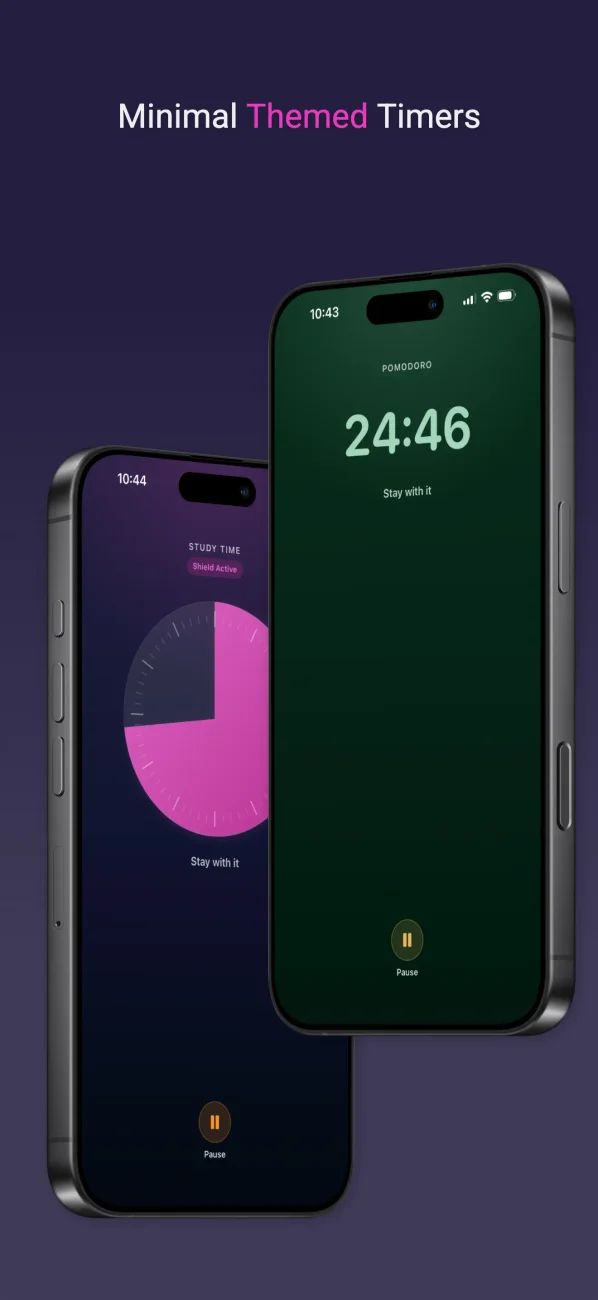
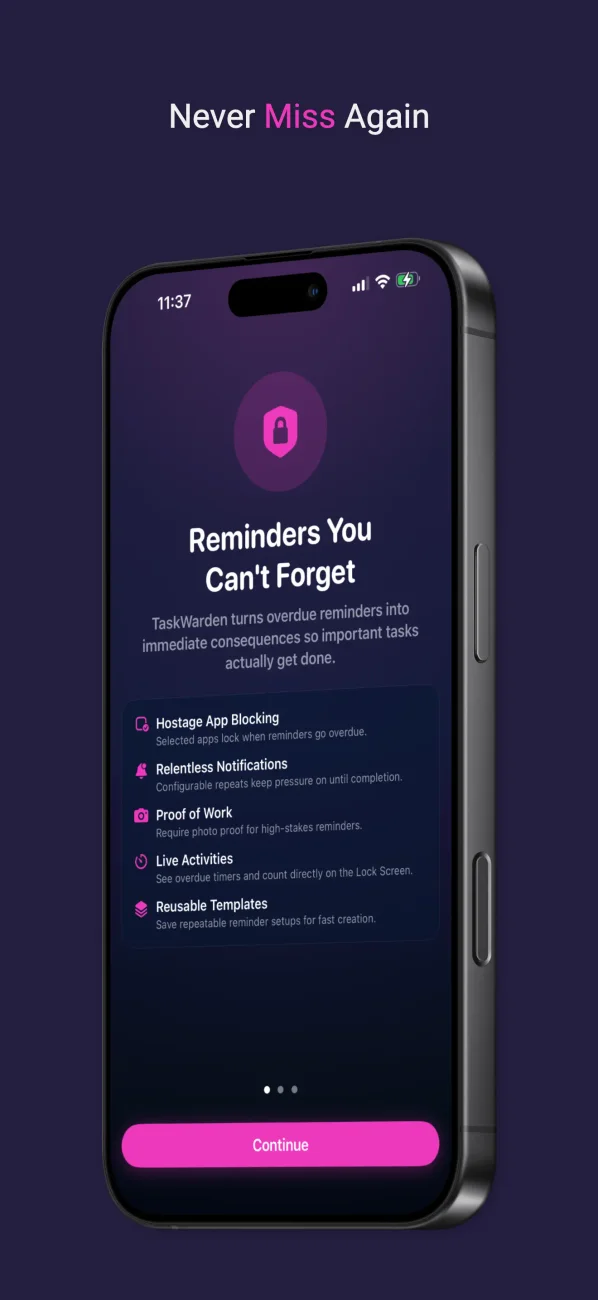
About
TaskWarden is a high-stakes reminder and focus app for people who need more than another notification.
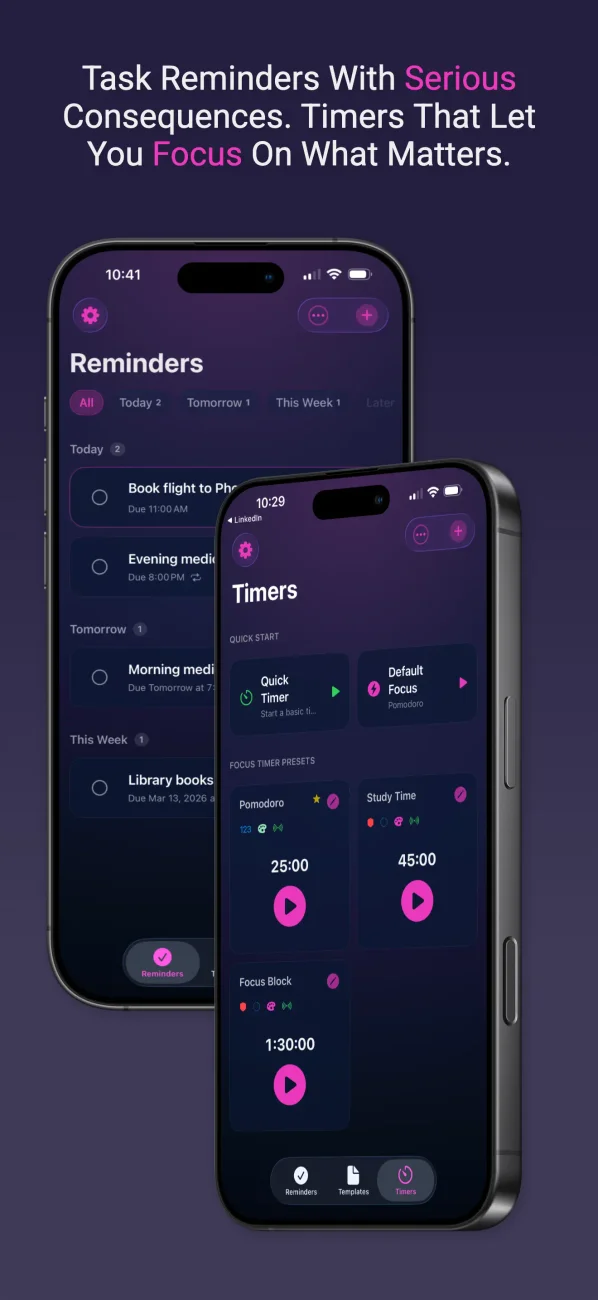
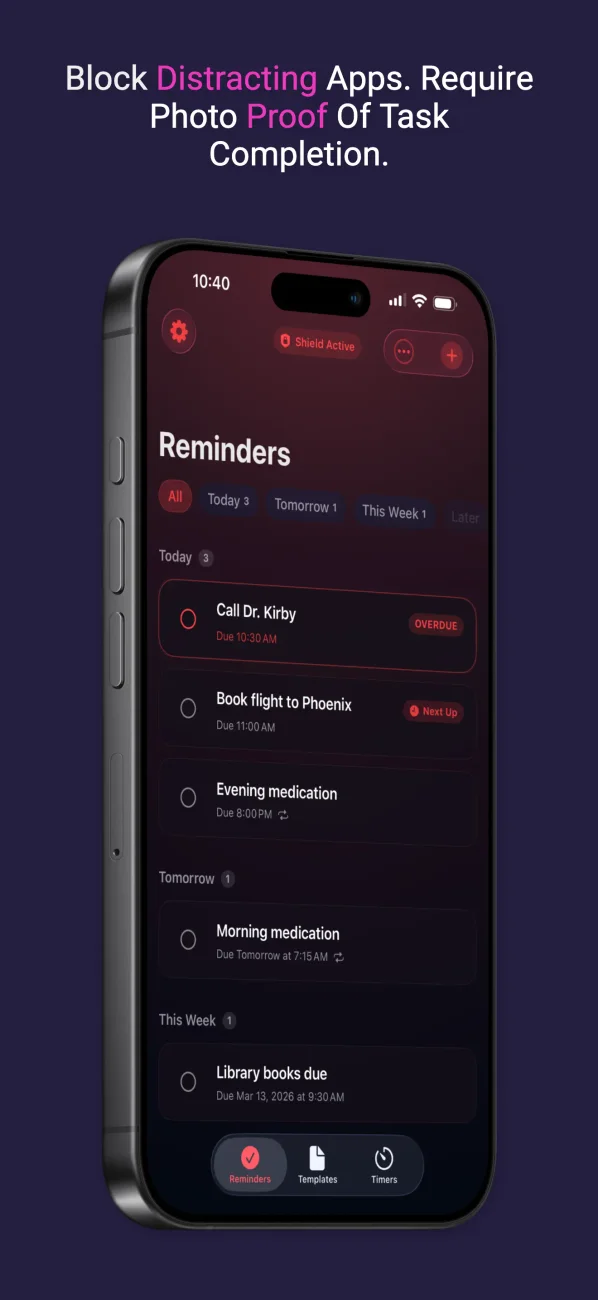
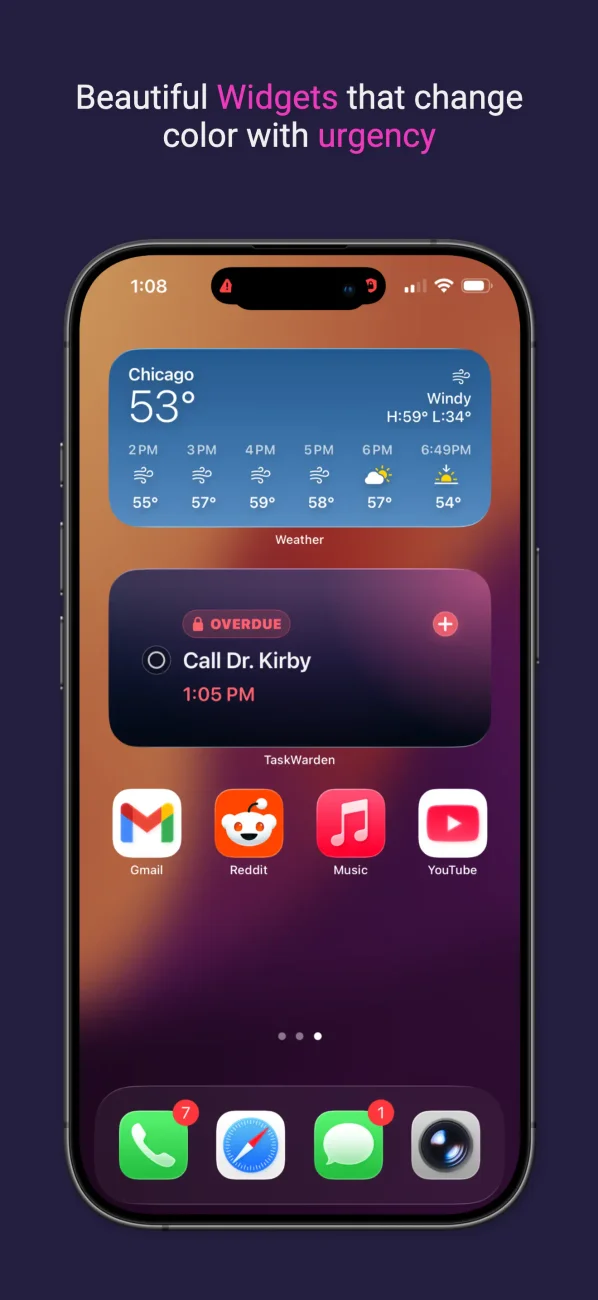
Create reminders, choose what happens when they go overdue, and let TaskWarden keep the pressure on with repeat alerts, focus timers, widgets, Live Activities, photo proof, and optional app blocking through Apple Screen Time controls.
Use TaskWarden to:
Create one-time or repeating reminders
Block distracting apps when important tasks are overdue
Start focus timers that can keep selected apps out of reach
Snooze reminders without leaving stale alerts behind
Require photo proof for tasks that need real follow-through
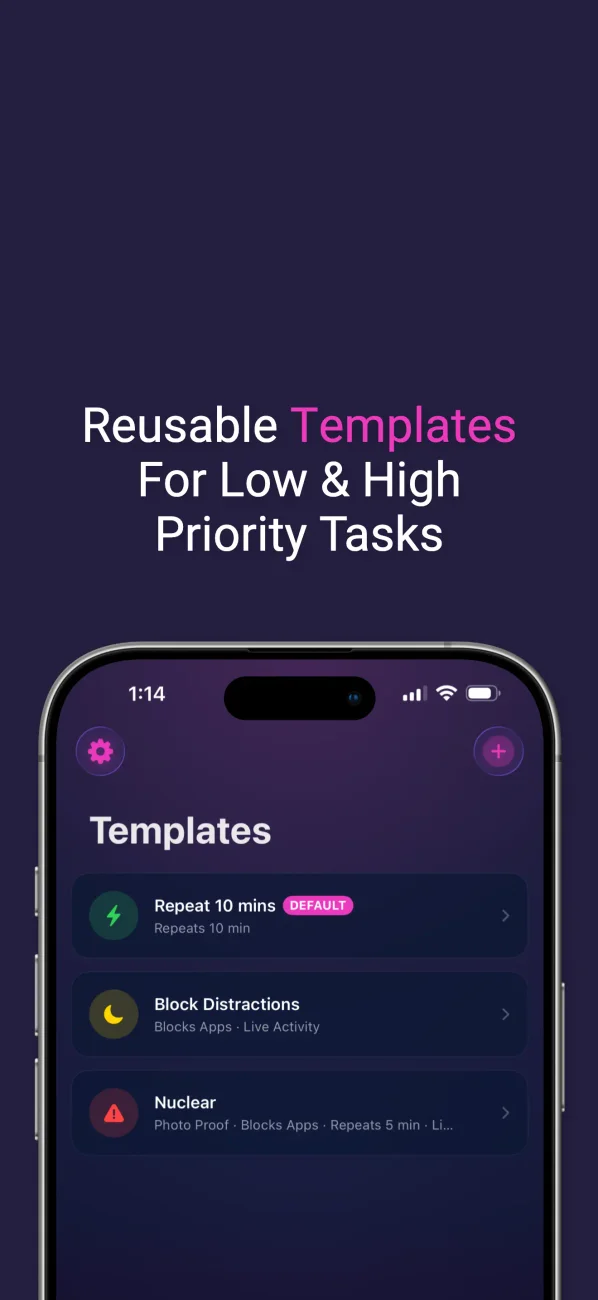
Save reusable templates for routines, chores, study sessions, and habits
See urgent reminders on widgets and Live Activities
TaskWarden is built for moments when ordinary reminders are too easy to ignore: finishing chores, starting deep work, getting out the door, stopping procrastination, or protecting a focus session from distracting apps.
Your reminder content stays local on your device. App blocking selections are handled through Apple's Screen Time and Family Controls interfaces.
A subscription is required to use TaskWarden after onboarding. Subscription options and trial availability are shown in the app before purchase.
Terms of Use: https://www.apple.com/legal/internet-services/itunes/dev/stdeula/
What’s new
Version 1.4 · Oct 3, 2026
What’s New in TaskWarden 1.4
- Create reminders with Siri using natural language, including dates and times.
- Find reminders with Siri and open results directly in TaskWarden.
- Ask Siri about a reminder shown in the app or a notification.
- Get clearer due, repeat, and snooze alerts that reflect your reminder settings.
- Bug fixes and performance improvements.
App privacy
What Andrew Carter declares on the App Store about how this app handles data.
-
Data linked to you
May be collected and linked to your identity.
- Purchases
- Location
- Identifiers
- Usage data
- Diagnostics
Privacy practices may vary, for example with the features you use or your age.
Information
- Seller
- Andrew Carter
- Category
- Productivity
- Version
- 1.4
- Updated
- Oct 3, 2026
- Released
- May 25, 2026
- Size
- 11.2 MB
- Requires
- iOS 26.0 or later
- Age rating
- 4+
- Price
- Free
- In-app purchases
- Yes
- Languages
- English
- Copyright
- © 2026 Andrew Carter
You might also like
-
 CommitNow - Focus TimerUnignorable Accountability
-
 Markdown Editor & AI NotesCanvas notebook, Apple Pencil
-
 Nonlate: Tasks & FocusDeadlines before distractions
-
 Any Planner - SmallStepAI Planner & Daily To-Do List
-
 In-Bot: Voice Notes to TasksCapture first. Organize never
-
 StickyCue: Lock Screen CuesPersistent Tasks & Reminders
-
 Daily Calendar WidgetYour day as a timeline
-
 Stride: Daily ExecutionDo more.
-
 FlatNoteMarkdown notes. No account.
-
 CallPlan: Your Call To-Do ListPlan calls, speak notes