Tasting Notes – Wine Journal
Joy to record, joy to revisit
Designed for iPhone, iPad
Free · In-app purchases
- Age rating17+
- CategoryFood & Drink
- DeveloperShuji Minamide
- LanguagesEnglish+ 1 more
- Size9.7 MB
Links to the official App Store page
Download.org hosts no file of Tasting Notes – Wine Journal. The button opens its official App Store page, published by Shuji Minamide. Listing last checked on Nov 26, 2026.
Screenshots



About
Aromas become words. Words become a story.
Can't find the words for what you smell in the glass? Tasting Notes was made by a J.S.A. Wine Expert with the same problem. For iPhone and iPad.
Tap through color swatches and an aroma wheel and you get a complete note on appearance, nose, palate and conclusions. Look back through your bottle photos and stats, and your notes become your own wine story.
AROMAS BECOME WORDS
- Tap to build your note
- Options made for white, red, rosé and sparkling wine, in tasting order
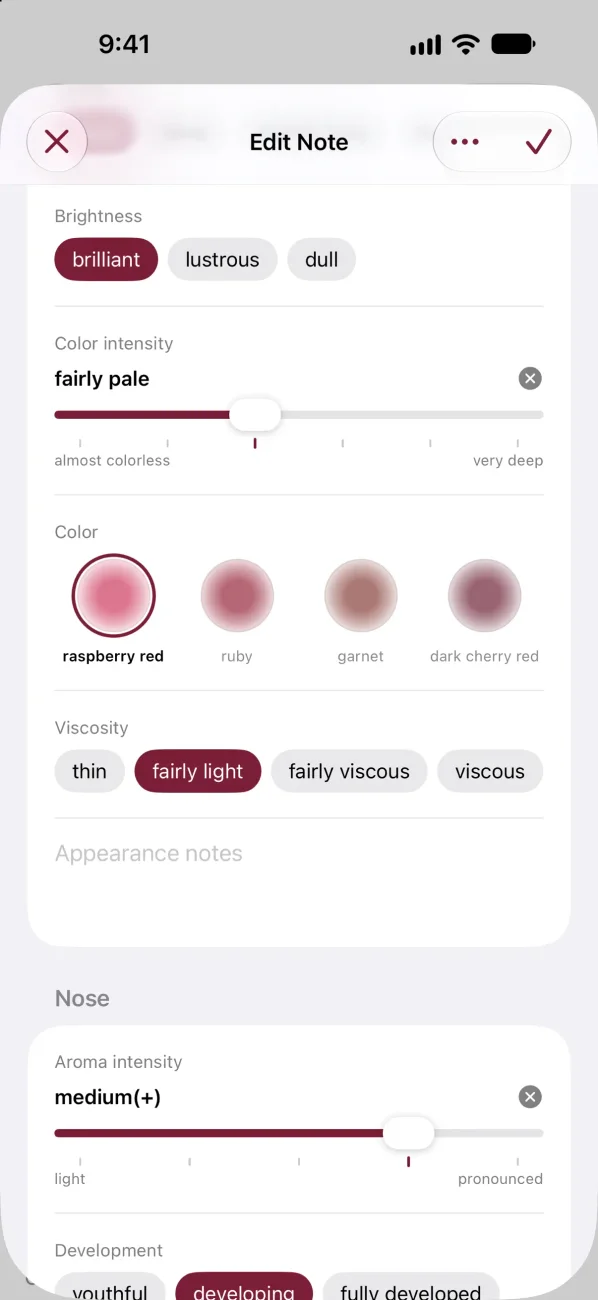
- Pick the color from glass-style swatches
- Sliders for sweetness, acidity, tannin, body, finish and quality
- Rate each wine in 0.1 steps with a round dial (4.3, not just 4)
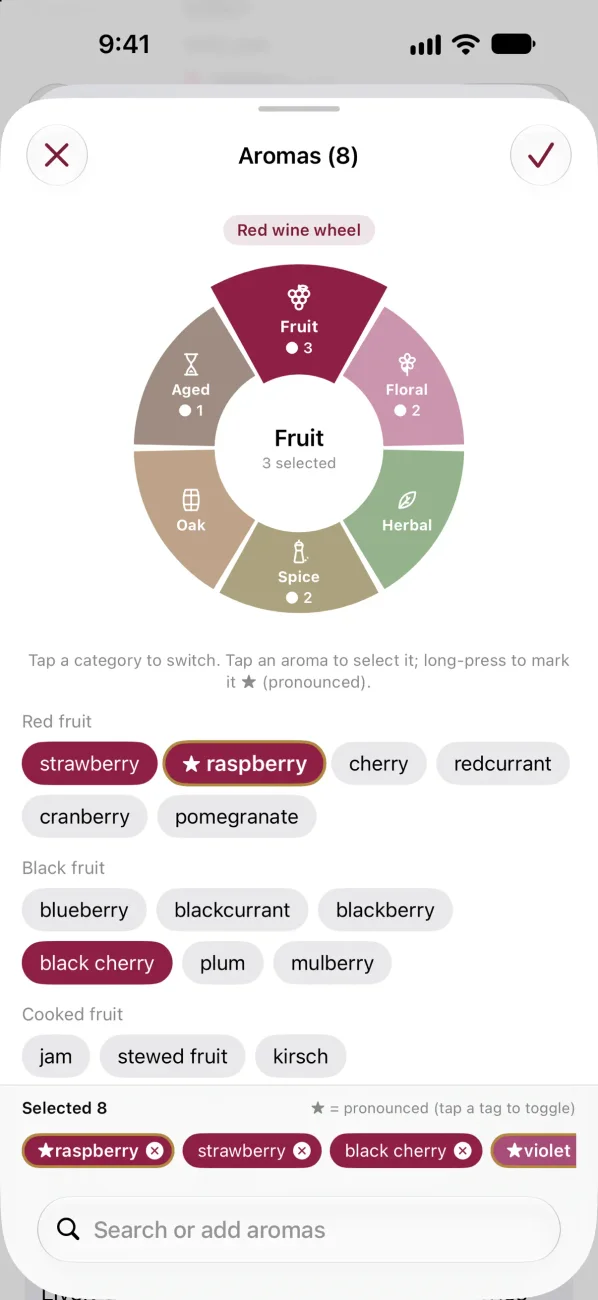
- Find aromas on a wheel
- Follow families like fruit, floral, spice and oak to the aroma you sense
- A wheel for each wine type; touch and hold for a strong aroma
- Add aromas that aren't on the wheel
- Go deeper
- Record the shape of the acidity and where (on a mouth map) you feel the tannin
- Grapes with percentages, region, vintage, price by the glass or bottle, alcohol and where you drank it
- Photos of the bottle, back label and glass
- Blind tasting: guess the grape, country and vintage, then see each guess marked right or wrong
WORDS BECOME A STORY
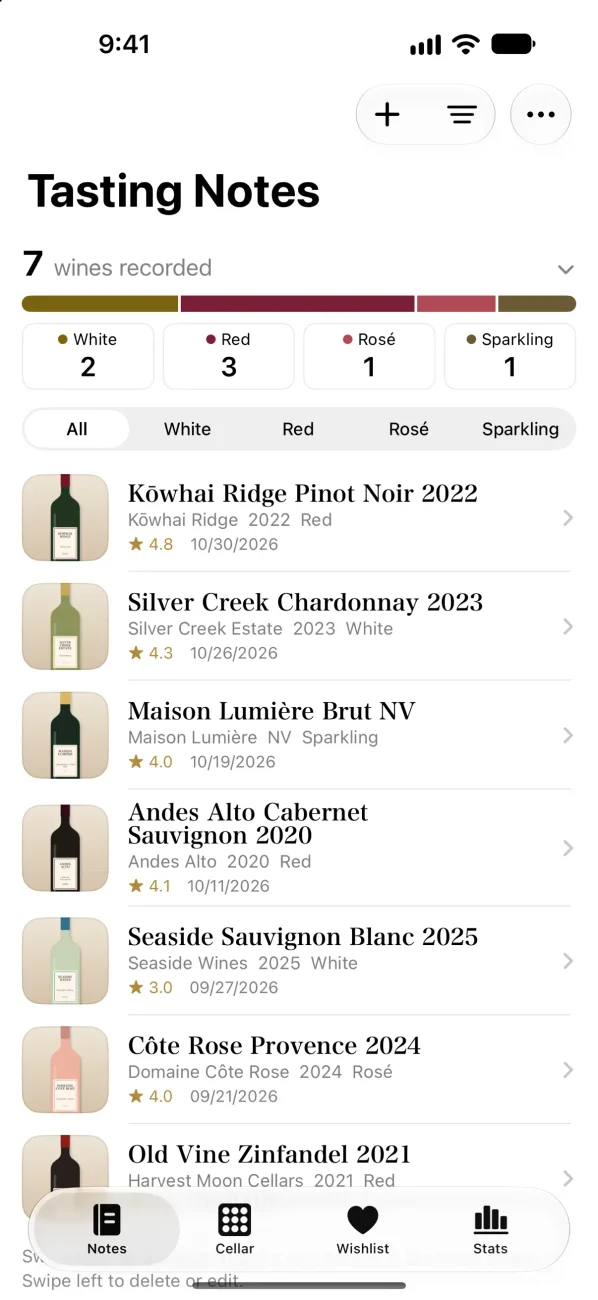
- A list you will want to browse
- Your notes line up with their bottle photos (or the glass color you recorded)
- Search by wine, producer, region, grape, aroma or notes; filter by type, rating or country
- Swipe to the previous or next note, like turning the pages of an album
- The palate as a radar chart; flick through photos one at a time
- On iPad, like a field guide
- In landscape, the photo, details, appearance, nose, palate and conclusions fit on one spread
- Two-column stats, and photo-and-details layouts for your cellar and wishlist
- Wine list
- Record where you drank it (home, restaurant, wine bar, tasting) and whether the price was by the glass or bottle
- See your notes as a restaurant wine list: sparkling, white, rosé, red, by country
- Filter by place, venue type, period or rating; Stats shows your favorite places
- Stats that reveal your taste
- What you like: the type, country, grapes, price range, aromas and palate of your highest-rated wines
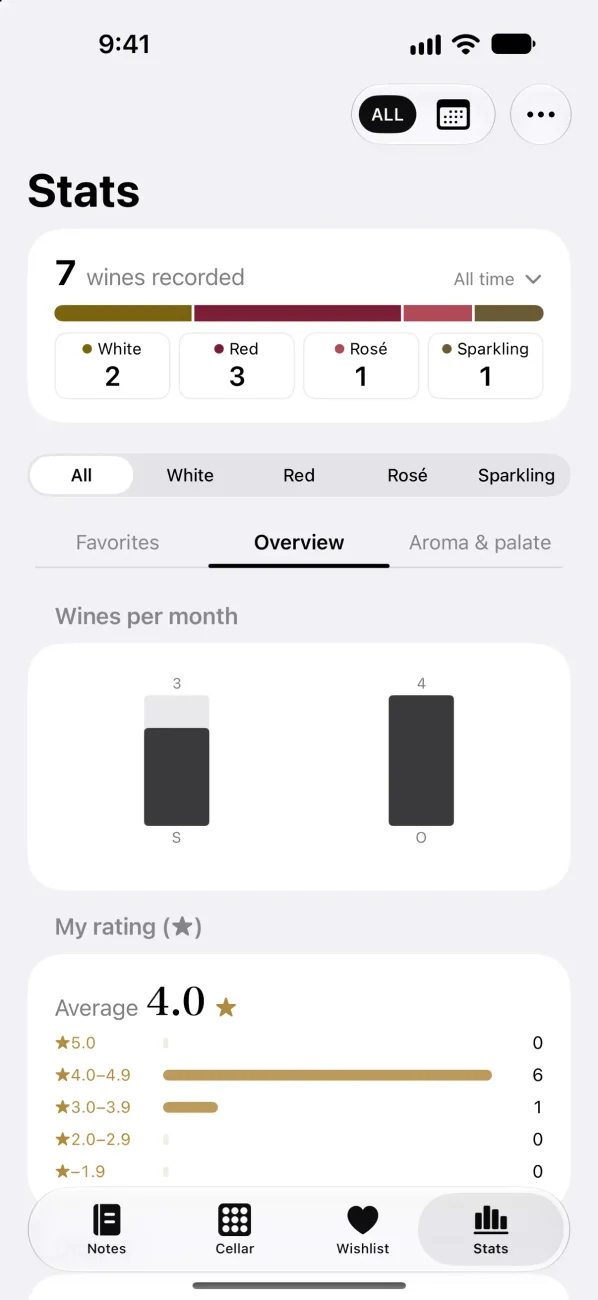
- Overview: wines by month, ratings, top grapes, countries, regions and price ranges
- View by wine type, for all time, the last 6 or 12 months or any year
- Show off
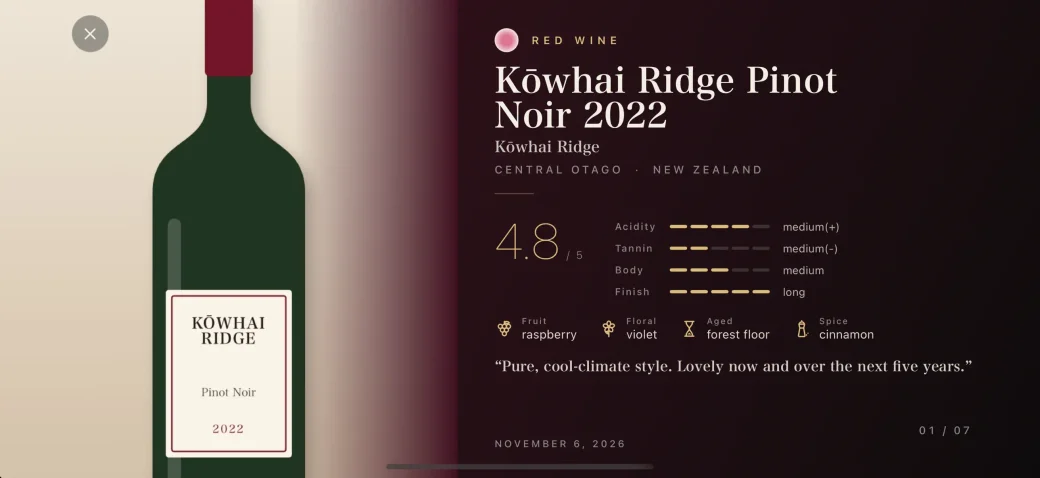
- Turn your iPhone sideways (or tap "Show" on iPad) for a bottle shelf and magazine-style spreads
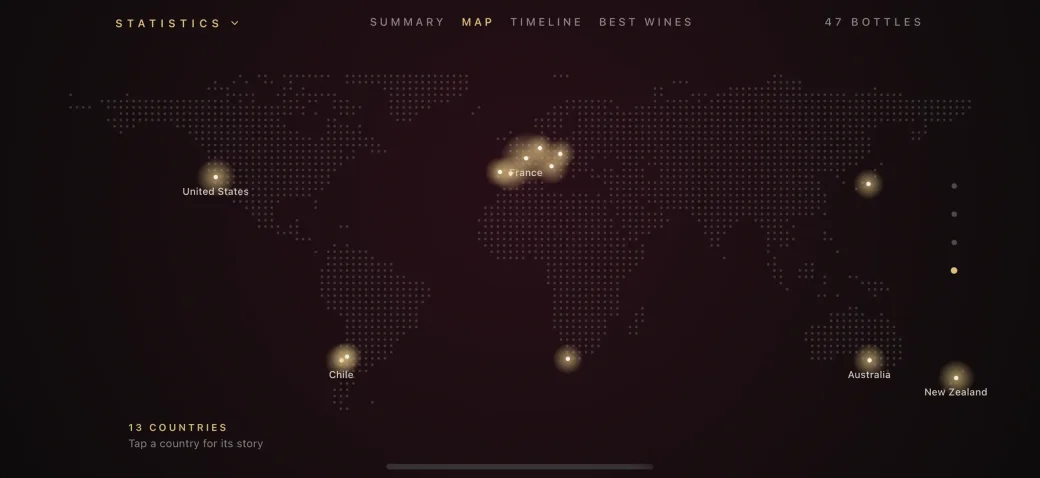
- Stats as a poster, a glowing world map, a timeline and your best wines
- Share a glass: a share card with your photo, rating and impressions, plus the aroma wheel
- Your cellar (no limit on wines)
- Add several cellars, each with its own name and capacity
- Add a drinking window to see Ready, Drink soon or Maybe past
- Opened one? Record a note and the count goes down by one
- The story continues with your next bottle (Wishlist)
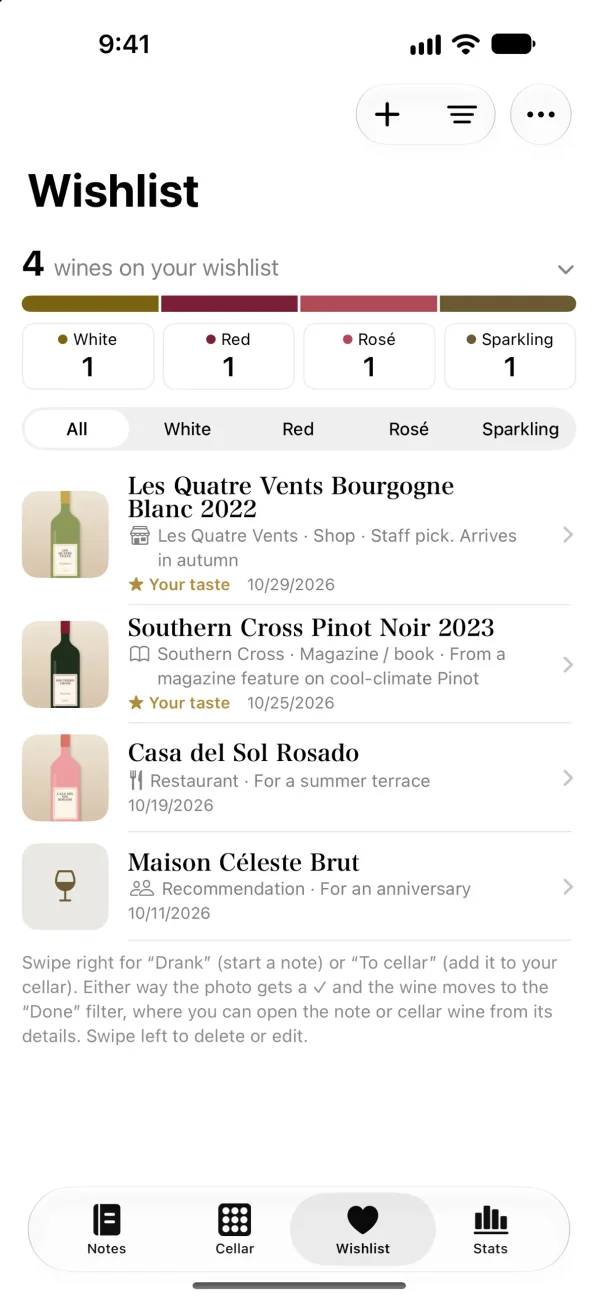
- Keep wines you spot in shops or articles with up to 5 photos and a short note
- Wines from countries and grapes you rate highly are marked "Your taste"
- Drank it? Record a note. Bought it? Move it to your cellar
- Keep your notes for good (Markdown, works with Obsidian)
- Save notes, cellar and wishlist, photos included, as Markdown files to any folder, and import them back later
PRIVACY
- No account required
- Your notes and photos stay on your iPhone or iPad, in the folder you choose, and in your own iCloud if you turn on sync
PRICE
- Free for up to 15 notes, with every feature (your cellar and wishlist have no limit). An ad may appear after you save a note
- Premium (one-time purchase) removes the note limit and the ads, and syncs your notes between iPhone and iPad with iCloud
LANGUAGES
English and Japanese. Switch the app to English in Settings, whatever your device's language.
Please enjoy wine responsibly and only if you are of legal drinking age.
What’s new
Version 2.2 · Nov 25, 2026
- New "Conclusion assist". Turn it on in the edit screen and it writes a conclusion from what you recorded: aroma, palate, finish and more. Pick how typical it is of its grape and region, food pairings and drinking window, and tap "Rephrase" for another wording. Edit the text before adding it to your conclusion
- On iPhone, note, cellar and wishlist details now show a map of the wine's origin
- On 10-inch iPad in landscape, a small map appears next to the country in a note; tap it to open a larger one. Cellar and wishlist details show the map right below the photo
- Other small improvements
App privacy
What Shuji Minamide declares on the App Store about how this app handles data.
-
Data linked to you
May be collected and linked to your identity.
- Location
- Identifiers
- Usage data
-
Data not linked to you
May be collected but is not linked to your identity.
- Diagnostics
Privacy practices may vary, for example with the features you use or your age.
Information
- Seller
- Shuji Minamide
- Category
- Food & Drink
- Version
- 2.2
- Updated
- Nov 25, 2026
- Released
- Oct 21, 2026
- Size
- 9.7 MB
- Requires
- iOS 17.0 or later
- Age rating
- 17+
- Price
- Free
- In-app purchases
- Yes
- Languages
- English, Japanese
- Copyright
- © 2026 ursus.xi