- Age rating4+
- CategoryProductivity
- DeveloperDaniel LeVasseur
- LanguagesEnglish
- Size2.2 MB
Links to the official App Store page
Download.org hosts no file of Teacher Sync. The button opens its official App Store page, published by Daniel LeVasseur. Listing last checked on Nov 20, 2026.
Screenshots
About
Teacher Sync is the all-in-one schedule and workload manager built for teachers juggling multiple classes, prep periods, duties, parent meetings, and grading deadlines.
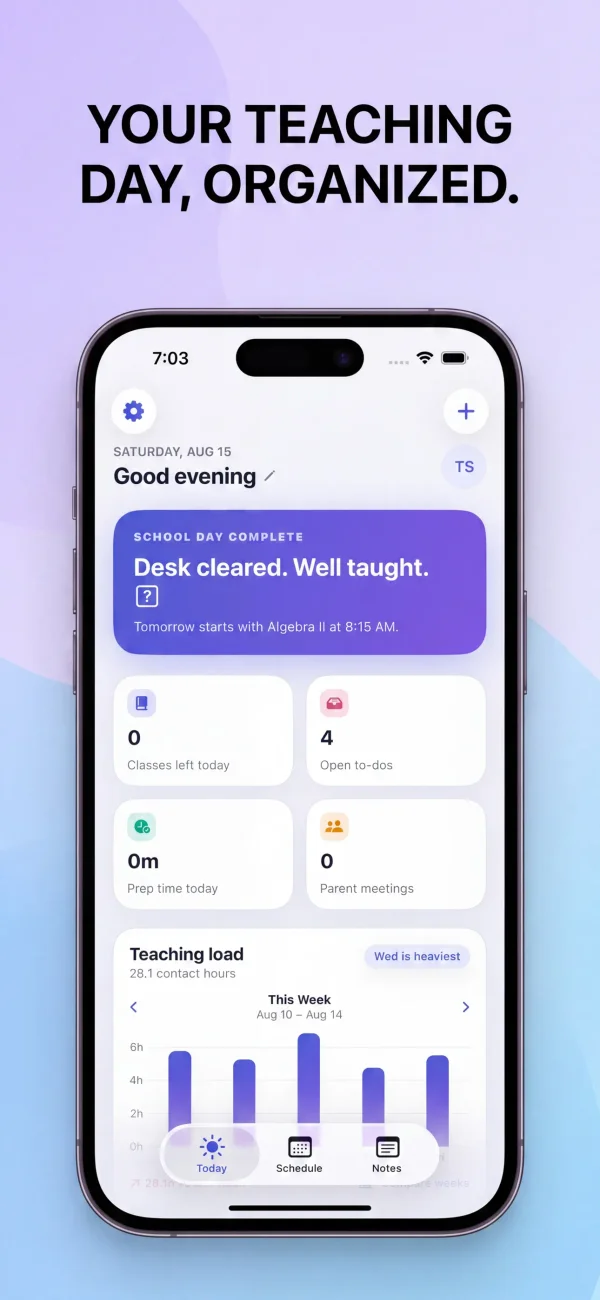
Stay on top of every block in your day—from bell-to-bell scheduling to end-of-day recaps. See at a glance how many classes you're teaching, open to-dos, prep time available, and meetings lined up. Compare your teaching load across weeks, mark holidays and snow days so they don't throw off your planning, and keep detailed follow-up notes tied directly to each class or meeting.
Key Features:
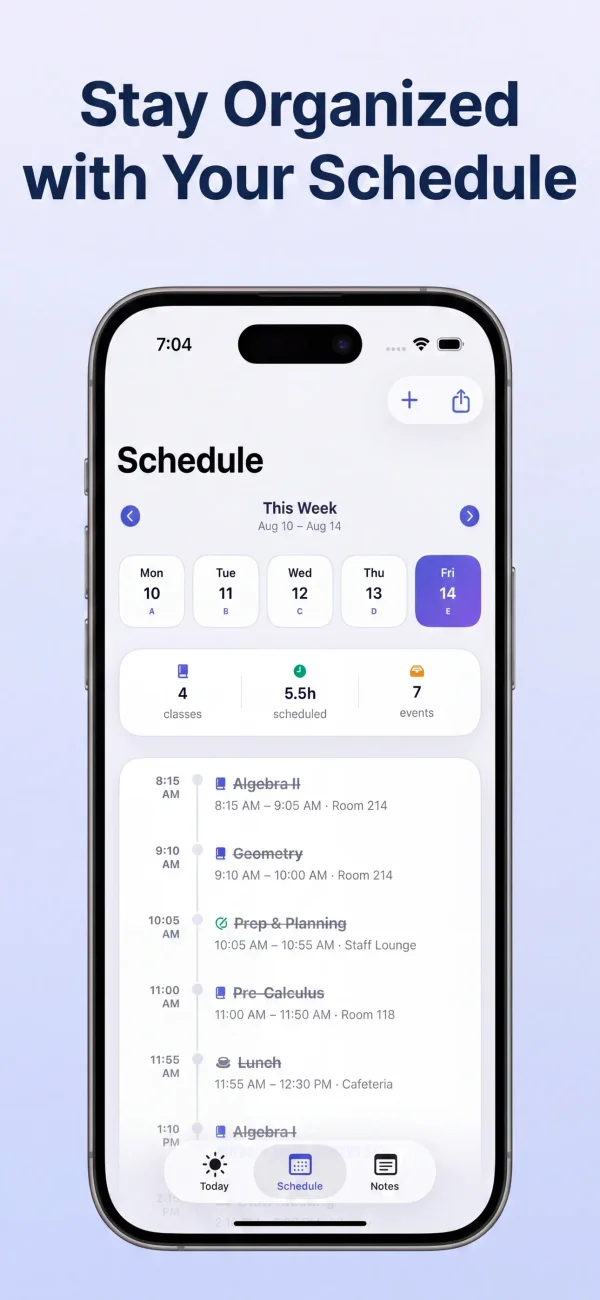
Schedule Management. Add, edit, and organize every class, prep period, duty, meeting, and break. See your full week at a time, navigate forward and backward through the school year, and mark no-school days so they're hidden from your schedule and teaching-load calculations.
Teaching Load Tracking. Visualize your contact hours week-by-week with an interactive chart. Browse ahead to see busy weeks coming, compare this week to last week, and understand your true workload at a glance.
Followup Notes & Tasks. Jot down meeting recaps, parent conference outcomes, lesson reflections, and reminders for next class. All notes are searchable and organized by day so nothing gets lost in the shuffle. Create grading and to-do items tied to specific events, mark them done as you go, and clear completed work off your plate.
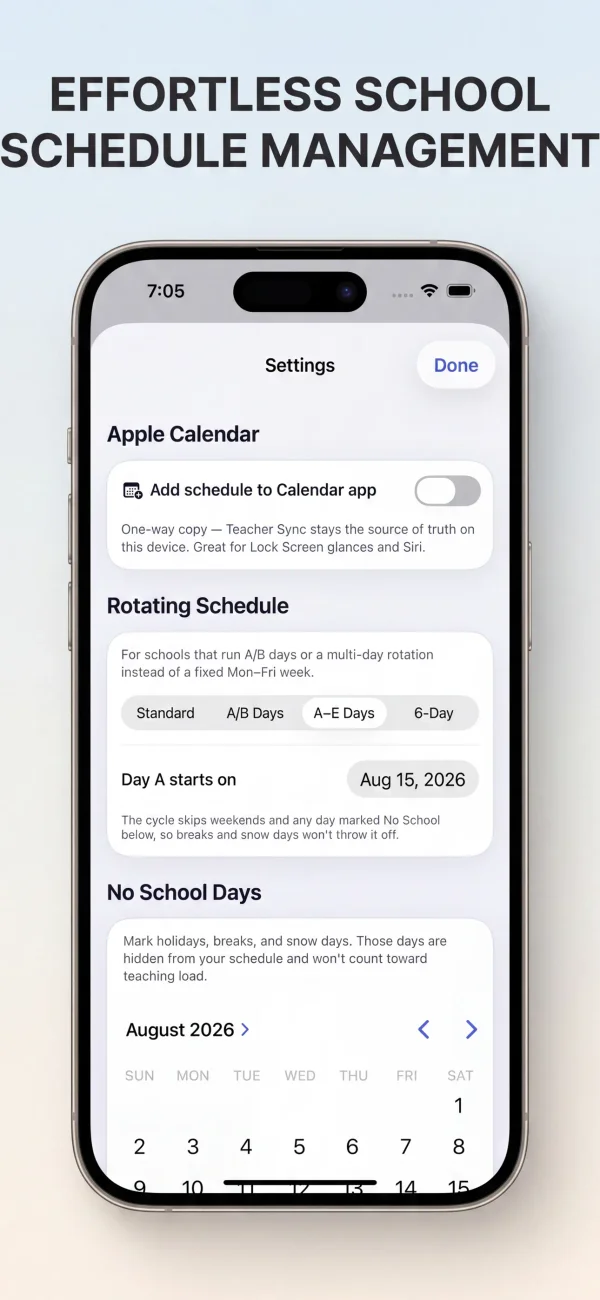
Rotating Schedule Support. For schools running A/B days, A–E day rotations, or multi-day cycles, Teacher Sync tracks your rotation automatically. Set your anchor date once and the cycle advances each school day—weekends and breaks don't throw it off.
Recurring Classes. Add a class that meets every weekday at the same time and Teacher Sync generates occurrences automatically, week after week. No more re-entering the same period five times a week.
PDF Export & Sharing. Export your daily or weekly schedule as a polished PDF—perfect for leaving with a substitute, emailing parents, or printing for your desk.
Calendar Sync. Optionally sync your schedule to the Calendar app so it shows up in widgets, on your Lock Screen, and when you ask Siri what's next.
Recap Notifications. Opt into friendly end-of-day and Friday recap notifications so you always know how many classes you taught and what's left on your to-do list.
Your schedule, tasks, notes, and settings stay entirely on your device—no account, no login, no servers. Teacher Sync is built for privacy from the ground up.
Start managing your teaching day with clarity and calm. Download Teacher Sync today.
What’s new
Version 1.0.2 · Sep 18, 2026
bug fixes with notifications not issuing correctly
App privacy
What Daniel LeVasseur declares on the App Store about how this app handles data.
-
Data linked to you
May be collected and linked to your identity.
- Contact info
- User content
- Usage data
Privacy practices may vary, for example with the features you use or your age.
Information
- Seller
- Daniel LeVasseur
- Category
- Productivity
- Version
- 1.0.2
- Updated
- Sep 18, 2026
- Released
- Sep 1, 2026
- Size
- 2.2 MB
- Requires
- iOS 17.0 or later
- Age rating
- 4+
- Price
- Free
- Languages
- English
- Copyright
- © 2026
You might also like
-
 TeacherTasks - Manage CoursesProductivity
-
 SchoolWay AppModern School Platform
-
 TutorTally Lesson TrackerTutor & Music Teacher Payments
-
 Docify AI: Scan Image PDFScan Image to PDF with AI
-
 Trakist: For Tutors & CoachesTutoring Business Management
-
 IAmTutor: schedule & paymentsStudent tracking & reminders
-
 AI for School & Teachers - MGQTeacher Tools & Work Assistant
-
 Picture to PDF Converter EasyConvert any pictures to PDF
-
 SL CalendarSri Lanka Holidays & Poya Days
-
 LucidsparkInteractive online whiteboard