TeachMode
Smart lesson management
Designed for iPhone, iPad, Mac, iPod touch
In-app purchases
- Age rating4+
- CategoryEducation
- DeveloperPHILIP MICHAEL CHARLES PAGE
- LanguagesEnglish
- Size32.3 MB
Links to the official App Store page
Download.org hosts no file of TeachMode. The button opens its official App Store page, published by PHILIP MICHAEL CHARLES PAGE. Listing last checked on Nov 12, 2026.
Screenshots

About
TeachMode - Smart Lesson Management for Music Teachers
TeachMode turns your teaching into finished admin automatically.
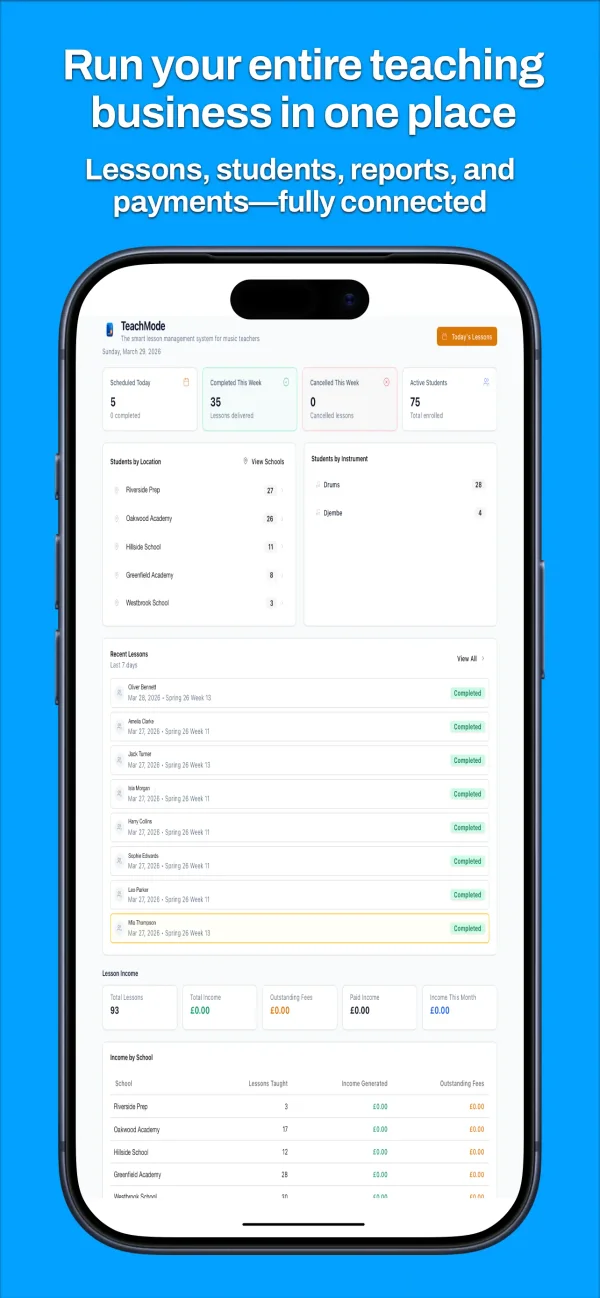
Built for music teachers, TeachMode helps you stay organised, save time, and deliver better lessons. Track students, plan lessons, generate reports, and create invoices as you teach so nothing gets left until the end of term.
KEY FEATURES
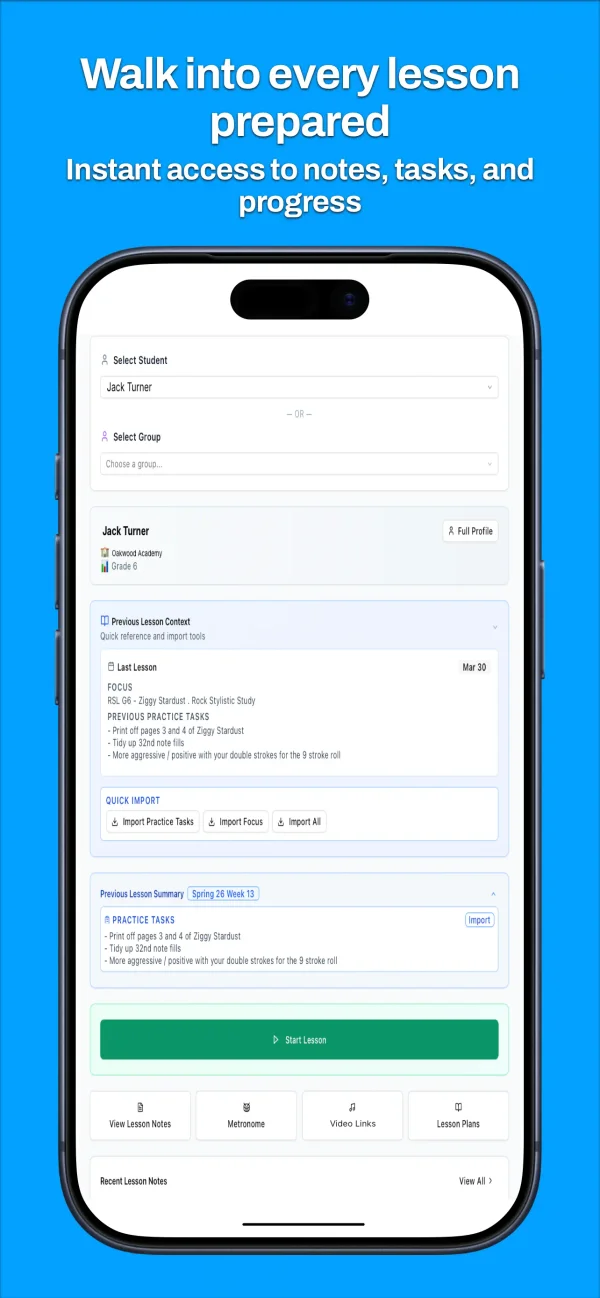
Teach Mode
Walk into every lesson prepared with instant access to notes, tasks, and student progress.
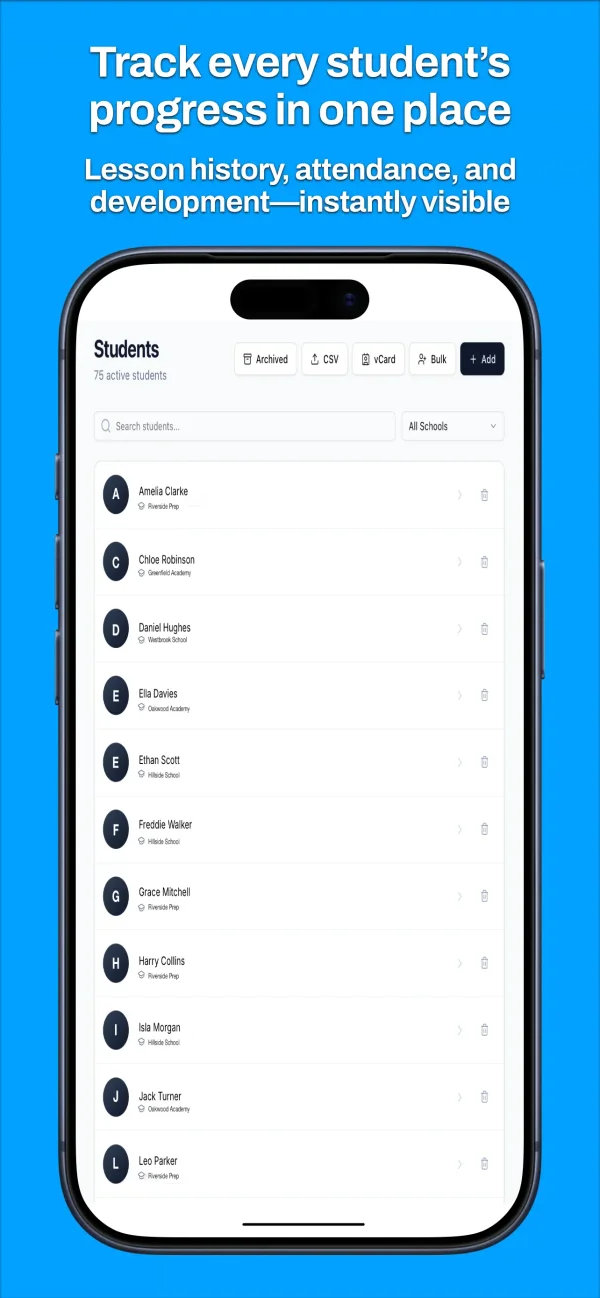
Student Tracking
Keep all student information in one place including lesson history, attendance, and development.
Lesson Notes and Planning
Quickly record notes, set goals, and plan future lessons without interrupting your teaching flow.
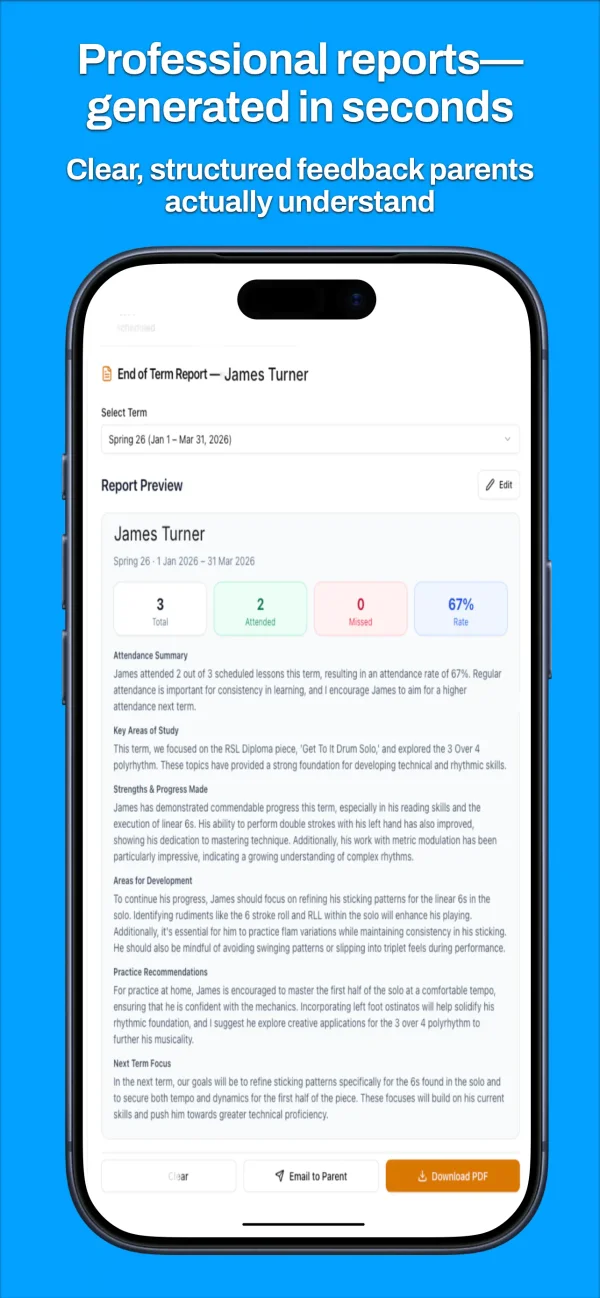
Professional Reports
Generate clear, structured end of term reports that parents understand.
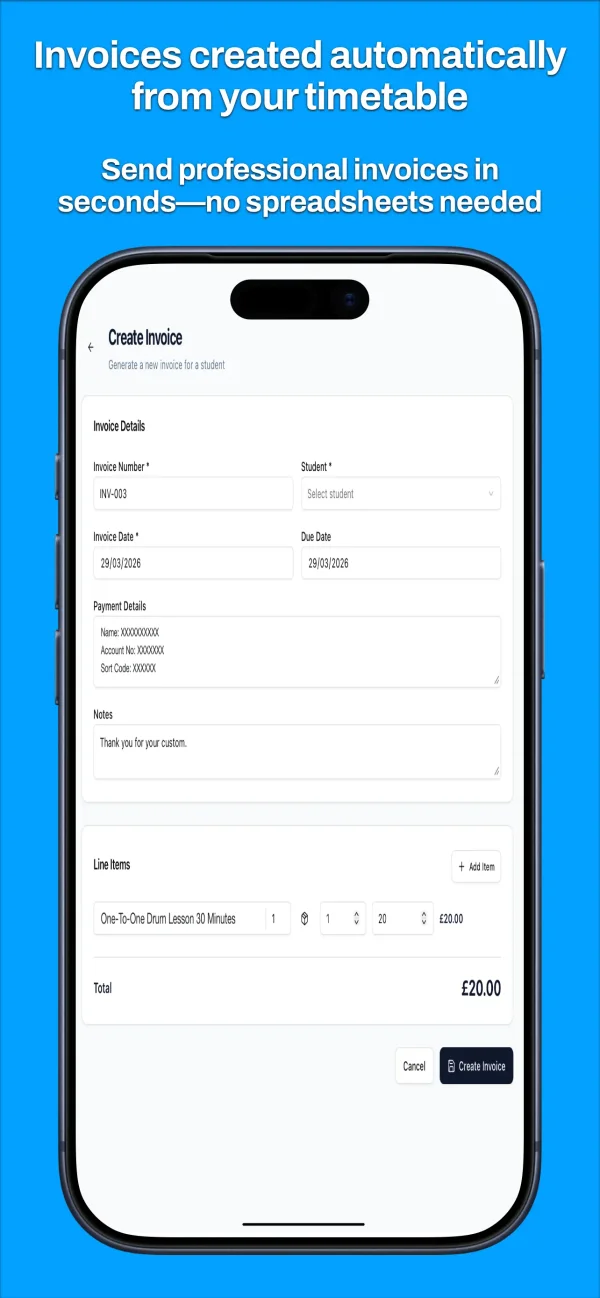
Automatic Invoicing
Create and send professional invoices directly from your timetable in seconds.
Timetable Management
View and manage your weekly schedule with an easy to use layout.
Parent Portal
Give students and parents access to lesson notes, progress, and upcoming lessons.
Perfect for peripatetic teachers, private tutors, and music schools. TeachMode simplifies your workflow so you can focus on teaching.
Terms of Use (EULA): https://www.apple.com/legal/internet-services/itunes/dev/stdeula/
Privacy Policy: https://www.ppstix.com/privacy
What’s new
Version 1.7 · Oct 3, 2026
Thank you for using TeachMode.
Here’s what’s new in version 1.6:
TeachMode Widgets
Keep your teaching day at a glance with new TeachMode widgets, including Today’s Schedule, Next Lessons, Quick Actions and more. Jump straight into lessons and common TeachMode actions without having to navigate through the app.”
• Added Travel-Aware Scheduling and improved clash detection to help prevent teaching, travel and gig conflicts.
• Redesigned My Schedule with a clearer calendar-style view and easier lesson moving and swapping.
• Added the ability to create lessons directly from the timetable.
• Improved timetable printing and PDF export, including more reliable saving and printing on Mac and iPad.
• Expanded GigMode with improved setlists, song library tools, equipment templates, gig notes and performance-mode features.
• Improved GigMode reliability so gigs, personnel, equipment and setlist changes remain visible and correctly synchronised.
• Added reusable set and show templates and support for reordering sets and songs.
• Added automatic mileage calculations and improved mileage reporting.
• Improved Google Calendar synchronisation, including support for rescheduled lessons and gigs.
• Improved the Student & Parent Portal, including onboarding, resources, mobile navigation and portal announcements.
• Added a quick option to copy the Parent/Student Portal link.
• Added previous lesson history for group lessons and improved Exam Mode lesson history.
• Improved attendance handling, including a fix for Late attendance being incorrectly treated as Absent.
• Improved group billing, one-off lesson invoicing and gig invoicing.
• Improved invoice email formatting and reliability.
• Added instalment-based invoice payments.
• Added subtasks to the To-Do workspace and improved To-Do reliability.
• Added new school lesson types, group billing rates and student filtering options.
• Improved recurring lesson handling, exceptions and holiday exclusions.
• Plus numerous reliability, performance and usability improvements throughout TeachMode.
App privacy
What PHILIP MICHAEL CHARLES PAGE declares on the App Store about how this app handles data.
-
Data linked to you
May be collected and linked to your identity.
- Contact info
-
Data not linked to you
May be collected but is not linked to your identity.
- Contact info
- User content
Privacy practices may vary, for example with the features you use or your age.
Information
- Seller
- PHILIP MICHAEL CHARLES PAGE
- Category
- Education
- Version
- 1.7
- Updated
- Oct 3, 2026
- Released
- Apr 17, 2026
- Size
- 32.3 MB
- Requires
- iOS 15.0 or later
- Age rating
- 4+
- In-app purchases
- Yes
- Languages
- English
- Copyright
- © 2026 Philip Page
You might also like
-
 My Music LessonsMusic lesson booking & admin
-
 Piano Scales Flashcards - 6-8ABRSM Scales Practice
-
 Albas: Lesson ManagerFor Private Teachers & Tutors
-
 SightReader: Read Piano MusicRead notes & rhythm to Grade 8
-
 Squool: Tutor Schedule PlannerTutoring Tracker & Payments
-
 ABRSM Piano Scales TrainerPiano Scales support by ABRSM
-
 Tregarton ParkTregarton Park, Cornwall UK
-
 WarbleEducation
-
 teamSOSEducation
-
 Greenhouse SchoolsSchool news for parents