
- Age rating4+
- CategoryBusiness
- DeveloperEfe Atasoy
- LanguagesEnglish+ 1 more
- Size29.9 MB
Links to the official App Store page
Download.org hosts no file of teamplanOS. The button opens its official App Store page, published by Efe Atasoy. Listing last checked on Nov 12, 2026.
Screenshots

About
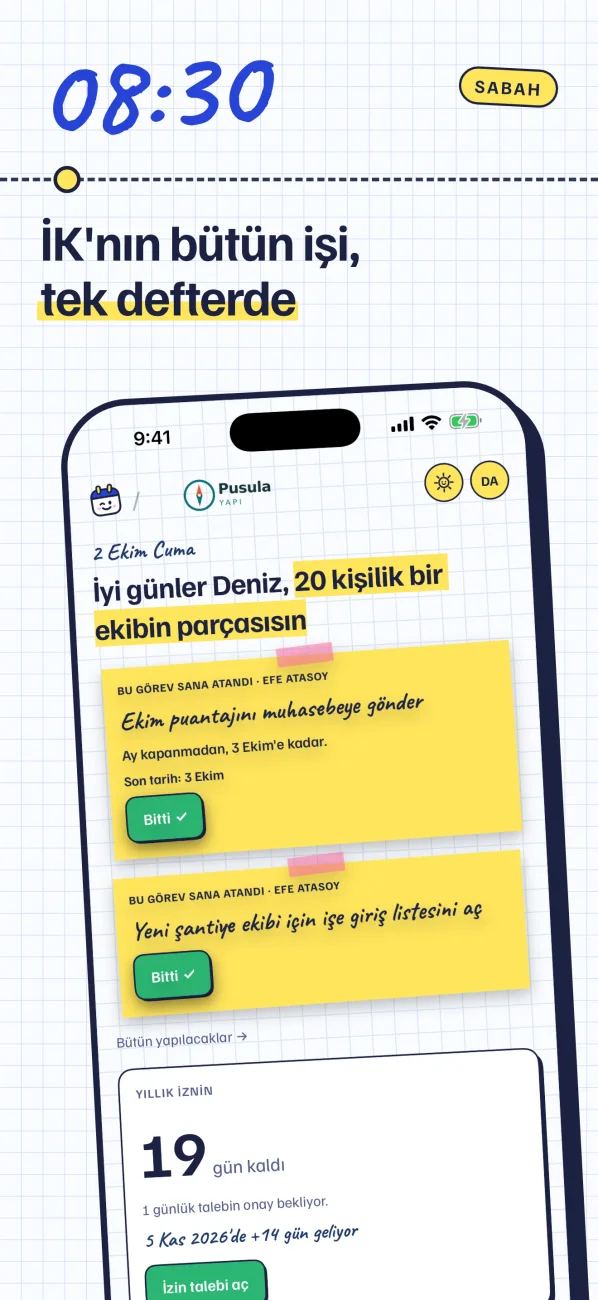
All of HR, in one notebook.
teamplanOS brings leave, working hours, expenses, payslips and countless team chores into one place. Everyone handles their own part from their phone.
Your company adds you to teamplanOS. Your invitation email arrives right away and you set up your account.
AN HR SPECIALIST'S DAY WITH teamplanOS
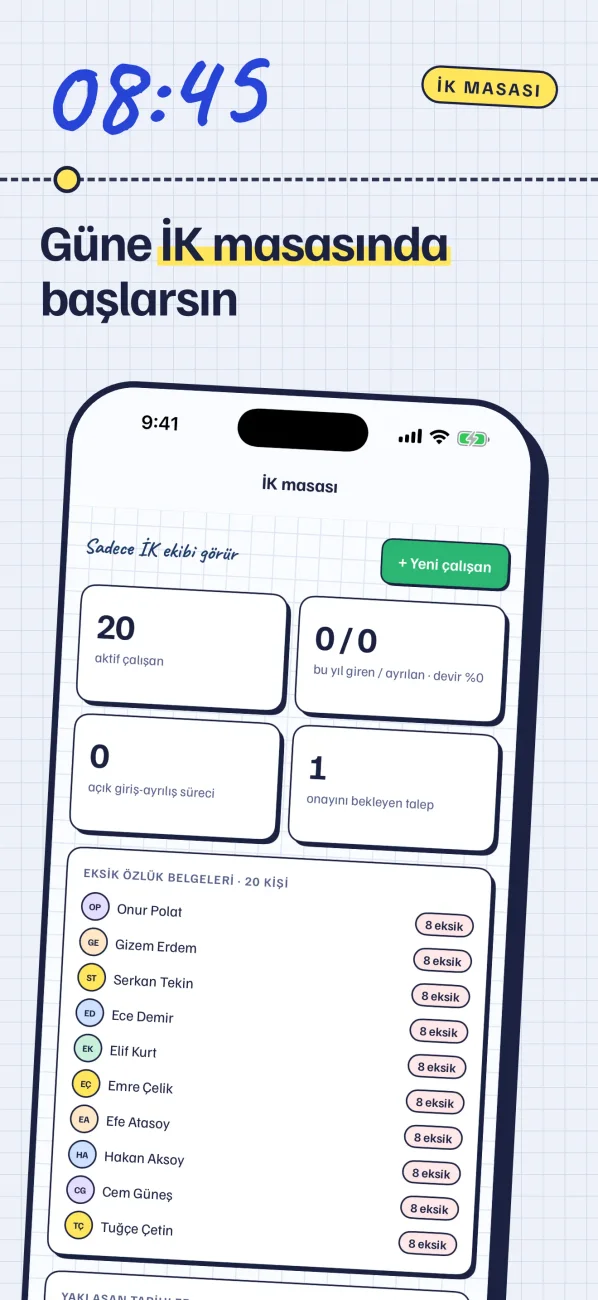
08:45
You open the HR desk. Pending requests, missing documents and upcoming tasks are in front of you.
09:30
You add the person starting on Monday. The to-do list is ready; documents, equipment, account, nothing gets forgotten.
11:00
You check the leave chart. You see who is off, how many days each person has left and whether any leave overlaps.
14:00
You upload the payroll file from accounting. Each payslip goes to its own employee.
16:30
The month's timesheet is ready. Check-ins, leave and sick notes come together in one table. Export it to Excel if you like.
In between you check the shuttles, look at bonuses and publish an announcement. All in the same place.
AN EMPLOYEE'S DAY
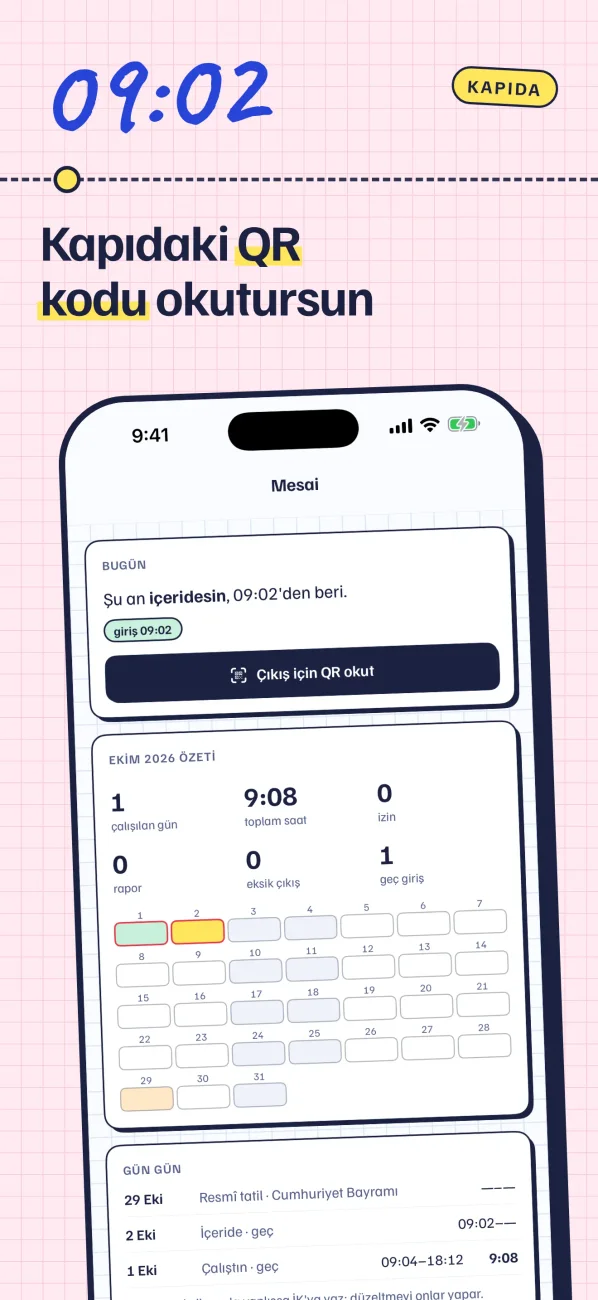
09:02
You scan the QR code at the door. Your day starts.
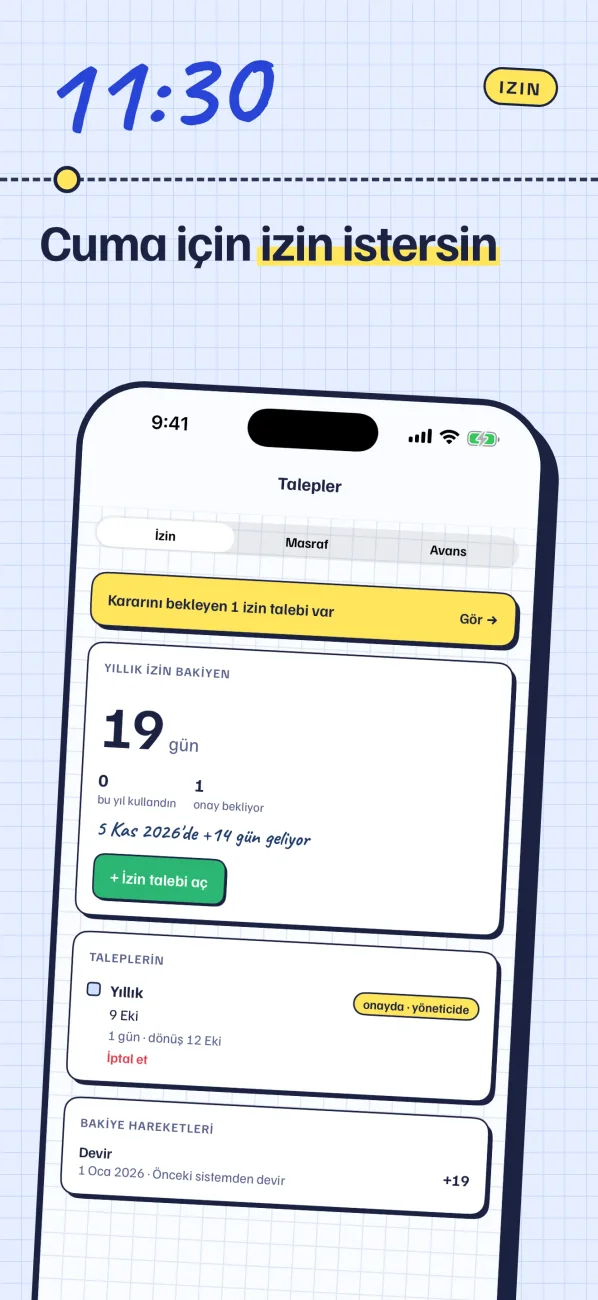
11:30
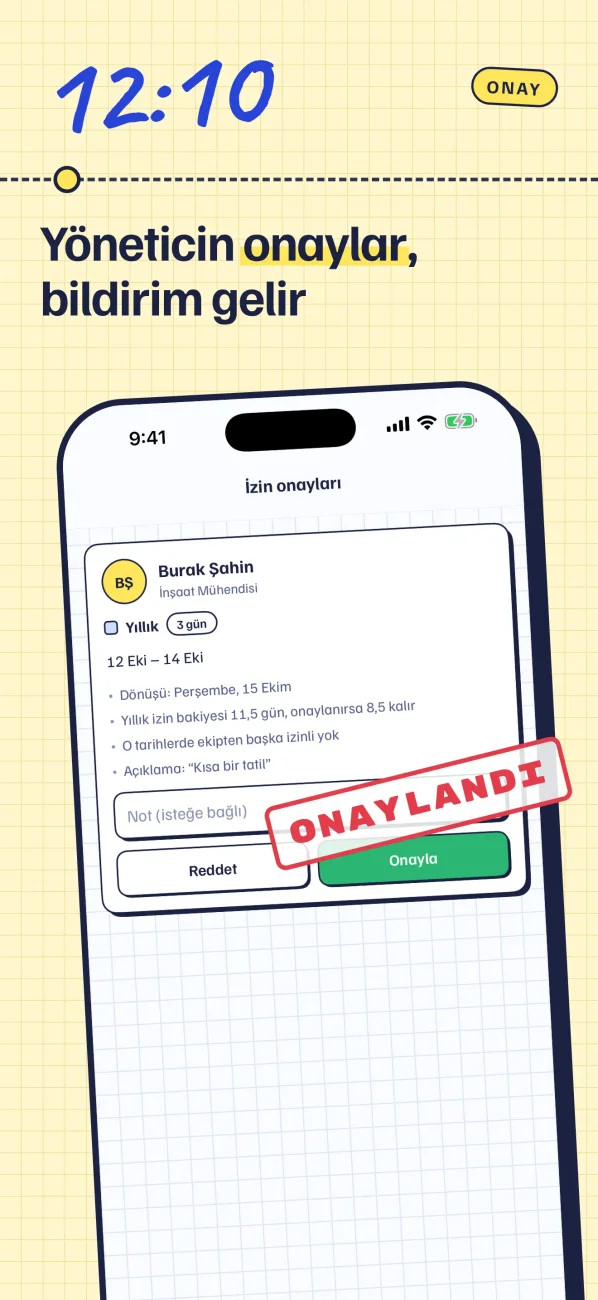
You ask for Friday off. You see your balance and send the request.
12:10
Your manager approves. You get a notification.
13:15
You photograph your lunch receipt. Your expense entry is prepared.
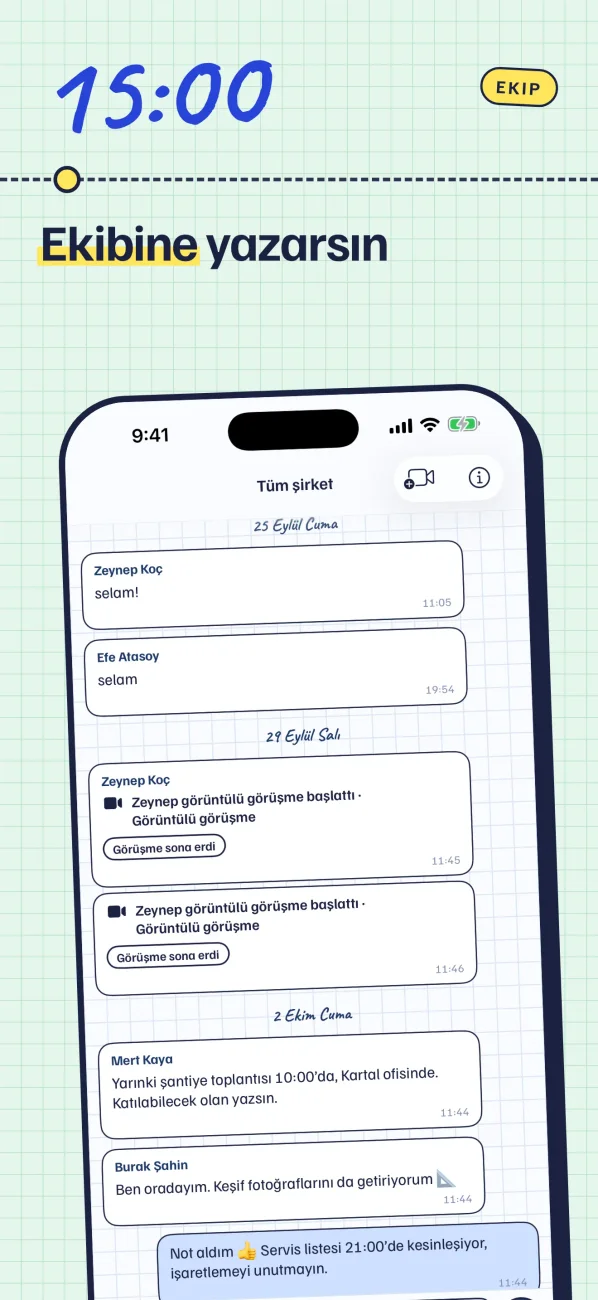
15:00
You message your team. If needed you switch to a video call and keep notes together.
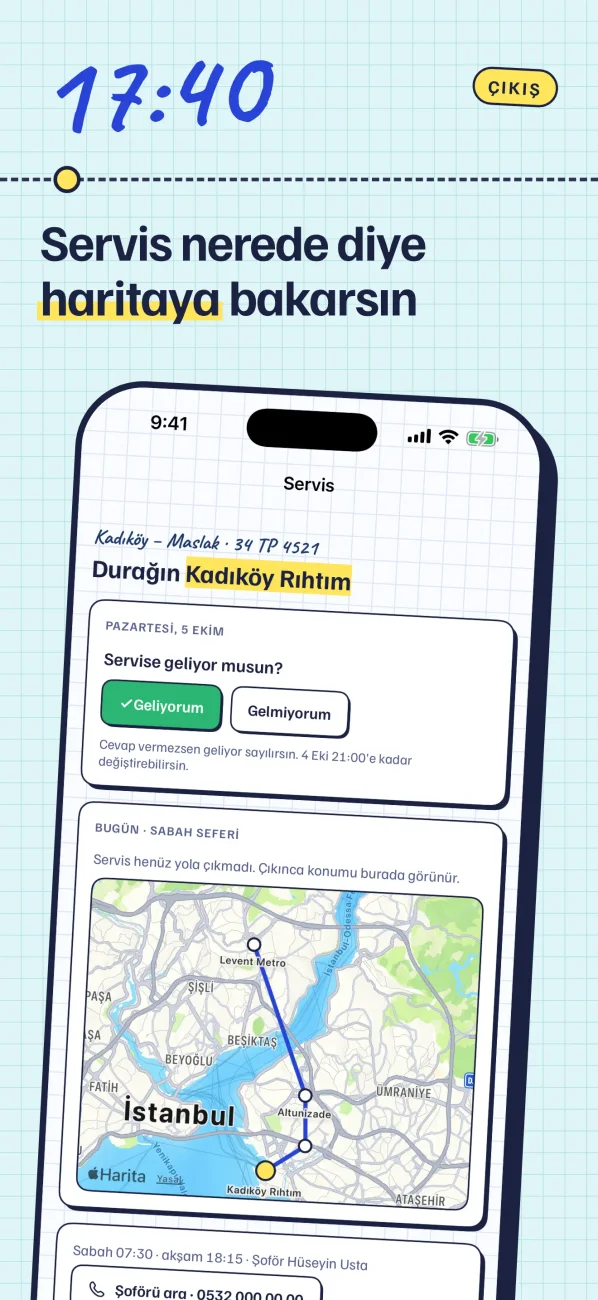
17:40
You wonder where the shuttle is. You see it on the map.
At the end of the month you hear when your payslip is ready. You open it and have a look.
A BUSINESS OWNER'S DAY
08:30
Who is off, who is in, what is waiting: you see it on the home screen.
10:15
Expense and advance requests come in. You look at the receipt and approve or send it back.
13:00
The work your team has done is logged. You check and approve it.
17:00
You look at the reports. Headcount, staff turnover and leave are in front of you.
Whenever you like, you publish an announcement to the company. The app opens with your company's logo and colours.
GOOD TO KNOW
• Everyone sees only what they need to see and cannot go beyond their permissions.
• Sensitive data (national ID, IBAN...) is encrypted.
• Nobody, HR included, can read your direct messages.
• No ads, no marketing messages.
• We added a dark mode so your eyes do not tire from long screen time.
• The same account works on the web.
What’s new
Version 1.0.8 · Oct 19, 2026
• Scan the clock-in QR with your phone's camera and the app opens; your record is saved once you confirm.
• Timesheets for large teams: page by page, with search by name.
• Chat: edit your messages and pin important ones; unread messages start at a "New messages" line.
• To-dos and notes on the home screen.
• Small fixes.
App privacy
What Efe Atasoy declares on the App Store about how this app handles data.
-
Data linked to you
May be collected and linked to your identity.
- Health and fitness
- Financial info
- Location
- Contact info
- User content
- Identifiers
- Sensitive info
- Other data
Privacy practices may vary, for example with the features you use or your age.
Information
- Seller
- Efe Atasoy
- Category
- Business
- Version
- 1.0.8
- Updated
- Oct 19, 2026
- Released
- Oct 1, 2026
- Size
- 29.9 MB
- Requires
- iOS 17.0 or later
- Age rating
- 4+
- Languages
- English, Turkish
- Copyright
- © 2026 teamplanOS
You might also like
-
 PvisionBusiness
-
 Tesis by DikontBusiness
-
 AnsiadBusiness
-
 MeeyraAI Translation & Live Meetings
-
 Study Duckytrack your studies
-
 TaskivaBusiness
-
 ConnexeaseImprove Customer Communication
-
 Task360 Work Order MaintenanceAI CMMS for Smart Maintenance
-
 SIMATIC WinCC CompanionProductivity
-
 JUSTWork CampusProductivity