
Telegraph - API Client
API Testing & Validation
Designed for iPhone, iPad, Mac
Free · In-app purchases
- Age rating4+
- CategoryProductivity
- DeveloperMARITIME MASTER LIMITED
- LanguagesEnglish
- Size19.2 MB
Links to the official App Store page
Download.org hosts no file of Telegraph - API Client. The button opens its official App Store page, published by MARITIME MASTER LIMITED. Listing last checked on Nov 16, 2026.
Screenshots




About
Telegraph is a powerful, native API client and testing tool built for developers on macOS and iOS. Design, send and debug HTTP requests with a clean, intuitive interface, no browser required.
Build & Send Requests Create GET, POST, PUT, PATCH, DELETE, HEAD and OPTIONS requests. Add query parameters, custom headers and request bodies in JSON, XML, HTML, JavaScript or plain text. Paste a URL with query strings and Telegraph automatically parses them into editable parameters.
Organise with Collections Group your API endpoints into collections by project, service or team. Collapse, expand, rename, export and import collections as shareable .telegraph.json files. Drag requests between collections with a right-click.
Environment Variables Define variables like {{baseUrl}} or {{apiKey}} and switch between Development, Staging and Production environments instantly. Variables are highlighted in blue so you always know what will be substituted at send time.
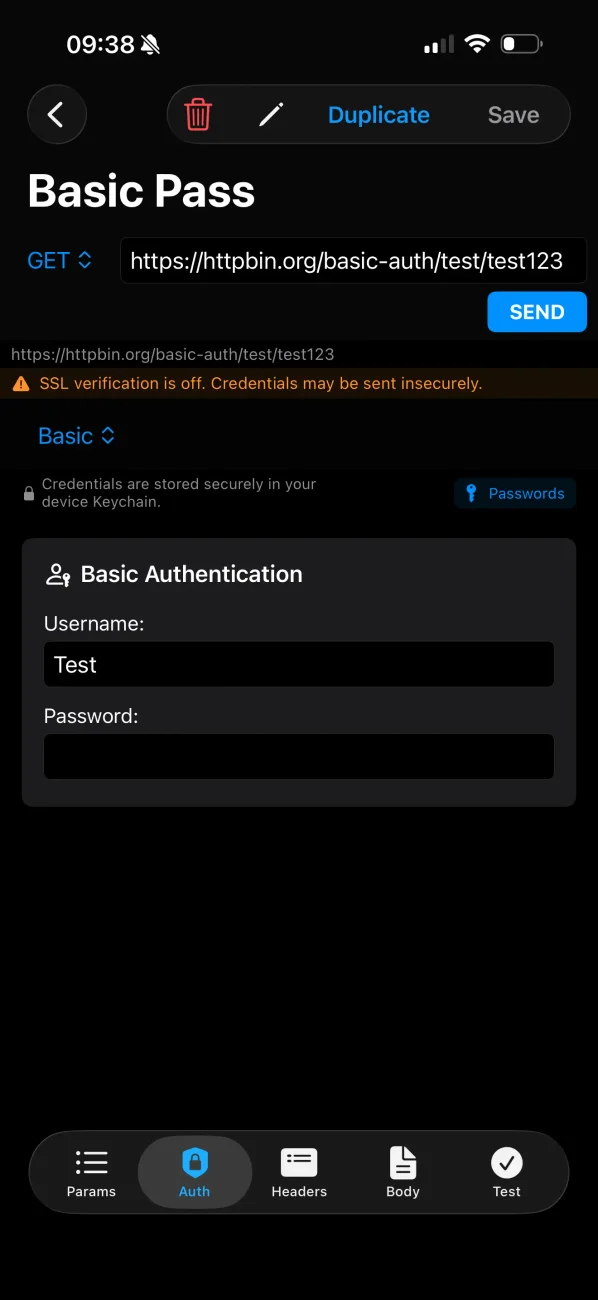
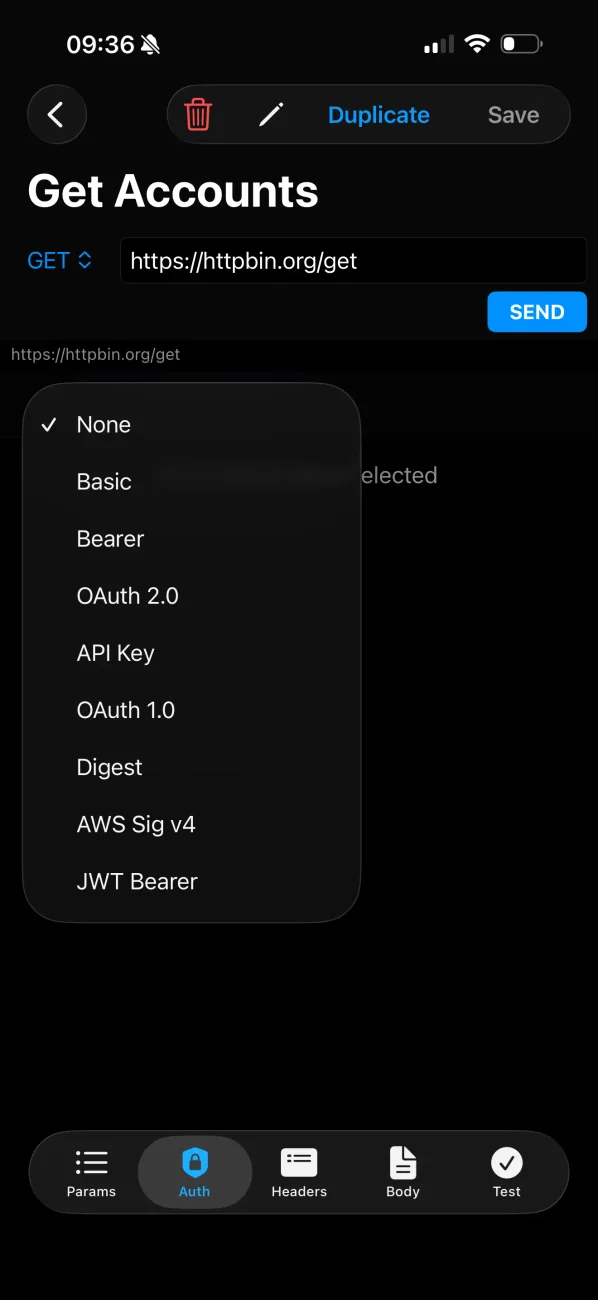
Authentication Built In Telegraph supports Basic Auth, Bearer Token, API Key (header or query), OAuth 2.0 with PKCE, and OAuth 1.0a, plus Pro-only Digest Auth, AWS Signature v4 and JWT Bearer. All credentials are stored securely in your device Keychain.
Batch Testing Set expected HTTP status codes on each endpoint and run automated tests across an entire collection or all requests at once. Instantly see PASSED, FAILED or ERROR results per endpoint.
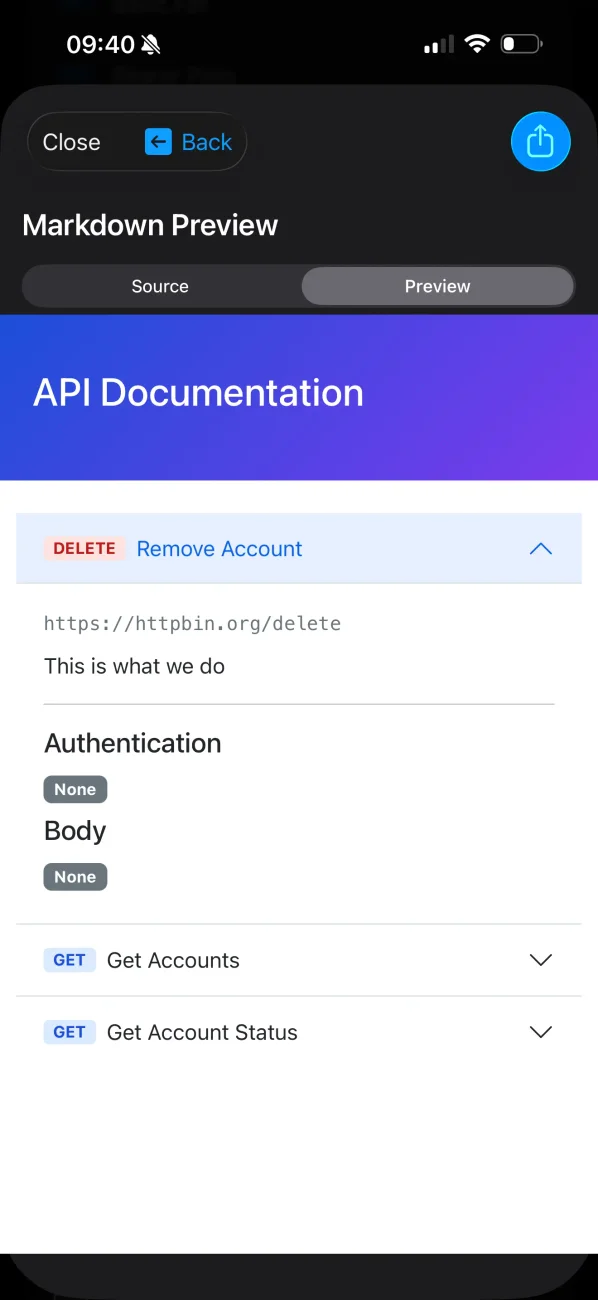
API Documentation Generator Select endpoints, add descriptions and notes, then generate professional API documentation in Markdown, HTML or PDF. Filter and group endpoints by collection with one-click select/deselect.
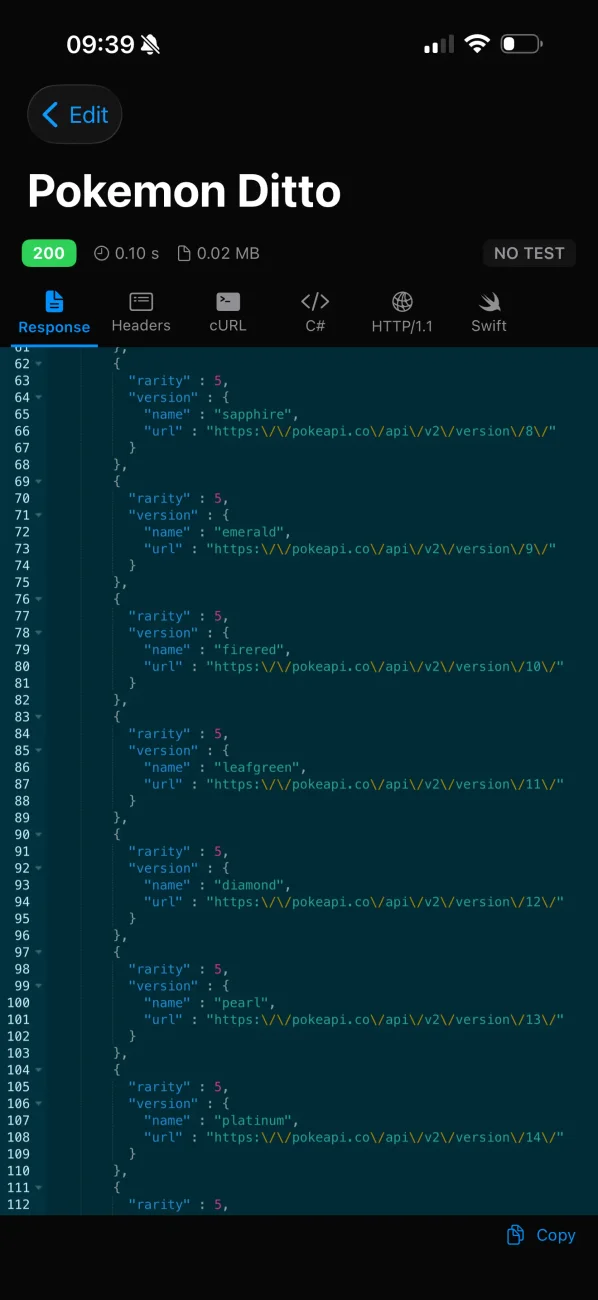
Code Generation After sending a request, view generated code in cURL, Swift (URLSession), C# (HttpClient) and raw HTTP/1.1 format. Copy to clipboard with one tap.
Developer-Friendly Defaults Configurable SSL verification, redirect following, request timeouts and custom User-Agent headers. Syntax-highlighted code editor powered by Ace with 30+ themes.
iCloud Sync Your requests, collections, environments and documentation sync automatically across all your Apple devices via iCloud.
Response Inspector View response status, timing, size, request headers and response headers. Auto-formatted JSON responses for easy reading.
Import & Export Import OpenAPI 3.x / Swagger specifications. Import and export collections. Execute raw cURL commands directly.
Telegraph Pro unlocks unlimited requests, batch tests, environments, advanced auth methods, custom User-Agent, default headers and all pro tools.
EULA: https://www.apple.com/legal/internet-services/itunes/dev/stdeula/
What’s new
Version 3.0 · Mar 13, 2026
Batch Testing by Collection: filter and run tests for a specific collection instead of all endpoints
Keychain Security: authentication credentials now stored in device Keychain instead of iCloud for stronger security
Environment Variable Highlighting: {{variables}} shown in blue in the calculated URL bar
Documentation Builder: endpoints grouped by collection with search filter and bulk select/deselect
Improved Documentation Editor: endpoint description and auth notes use native text areas for reliable editing
PDF Export: faster, more reliable PDF generation using load-complete detection
HTML Export: sanitised output prevents script injection in exported documentation
Clickable Collection Headers: tap the folder name, icon or chevron to expand/collapse, much larger hit target
Save State: blue save indicator resets correctly when switching between endpoints
SSL Warning: visible alert when sending auth credentials with SSL verification turned off
OAuth 2.0: fixed token requests to use proper URL encoding, preventing issues with special characters
OAuth 2.0: invalid auth URL now shows a clear error instead of crashing
Stability: fixed potential hangs on non-standard SSL challenges and removed crash paths in the code editor
Auth Lifecycle: duplicating or deleting a request now correctly handles associated auth data
Usage Limits: corrected messaging, request and environment creates are monthly, sends and tests are daily
Dynamic User-Agent: headers tab now shows your actual configured User-Agent value
Environment Limits: creation limits now properly enforced in the Environments screen
App privacy
What MARITIME MASTER LIMITED declares on the App Store about how this app handles data.
-
Data not collected
The developer does not collect any data from this app.
Privacy practices may vary, for example with the features you use or your age.
Information
- Seller
- MARITIME MASTER LIMITED
- Category
- Productivity
- Version
- 3.0
- Updated
- Mar 13, 2026
- Released
- May 30, 2024
- Size
- 19.2 MB
- Requires
- iOS 17.0 or later
- Age rating
- 4+
- Price
- Free
- In-app purchases
- Yes
- Languages
- English
- Copyright
- © Maritime Master Limited
You might also like
-
 Aspire TeamProductivity
-
 MATE AI - Private AIYour private & green AI
-
 TaskView: ToDo List & TasksTo-do list and project manager
-
 AniSoul: AI Anime CompanionAnime Voice Chat & Roleplay
-
 ApiManagerSmart Tools for Beekeepers
-
 Hey AI: Private AI ChatOffline Chatbot & Assistant
-
 WebEva: AI Code & Web BuilderLearn HTML CSS JS & Python
-
 InspireNote: Prompt Deck NoteBrainstorming Ideation Cards
-
 Alto Daily Habit TrackerStreaks and goals in Reminders