Teleprompter Automatic
Smooth Speech with Auto Scroll
Designed for iPhone, iPad
Free · In-app purchases
- Age rating4+
- CategoryPhoto & Video
- DeveloperApp Box
- LanguagesEnglish+ 29 more
- Size96.3 MB
Links to the official App Store page
Download.org hosts no file of Teleprompter Automatic. The button opens its official App Store page, published by App Box. Listing last checked on Nov 24, 2026.
Screenshots



About
Record confident videos without memorizing your script. Teleprompter Automatic keeps your text near the camera and scrolls it by voice, fixed speed, reading time, or words per minute. Record, rehearse, edit, add subtitles, or stream live—all from one app.
READ AT YOUR PACE
• Voice Scrolling listens to your speech and advances the script as you speak.
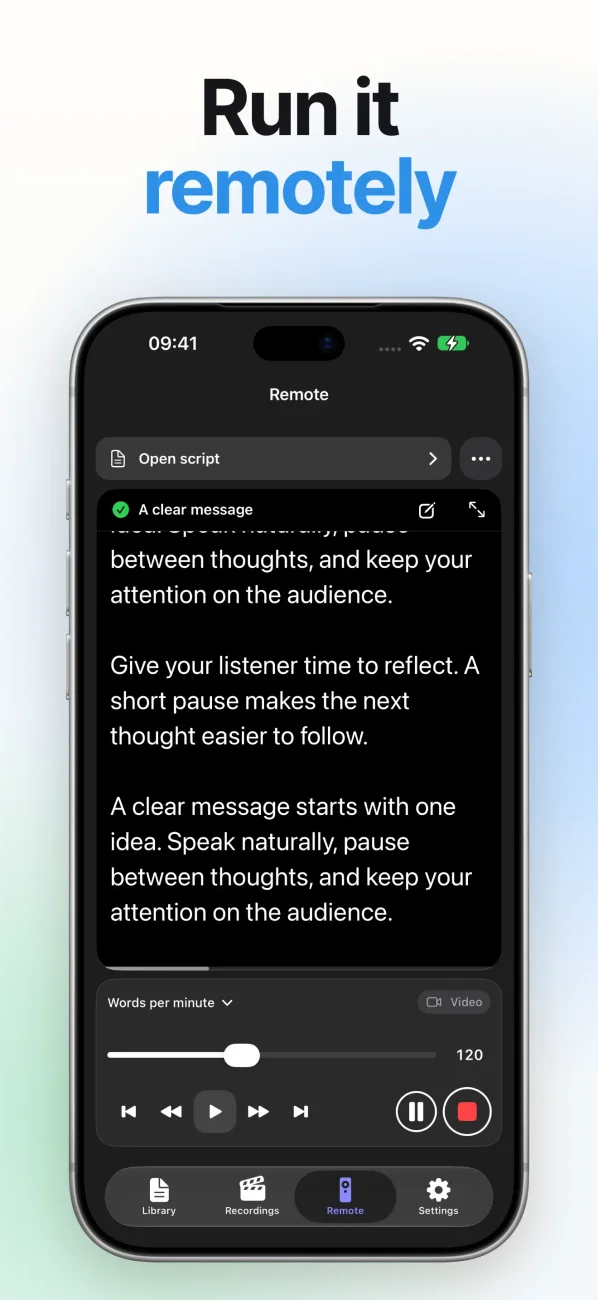
• Use Fixed Speed, set a total reading time with Timed Scrolling, or set your pace in words per minute.
• Adjust speed during your take, set a countdown, and mirror text horizontally or vertically.
• Customize fonts, size, color, alignment, line spacing, and the Reader’s size and position.
• Control scrolling and recording from Apple Watch, Web Remote, a paired keyboard, or a game controller.
RECORD, REHEARSE, OR GO LIVE
• Record video with the front or rear camera while reading directly from your screen.
• Capture audio-only sessions with microphone selection and a detailed playback waveform.
• Fine-tune supported camera options including resolution, frame rate, HDR, stabilization, zoom, and microphone input.
• Use Practice mode for a private rehearsal, then decide whether to save or delete the recording.
• Stream from the Reader with platform presets, direct YouTube setup, or a custom RTMP/RTMPS connection.
BUILD A BETTER SCRIPT LIBRARY
• Write or paste text, import PDF, DOCX, and text files, or create a first draft with AI.
• Organize scripts in folders and personalize their formatting for easier reading.
• Sign in to sync your script and recording library with the cloud.
EDIT AND SHARE YOUR CONTENT
• Trim, rotate, resize, change speed, combine clips, and prepare videos for different aspect ratios.
• Add text, images, a logo, watermark, filters, or a blurred or replacement background.
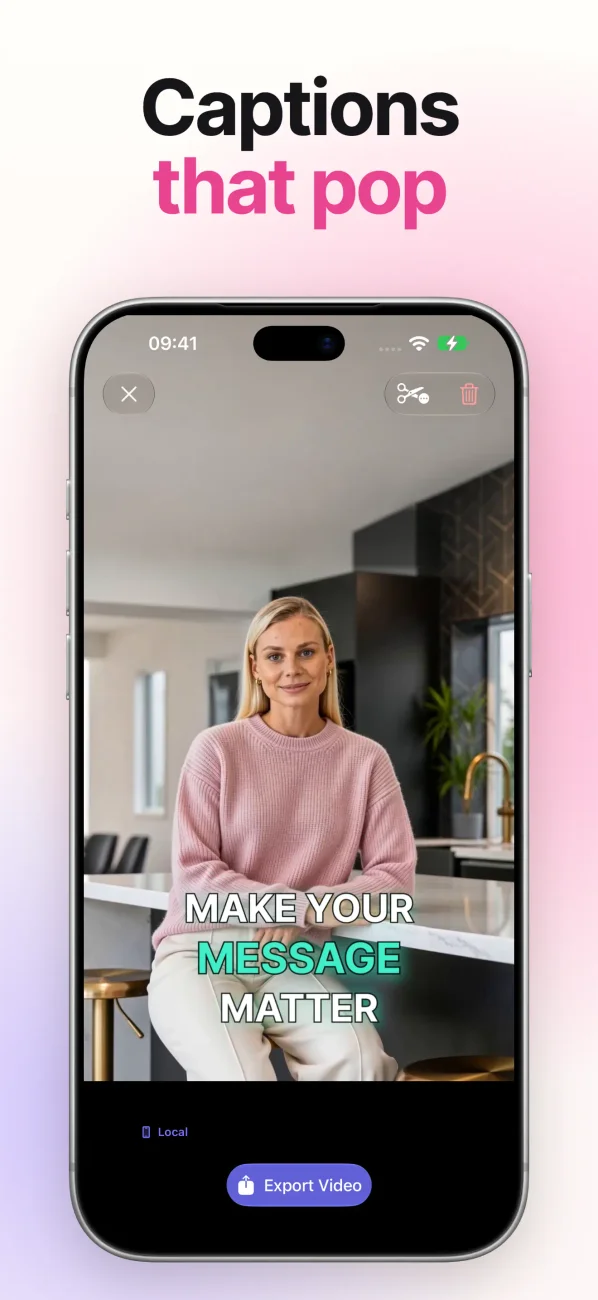
• Generate subtitles from speech, translate them into another language, and customize their style and placement.
• Export your finished video or share audio recordings from the app.
From quick social videos and lessons to presentations, product demos, interviews, sermons, and live broadcasts, Teleprompter Automatic helps you keep eye contact and deliver every line with confidence.
Open your script, press record, and tell your story without losing your place.
Privacy Policy: https://teleprompter.pw/privacy/
Terms of Use: https://teleprompter.pw/terms/
EULA: https://www.apple.com/legal/internet-services/itunes/dev/stdeula/
What’s new
Version 5.1.3 · Nov 17, 2026
In this update:
• Voice scrolling is smoother and follows your reading more accurately.
• Expanded the subtitle editor: split and merge phrases, highlight important words, save your own styles, and return to editing saved drafts.
• Added multiline text overlays, text rotation, and entrance animations for your videos.
• Improved audio recording quality when headphones are connected and when switching microphones.
• Scrolling mode and recognition language are now saved separately for each script. The language can be detected automatically.
• Added cloud uploads for recordings up to 10 GB, with uploads resuming after interruptions.
• Fixed camera startup when an external microphone is disconnected and made settings and recordings easier to use.
Thank you for using Teleprompter Automatic!
Questions or suggestions? Contact us at support@teleprompter.pw
App privacy
What App Box declares on the App Store about how this app handles data.
-
Data used to track you
May be used to track you across apps and websites owned by other companies.
- Purchases
- Contact info
- Identifiers
- Usage data
-
Data linked to you
May be collected and linked to your identity.
- Purchases
- Contact info
- User content
- Identifiers
- Usage data
-
Data not linked to you
May be collected but is not linked to your identity.
- Diagnostics
Privacy practices may vary, for example with the features you use or your age.
Information
- Seller
- APP BOX EOOD
- Category
- Photo & Video
- Version
- 5.1.3
- Updated
- Nov 17, 2026
- Released
- Feb 1, 2022
- Size
- 96.3 MB
- Requires
- iOS 18.0 or later
- Age rating
- 4+
- Price
- Free
- In-app purchases
- Yes
- Languages
- English, Arabic, Croatian, Czech, Danish, Dutch, Finnish, French, German, Greek, Hebrew, Hungarian + 18 more
- Copyright
- © APP BOX
You might also like
-
 Teleprompter: Floating NotesAI Prompter, Script & Autocue
-
 Teleprompter App for VideoRead script while recording
-
 Teleprompter For Video - ProPrompt & Script AI prompter
-
 Teleprompter for VideoRead script, record & caption
-
 PromptSmart+Expanded VoiceTrack Prompter
-
 Teleprompter: Floating ScriptVideo Record, AI Captions
-
 BIGVU Teleprompter Captions AIAI Photo to Video & Subtitles
-
 TelepromptrVideo Scripts & Mirror Text
-
 Parrot TeleprompterPhoto & Video
-
 Teleprompter-Read scriptRecord & caption