
TempoScope
Tempo & key finder + metronome
Designed for iPhone, iPad, Mac
Free · In-app purchases
- Age rating4+
- CategoryMusic
- DeveloperHYO SEOP LEE
- LanguagesEnglish+ 7 more
- Size15.0 MB
Links to the official App Store page
Download.org hosts no file of TempoScope. The button opens its official App Store page, published by HYO SEOP LEE. Listing last checked on Nov 23, 2026.
Screenshots


About
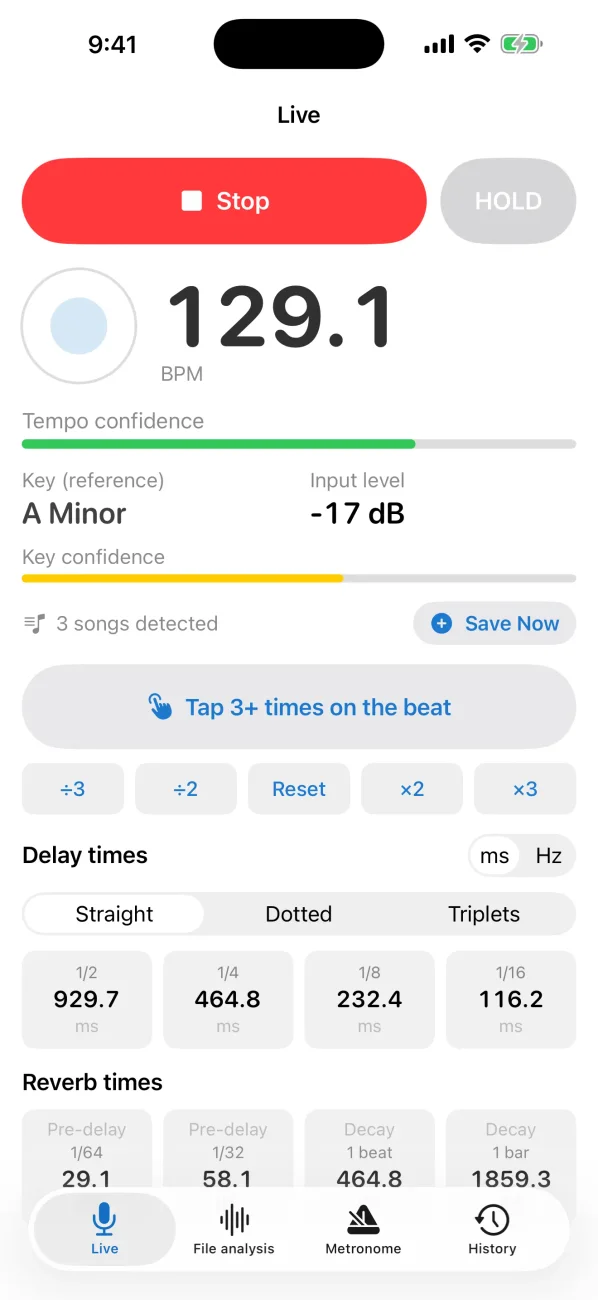
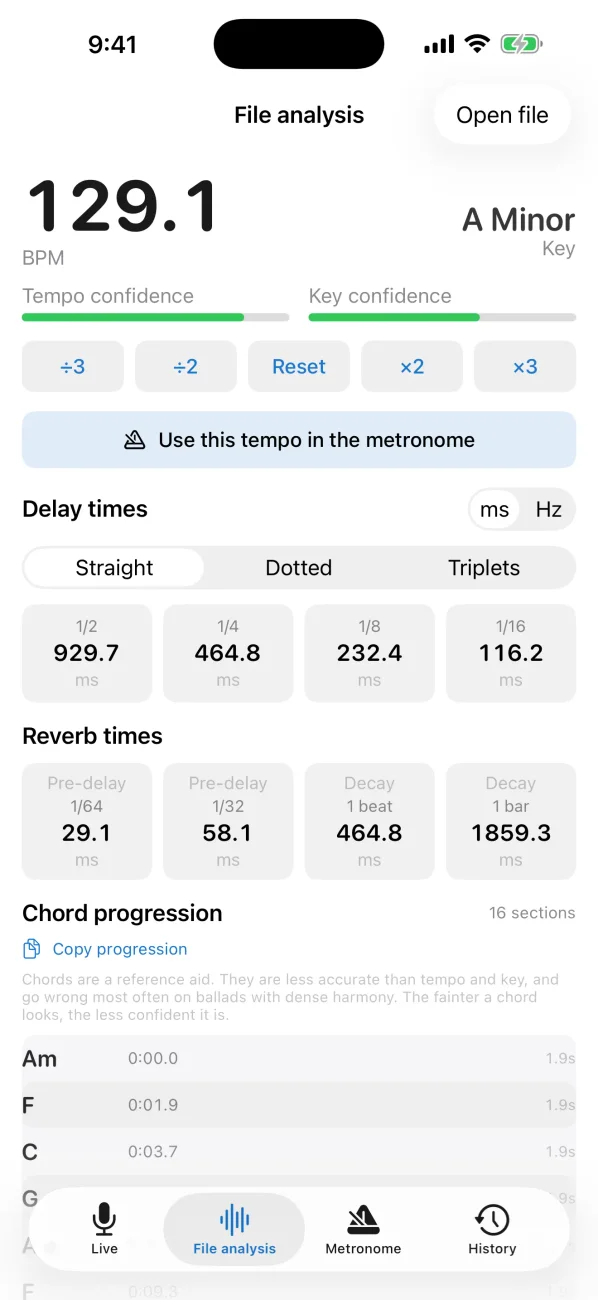
Hold your phone up to the music and it finds the tempo and key in real time. Drop in an audio file and it pulls tempo, key, and the chord progression in one pass.
■ Free
· Live detection — tempo (BPM) and key from the microphone, as it plays
· Delay and reverb times — milliseconds worked out from the detected BPM. Straight, dotted, triplet
· The whole metronome — 30-300 BPM, 2/4, 3/4, 4/4, 6/8, 12/8
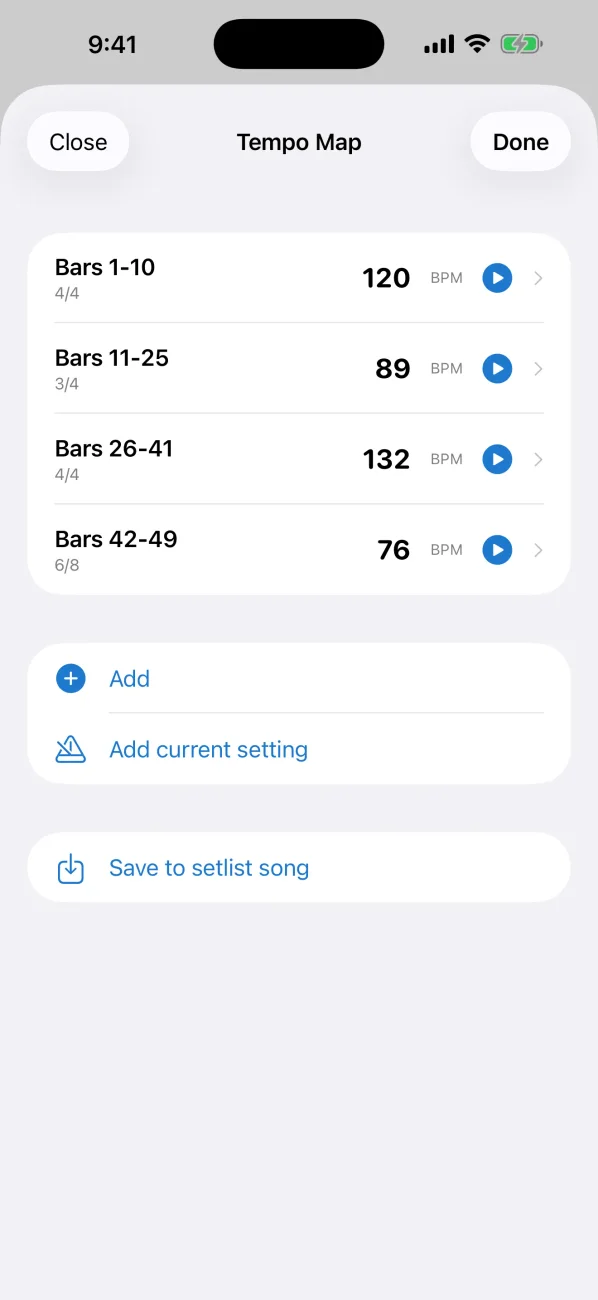
· Bar maps — lay out a song that changes tempo or meter partway through and play it straight through. Section looping included
· Six sounds — electronic beep, tick-tock, wood block, cowbell, claves, rimshot
· Subdivisions — eighths, triplets, sixteenths, swing eighths, dotted eighth + sixteenth, sextuplets, 3:2 polyrhythm
· 59 drum style presets with a pattern grid
· Haptic beats (iPhone)
· Background playback — keeps clicking while you read a score or with the screen locked
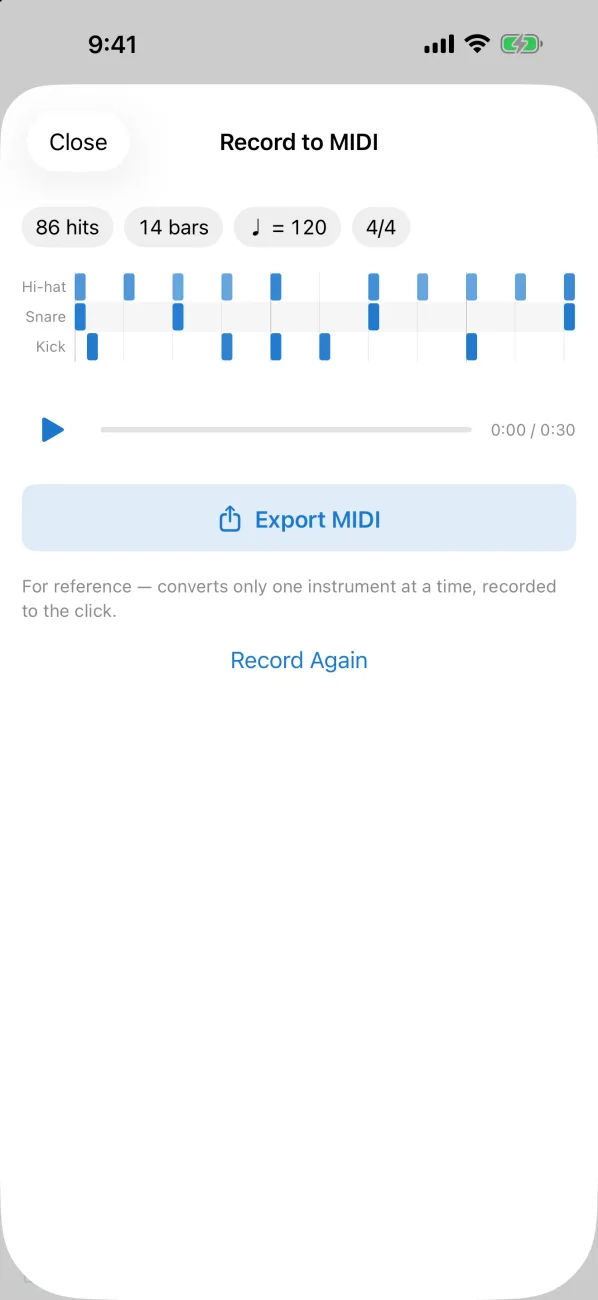
· Record to MIDI — record your playing to the click and it writes the notes down as a piano roll (iPhone and iPad, reference only)
■ Pro (one-time lifetime purchase, not a subscription)
· Full-song analysis — free covers the first 60 seconds
· Save and revisit your analyses
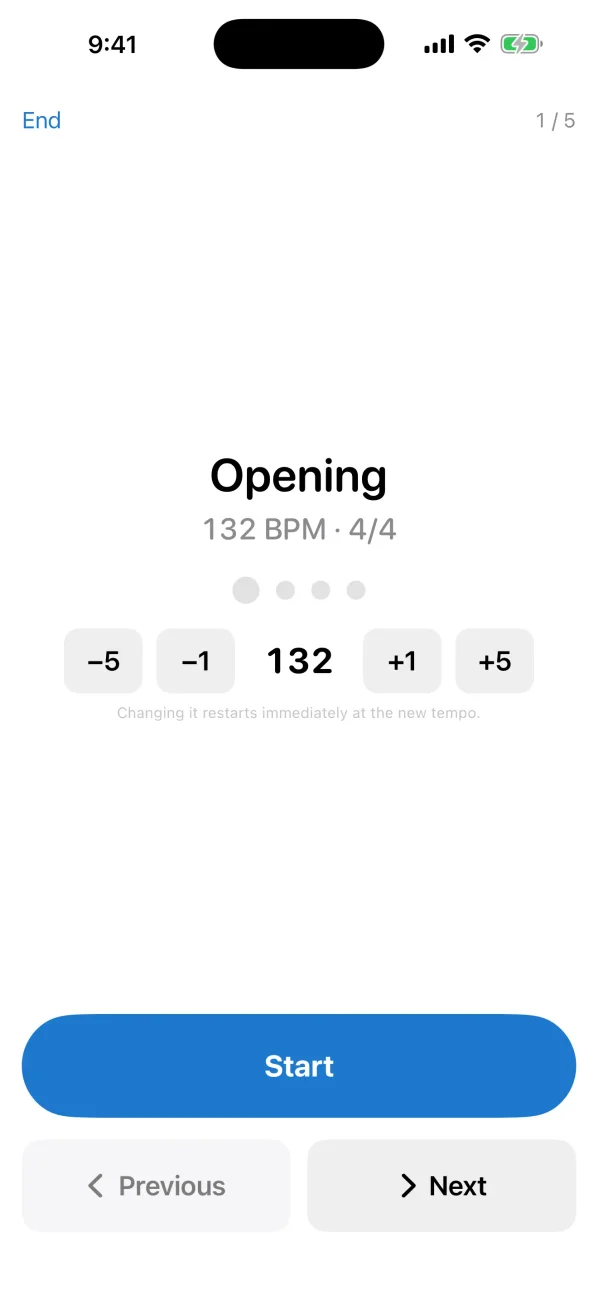
· Setlist — put your songs in show order and on stage you only press Next. Tempo, meter, and drum pattern all switch together. Practice mode lets you save the tempo you settle on straight back to the song.
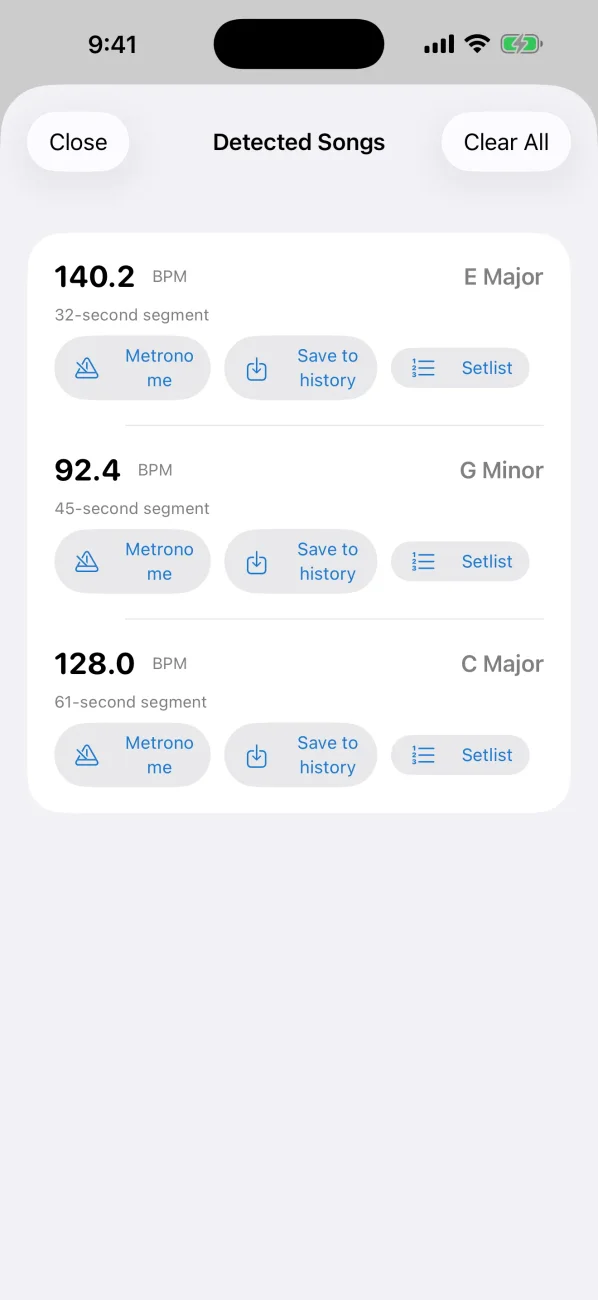
· Playback detection — leave it listening and it finds where songs change, splitting them into a list. Saving the song playing right now by hand is free for the first three
· Export MIDI — save a Record to MIDI result as a MIDI file, ready to drop into your DAW
■ About accuracy
Measured against 13 tracks with known answers: tempo was right on 13, key on 12. That is a small sample, so treat it as a guide. Chord detection is well below that and is a reference aid only — it goes wrong most often on ballads with dense harmony. Check it yourself with the free 60 seconds before you decide.
Record to MIDI is a reference aid too. In one test — 14 bars of a straight 8-beat drum groove, recorded at a live venue with an iPhone on the music stand — it got the kick and snare right in 13 of 14 bars and caught 43 of 56 hi-hat hits. Recording and viewing the result are free, so try it on your own playing first.
■ No internet needed
All analysis runs on your device. No account, no server, no ads. Audio from the microphone never leaves your device. The only recording kept is the last one you make yourself in Record to MIDI, and it stays on your device too.
■ Made for
· Sound engineers who need a song's tempo fast, on site
· Mixing engineers who need delay and reverb times that match the BPM
· Performers who change tempo song by song through a set
· Drummers practising triplets and polyrhythms
What’s new
Version 1.6 · Nov 16, 2026
■ Speed Trainer
· Enter start and target tempos and a step, and your Tempo Map is built as a staircase. Open Tempo Map in the Metronome and tap Create Speed Trainer
■ Shortcuts, Siri and the Action button
· Start and stop the metronome without opening the app
· Find Tempo opens the app and starts listening right away
· To start at a specific BPM, set it in the Shortcuts app
■ Fixes
· The Buy and Restore buttons on the purchase screen were hidden on iPhone in landscape
App privacy
What HYO SEOP LEE declares on the App Store about how this app handles data.
-
Data not collected
The developer does not collect any data from this app.
Privacy practices may vary, for example with the features you use or your age.
Information
- Seller
- HYO SEOP LEE
- Category
- Music
- Version
- 1.6
- Updated
- Nov 16, 2026
- Released
- Sep 9, 2026
- Size
- 15.0 MB
- Requires
- iOS 18.0 or later
- Age rating
- 4+
- Price
- Free
- In-app purchases
- Yes
- Languages
- English, French, German, Japanese, Korean, Portuguese, Simplified Chinese, Spanish
- Copyright
- © 2026 이효섭
You might also like
-
 ChordLuma: Chords, Key & BPMListen, explore, practice
-
 Kizamu: Metronome & BPM FinderLive Tempo Detector & Trainer
-
 SCOUT — Key & BPMKey, tempo & chords, live
-
 Band Session NoteSheet Music Editor & Setlists
-
 ENYO Metronome: Setlists & BPMPolyrhythm, Tap Tempo & Tuner
-
 DeYin GoTune-record-analyze melody
-
 Rhythmiq - MetronomePrecise beats. Any rhythm.
-
 Beat Vibe ProMusic
-
 Music from CDSS GemsMusic
-
 Luigi: Violin Tuner & ScalesIntonation practice with drone