
Tempus: Daily Planner & To-Do
Time Blocking & Focus for ADHD
Designed for iPhone, iPad, Mac
In-app purchases
- Age rating4+
- CategoryProductivity
- DeveloperAnh Nguyen
- LanguagesEnglish+ 11 more
- Size135.7 MB
Links to the official App Store page
Download.org hosts no file of Tempus: Daily Planner & To-Do. The button opens its official App Store page, published by Anh Nguyen. Listing last checked on Nov 23, 2026.
Screenshots


About
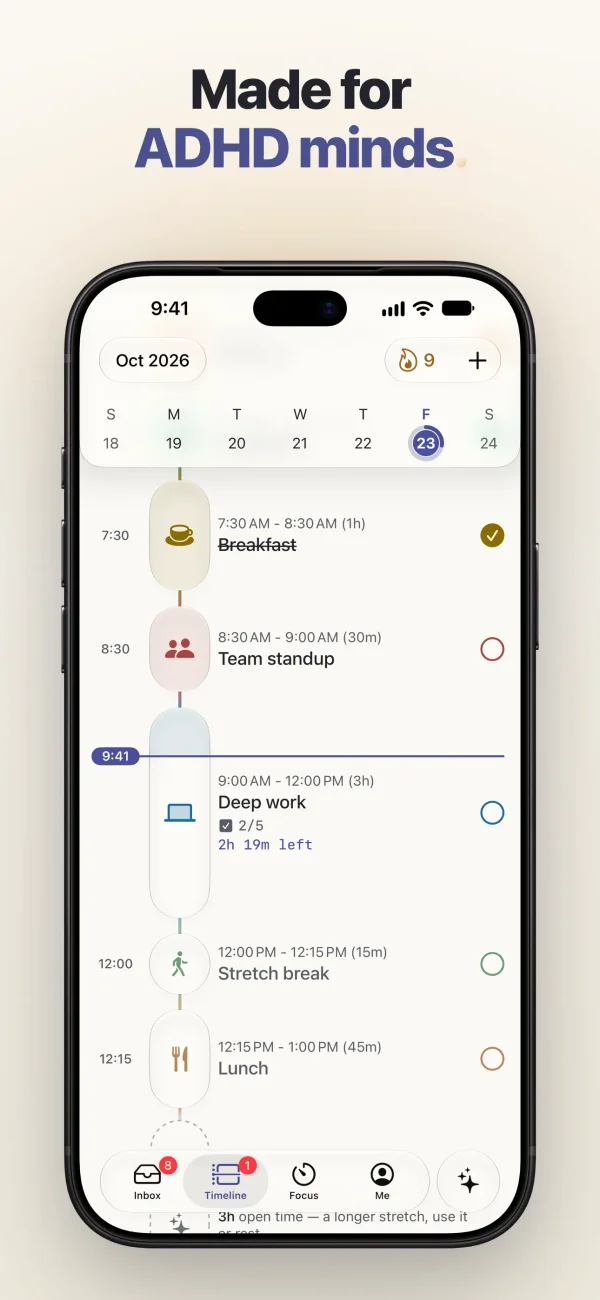
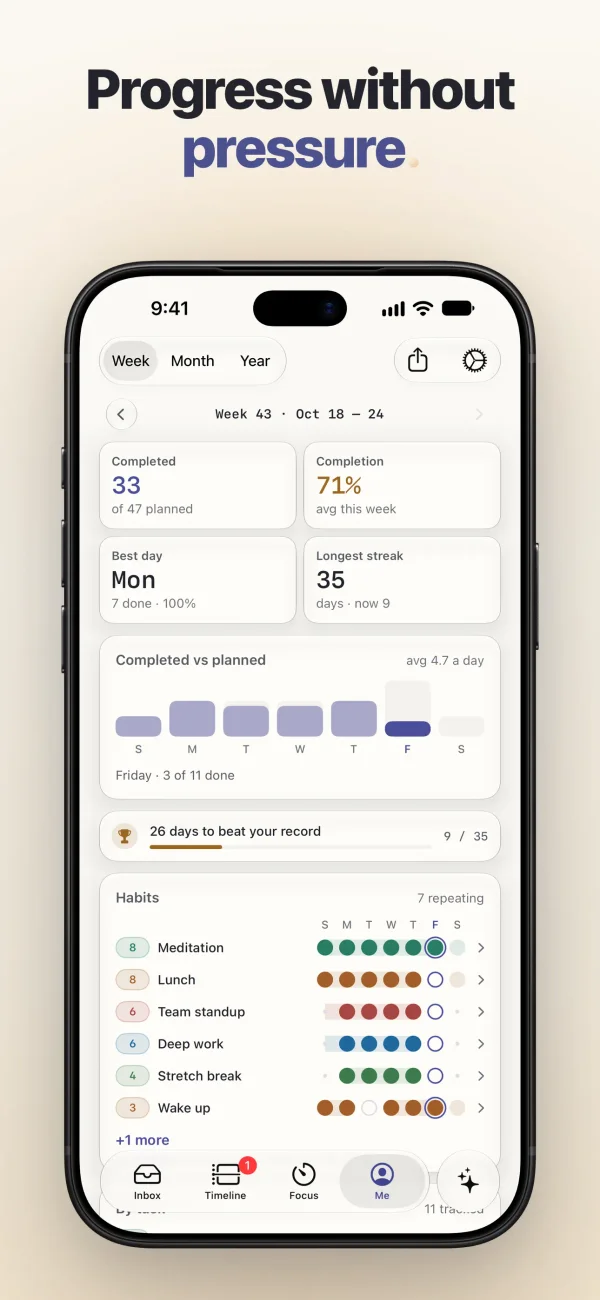
Tempus is a calm daily planner and to-do list built for ADHD brains: one clear timeline for your day, a focus dial with app blocking, gentle streaks, and Siri shortcuts, most of which run without opening the app.
MADE FOR REAL ADHD CHALLENGES
Most planners assume your brain cooperates. Tempus is built for the days it doesn't:
• Time blindness — see time as space on a visual timeline
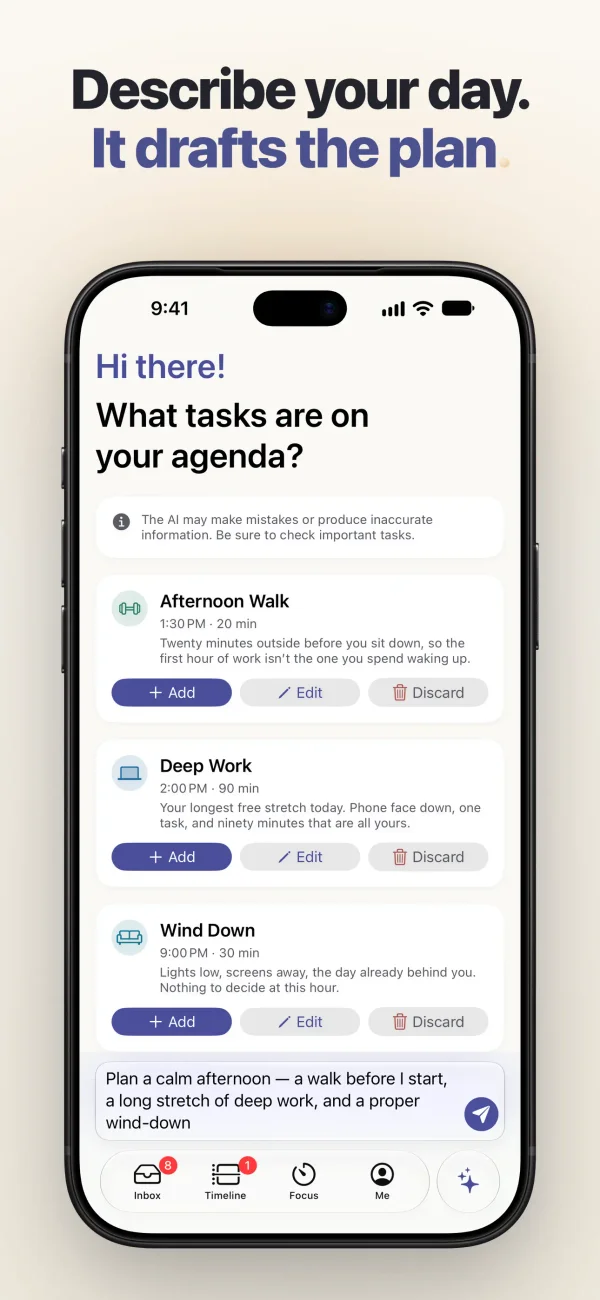
• Task paralysis — describe your day and let Apple Intelligence draft the plan; you review it before anything is saved
• Forgetfulness — alarms, reminders and Live Activities
• Overwhelm — one signal per state, one accent per screen
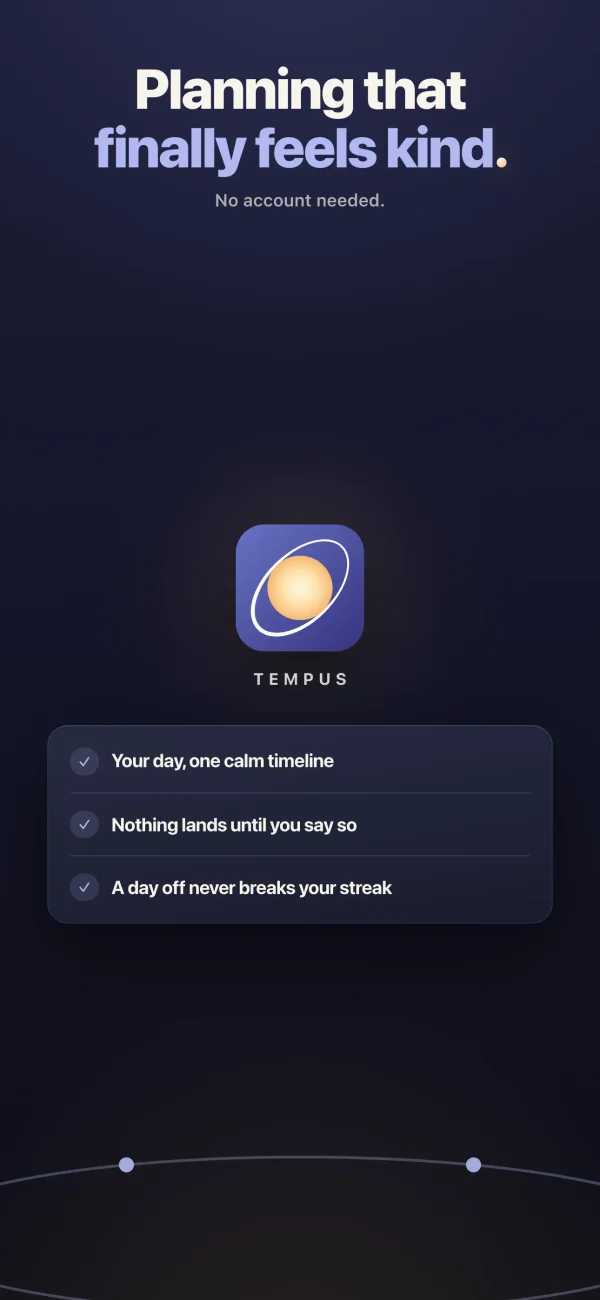
• Broken routines — a day with nothing planned never breaks your streak, and coming back is the win
PLAN — DESCRIBE YOUR DAY, THEN DECIDE
• Say or type what needs to happen: "deep work this morning, gym after lunch, call the clinic"
• Tempus turns it into tasks with a duration, a priority and an energy level, and fits them around what's already on your calendar
• Watch the plan take shape on the timeline. Fix a title, drop what you don't want, then add it to your day. Nothing lands until you say so.
• Plan today or tomorrow, in the app or with Siri
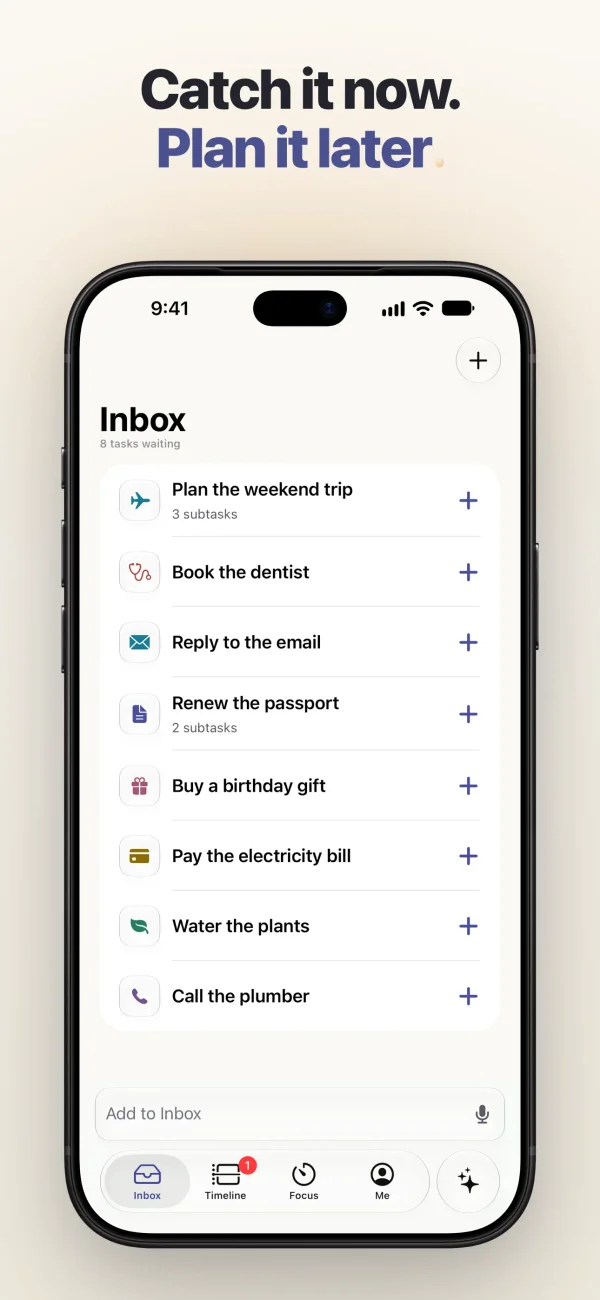
• Inbox to capture thoughts now, typed or spoken, and sort them later
ONE TIMELINE FOR EVERYTHING
• Tasks, habits and routines, with your Apple Calendar events (including Google and Outlook accounts on your iPhone) and Reminders
• Edit a calendar event from the timeline, and show your Tempus tasks in Calendar with Two-Way Calendar Sync
ASK SIRI — IN YOUR OWN WORDS
• "Plan my day in Tempus", "What's next in Tempus", "Start focus in Tempus": ten Siri shortcuts, most of them without opening the app
• On iOS 27, Apple Intelligence understands Tempus like a calendar: "Create a dentist appointment in Tempus tomorrow at 3pm" works with no phrase to memorise
• Siri answers with cards you can act on, like marking the next task done
• Find any task in Spotlight
• Shortcuts for Prepare Tomorrow, Reschedule Task, Move Unfinished Tasks (with undo) and Review Day
FOCUS — A DIAL, A SOUND, AND APPS KEPT OUT
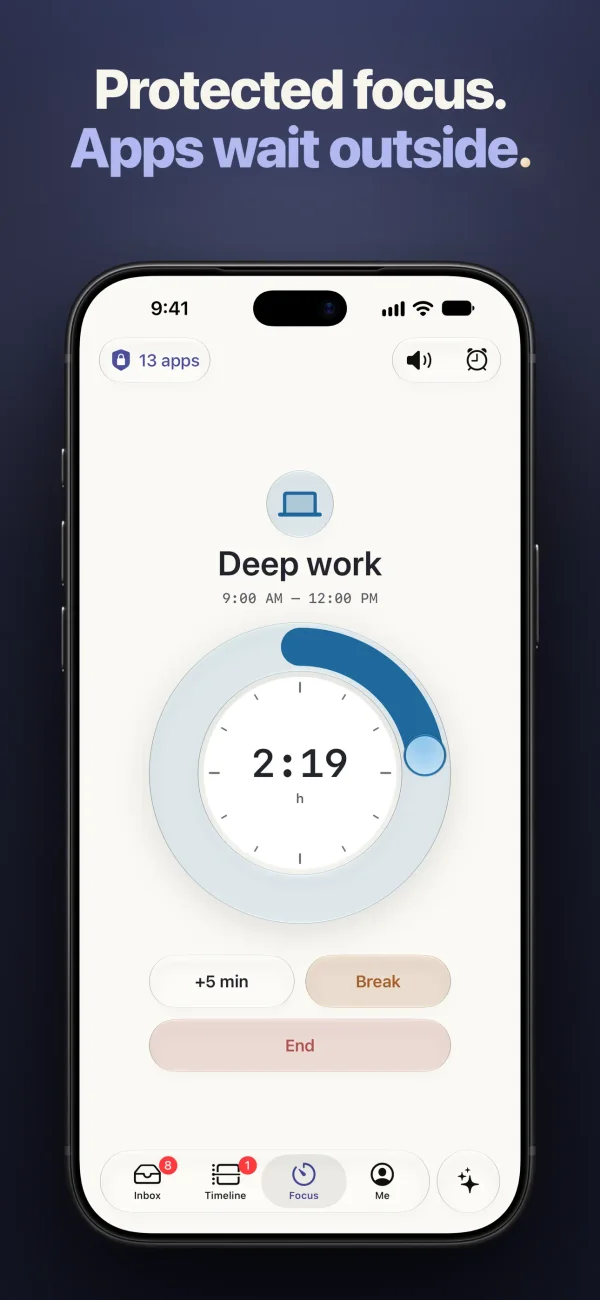
• Pick a length on the focus dial and start on any task
• The Focus screen dims into one of five sounds, from rain to brown noise
• Focus Mode keeps distracting apps out with one tap, using Apple's Screen Time. Free on your first day, then Tempus Pro.
• Live Activities keep the session on your Lock Screen
FORGIVE — PROGRESS WITHOUT PUNISHMENT
• A day with nothing planned never breaks a streak
• Statistics by week, month or year that celebrate coming back
• No confetti, no guilt. A calm acknowledgement and your next step.
PRIVATE BY DESIGN
• No account required. Your tasks live on your device and in your own iCloud.
• Plans are drafted by Apple Intelligence where it's available, or by Tempus Cloud Planning if you turn it on. You review everything before it's saved.
ALSO IN TEMPUS
• iCloud sync across iPhone, iPad and Mac
• Works offline
• Interactive widgets, an Apple Watch app and complications
• A Liquid Glass interface with a split view on iPad
PERFECT FOR
• Adults with ADHD or executive function challenges
• Students with classes and deadlines
• Professionals who need deep work
• Anyone overwhelmed by busy productivity apps
Requires iOS 26.2 or later. Apple Intelligence planning and spoken Inbox capture need a supported device with Apple Intelligence on. Siri in your own words needs iOS 27.
Privacy Policy: https://www.gettempus.app/privacy-policy
Terms of Use: https://www.gettempus.app/terms-of-service
What’s new
Version 2.2.3 · Nov 20, 2026
• Two-Way Calendar Sync: your scheduled tasks appear in Apple Calendar. Move or rename one there, and Tempus follows. For a repeating task, Tempus asks first. Turn it on in Settings › Calendars.
This version includes bug fixes and performance improvements.
Thank you for using Tempus!
App privacy
What Anh Nguyen declares on the App Store about how this app handles data.
-
Data not linked to you
May be collected but is not linked to your identity.
- Identifiers
- Usage data
- Diagnostics
Privacy practices may vary, for example with the features you use or your age.
Information
- Seller
- Anh Nguyen
- Category
- Productivity
- Version
- 2.2.3
- Updated
- Nov 20, 2026
- Released
- Sep 12, 2025
- Size
- 135.7 MB
- Requires
- iOS 26.2 or later
- Age rating
- 4+
- In-app purchases
- Yes
- Languages
- English, Arabic, French, German, Italian, Japanese, Korean, Portuguese, Russian, Simplified Chinese, Spanish, Vietnamese
- Copyright
- © 2026 Anh Nguyen
You might also like
-
 Kutu: Bookmark ManagerSave Links & Read Later
-
 Mangonote: AI Note TakerVoice Recorder & Transcription
-
 NoteSpeak AI Note TakerAI Meeting Notes & Recorder
-
 WizNote: Brain Dump AIAuto Sort Voice & Photo
-
 Home Chores & Cleaning: OhWaitMaintenance Tracker & Schedule
-
 Puzzle Alarm Clock: SvegliareHeavy Sleeper Wake-Up Mission
-
 AI To-Do List: Voice ShoppingVoice Task Manager & Checklist
-
 NoteOS: Voice Notes & TasksAI To-Do & Habit Tracker
-
 PDFForge - PDF Scanner & EditOCR, Signature & File Manager
-
 TranscribeAI: Note TakerTranscribe Podcast & Recording