
- Age rating4+
- CategoryUtilities
- DeveloperViktor Gamov
- LanguagesEnglish
- Size75.4 MB
Links to the official App Store page
Download.org hosts no file of Tempus World Clock. The button opens its official App Store page, published by Viktor Gamov. Listing last checked on Nov 20, 2026.
Screenshots


About
Tempus is a world clock and time zone converter built for people who work, travel, and stay in touch across time zones. It is at home on iPhone, iPad, and Apple Watch.
NAME YOUR CLOCKS
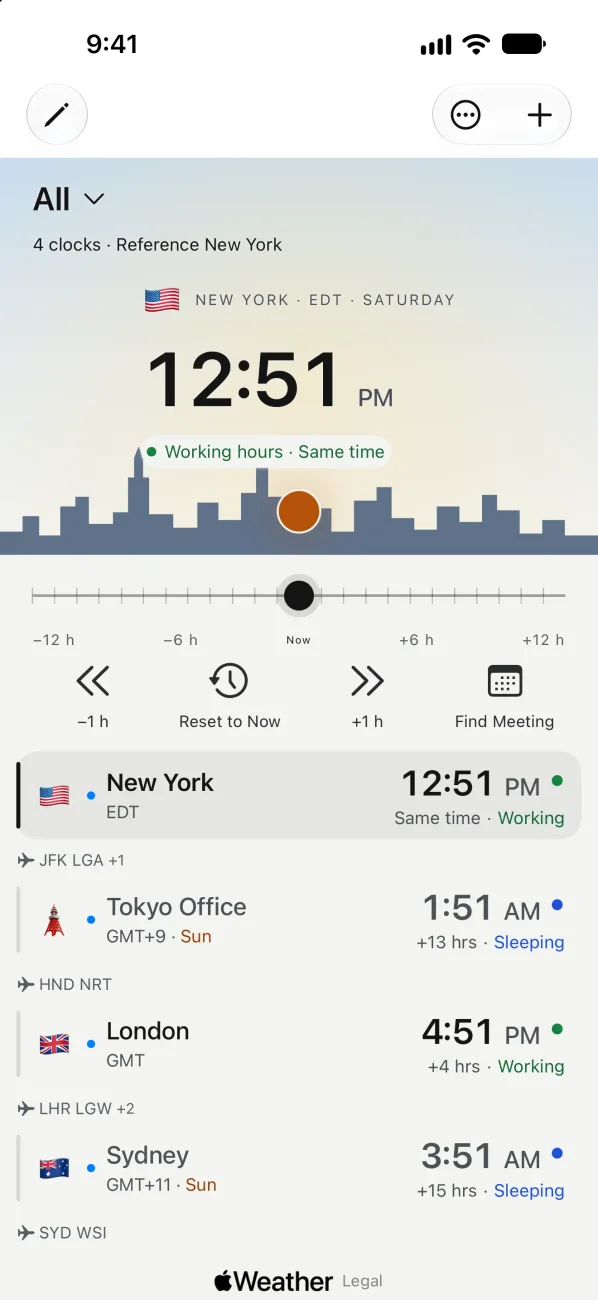
Add clocks for cities or for the people you talk to. Give each one a custom name, an emoji, and a color tag so "Mum in Sydney" or "Design team, Berlin" is readable at a glance. Choose emoji from a searchable catalog with recents and suggestions for the city. Pick analog or digital faces, 12 or 24 hour time, and see the time difference from wherever you are.
CONVERT TIMES INSTANTLY
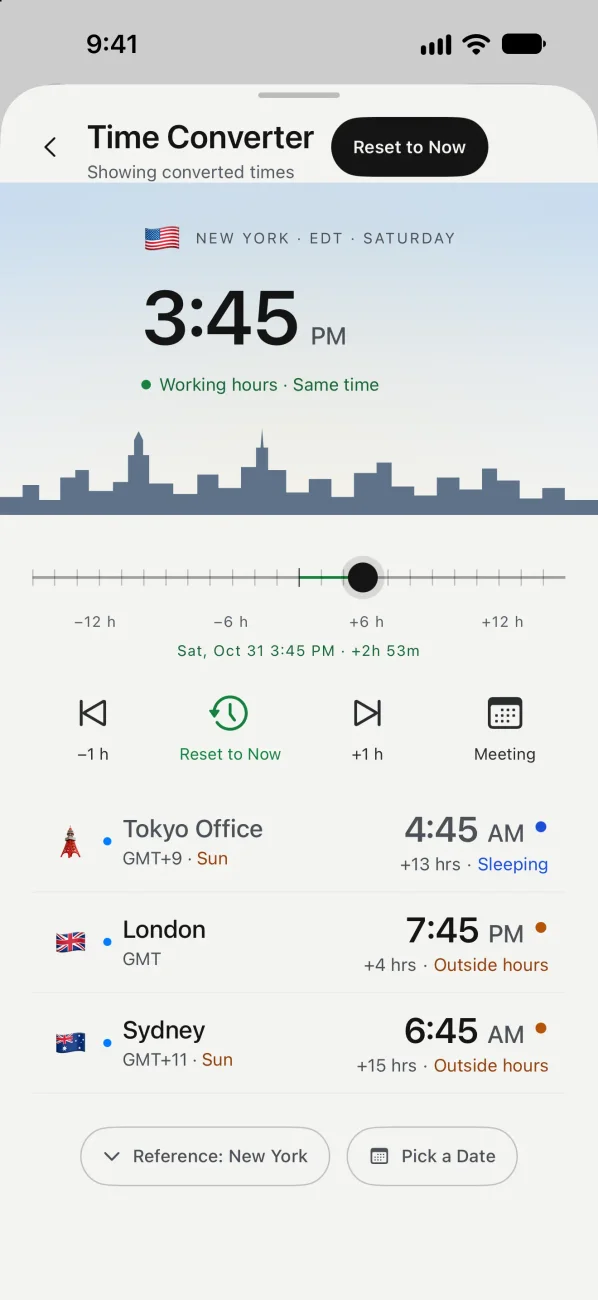
Pick any time in any zone and see it in all your clocks at once. Drag the time scrubber to slide through the day and watch every clock move together, with each city's weather forecast for that hour. Day and night indicators follow the working hours you set for each city, so you can see at a glance who is reachable.
PROFILES
Group your clocks into profiles such as Work or Family and switch between them from the title on iPhone or the sidebar on iPad. A city can be in several profiles, and the active profile syncs to your other devices and Apple Watch.
REMINDERS IN ANOTHER CITY'S TIME
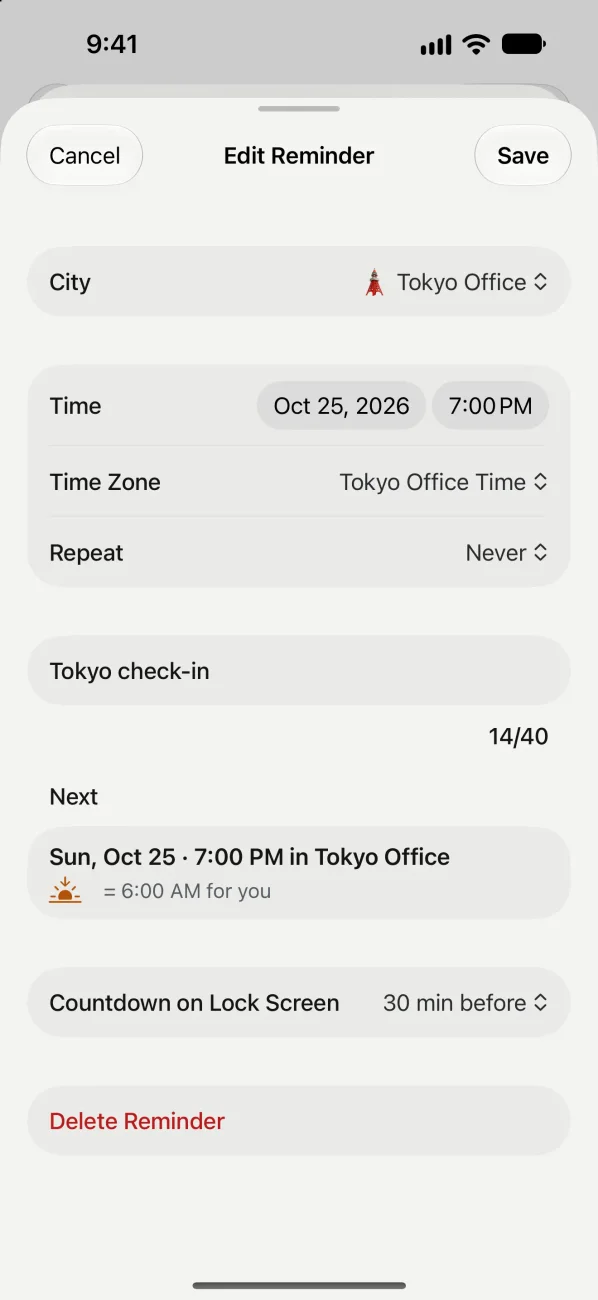
Set a reminder for 9:00 in Tokyo and Tempus alerts you when it is 9:00 there, whatever time it is where you are. Anchor a reminder to the city or to your own time, repeat it every day or on the weekdays you choose, or set it for a single date. Label it, pause it without deleting it, and turn alerts off on a device you would rather keep quiet.
ON THE LOCK SCREEN
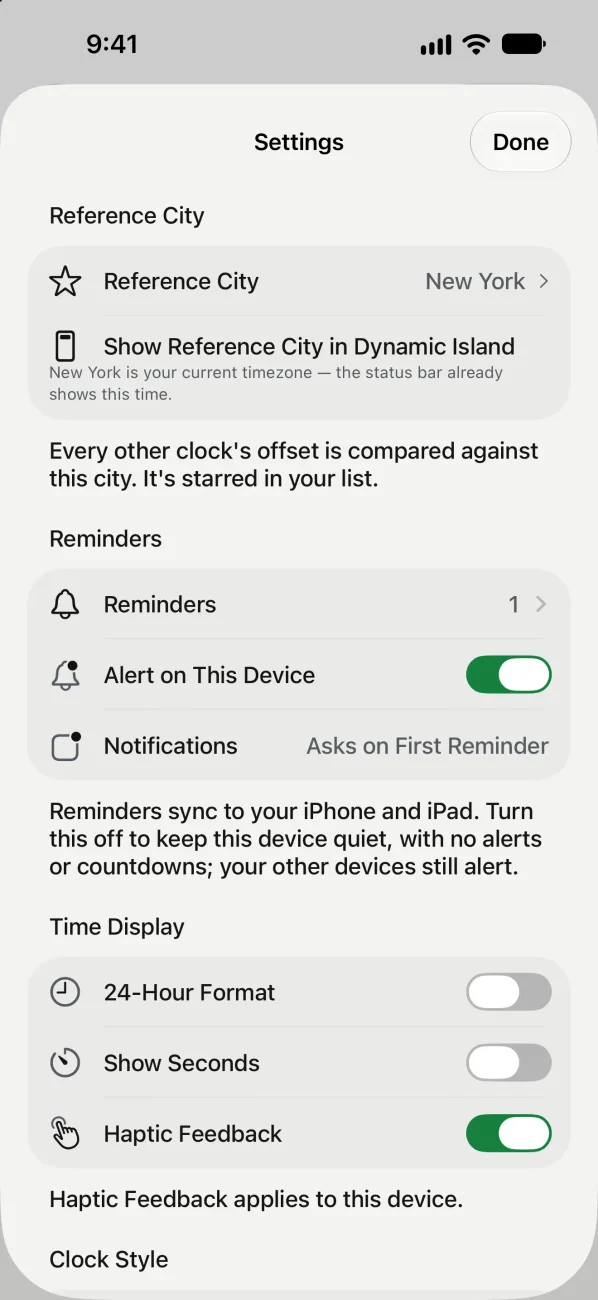
Keep a reference city in the Dynamic Island and on the Lock Screen, with its current time and how far ahead or behind you it is. A countdown appears there before a reminder is due.
UPCOMING TIME CHANGES
See every clock change in the next 90 days for your cities, such as "London will be 4 hours ahead instead of 5", with an example time, so a daylight saving switch does not catch you out.
FIND A MEETING TIME THAT WORKS
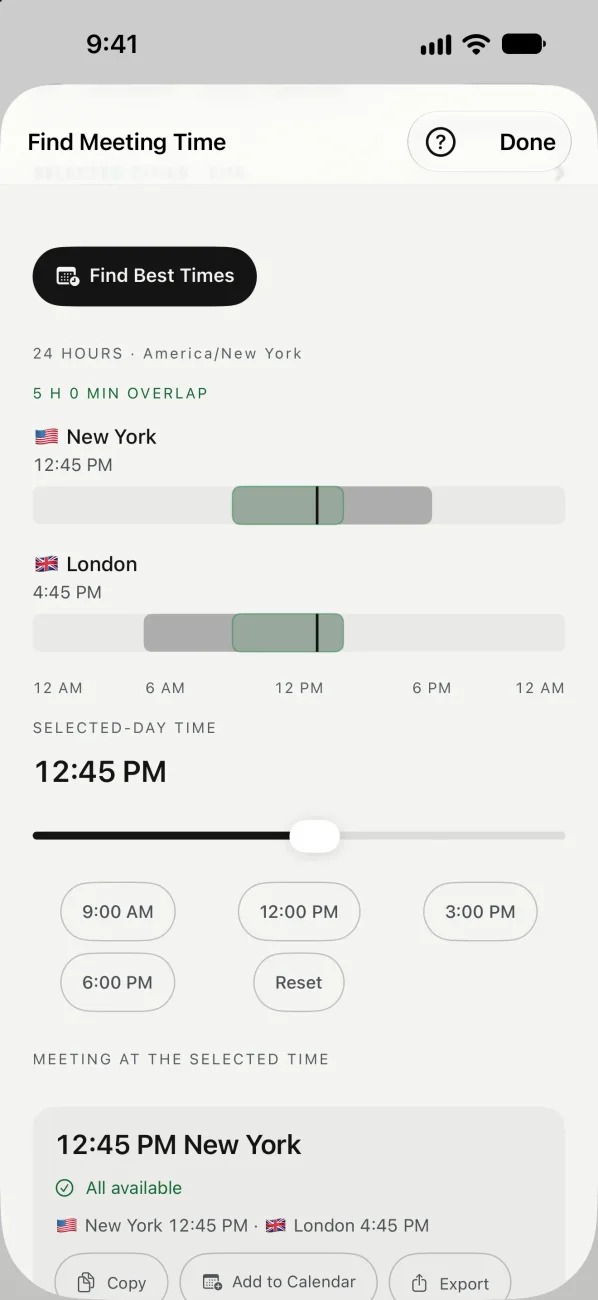
Select two or more clocks, set working hours for each, choose a meeting length from 30 minutes to 2 hours, and Tempus shows the windows where everyone is available for the whole meeting. Add the meeting to your calendar in one tap or share it as an .ics invite.
CITY DETAIL
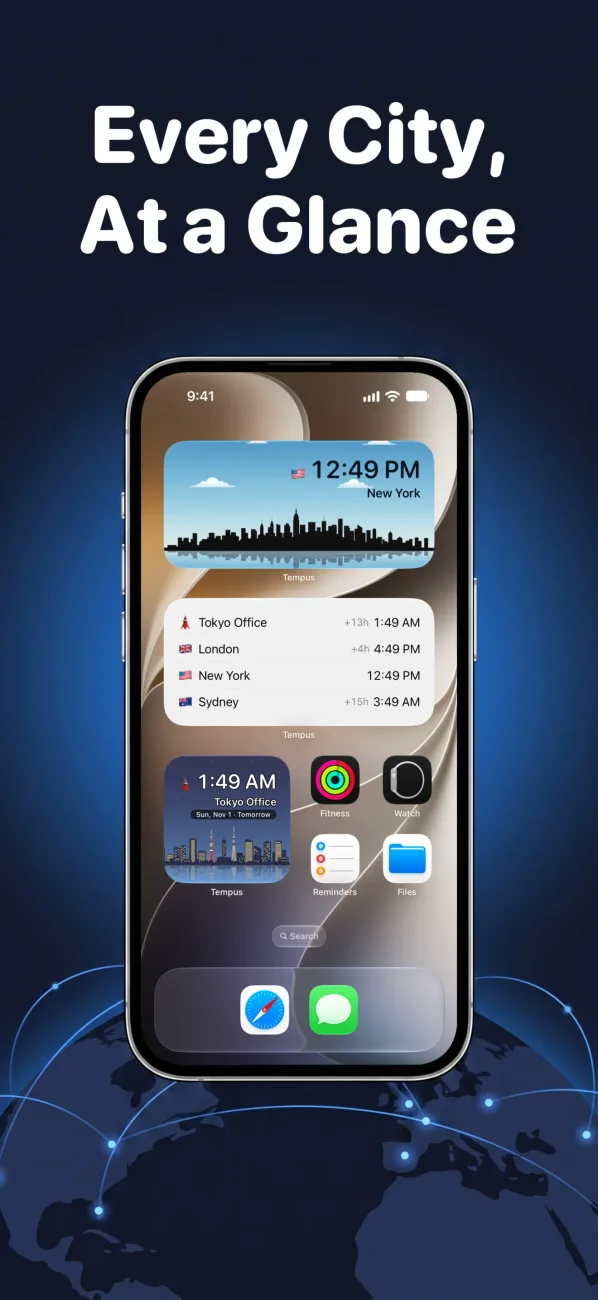
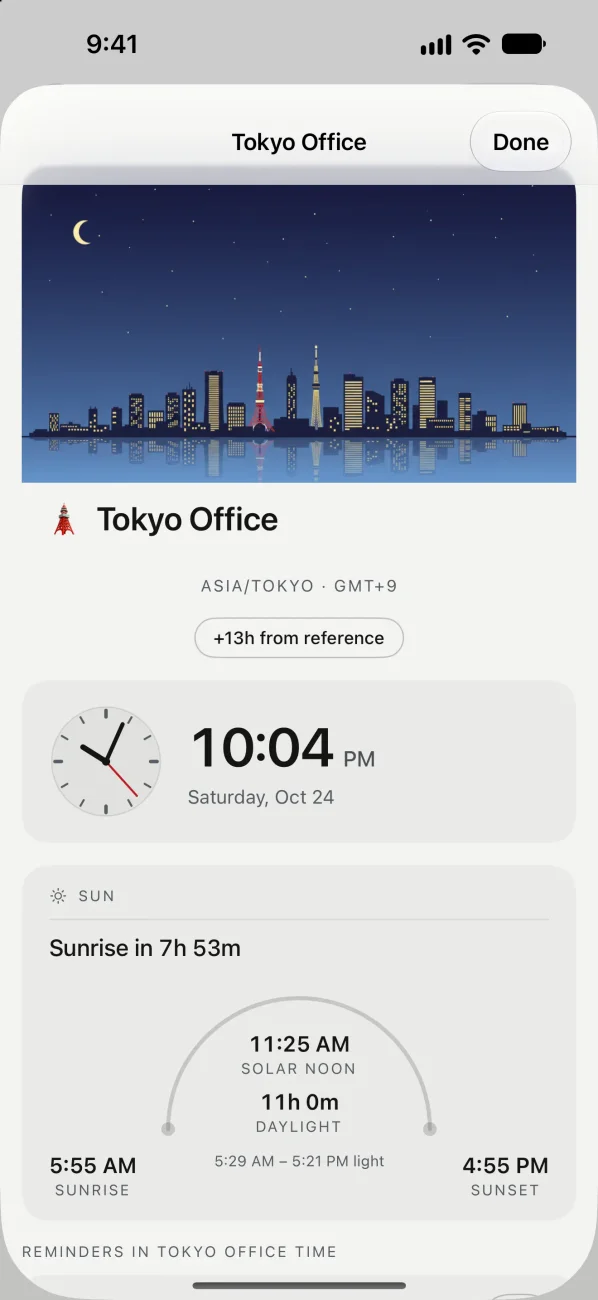
Tap any clock for a full city view: a skyline illustration that changes with the time of day, sunrise and sunset on a daylight arc, and current weather conditions.
IPAD
On iPad, Tempus uses a native split layout: browse your clocks in a sidebar while City Detail stays open beside them. Time Converter and Meeting Finder open in the detail column with room for a full-width overlap timeline. Keyboard shortcuts and pointer hover are supported throughout.
APPLE WATCH
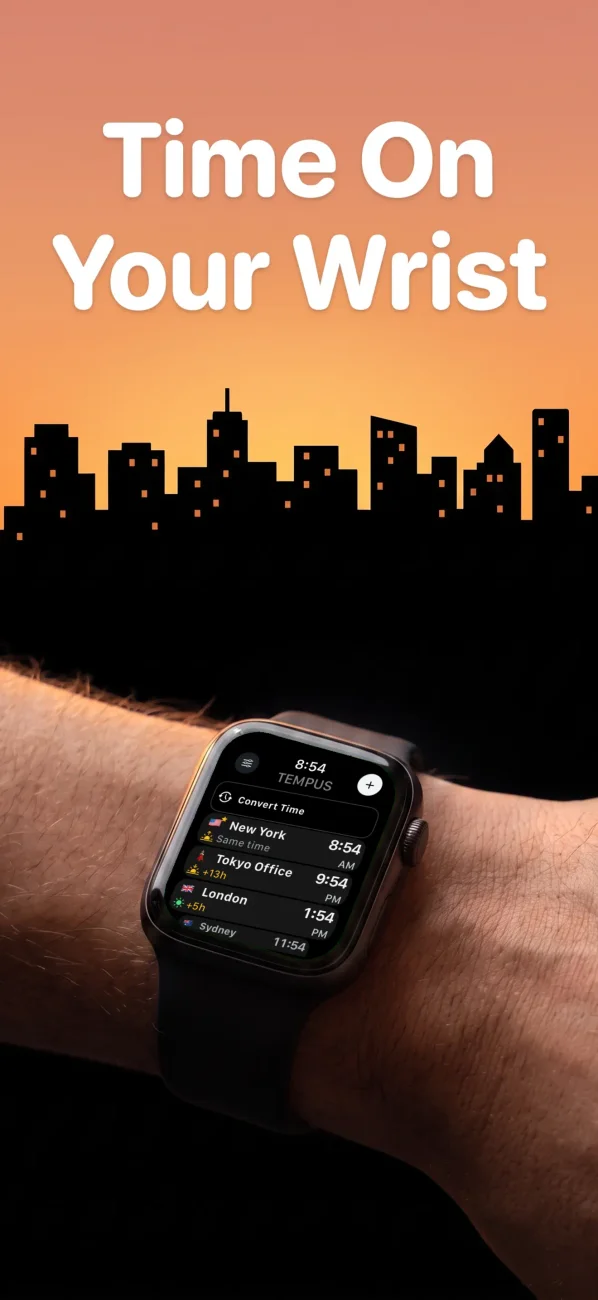
Tempus on Apple Watch shows your clocks on your wrist, lets you convert times with the Digital Crown, and offers complications for your favorite clocks and for the next sunrise or sunset. Tap a city for its card with local time, offset and today's sunrise and sunset, and choose a Dark or Light appearance. Clocks sync instantly between iPhone and Apple Watch.
WIDGETS
A city widget shows one city drawn as its skyline, lit for the time of day, with an optional weekday and date. The World Clocks widget shows the cities you choose on the Home Screen or the Lock Screen; tap −1h or +1h to see them an hour earlier or later. Your clocks sync across all your devices with iCloud.
PRIVACY FIRST
Tempus has no account, no ads, and no tracking. Your clocks are stored on your device and in your private iCloud database. Weather is provided by Apple Weather for the cities you add, never for your own location.
What’s new
Version 2.1.0 · Nov 18, 2026
• Upcoming Time Changes: open More to see every clock change in the next 90 days for your cities, such as "London will be 4 hours ahead instead of 5", with an example time. City Detail opens the same list for one city.
• Meeting length: pick 30 minutes to 2 hours in Meeting Finder. Every city shows its local start and end, a city is flagged when any part of the meeting falls outside its working hours, and Copy, Add to Calendar and Export use the length you chose.
• World Clocks widget: tap −1h or +1h to see every city an hour earlier or later, and Now to return. The widget goes back to Now on its own ten minutes after your last tap.
• Weather while you scrub: drag the time and each city shows the forecast for that hour.
• More cities: search finds more than 740 additional cities, including Yekaterinburg, Omsk and Novosibirsk, and finds cities by their airport codes.
• Apple Watch: Tempus Sun complications show the next sunrise or sunset for your reference city or a city you choose. Tap a city for its card with local time, offset and today's sunrise and sunset. Convert keeps the reference city at the top while the Digital Crown changes the time. Settings adds a Dark or Light appearance and a switch to hide the day bar.
• Fixes: Apple Watch follows your 24-hour setting, City Detail weather follows your Celsius or Fahrenheit setting, Edit and Done keep your place in the clock list, touching the scrubber without dragging stays on Now, and iPad sidebar rows keep Tomorrow and Yesterday visible.
App privacy
What Viktor Gamov declares on the App Store about how this app handles data.
-
Data not collected
The developer does not collect any data from this app.
Privacy practices may vary, for example with the features you use or your age.
Information
- Seller
- Viktor Gamov
- Category
- Utilities
- Version
- 2.1.0
- Updated
- Nov 18, 2026
- Released
- Sep 12, 2026
- Size
- 75.4 MB
- Requires
- iOS 17.0 or later
- Age rating
- 4+
- Price
- $1.99
- Languages
- English
- Copyright
- © 2026 Viktor Gamov
You might also like
-
 Nice-ClockUtilities
-
 Atomic Clock AppLuxury Clock & Timers
-
 Timezone: Meeting PlannerWorld Clock & Time Converter
-
 TimeTapeVisual World Time Timeline
-
 Tokei: World Clock GlobeTime zones & day-night map
-
 Meridian Time ZonesWorld time zones visualized
-
 ZoneTrekker - World ClockTimezones, holidays & weather
-
 Shadowline: World Time ZonesMeeting planner & Jet Lag tool
-
 Timezone Grid: World ClockWorld Clock & Time Planner
-
 WorldZap – Set & Compare TimesGlobal Meeting Scheduler