Termi: Assignment Tracker
College deadline countdown
Designed for iPhone, iPad
Free · In-app purchases
- Age rating4+
- CategoryProductivity
- DeveloperDennis Bar
- LanguagesEnglish+ 9 more
- Size25.2 MB
Links to the official App Store page
Download.org hosts no file of Termi: Assignment Tracker. The button opens its official App Store page, published by Dennis Bar. Listing last checked on Nov 18, 2026.
Screenshots

About
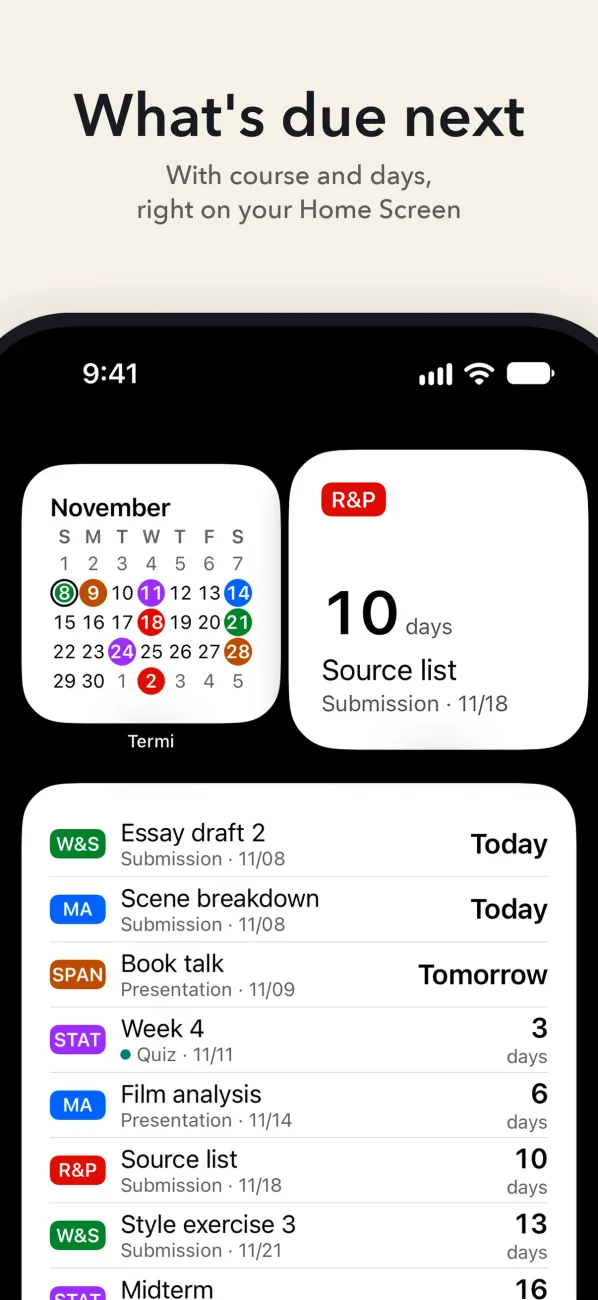
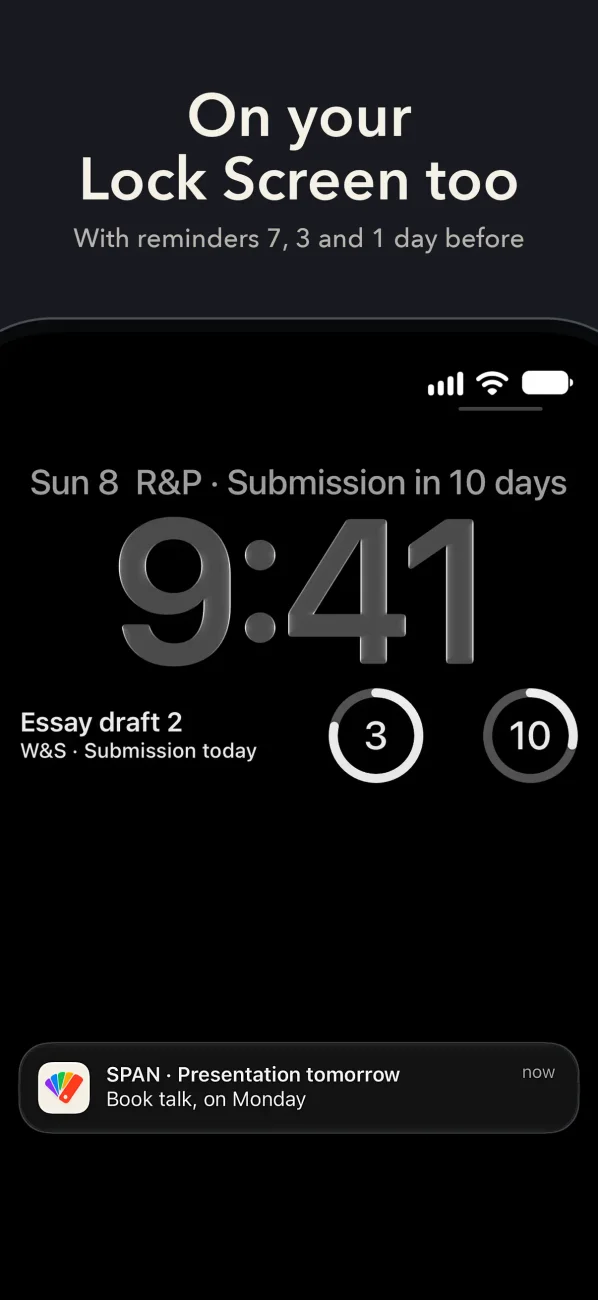
Termi shows you on your Home Screen what's due next and which course it belongs to. Assignments, presentations and exams appear with a course code and the days until the deadline, on the Lock Screen too.
Deadlines, course by course
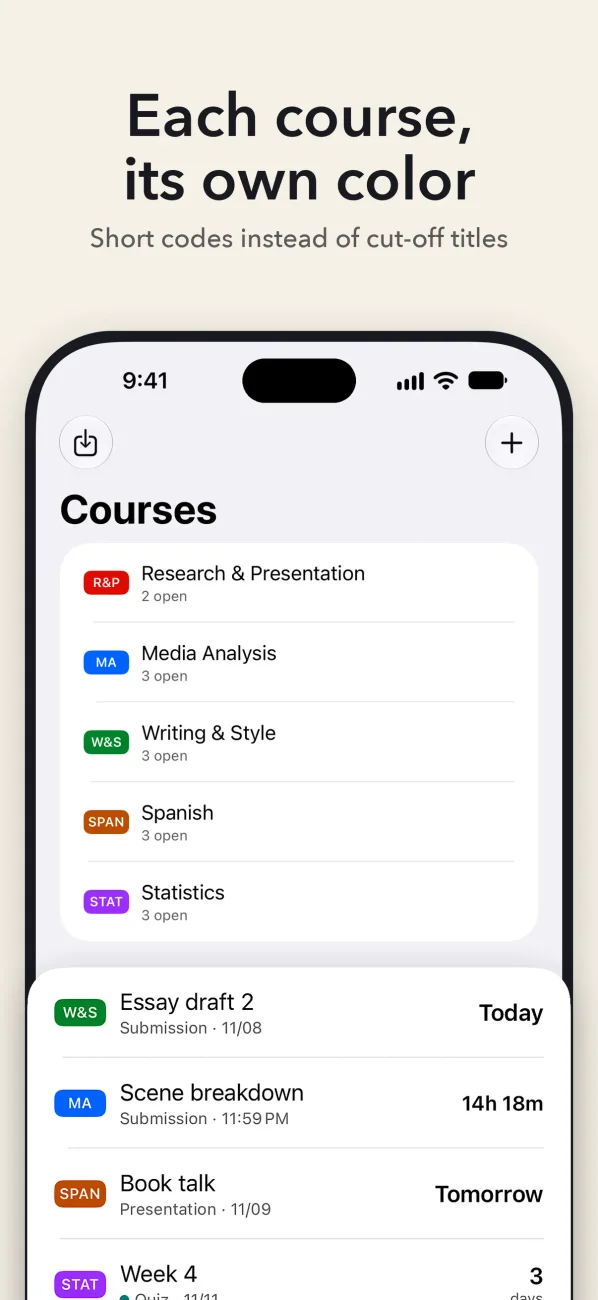
Every course gets a short code like R&P or STAT and one of 12 colors. The color belongs to the course, not to each entry. Titles stay short, and you can tell the course at a glance, even in the small widget.
A widget for every spot
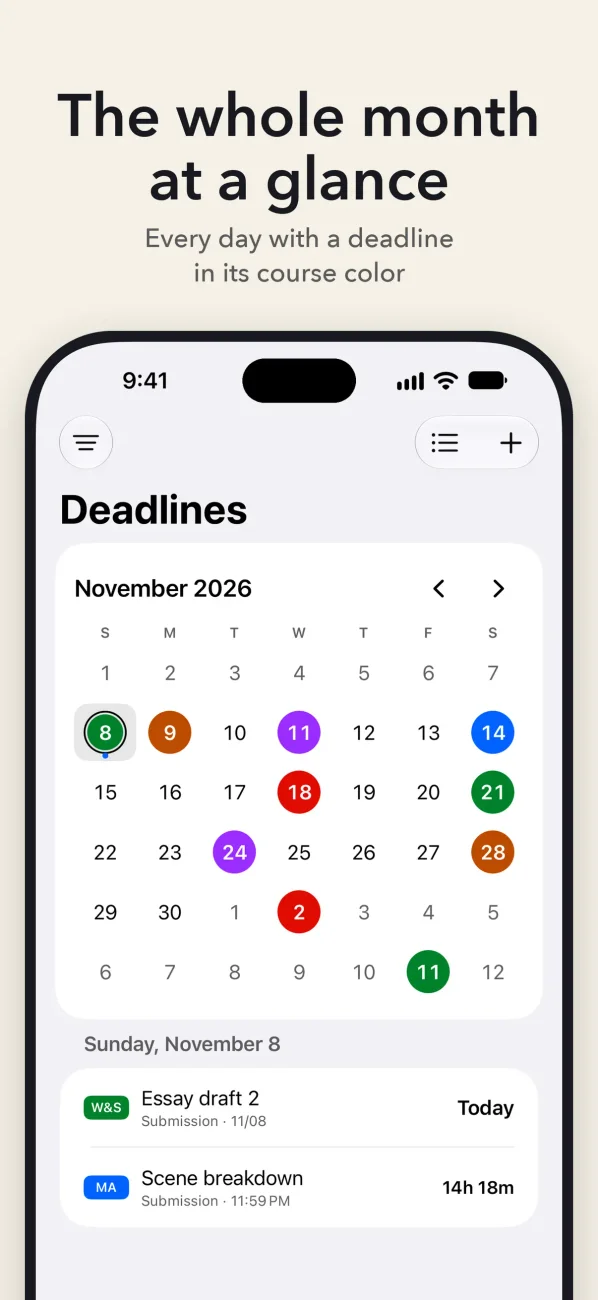
Small with a big day count, medium and large as a list, extra large in two columns on iPad. On the Lock Screen as a ring, a rectangle or a line above the clock. The month widget shows every day with a deadline in the color of its course. From iOS 27, the semester widget in the 4×6 format adds a timeline. Every widget can be limited to certain courses, and the day count updates after midnight without opening the app.
A deadline in seconds
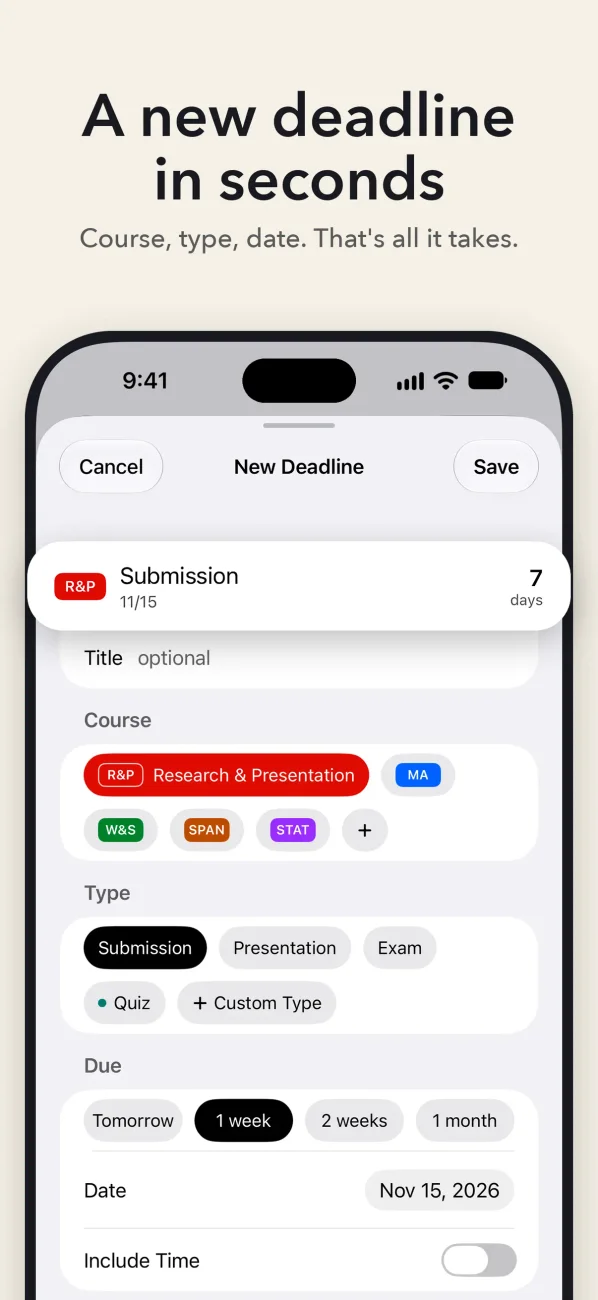
Course, type, date. The title is optional. When you add a presentation, Termi can add the submission before it as well, 2 days earlier by default. With “Add another”, the course stays selected, so you can enter several deadlines in a row.
Reminders that match the deadline
Termi reminds you 7, 3 and 1 day before at 9:00 AM by default. You choose the days and the time, for all deadlines or just one. Check it off right in the notification. Done items leave the widget and can be brought back at any time. Deadlines with a time show the hours and minutes left during the last 24 hours.
List or month
The list is sorted into Overdue, This week and the months ahead, and a filter shows a single course. One tap switches to the month view, where you see when deadlines pile up.
Start the semester without retyping
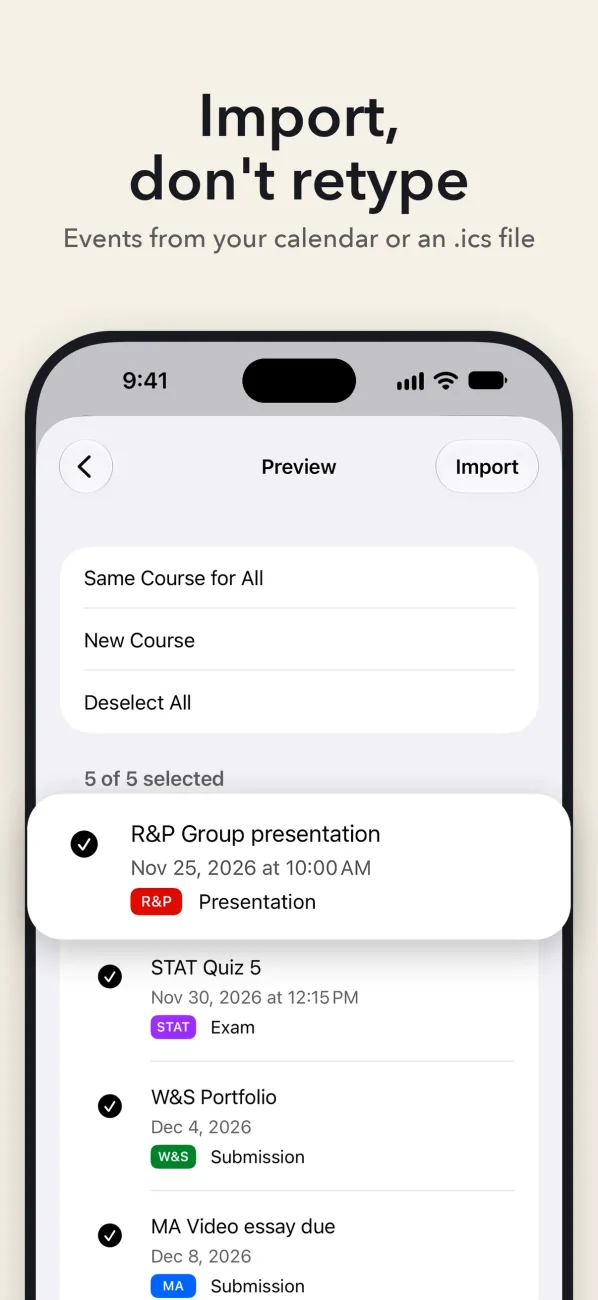
Import events from your calendar or from an .ics file. Termi suggests the course from the title and recognizes words like exam, midterm, quiz or presentation. Nothing gets added twice.
iPhone and iPad, no account
Your deadlines sync between iPhone and iPad through your iCloud.
Free, with everything included
Termi has no paywall and no subscription. If the app helps you, you can leave a one-time tip. It comes with three other app icons, nothing else changes.
What Termi is not
Termi is not a class schedule and not a grade tracker. It takes care of deadlines: assignments, presentations, exams and any type you create yourself. A course can also be called Job or Personal.
Add your first deadline. Course, type, date. That's all it takes.
App privacy
What Dennis Bar declares on the App Store about how this app handles data.
-
Data not linked to you
May be collected but is not linked to your identity.
- Purchases
- Location
- Identifiers
- Usage data
Privacy practices may vary, for example with the features you use or your age.
Information
- Seller
- Dennis Bar
- Category
- Productivity
- Version
- 1.0
- Updated
- Nov 9, 2026
- Released
- Nov 9, 2026
- Size
- 25.2 MB
- Requires
- iOS 26.0 or later
- Age rating
- 4+
- Price
- Free
- In-app purchases
- Yes
- Languages
- English, Dutch, French, German, Italian, Japanese, Korean, Portuguese, Spanish, Traditional Chinese
- Copyright
- © 2026 Bär Solutions - Dennis Bär
You might also like
-
 Dayception: Countdown WidgetCount the sleeps to big days
-
 TooSoon: Deadline TrackerImportant Dates at a Glance
-
 Parcae: Mind Map AI GeneratorPlan & achieve with mind maps
-
 CountDown Widget - Pro wedgesVacation birthday Widget Maker
-
 Mind Map: FlowCreative planning via mindmap
-
 Shiftify - Shift Work CalendarSimple & Smart Shift Scheduler
-
 Twodos - Simple TodosA simple todo app.
-
 Habit Streak - Habit TrackerRoutine Planner & Checklist
-
 Even3 CredenciamentoProductivity
-
 Goal Streak: Habit TrackerStreaks. Simple. Private.