
Termphin: SSH Client & SFTP
Never lose your SSH session
Designed for iPhone, iPad, iPod touch
Free · In-app purchases
- Age rating4+
- CategoryDeveloper Tools
- DeveloperMikolaj Badyl
- LanguagesEnglish
- Size77.3 MB
Links to the official App Store page
Download.org hosts no file of Termphin: SSH Client & SFTP. The button opens its official App Store page, published by Mikolaj Badyl. Listing last checked on Nov 23, 2026.
Screenshots
About
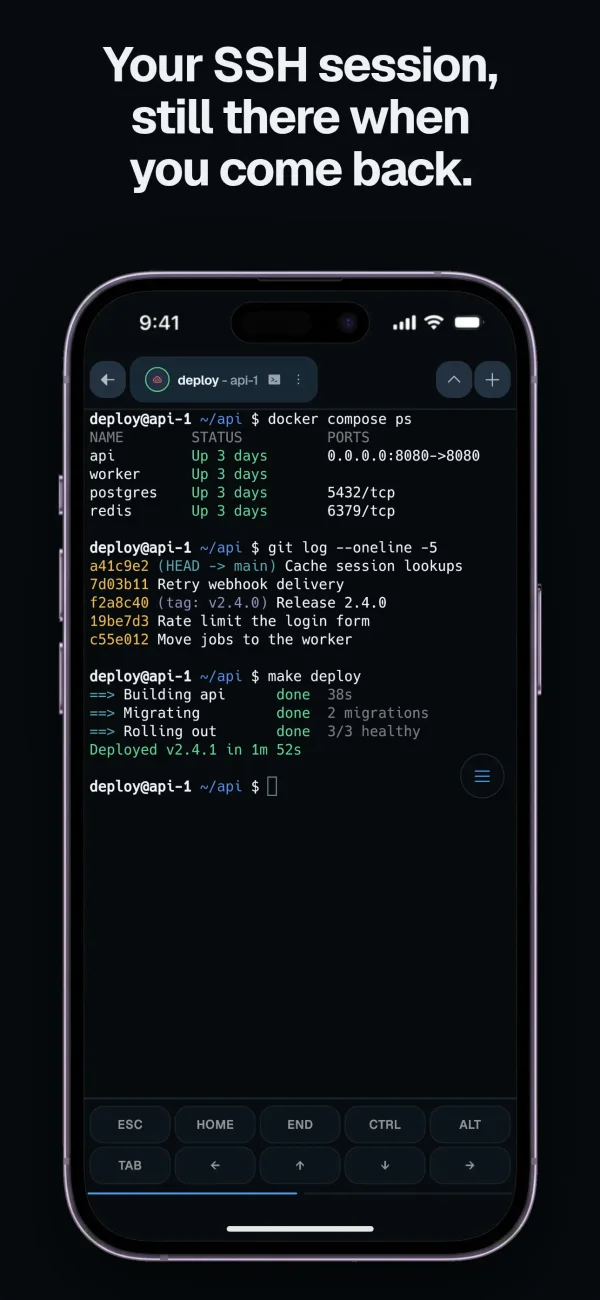
Your SSH session lives on the server, not in your pocket. Drop the connection, switch networks or leave the app, and Termphin picks up exactly where you left off.
Sessions that survive
- A small, optional, open-source (MIT) helper holds your shell on the server.
- Termphin reconnects on its own and shows the output you missed.
- Without the helper, a session ends shortly after you leave the app.
- Reattach a session from any other device running Termphin.
Know when it's done
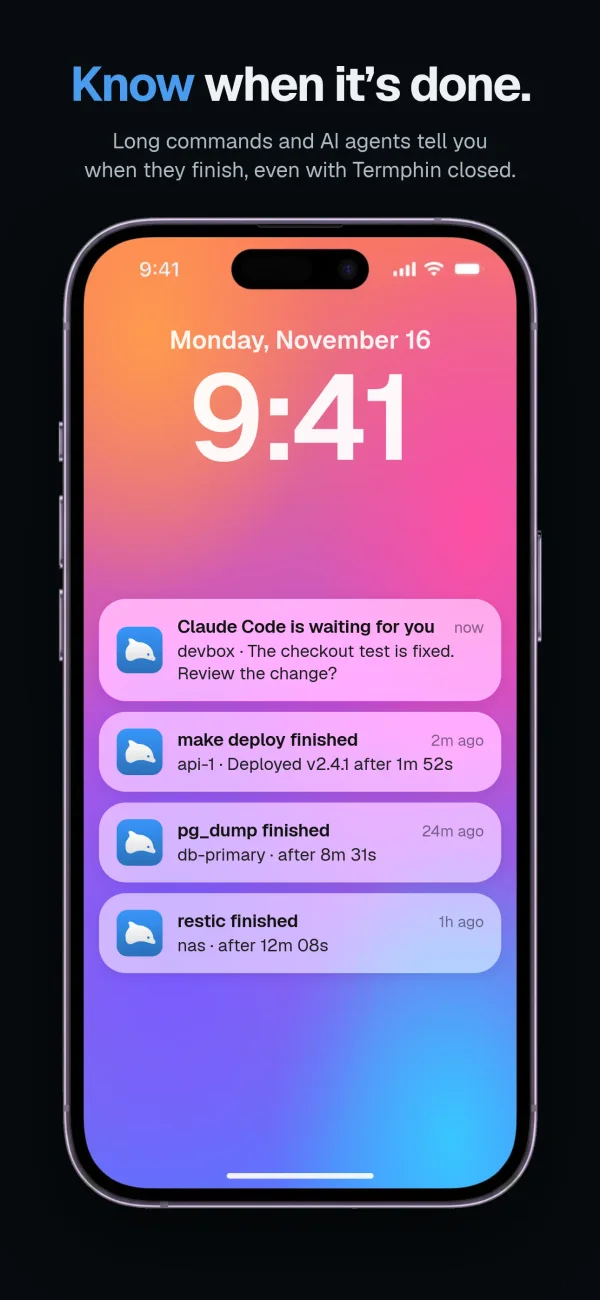
- A long command tells you when it finishes, with the last line it printed.
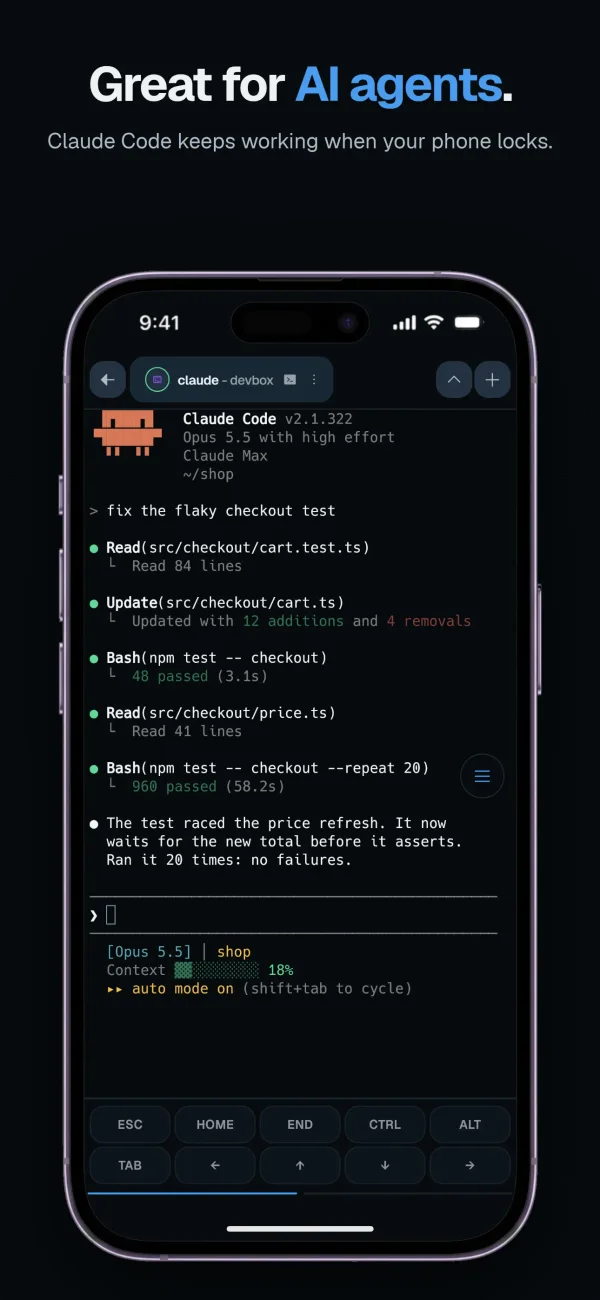
- An AI agent or installer that stops to ask you something lets you know.
- Works on Linux, macOS and Windows servers, with nothing to set up.
- Notifications even when Termphin is closed (Pro).
A real terminal
- Native rendering, not a WebView. TUI apps, editors and diffs display correctly.
- 14 color themes, split view for two sessions, a rearrangeable key toolbar.
- Claude Code, OpenCode and other AI coding agents run as they do on a laptop. It is plain SSH.
SSH, done properly
- Jump hosts (ProxyJump), local and remote port forwarding.
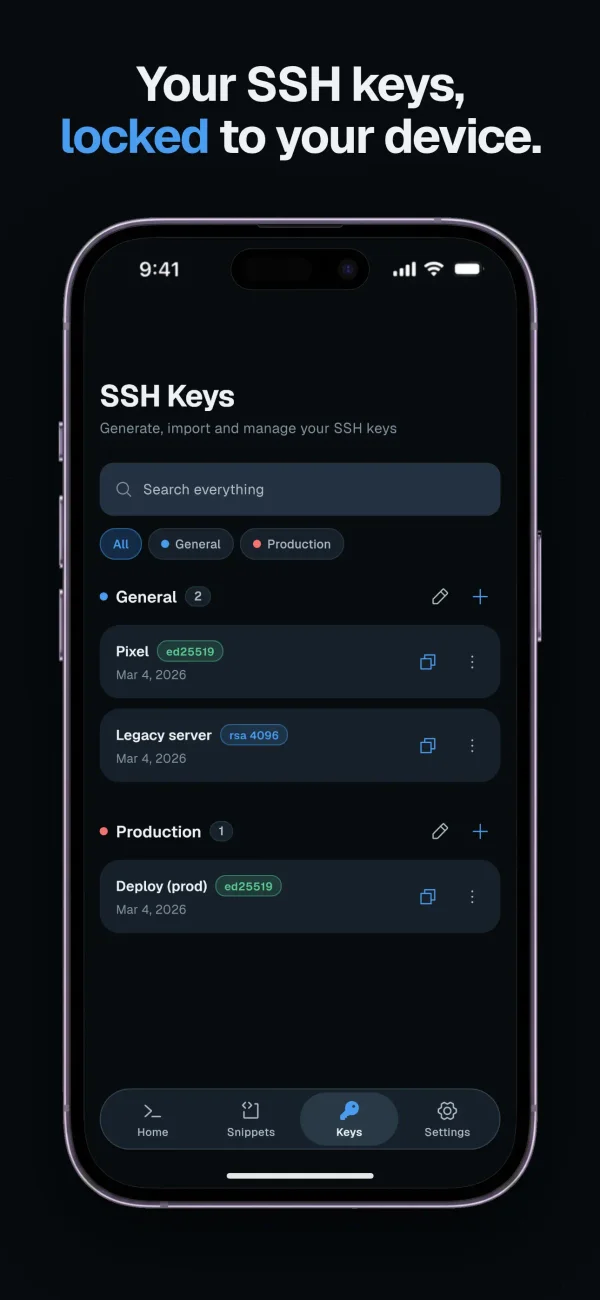
- Host key pinning, 2FA/TOTP login, Ed25519 and RSA keys.
- Works with any SSH server, PowerShell on Windows included.
Built-in SFTP
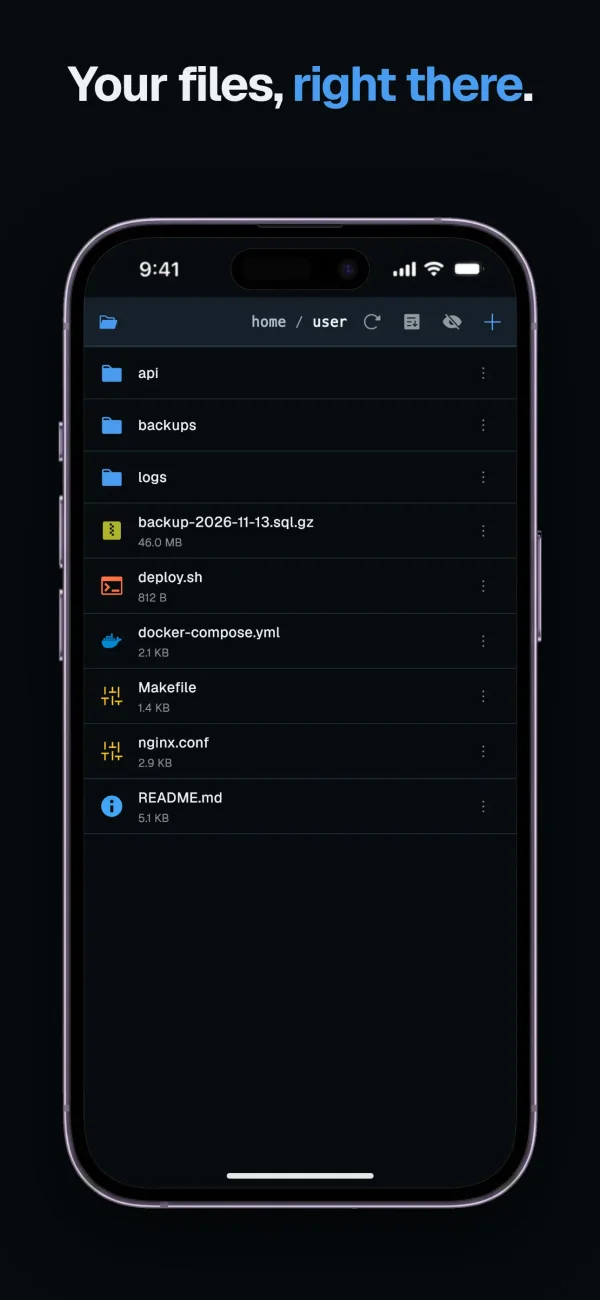
- Upload and download files or whole folders.
- Edit with syntax highlighting, preview images.
Organized and private
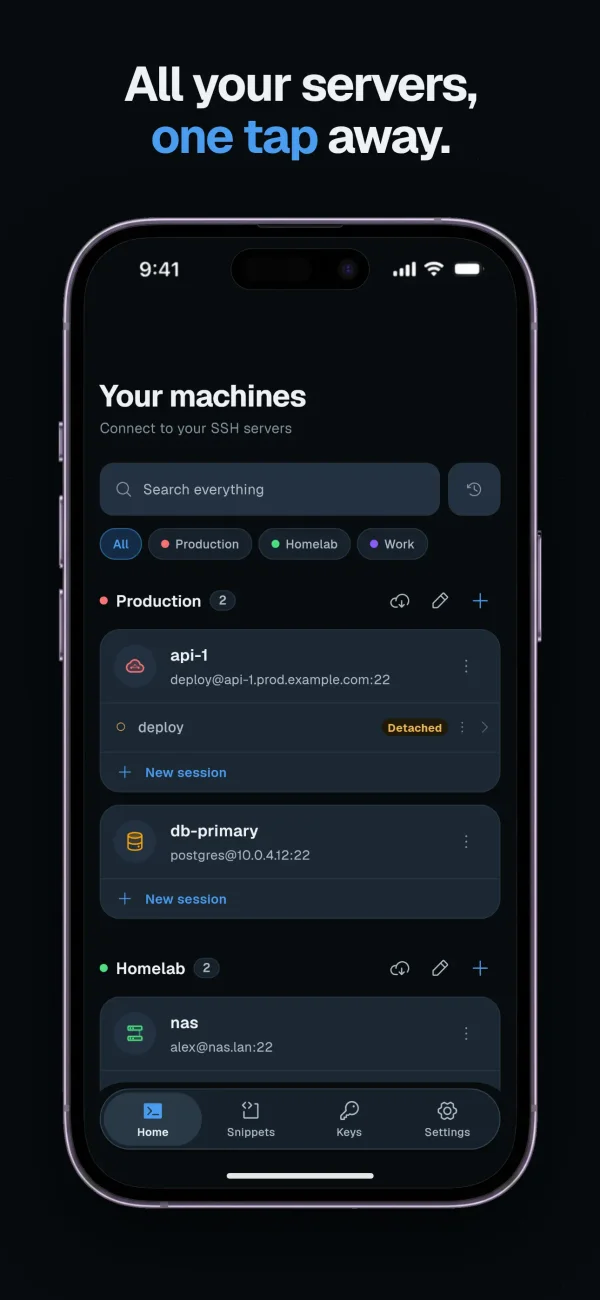
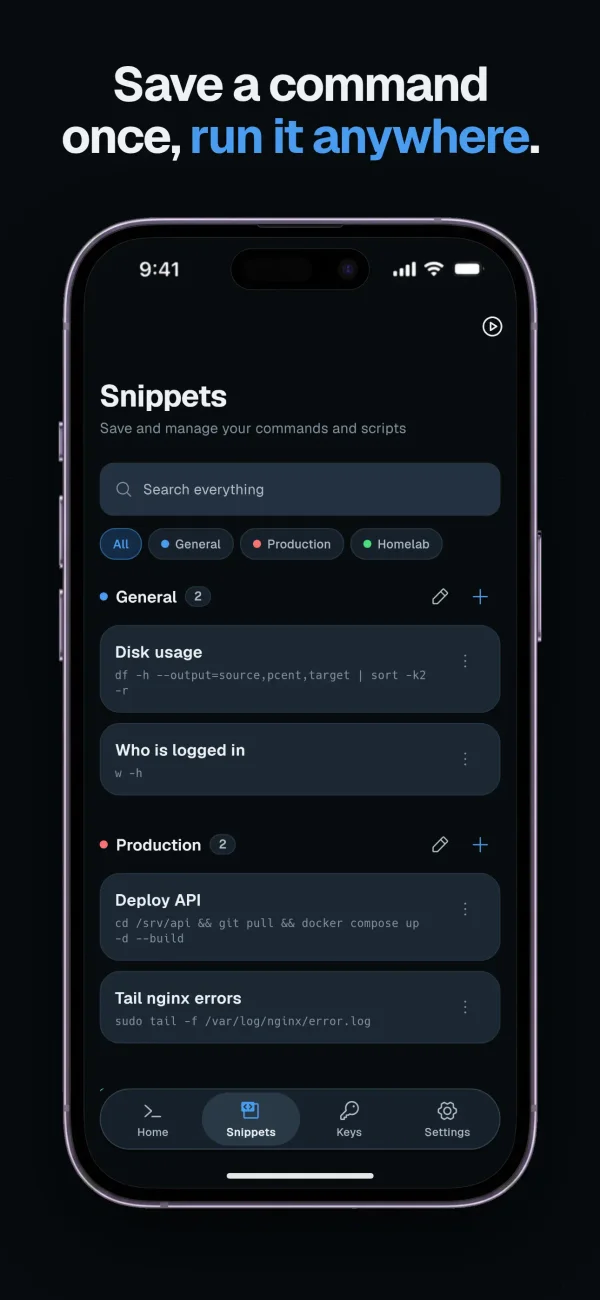
- Colored groups, one-tap snippets with exit codes.
- Face ID, Touch ID or PIN lock. Keys and passwords stay in an encrypted vault on the device.
- Encrypted backup with a passphrase.
- Your machines, keys, snippets and settings on all your devices, end-to-end encrypted with a passphrase only you know (Pro).
Pro is an optional subscription; everything else is free and open source.
Terms of Use: https://termphin.dev/terms
Privacy Policy: https://termphin.dev/privacy
What’s new
Version 1.16.1 · Nov 21, 2026
See your servers live.
- Live status (Pro): see which machines are online and what each session is doing - working or waiting for you - without connecting.
- Pick up a session from another device: take control in one tap, or watch it at that device's size with zoom.
- File transfers show live progress, right on your lock screen.
- Clickable TUIs no longer pop up the keyboard on every tap.
Plus a new Pro screen and lots of small fixes.
App privacy
What Mikolaj Badyl declares on the App Store about how this app handles data.
-
Data linked to you
May be collected and linked to your identity.
- Purchases
- Contact info
- Identifiers
-
Data not linked to you
May be collected but is not linked to your identity.
- Usage data
- Diagnostics
Privacy practices may vary, for example with the features you use or your age.
Information
- Seller
- Mikolaj Badyl
- Category
- Developer Tools
- Version
- 1.16.1
- Updated
- Nov 21, 2026
- Released
- Oct 31, 2026
- Size
- 77.3 MB
- Requires
- iOS 15.0 or later
- Age rating
- 4+
- Price
- Free
- In-app purchases
- Yes
- Languages
- English
- Copyright
- © 2026 Mikołaj Badyl