Terrain Attain: Green Reader
LiDAR Golf Putt Line & Slope
Designed for iPhone
Free · In-app purchases
- Age rating4+
- CategorySports
- DeveloperSwiftSherpas LLC
- LanguagesEnglish
- Size4.3 MB
Links to the official App Store page
Download.org hosts no file of Terrain Attain: Green Reader. The button opens its official App Store page, published by SwiftSherpas LLC. Listing last checked on Nov 18, 2026.
Screenshots
About
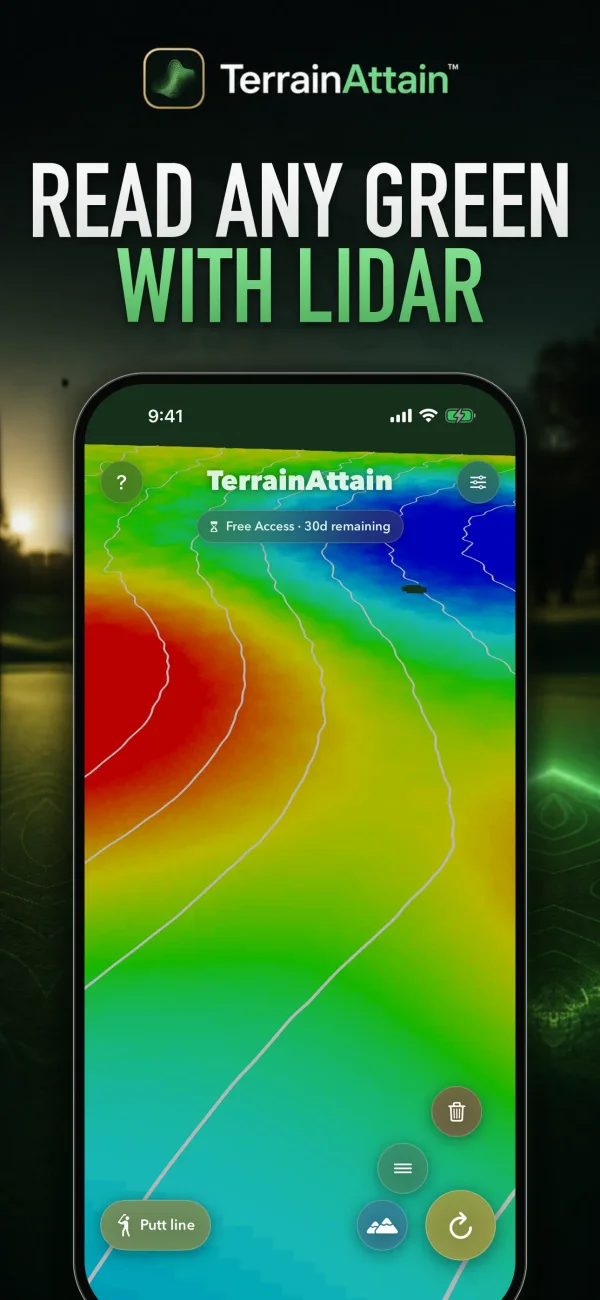
Read the green before you putt. TerrainAttain turns the LiDAR sensor in your iPhone Pro into a green reader: scan the putting surface in seconds, see the slope as a color map, and get a simulated putt line that shows where to aim.
NEW: PUTT LINE
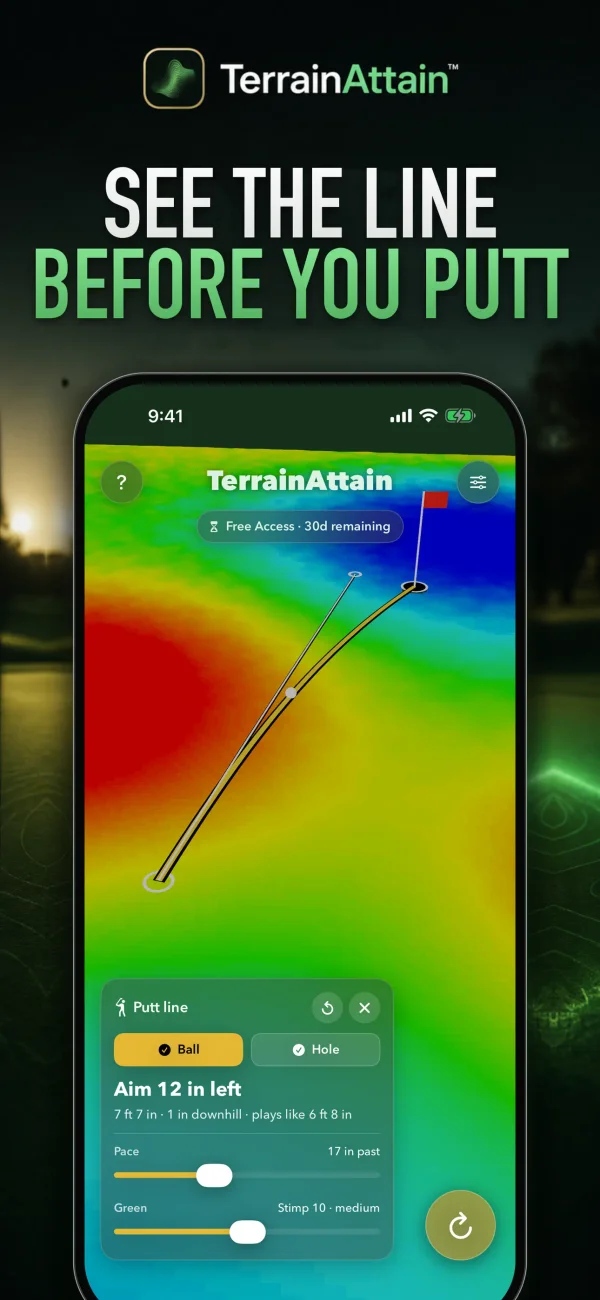
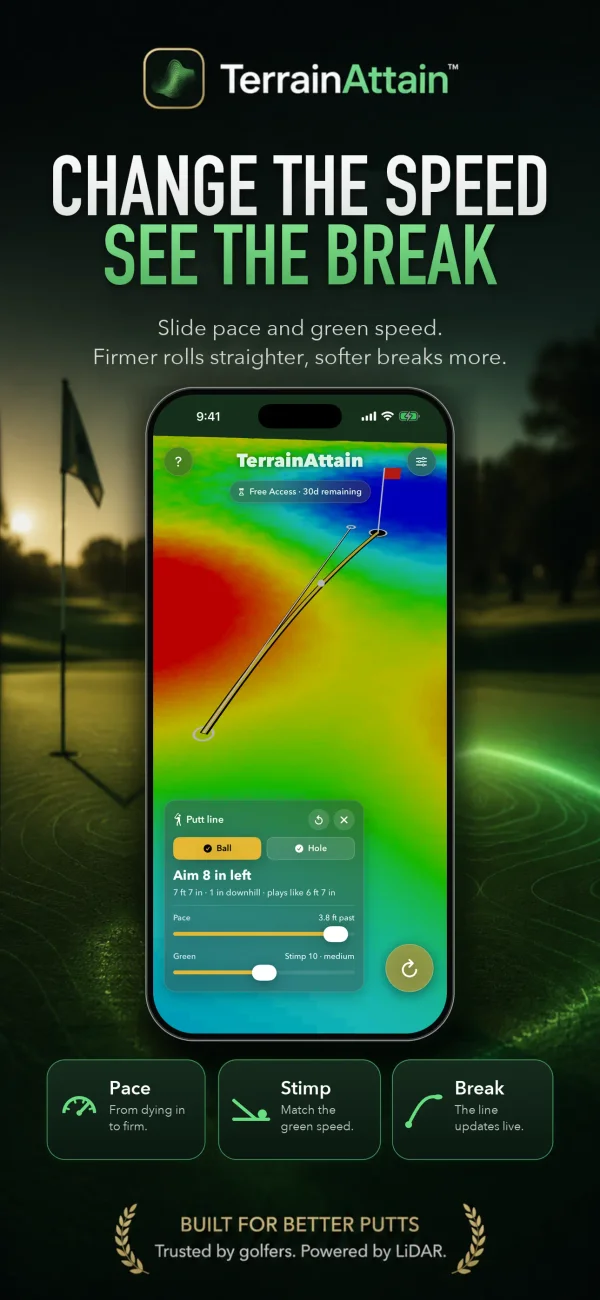
Tap your ball and the hole on the scanned green. TerrainAttain rolls a simulated ball across the surface you just scanned and draws the line that drops, with an aim point beside the hole.
• See how far left or right to aim, in inches or centimeters
• Change your pace and watch the break change: firmer rolls straighter, softer breaks more
• Set the green speed (Stimp) to match the course
• Uphill, downhill and "plays like" distance for every putt
• The cup is found automatically when it is in the scan
SEE THE SLOPE
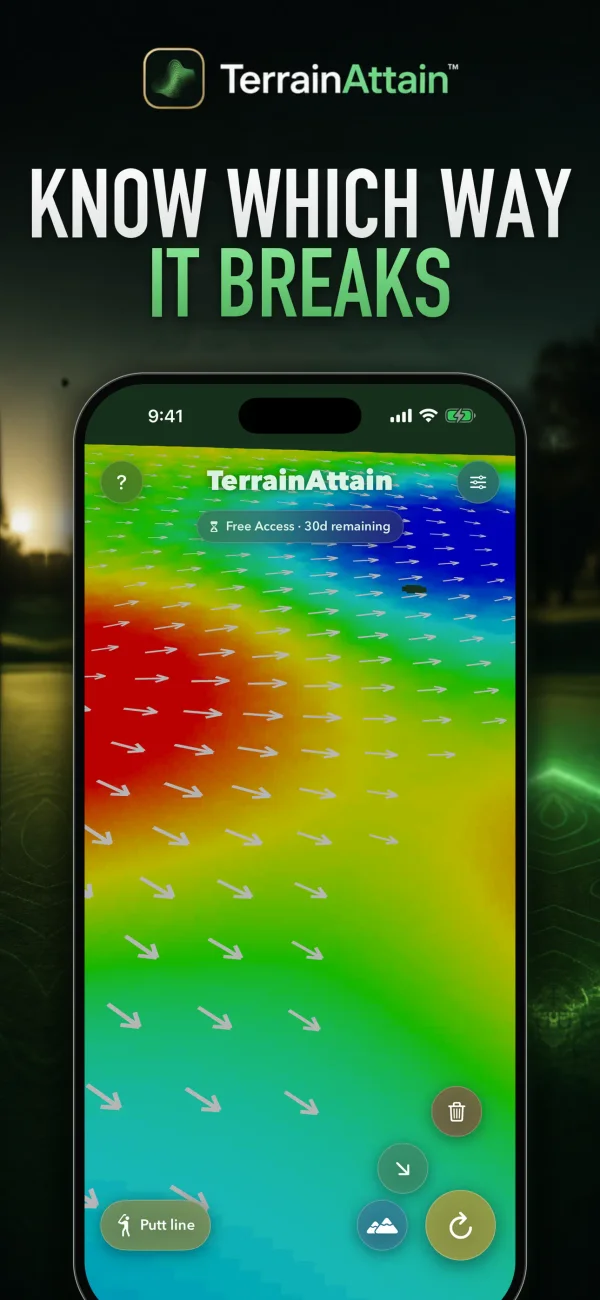
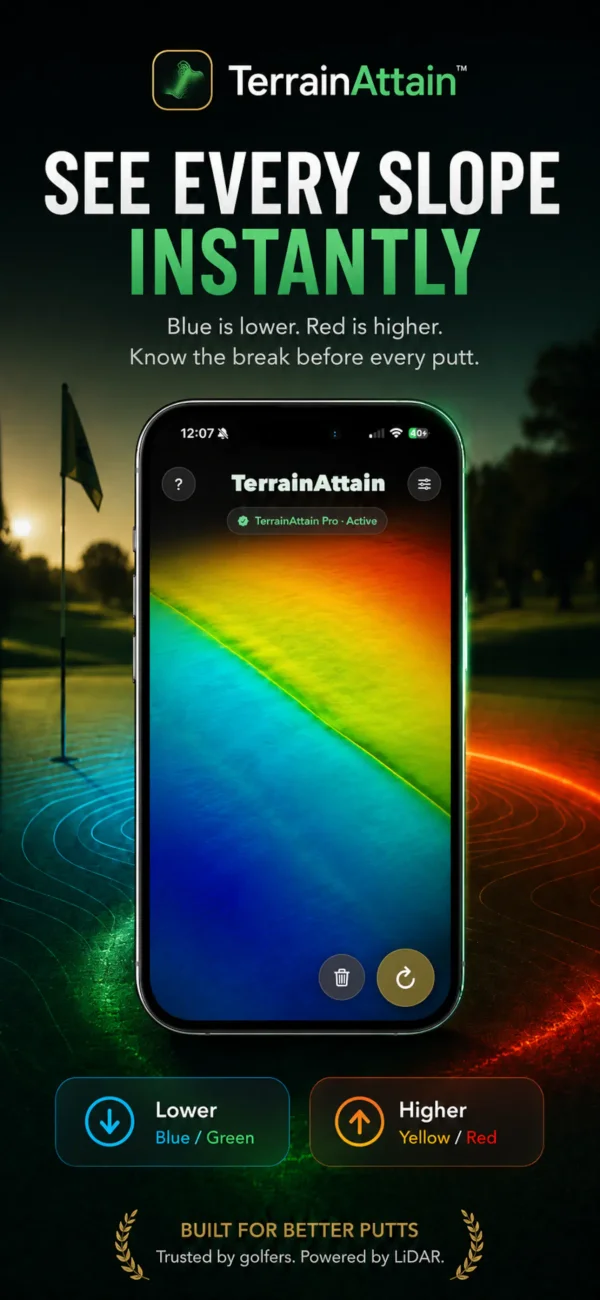
• Color elevation map: blue is low, red is high
• Downhill arrows sized by how hard the green breaks
• Flow mode: arrows stream downhill so the fall line is obvious
• Contour lines and a draped grid for a classic green-map look
• Smooth surface reconstruction takes out sensor speckle so the real shape shows
SCAN IN SECONDS
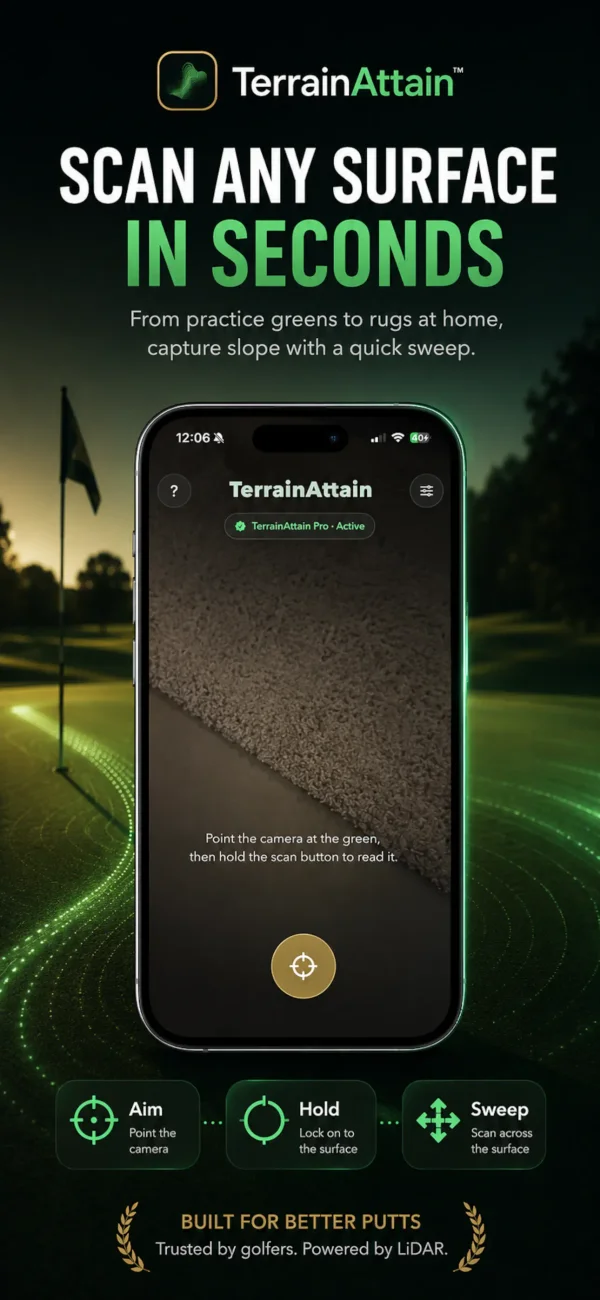
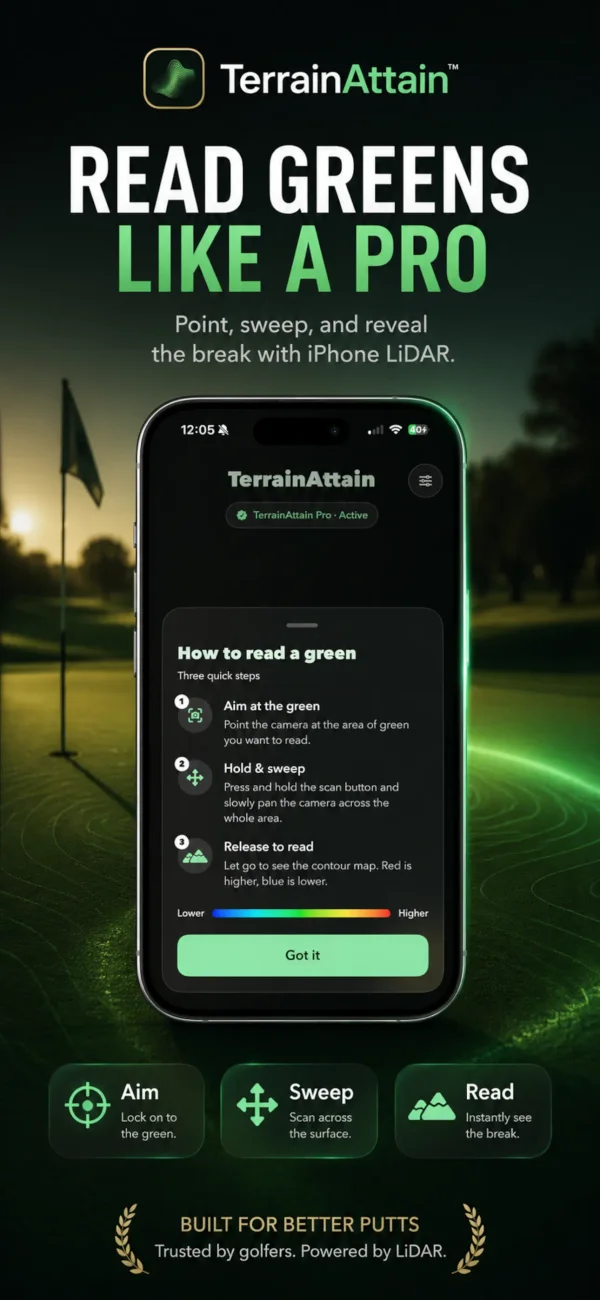
1. Point your iPhone at the green.
2. Press and hold the scan button and pan slowly.
3. Release to read it.
No account, no setup, no extra hardware. The map appears in augmented reality, locked to the real ground, so you can walk around your putt and study it from any side. Scans are processed on your iPhone.
MADE FOR PRACTICE
Use it on the practice green to train your eye, check your read, and learn how speed changes the line. It also works on any surface you want to understand: a backyard, a patio, a floor, a putting mat.
MAKE IT YOURS
• Color by bumps or by overall tilt, with three palettes including your own colors
• See-through map so the real ground and the cup show underneath
• Adjustable scan width, reach and resolution
FREE FOR 30 DAYS
Every feature is free for your first 30 days. After that, TerrainAttain Pro keeps scanning unlocked with a monthly or annual subscription.
REQUIREMENTS
An iPhone with a LiDAR sensor: iPhone 12 Pro or later Pro and Pro Max models. Scanning is not available on iPhones without LiDAR.
GOOD TO KNOW
• TerrainAttain is a visualization and practice tool. Results depend on scan quality, lighting and how steadily you move, so treat the line as a guide, not a guarantee.
• Green-reading devices are restricted in many competitions. Check the Rules of Golf and your local rules before using it during a round.
• It is not a replacement for professional surveying, engineering, construction or safety-certified measurement equipment.
SUBSCRIPTION
TerrainAttain Pro is an auto-renewing subscription, available monthly or annually. Payment is charged to your Apple Account at confirmation of purchase. The subscription renews automatically unless it is canceled at least 24 hours before the end of the current period. You can manage or cancel it at any time in your App Store account settings.
Terms of Use: https://www.apple.com/legal/internet-services/itunes/dev/stdeula/
Privacy Policy: https://swiftsherpas.com/privacy-policy
What’s new
Version 1.6 · Nov 11, 2026
NEW: PUTT LINE
After a scan, tap Putt line, then tap your ball and the hole. TerrainAttain rolls a simulated ball over your scanned green and shows the line that drops and where to aim.
• Change pace and green speed (Stimp) and watch the break change
• See how far left or right to aim, uphill or downhill, and the "plays like" distance
• The cup is found automatically when it is in the scan
A CLEARER, MORE ACCURATE MAP
• New Smooth surface: the map is now one continuous surface, without speckle or gaps. Raw is still available in Settings.
• Arrows, contours and grid now line up exactly with the map
• Feet and the cup no longer distort the slope arrows
• Very short scans now show their map
App privacy
What SwiftSherpas LLC declares on the App Store about how this app handles data.
-
Data not collected
The developer does not collect any data from this app.
Privacy practices may vary, for example with the features you use or your age.
Information
- Seller
- SwiftSherpas LLC
- Category
- Sports
- Version
- 1.6
- Updated
- Nov 11, 2026
- Released
- Jul 29, 2026
- Size
- 4.3 MB
- Requires
- iOS 17.0 or later
- Age rating
- 4+
- Price
- Free
- In-app purchases
- Yes
- Languages
- English
- Copyright
- © 2026 SwiftSherpas LLC
You might also like
-
 ProSide: Green ReaderScan Greens with LiDAR
-
 Green Reader: AR PuttingLiDAR green reading & aim line
-
 JoinSwingClub: Golf CommunityPlay Better Golf.
-
 Curls Corner AcademyCurls Corner on the go
-
 Strike Lab Golf Swing AnalyzerBall tracking & swing numbers
-
 Personar VoiceBoxSports
-
 LFG Golfing: Buddy TripsThe Golf Passport App
-
 PuckIQ: Fantasy Hockey CoachLineups, streamers & scratches
-
 PuttArc - AR Putting AnalysisSlope, Break & Putting Line
-
 Indianola Country ClubIndianola, Iowa