
TES - For Bluetooth Key
NO Login & Keyless Entry
Designed for iPhone, iPad, iPod touch
Free · In-app purchases
- Age rating4+
- CategoryLifestyle
- Developer成都仓墨科技有限公司
- LanguagesEnglish+ 30 more
- Size36.7 MB
Links to the official App Store page
Download.org hosts no file of TES - For Bluetooth Key. The button opens its official App Store page, published by 成都仓墨科技有限公司. Listing last checked on Nov 17, 2026.
Screenshots

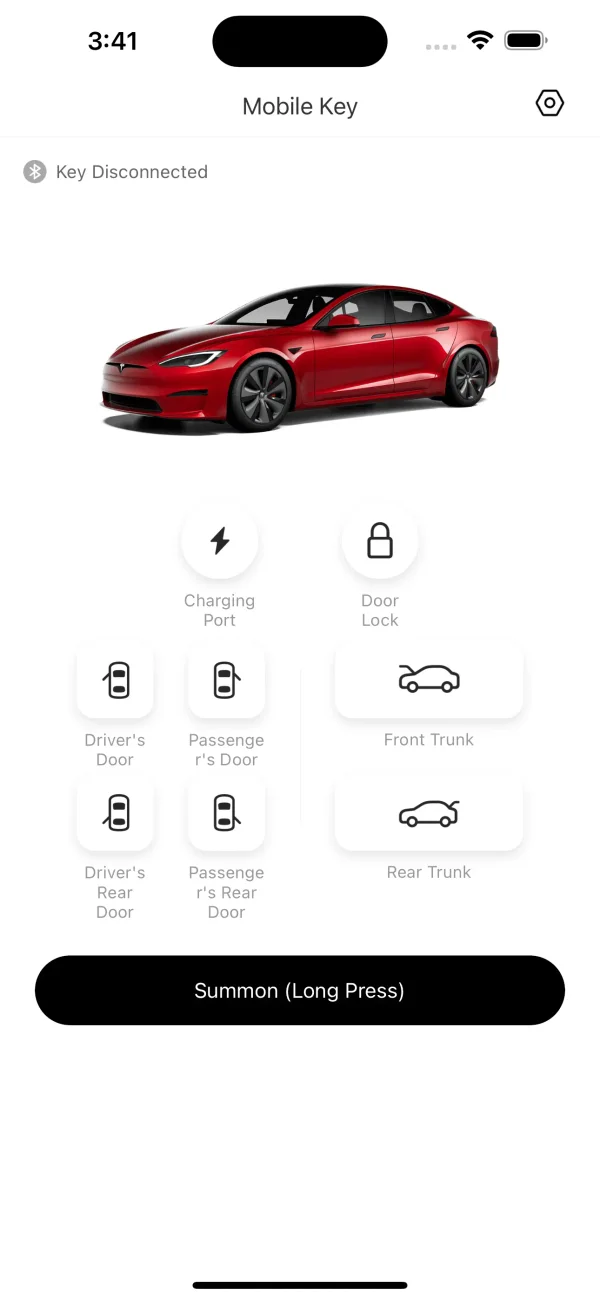
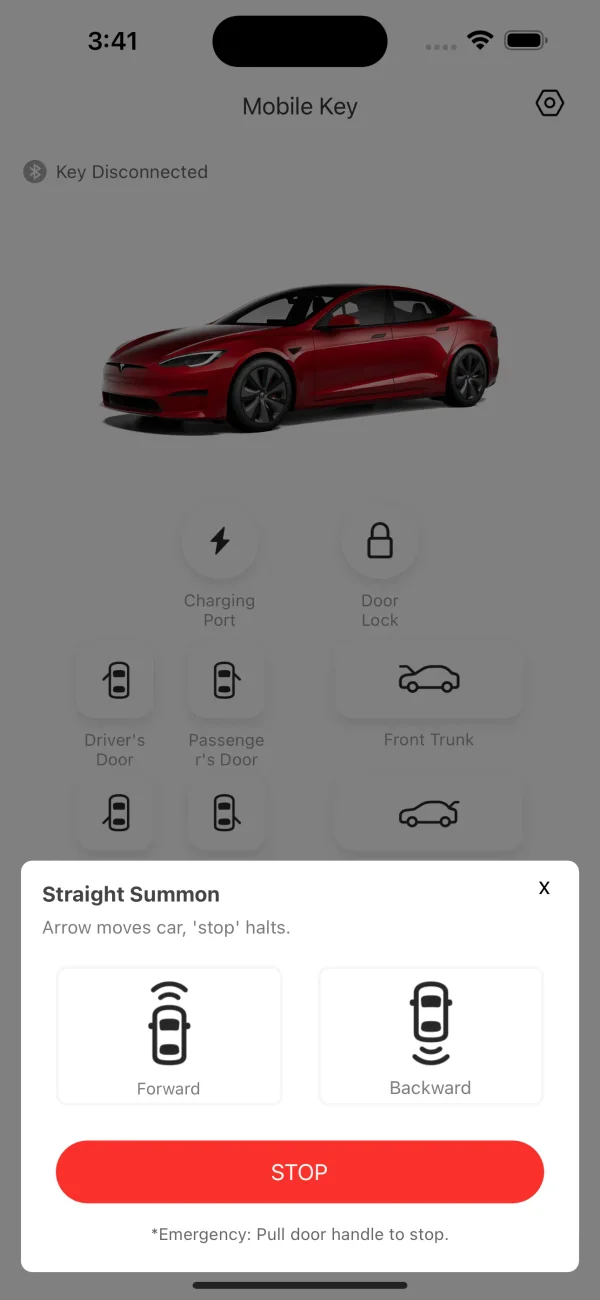
About
【Tesla Mobile Key】
Used for the mobile key of Tesla vehicles, connecting to the vehicle via Bluetooth without the need for user login.
【How to Pair】
Scan nearby Tesla vehicles, find your Tesla's Bluetooth name, click "Pair," then tap "Confirm" on the car's display to successfully complete the pairing.
If you don't know your Tesla's Bluetooth name:
If your phone has previously connected to the Tesla mobile key, find the Bluetooth name in your phone's settings under the "Bluetooth" section and select it for pairing.
If there hasn't been a previous connection, park the vehicle separately, ensuring there are no other Tesla vehicles nearby, then proceed with the scan and pairing.
【Summoning】
Requires your Tesla to have purchased or subscribed to EAP or FSD. Navigate to "Controls" -> "Autopilot" -> "Customize Summoning Behavior" on the car's display and ensure the "Press and Hold to Activate" option is set to "No."
After configuring the vehicle, when the car enters double-flash mode for 5 seconds, tap the "Forward" or "Reverse" button to initiate summoning.
*Note: In emergency situations, the emergency stop can be activated by pulling the door handle.
【Keyless Entry】
Supports keyless entry, allowing seamless access even when the phone is locked. However, in certain situations, keyless entry may fail due to factors such as lack of Bluetooth permissions, background location usage, restricted location permissions, or the app being terminated by the system.
Solution: Restart the app (except for permission issues).
【How to Remove the Key】
In addition to unbinding within the app, you also need to find and delete the corresponding key in the car's display under "Locks."
Function Demonstration Video: https://www.bilibili.com/video/BV1NN411q71t?t=5.4
【VIP 会员】
- 付款: 用户确认购买并付款后记入iTunes账号。
- 取消续订: 如需取消续订,请在当前订阅到期24小时以前,手动在iTunes/Apple ID 设置管理中关闭自动续订功能。
- 续订: 苹果iTunes账户会在到期前24小时内扣款,扣款成功后订阅周期顺延相应期限。
- 会员协议:https://www.kdocs.cn/l/cbPOPTT96TZ3
- 服务条款:https://www.kdocs.cn/l/cg77rvmFKkiJ
What’s new
Version 1.7.4 · Jan 17, 2024
Fix known bugs
App privacy
What 成都仓墨科技有限公司 declares on the App Store about how this app handles data.
-
Data not collected
The developer does not collect any data from this app.
Privacy practices may vary, for example with the features you use or your age.
Information
- Seller
- Chengdu Cangmo Technology Co., Ltd
- Category
- Lifestyle
- Version
- 1.7.4
- Updated
- Jan 17, 2024
- Released
- Sep 12, 2023
- Size
- 36.7 MB
- Requires
- iOS 13.0 or later
- Age rating
- 4+
- Price
- Free
- In-app purchases
- Yes
- Languages
- English, Catalan, Croatian, Czech, Danish, Dutch, Finnish, French, German, Greek, Hindi, Hungarian + 19 more
- Copyright
- © 2023 Acme Inc.
You might also like
-
 B-KEY Pro for Tesla · Car KeyBluetooth • Remote • Watch App
-
 Key for Tesla - iWatch & PhoneBluetooth car key, no internet
-
 B-KEY for Tesla (Watch Key)Supports use on watch!
-
 Teswear: Watch app for TeslaRemote for Tesla on smartwatch
-
 小特 - 特斯拉车主助手Lifestyle
-
 Phone As KeyLifestyle
-
 特来电-找新能源电动汽车充电桩必备APPLifestyle
-
 Stats -- For your TeslaWatch app & Battery Health
-
 TezLab - For Tesla/Rivian#1 Rated App For Tesla/Rivian
-
 Sentry Pro—For your TeslaDashcam Alerts & Theft Alarm