
- Age rating4+
- CategoryProductivity
- DeveloperITSUCARA, K.K.
- LanguagesJapanese+ 1 more
- Size6.2 MB
Links to the official App Store page
Download.org hosts no file of Texlen: OCR Text Scanner. The button opens its official App Store page, published by ITSUCARA, K.K. Listing last checked on Nov 14, 2026.
Screenshots
About
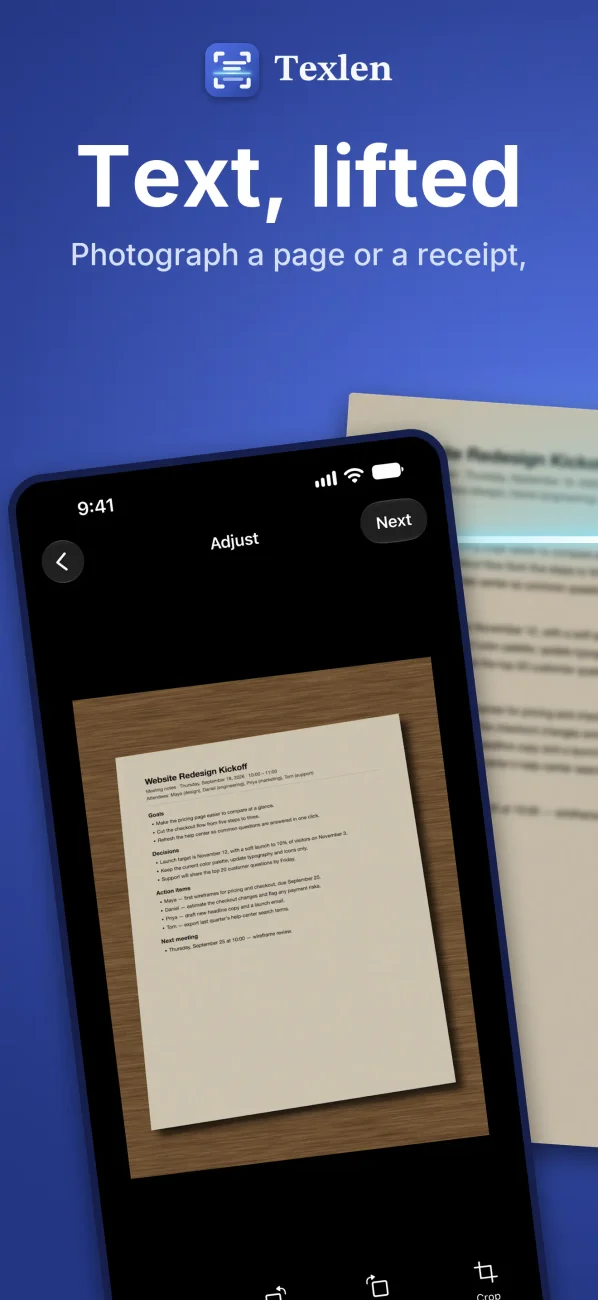
Texlen turns printed pages into text you can use. Scan a document, a book page, a note or a receipt, and Texlen reads it on your iPhone or iPad in moments.
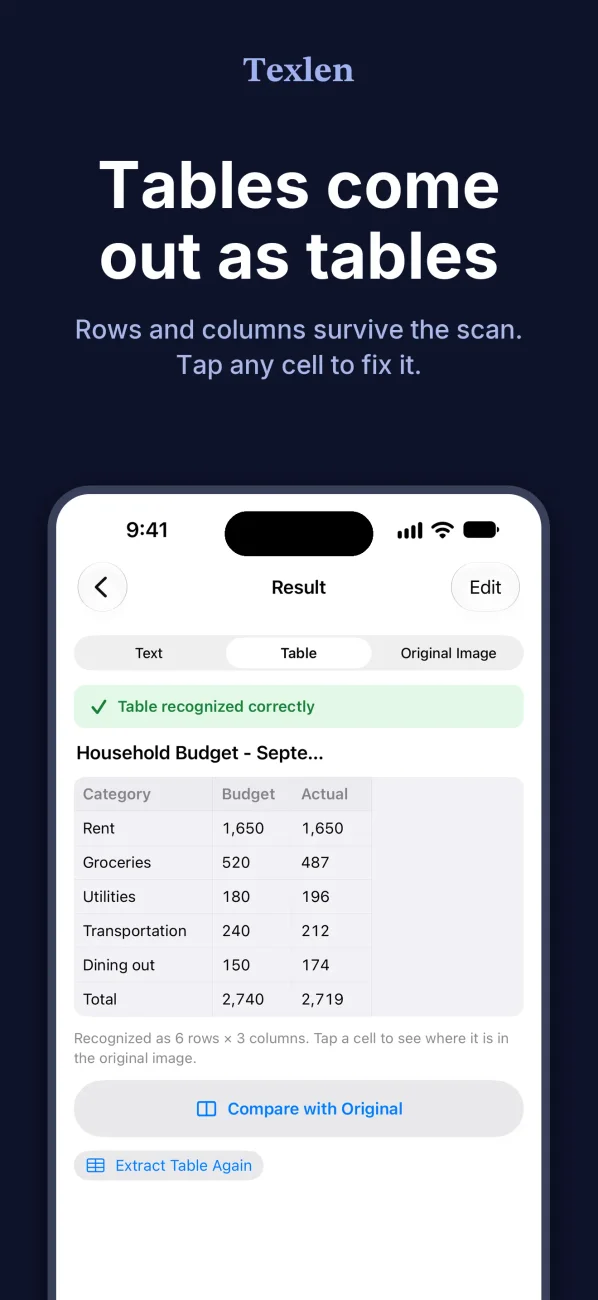
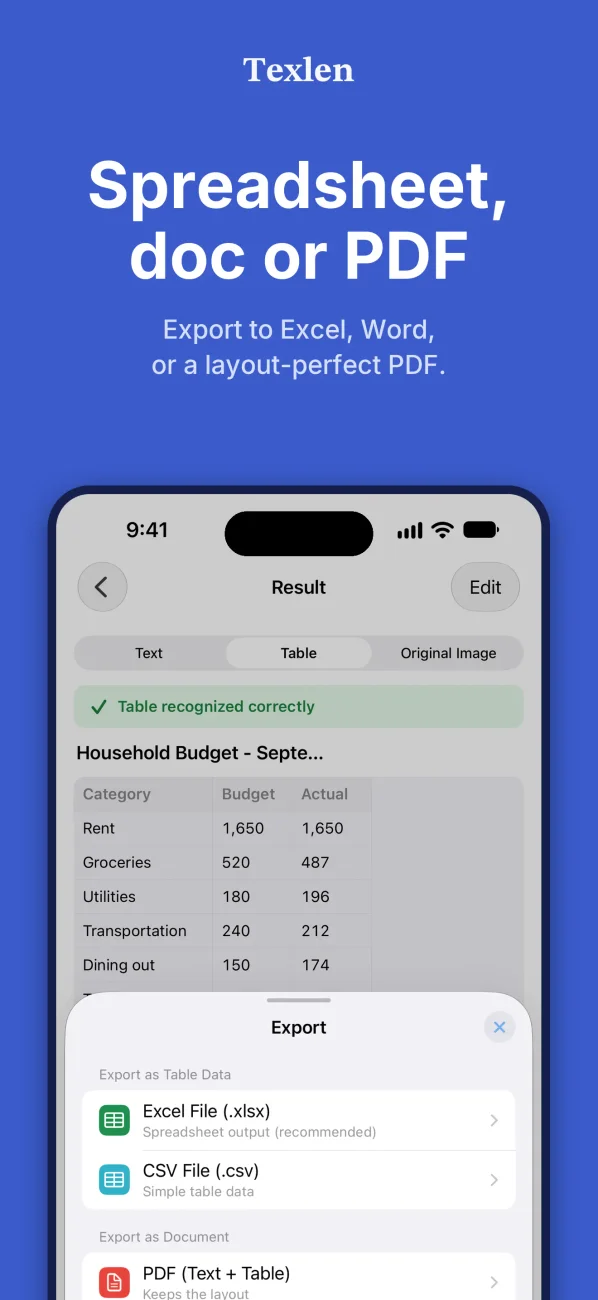
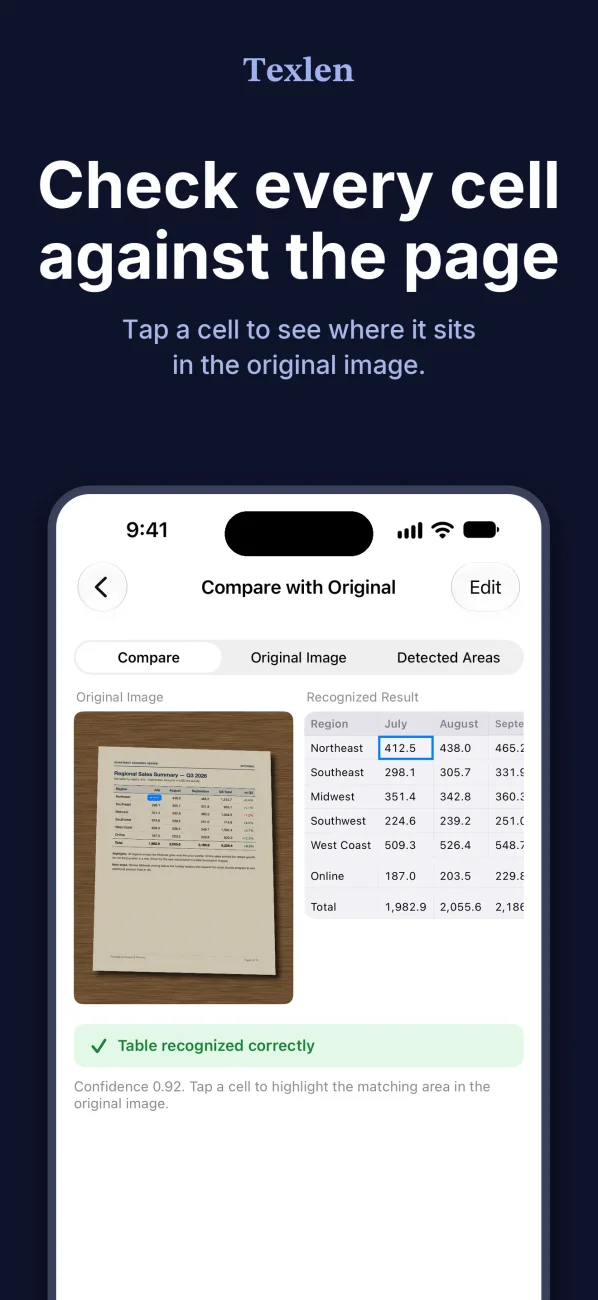
Copy the text, edit it, or export it as a file. Photos of tables come back as rows and columns you can check cell by cell and export as a spreadsheet.
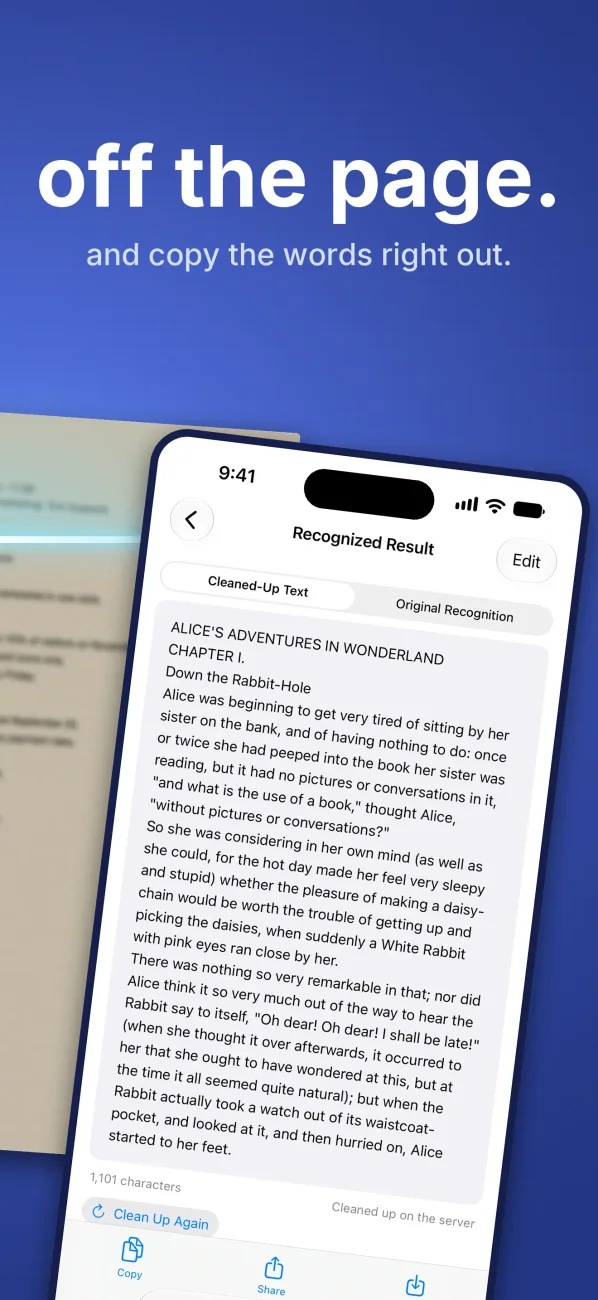
Recognition runs on your device first, so text appears right away, even offline. If you allow it, our server then tidies up the text and reads tables.
SCAN OR IMPORT
• Capture with the camera, or choose an image from Photos. Texlen reads only the images you pick
• Rotate, crop and auto-enhance before reading
• Choose the image quality that suits small print or smaller files
ON-DEVICE RECOGNITION
• Text appears in moments and works without a connection
• Compare the result with the original image
• Edit the text before you copy or export it
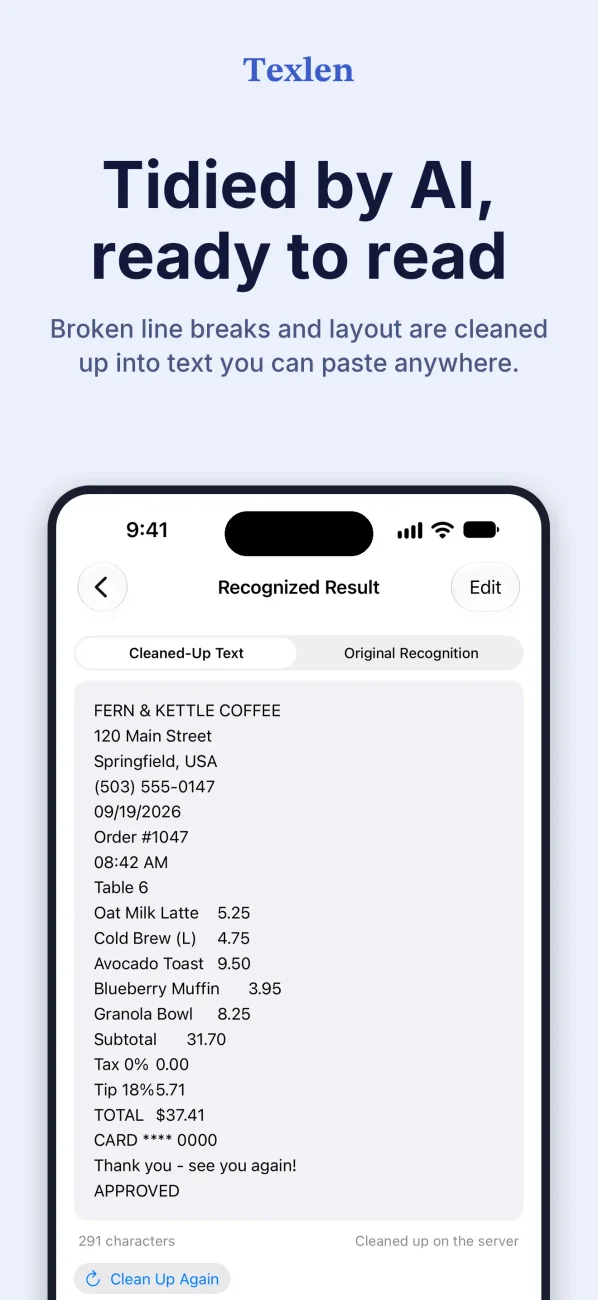
CLEAN UP TEXT (OPTIONAL)
• A server pass tidies up the recognized text
• Your original recognition is always kept, and you can run Clean Up Again at any time
TABLES AS DATA
• Turn on Table Recognition and a photo of a table becomes rows and columns
• Cells that may need a second look are highlighted
• Tap a cell to see where it sits in the original image
• Edit cells, insert or delete rows and columns, with undo and redo
• Use the first row as a header, and add a title and a unit
• Copy the table, or export it
EXPORT AND SHARE
• Text: .txt, Word (.docx) or PDF
• Tables: Excel (.xlsx), .csv, a table PDF or Word (.docx)
• Searchable PDF: the page image with a text layer you can select and search
• Image: .jpg
• Save to Files, or send it on through the share sheet
HISTORY
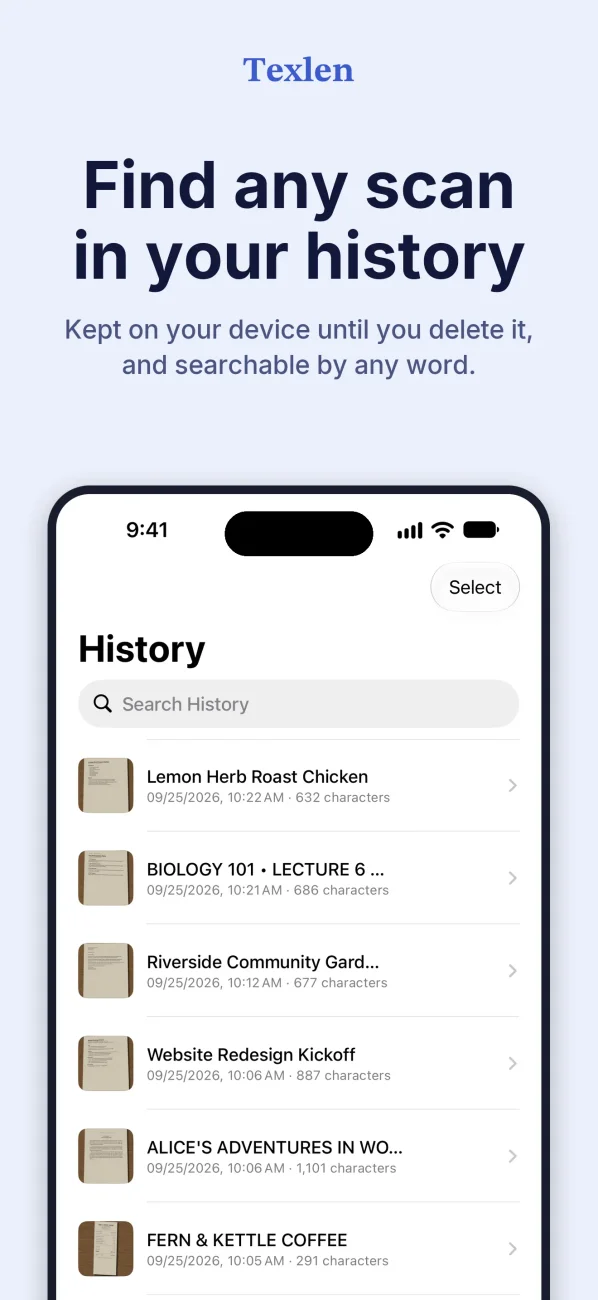
• Every scan is kept in History on your device until you delete it
• Search your history, reopen past scans, or select several to delete or export together
FREE
Texlen is free. Capturing, on-device recognition, editing, history and export are unlimited. Server cleanup and table reading can be used 3 times a day; when you reach the limit, the on-device result is still there, and the count resets every day.
SIGN-IN AND PRIVACY
• Sign in with Apple, Google, or a one-time code sent by email. No password. We keep your email address and sign-in identifier, and never ask for your name or phone number
• Nothing is sent for cleanup or table reading until you agree. The app shows what is sent, where, and for how long before you decide, and you can change your mind in Settings
• Text cleanup runs on a server we operate. Table reading uses an external AI provider, named in the app before you agree
• Images you send are deleted from our server within 24 hours of their last processing, and text and table data after 30 days. History on your device stays until you delete it
• To improve the app, usage and diagnostic records without document content are sent to our own servers
• No ads, no tracking, and no third-party advertising, analytics or crash-reporting SDKs
• Delete your data on the server, or your whole account, at any time in Settings
Recognition and cleanup are automatic, and mistakes can happen. Always check important numbers, amounts, dates and names against the original.
REQUIREMENTS
• iOS 18 or later, on iPhone or iPad
• An internet connection for sign-in, text cleanup and table reading
Terms of Use: https://texlen.com/terms/
Privacy Policy: https://texlen.com/privacy/
What’s new
Version 1.1.0 · Oct 27, 2026
You can now save exported files to itsustar. Choose a drive and folder for each save, and check or resume unfinished saves in Settings.
App privacy
What ITSUCARA, K.K. declares on the App Store about how this app handles data.
-
Data linked to you
May be collected and linked to your identity.
- Contact info
- User content
- Identifiers
- Usage data
- Diagnostics
Privacy practices may vary, for example with the features you use or your age.
Information
- Seller
- ITSUCARA, K.K.
- Category
- Productivity
- Version
- 1.1.0
- Updated
- Oct 27, 2026
- Released
- Sep 30, 2026
- Size
- 6.2 MB
- Requires
- iOS 18.0 or later
- Age rating
- 4+
- Languages
- Japanese, English
- Copyright
- © 2026 ITSUCARA, K.K.
You might also like
-
 CueScanAI: PDF & OCR ScannerOrganize, Sign & Secure Docs
-
 Tablo: Scan PDF & Photo to XLSTable OCR to Spreadsheet
-
 文字認識-TextScannerProductivity
-
 ScriptCueOCRProductivity
-
 TypeScan - Scan Text FastGrab Text via Image! Offline
-
 PhotoMemo-写真からメモを作成-Productivity
-
 AIボイスレコーダー - 録音&自動文字起こし&音声メモProductivity
-
 回線速度テストProductivity
-
 Text Editor NeoTexteditor Edit txt and rtf
-
 TEL++With group creation function