Text Talker Subtitles Reader
Reads TV and Movie Subtitles
Designed for iPhone, iPad, iPod touch
Free · In-app purchases
- Age rating12+
- CategoryUtilities
- DeveloperMark Bennett
- LanguagesEnglish
- Size1.3 MB
Links to the official App Store page
Download.org hosts no file of Text Talker Subtitles Reader. The button opens its official App Store page, published by Mark Bennett. Listing last checked on Nov 15, 2026.
Screenshots
About
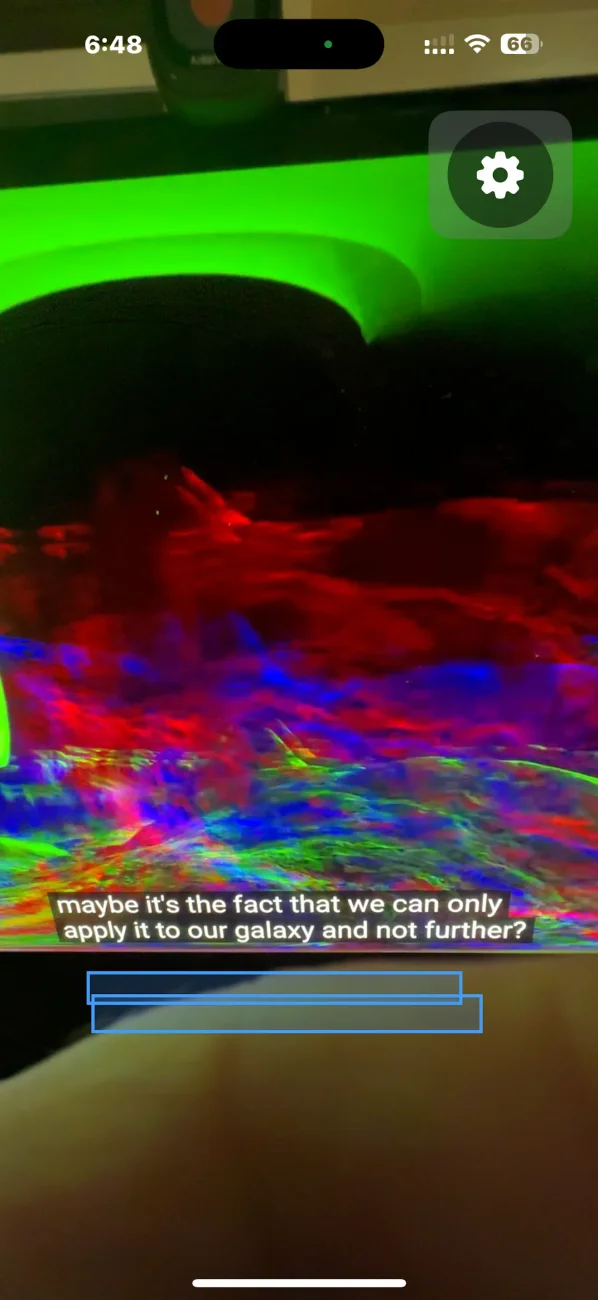
Do you have trouble reading the subtitles of movies, TV shows or Internet videos, perhaps due to low vision / blindness or a reading disability? Or perhaps you'd like to focus on the on-screen action instead of racing to read every subtitle before it disappears. This app uses OCR (optical character recognition) and TTS (text to speech) to look for subtitles and read them out loud through the iPhone speaker or headphones.
How to use: Just run the app! It starts looking for text right away, and will read out loud anything it finds. If the app starts reading a bunch of random text, you can shake the phone to make it shut up. Put your hand over the camera to temporarily keep it from talking, or switch to another app.
For best results, use it in an area that doesn't have extra visual distractions like digital clocks or AV equipment with lots of numbers and letters. If watching a video on a computer or laptop, maximize the video to full screen and let the status indicator fade away. Some scenes may have other text on screen that the app might try to also read; heavily stylized text might not be recognized. The app attempts to deduplicate the recognized text to reduce text being read more than once, though you may still get some duplication. For longer videos, you might want to use a tripod or phone holder.
Use the gear icon to change options and view help text.
You can also use this to read closed captions. Perhaps you're watching a show with the volume off and only closed captioning turned on. You can use your iPhone and AirPods to have captions read just to you privately, so as to not disturb other people nearby.
The In-App purchase items are only for the totally optional Tip Jar.
For Support please visit http://ideaeng.com/texttalker
This app does NOT record any user data, nor photos, nor video nor sound.
This TextTalker should not be confused by the similarly named Text Talker by Smartbox Assistive; despite the names, they two programs are extremely different in use and should hopefully not confuse the intended audience..
Screenshots in the App store description use Creative Commons Attribution 4.0 content originating from UniverseToday.com
What’s new
Version 1.0.2 · Sep 25, 2025
Changes to deduplication and positional logic. Changes to settings screen. Change to handling case where app does not have permission for the camera.
App privacy
What Mark Bennett declares on the App Store about how this app handles data.
-
Data not collected
The developer does not collect any data from this app.
Privacy practices may vary, for example with the features you use or your age.
Information
- Seller
- Mark Bennett
- Category
- Utilities
- Version
- 1.0.2
- Updated
- Sep 25, 2025
- Released
- Sep 2, 2025
- Size
- 1.3 MB
- Requires
- iOS 15.6 or later
- Age rating
- 12+
- Price
- Free
- In-app purchases
- Yes
- Languages
- English
- Copyright
- © New Idea Engineering, Inc.
You might also like
-
 SubReaderSpoken subtitles
-
 ReadAidText Recognition Read Aloud
-
 Screen TrackUtilities
-
 Universal Alignmentalignments made easy
-
 Joldas AIRead Text, Scenes & Banknotes
-
 Magnifier: Read Aloud & ZoomMagnifying Glass with Light
-
 Subtitle Reader Text to SpeechListen Subtitle While Watching
-
 Ear SonarHear the space around you
-
 PDF ProtectorPDF encryption made easy
-
 OCR Subtitle UltraAny Subtitle, Readable.