- Age rating4+
- CategoryProductivity
- DeveloperVu Thi Hanh
- LanguagesEnglish+ 14 more
- Size11.2 MB
Links to the official App Store page
Download.org hosts no file of Texting Assistant AI. The button opens its official App Store page, published by Vu Thi Hanh. Listing last checked on Nov 12, 2026.
Screenshots

About
Opening
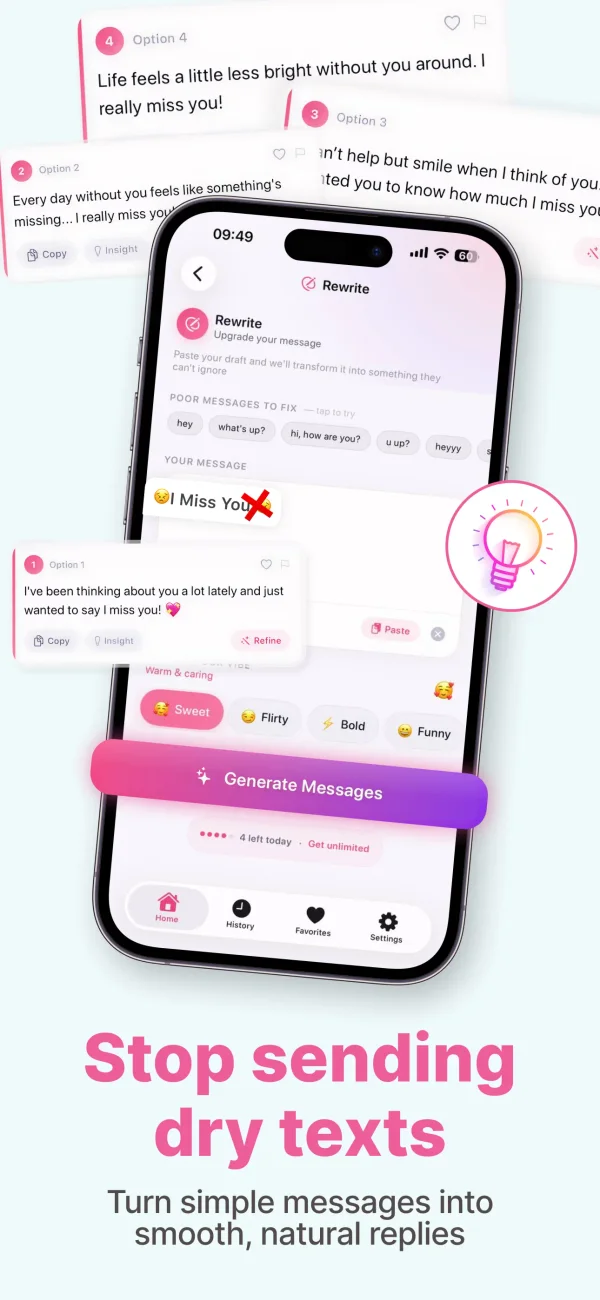
Stop sending dry texts.
Write smarter, more natural, and more confident messages in seconds.
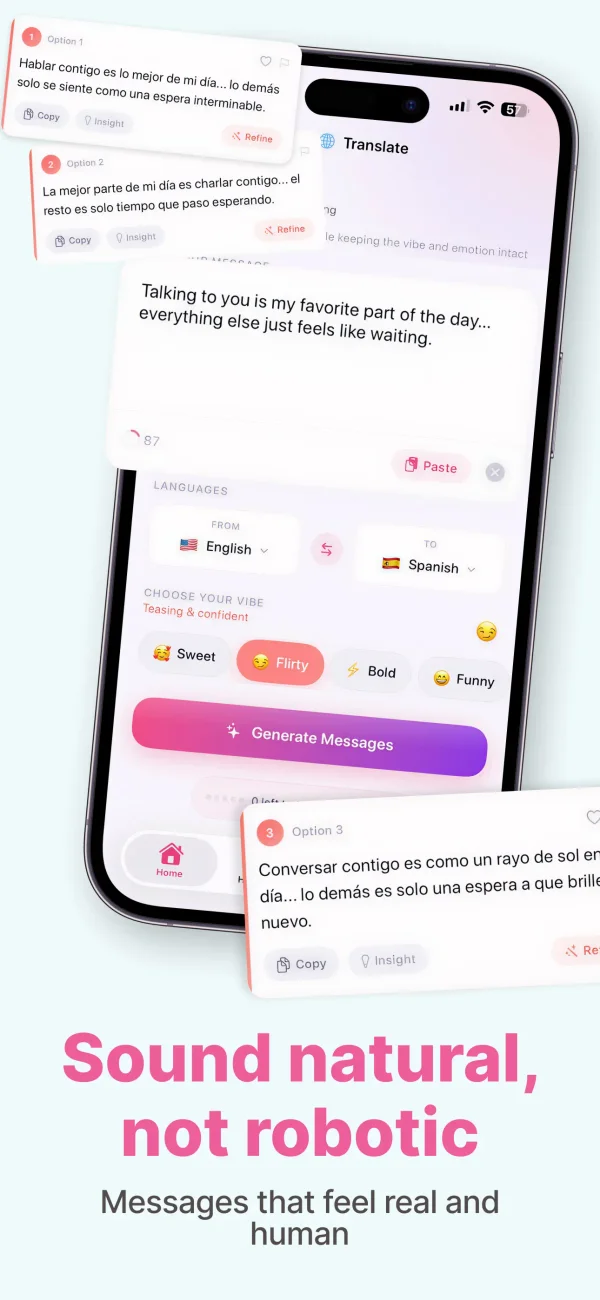
Texting Assistant AI helps you rewrite messages, generate replies, and keep conversations flowing without sounding awkward or robotic.
Core Features
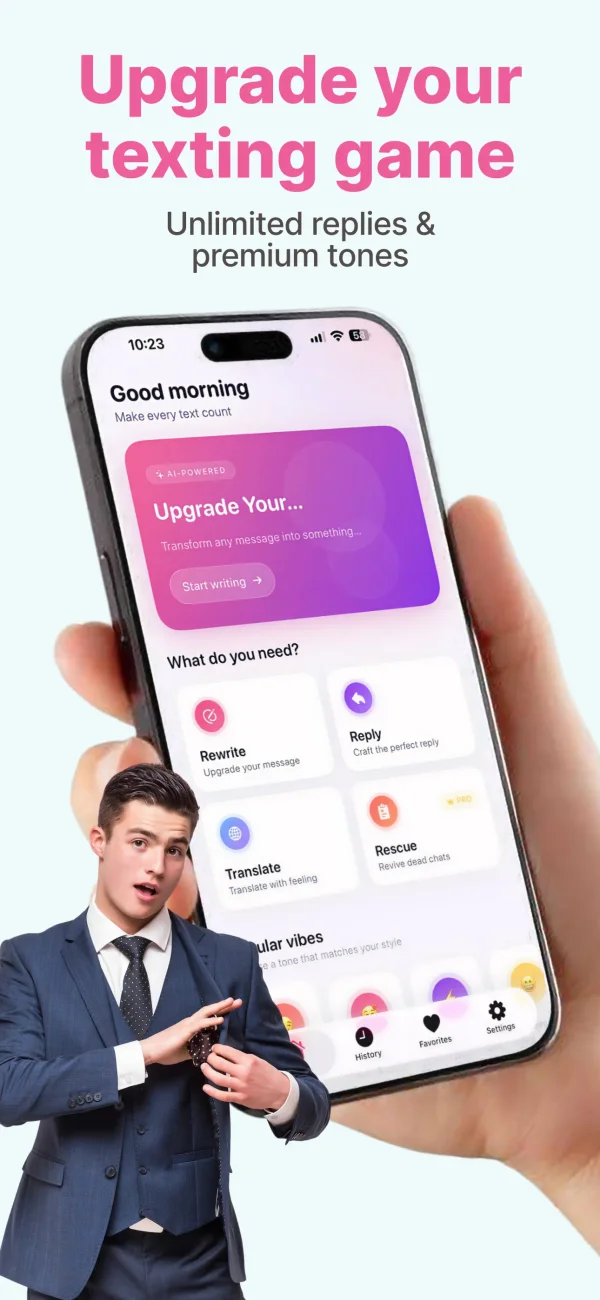
Rewrite your message
Turn simple or awkward texts into smooth, natural, and engaging messages in different tones.
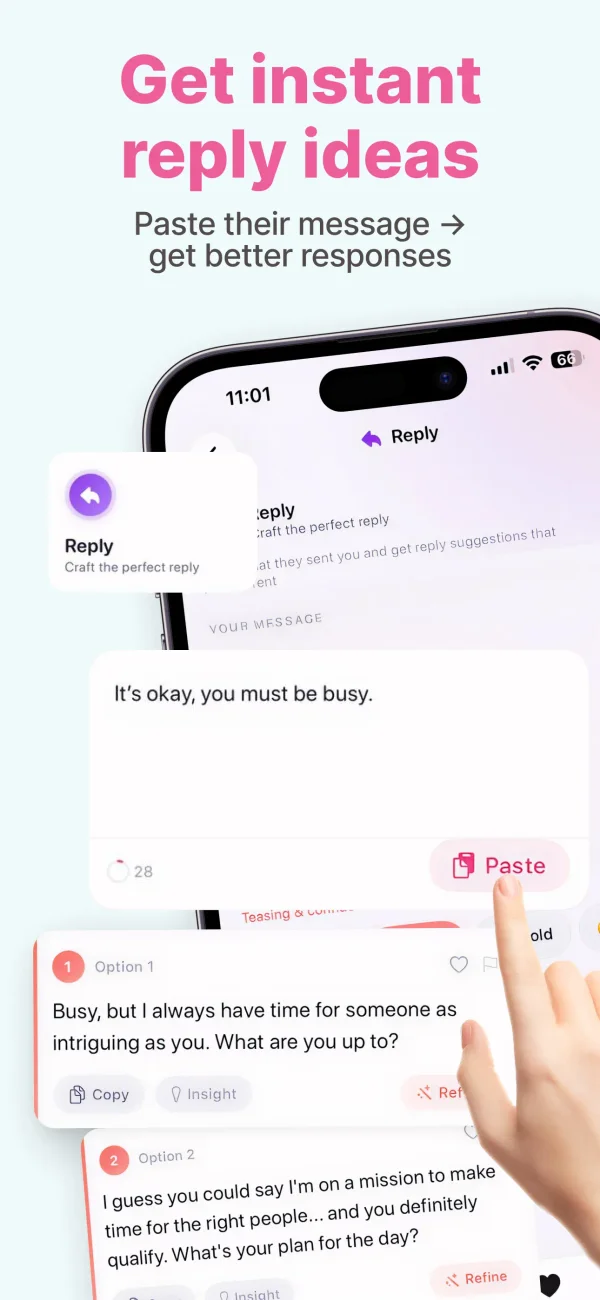
Smart reply suggestions
Paste what they said and get multiple reply ideas instantly.
Translate with tone
Translate messages while keeping the emotional intent, not just the literal meaning.
Conversation rescue
Stuck in a chat. Get ideas to restart and keep things interesting.
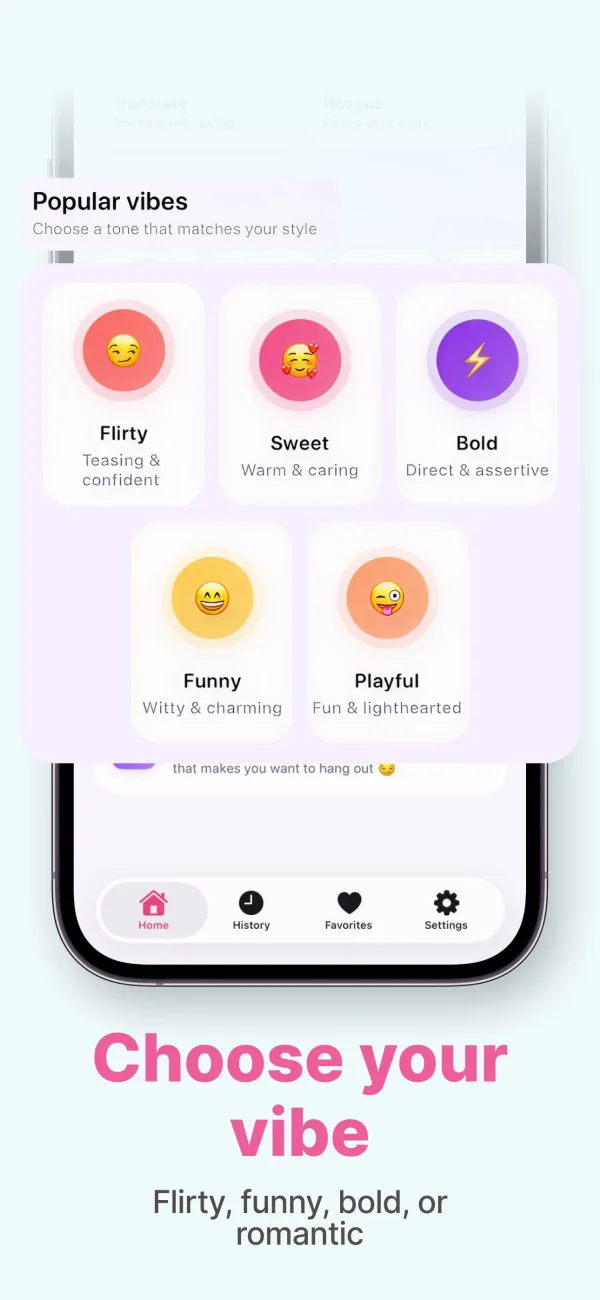
Choose your tone
Adjust how you sound depending on the situation.
Flirty
Funny
Sweet
Bold
Chill
Romantic
Why users use this app
Sound more confident in chats
Never run out of things to say
Avoid awkward or boring replies
Save your favorite lines
Premium Features
Unlimited message generations
Advanced tones and styles
Conversation rescue tools
Faster and smarter suggestions
Closing
Upgrade your texting and make every message count.
Privacy & Policy: https://zenitystudio.cloud/policy.html
Term of services: https://zenitystudio.cloud/terms.html
What’s new
Version 1.1.2 · Sep 11, 2026
Type with AI anywhere — new keyboard
Rewrite a message or get reply ideas without leaving Tinder, Messages, or wherever you're chatting. Turn it on in Settings → AI keyboard.
Scan a screenshot
Grab a screenshot of your chat and we'll pull the text out of it, so you don't have to retype anything.
Faster suggestions
Options now appear one by one as they're written, instead of making you wait for the whole set.
Make it sound like you
Add a few words about yourself and the person you're texting in Profile, pick how much emoji you use and how long your messages run — every suggestion follows your style.
Smarter replies
Reply and Rescue can now read the last few messages of a conversation, so suggestions fit what was actually said.
Plus fixes for a few bits of text that showed up untranslated.
App privacy
What Vu Thi Hanh declares on the App Store about how this app handles data.
-
Data used to track you
May be used to track you across apps and websites owned by other companies.
- Identifiers
-
Data not linked to you
May be collected but is not linked to your identity.
- Identifiers
Privacy practices may vary, for example with the features you use or your age.
Information
- Seller
- Vu Thi Hanh
- Category
- Productivity
- Version
- 1.1.2
- Updated
- Sep 11, 2026
- Released
- Apr 2, 2026
- Size
- 11.2 MB
- Requires
- iOS 16.0 or later
- Age rating
- 4+
- Price
- Free
- In-app purchases
- Yes
- Languages
- English, Arabic, French, German, Hindi, Italian, Japanese, Korean, Portuguese, Russian, Simplified Chinese, Spanish + 3 more
- Copyright
- © HV 2026
You might also like
-
 Run ClearPause. Size Up. Respond.
-
 Reply Assistant - ReplyCheckSmart Reply & Text Assistant
-
 RightReplyCraft the Perfect Response
-
 I On It: AI Voice RemindersVoice to task, call & message
-
 Sayso: Say It Your WayYour mouthpiece in any chat.
-
 Birdi - AI ReceptionistNever Miss a Customer Again
-
 Chat & AI ClerkPowered by ChatGPT API & GPT-4
-
 AI Rewriter - ReWordlyHumanizer & Grammar Fix
-
 Text Back AIQuick Replies for SMS Messages
-
 Chat-Assistent – Rizz CoachDating Advice & Texting Tips