- Age rating4+
- CategoryUtilities
- DeveloperFatih Kadir Akin
- LanguagesEnglish
- Size2.7 MB
Links to the official App Store page
Download.org hosts no file of Textream. The button opens its official App Store page, published by Fatih Kadir Akin. Listing last checked on Nov 14, 2026.
Screenshots

About
Keep your eyes close to the camera and your place in the script.
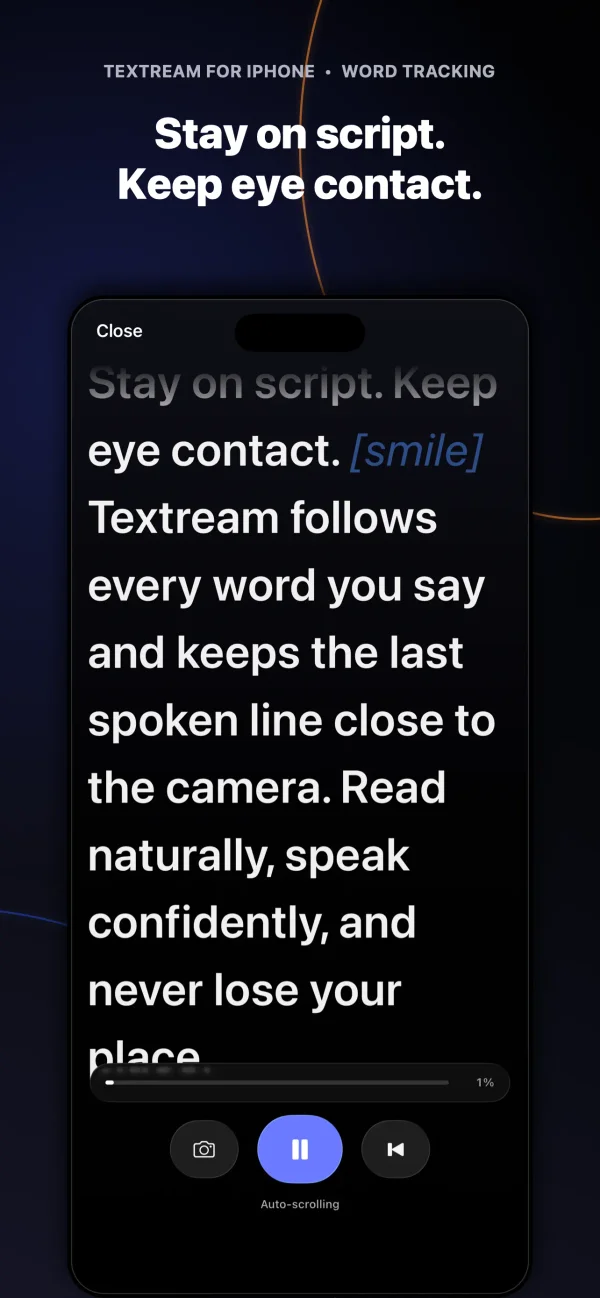
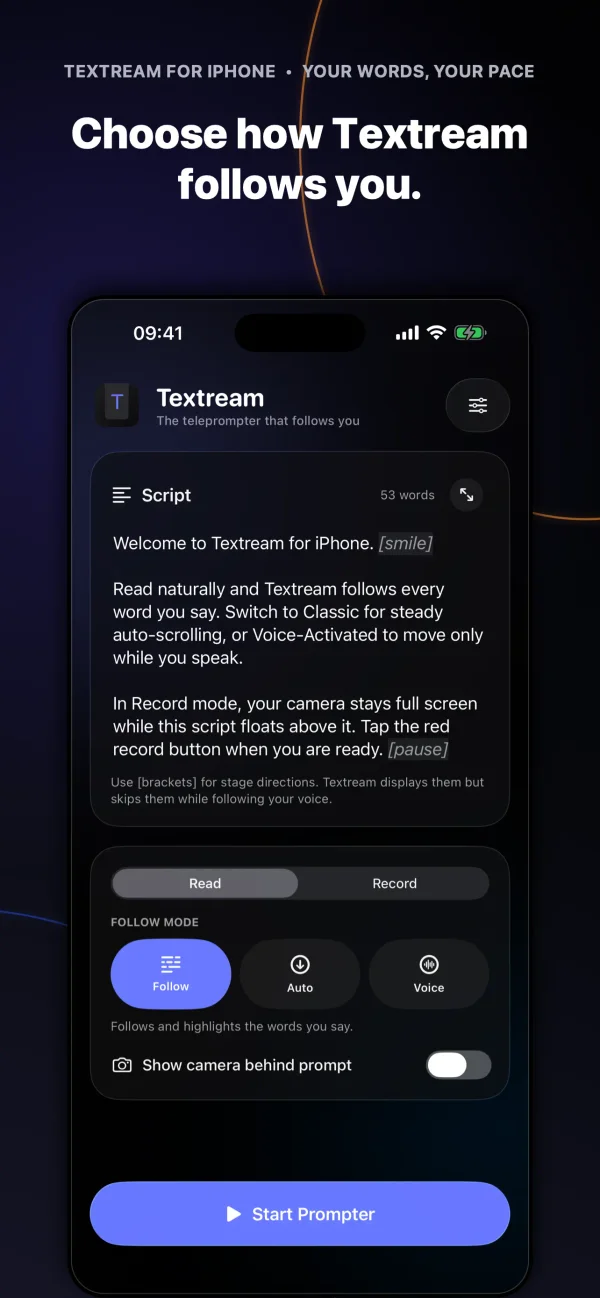
Textream is a teleprompter for iPhone and iPad that can follow the words you say, scroll at a steady pace, or move only while you speak. Paste or write a script, choose Read or Record, and start presenting.
THREE WAYS TO STAY ON SCRIPT
• Word Tracking follows and highlights the words you say using Apple Speech Recognition.
• Classic scrolls at a steady speed without speech recognition.
• Voice-Activated scrolls while you speak and pauses when you stop.
BETTER EYE CONTACT
Keep the active line just below the front camera, or place it in the center of the screen. Textream keeps the last spoken line visible in Word Tracking mode so you can continue naturally. In Classic and Voice-Activated modes, swipe left or right to change speed without interfering with vertical scrolling. If your script appears to use a different language, Textream can suggest a matching Word Tracking language.
READ OR RECORD
Use a clean fullscreen teleprompter in portrait or landscape. Show the camera behind your script when you want a live preview, or use Record mode to capture front- or back-camera video with microphone audio. The teleprompter stays visible to you but is not added to the saved video.
YOUR RECORDINGS
Completed videos are saved to Photos. Open Textream’s recordings gallery to play videos made with Textream, trim a recording with the system video editor, select multiple recordings, or delete them from Photos. If a save fails, Textream keeps a local pending copy so you can retry or discard it.
MAKE IT COMFORTABLE TO READ
Choose the typeface, size, text color, stage-direction color, and camera-overlay opacity. OpenDyslexic is included. Put stage directions in brackets; Textream displays them without treating them as spoken words. A fullscreen editor gives longer scripts more room.
PRIVATE BY DESIGN
Textream has no account, ads, analytics, or developer-operated cloud service. Scripts and settings stay on your device. Word Tracking uses Apple’s speech-recognition framework; depending on your device, selected language, and service availability, Apple may process speech on-device or send microphone audio to Apple.
Textream’s source code is available on GitHub. A separate Textream app is also available for Mac.
App privacy
What Fatih Kadir Akin declares on the App Store about how this app handles data.
-
Data not collected
The developer does not collect any data from this app.
Privacy practices may vary, for example with the features you use or your age.
Information
- Seller
- Fatih Kadir Akin
- Category
- Utilities
- Version
- 1.0
- Updated
- Aug 22, 2026
- Released
- Aug 11, 2026
- Size
- 2.7 MB
- Requires
- iOS 26.0 or later
- Age rating
- 4+
- Price
- Free
- Languages
- English
- Copyright
- © 2026 Fatih Kadir Akin
You might also like
-
 Extra ActionsPowerful actions for shortcuts
-
 Deflector ◇Shortcuts Everywhere
-
 Puzzle Alarm Clock, Wake Me UpPhoto App Task To Snooze Sleep
-
 Crest BrowserSpaces for your browsing
-
 TV Remote - ClickerUniversal Remote TV Control
-
 Memodo: Local AI Note TakerVoice Memos & Transcribe
-
 ScrollVox - AI TeleprompterVoice Scroll & Floating Script
-
 Sill – Mac StreamingRemote Mac window management
-
 amaranUtilities
-
 Screens 5: VNC Remote DesktopFast & Secure Computer Access