
TextSmith
AI-Powered iMessage Styles
Designed for iPhone, iPad
Free · In-app purchases
- Age rating4+
- CategoryProductivity
- DeveloperEdward Juden
- LanguagesEnglish+ 32 more
- Size25.6 MB
Links to the official App Store page
Download.org hosts no file of TextSmith. The button opens its official App Store page, published by Edward Juden. Listing last checked on Nov 12, 2026.
Screenshots


About
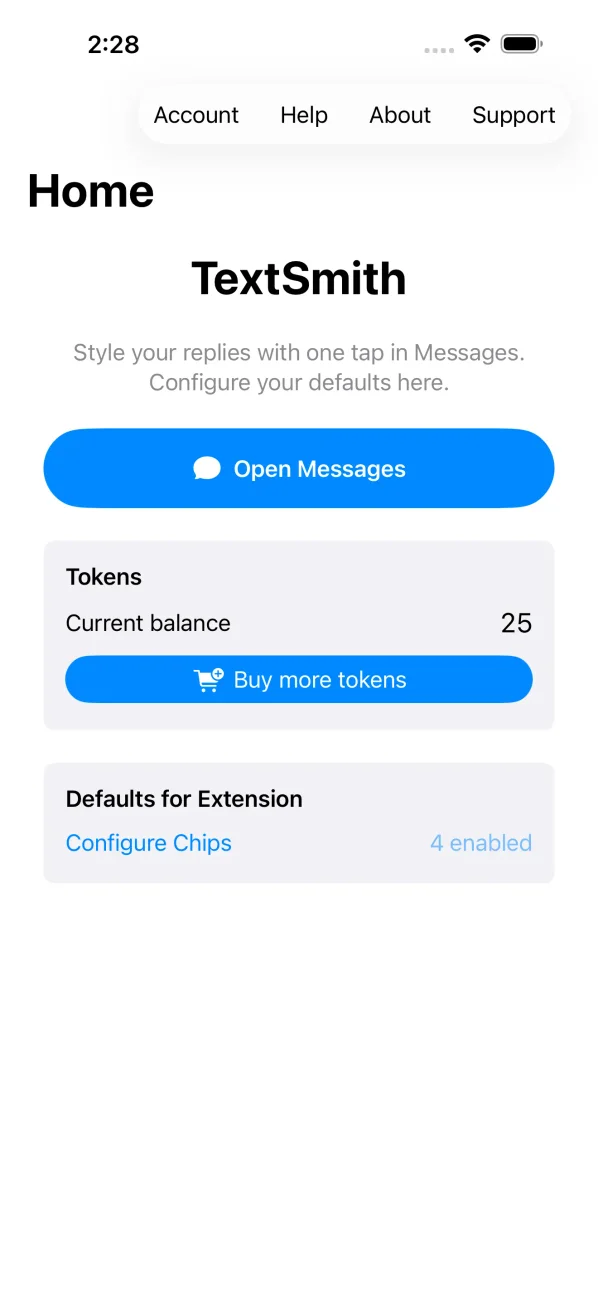
Transform your iMessage conversations with AI-powered style — right inside Messages.
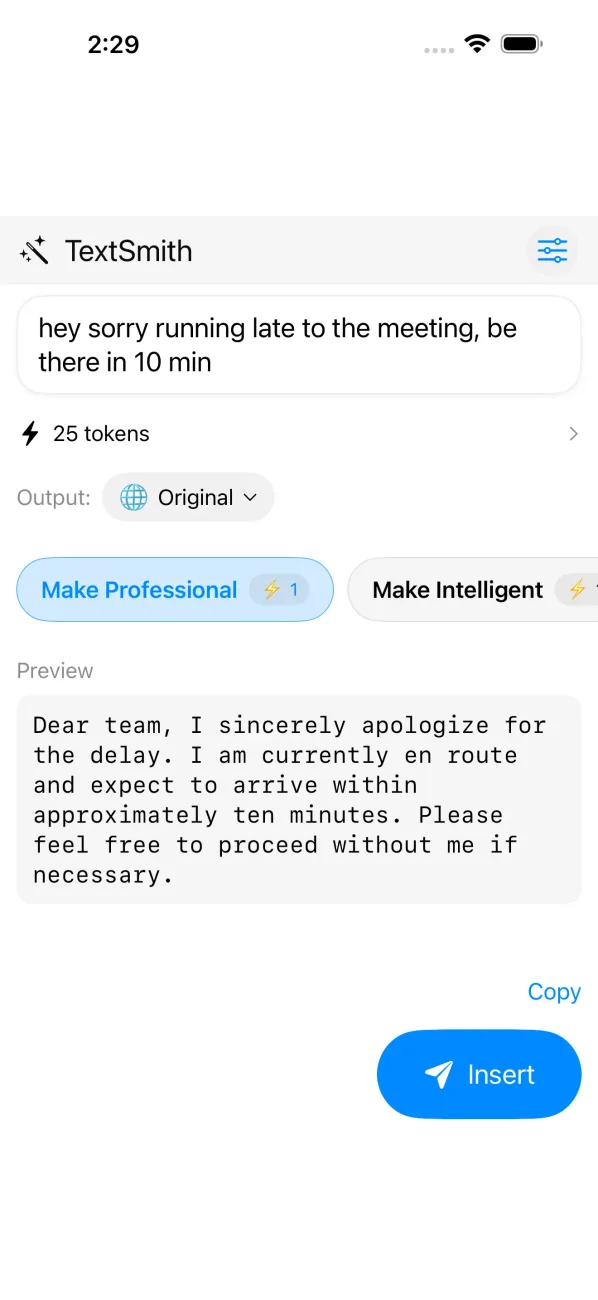
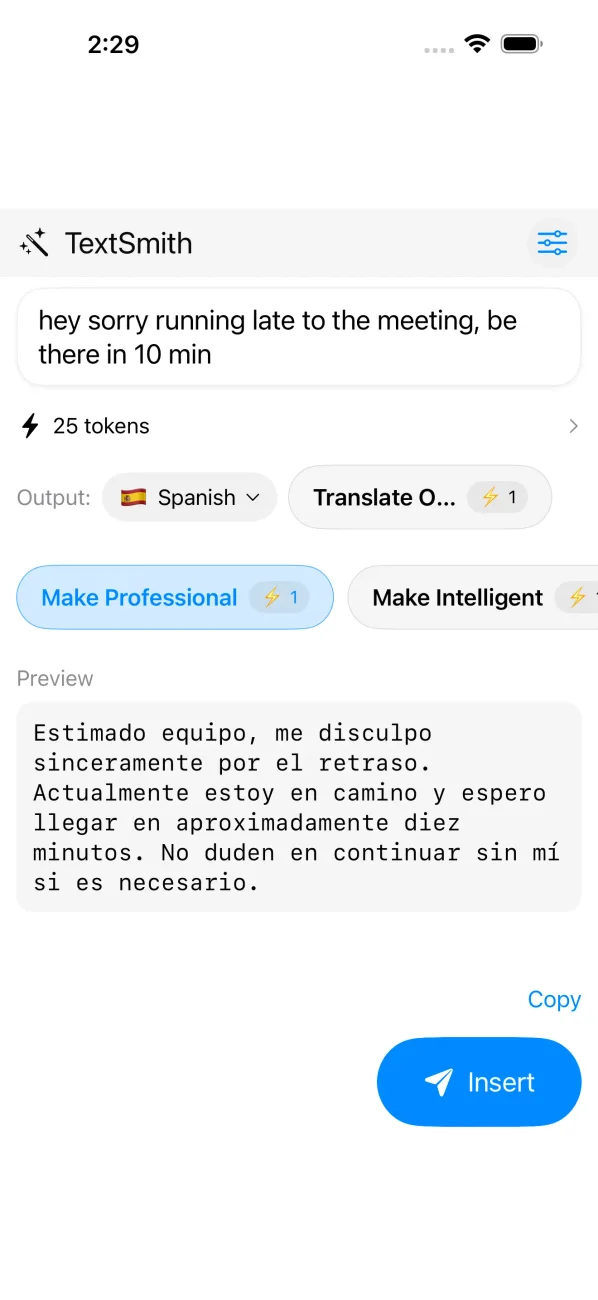
TextSmith is an iMessage extension that rewrites your text messages in any style you choose. Tap a style chip and your message is instantly transformed — Professional, Funny, Romantic, Gen Z, or any custom style you create. Preview the result, then insert it directly into your conversation with one tap.
Key Features
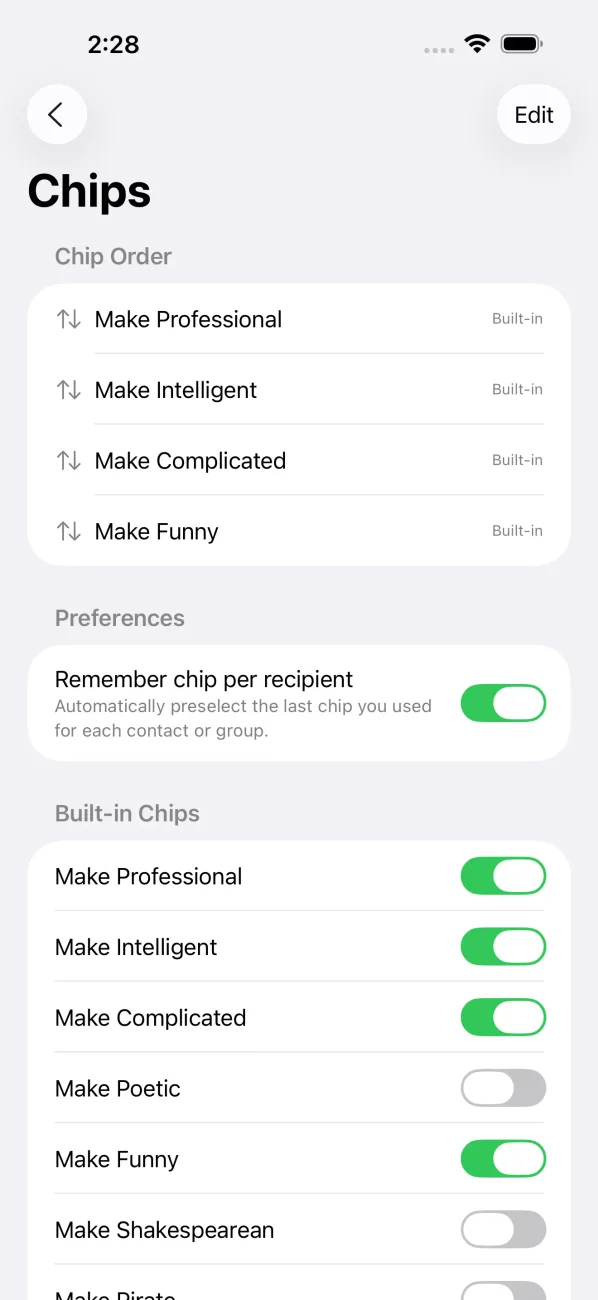
• 20 Built-In Style Chips — Choose from styles like Fix Grammar, Professional, Funny, Intelligent, Shorter, Romantic, Sarcastic, Gen Z, Shakespearean, Pirate, and more. Six are enabled by default — toggle the rest on whenever you like.
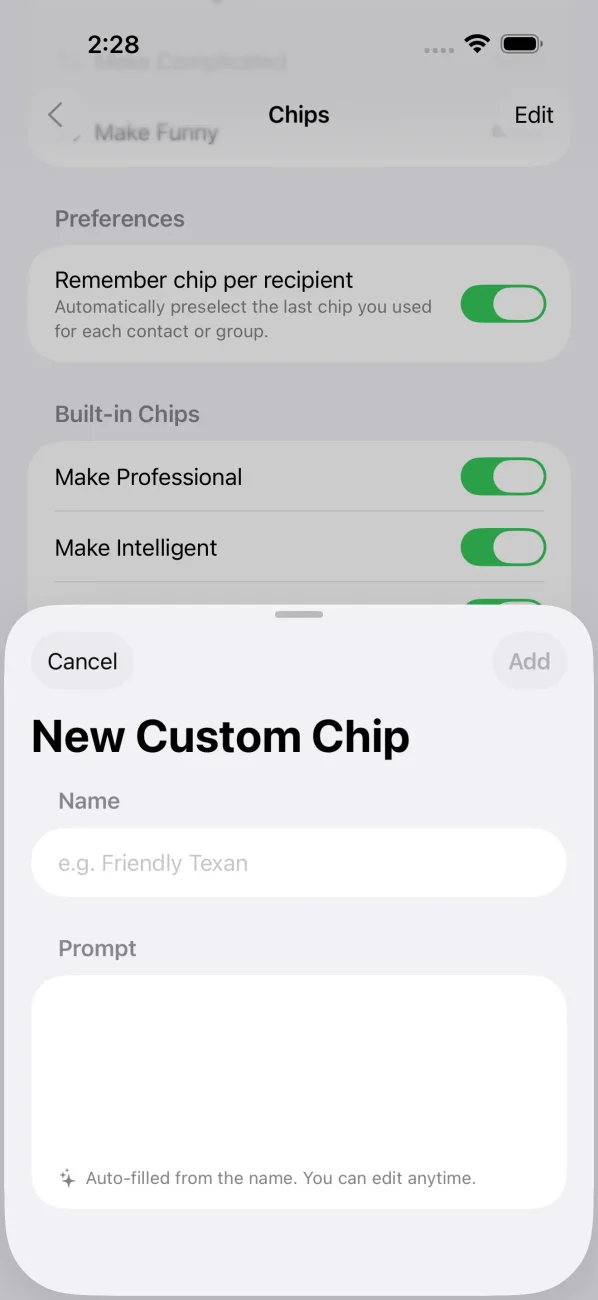
• Custom Styles — Create your own style chips with custom prompts. Want a Friendly Texan or Shakespearean tone? Name it, describe it, and TextSmith handles the rest.
• Seasonal Styles — Special limited-time styles appear automatically for holidays and events, keeping your messages fun and timely.
• Built-In Translation — Translate your styled message into 30+ languages before sending. Choose an output language and your transformation is delivered in that language automatically.
• Translate Only — Need a quick translation without any restyling? When you select an output language, a Translate Only chip appears so you can translate your message exactly as written — preserving your original tone, style, and intent.
• Live Preview — See exactly how your transformed message will look before inserting it into the conversation.
• Per-Recipient Memory — TextSmith remembers the last style you used for each contact or group, so your preferred tone is always ready.
• Drag-and-Drop Chip Order — Rearrange your style chips in any order you like. Put your favorites first.
• Works Right in Messages — No app switching needed. TextSmith lives in your iMessage app drawer and works with any conversation.
• iPhone and iPad — Fully optimized for both devices.
How It Works
1. Open a conversation in Messages and tap the TextSmith icon in the app bar.
2. Type your message in the TextSmith text field.
3. Choose a style chip to transform your text — or select an output language and tap Translate Only for a straight translation.
4. Preview the result, then tap Insert to add it to your message.
What’s new
Version 1.1.7 · Jul 24, 2026
New in this version:
• Easier-to-find message box — The compose field is now highlighted, so it's obvious where to type.
• Collapse button — Shrink the expanded view back down without leaving your conversation.
• Bug fixes and performance improvements.
App privacy
What Edward Juden declares on the App Store about how this app handles data.
-
Data linked to you
May be collected and linked to your identity.
- User content
-
Data not linked to you
May be collected but is not linked to your identity.
- Identifiers
- Usage data
- Diagnostics
Privacy practices may vary, for example with the features you use or your age.
Information
- Seller
- SnickityBit Solutions, LLC
- Category
- Productivity
- Version
- 1.1.7
- Updated
- Jul 24, 2026
- Released
- Nov 24, 2025
- Size
- 25.6 MB
- Requires
- iOS 26.0 or later
- Age rating
- 4+
- Price
- Free
- In-app purchases
- Yes
- Languages
- English, Arabic, Catalan, Croatian, Czech, Danish, Dutch, Finnish, French, German, Greek, Hebrew + 21 more
- Copyright
- © SnickityBit Solutions 2026
You might also like
-
 Meal Viewer: Kitchen VaultDinner Planner & food journal
-
 SmartCart - A Grocery AppShareable Grocery Lists
-
 Orbit EventsYour Event Management Platform
-
 Milk Collection DairyReal-Time Milk Stock Insights
-
 Food Stock - Grocery ListHome, Cellar, Pantry Inventory
-
 Happy Tasks - Day by dayEmotions&Tasks Management
-
 ColicineProductivity
-
 MinuteBackReclaim time. Live more.
-
 Forms: Online Form BuilderCreate Form & View Responses
-
 Delete Contacts+Productivity