The Focus Path: Study Planner
Classes, Exams & Flashcards
Designed for iPhone, iPad
In-app purchases
- Age rating4+
- CategoryEducation
- DeveloperSImplilyfe Inc.
- LanguagesEnglish
- Size45.2 MB
Links to the official App Store page
Download.org hosts no file of The Focus Path: Study Planner. The button opens its official App Store page, published by SImplilyfe Inc. Listing last checked on Nov 12, 2026.
Screenshots

About
The Focus Path is a study management app built for students who want to stay organized, never miss a deadline, and take control of their academic life.
Whether you're juggling AP classes in high school, managing a full course load in college, or balancing research in grad school, The Focus Path brings your classes, tasks, and schedule together in one place.
CUSTOMIZABLE DASHBOARD
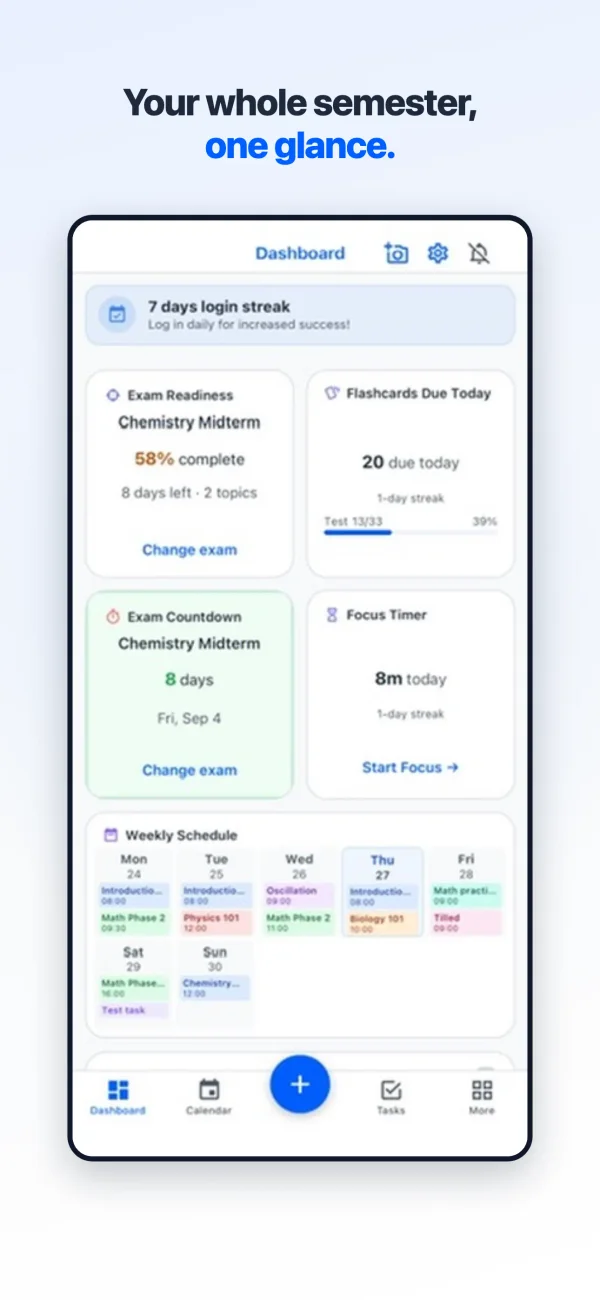
Your home screen, your way. Choose from 12 widget types — upcoming tasks, class schedules, exam countdowns, weekly progress, and more. Customize colors, fonts, and layouts. Drag and drop to rearrange. On iPad, enjoy a full 4-column grid for a desktop-like experience.
SMART TASK MANAGEMENT
Create assignments, exams, and to-dos with due dates, priorities, and subtasks. Set up recurring tasks for weekly problem sets or reading assignments — each instance tracks completion separately. Use voice input to create tasks hands-free: just speak naturally and The Focus Path extracts the title, due date, and task type automatically.
CLASS SCHEDULING
Add your courses with schedules, locations, instructor info, and color coding. Your classes appear on the calendar and integrate with task management so you always know what's coming up for each course.
VISUAL CALENDAR
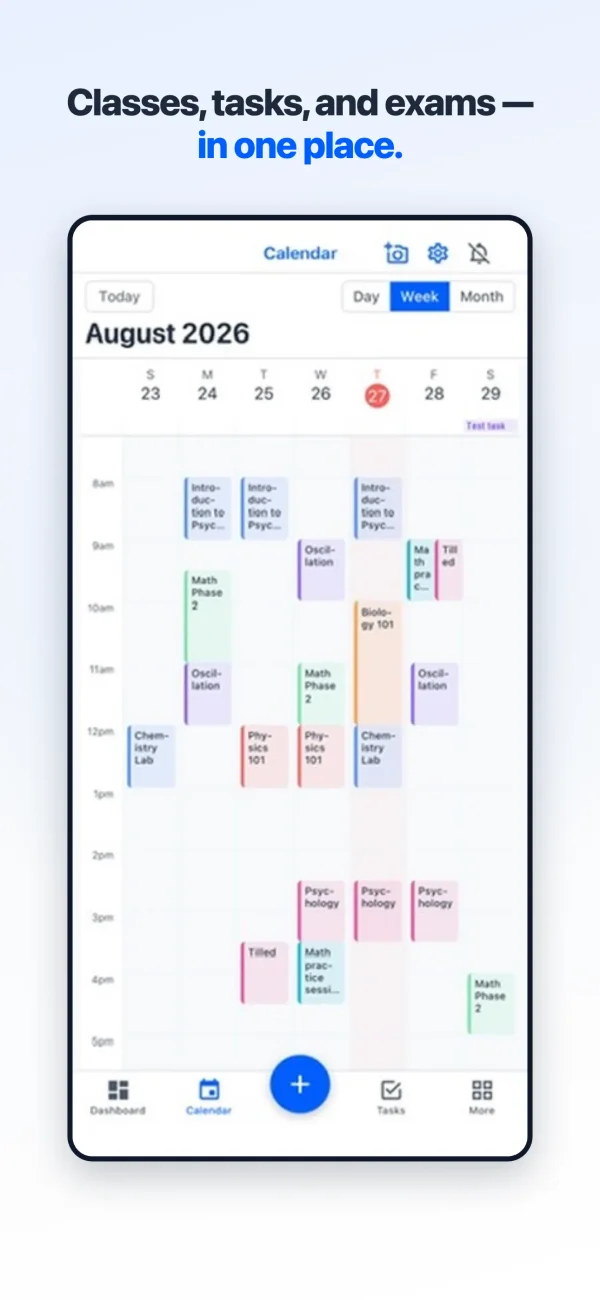
See your week at a glance with color-coded class blocks and personal events. Switch between daily, weekly, and monthly views. Pinch to zoom on the time grid. A live time indicator shows exactly where you are in your day. Export your schedule as an iCal feed for use in Apple Calendar, Google Calendar, or any calendar app.
ACADEMIC TERM MANAGEMENT
Organize by semesters, quarters, or trimesters. Track courses per term and customize date ranges. Localize terminology to match your school — choose between "classes" or "courses," "holidays" or "breaks."
WORKS OFFLINE
The Focus Path stores your data locally so you can view and edit tasks, classes, and schedules even without an internet connection. Changes sync automatically when you're back online.
SMART NOTIFICATIONS
Get reminders before classes start, when assignments are due, and days before exams. Set quiet hours so you're not disturbed during study sessions or overnight. Fine-tune timing and notification types in Settings.
PRIVACY FIRST
No ads. No tracking. Your study data stays yours. Export your data anytime as JSON or CSV. Delete your account with a 30-day grace period to change your mind. COPPA-compliant with age verification and parental consent for users under 18.
BUILT FOR ACCESSIBILITY
Full Dark Mode with light, dark, and system-follow options. Three UI density levels (compact, normal, relaxed) so you can optimize for screen space or readability. VoiceOver support, Dynamic Type, and 44pt minimum touch targets throughout.
SECURE BY DESIGN
Sign in with Apple or email. Protect your account with Face ID or Touch ID. All data transmitted over encrypted connections.
SUBSCRIPTIONS
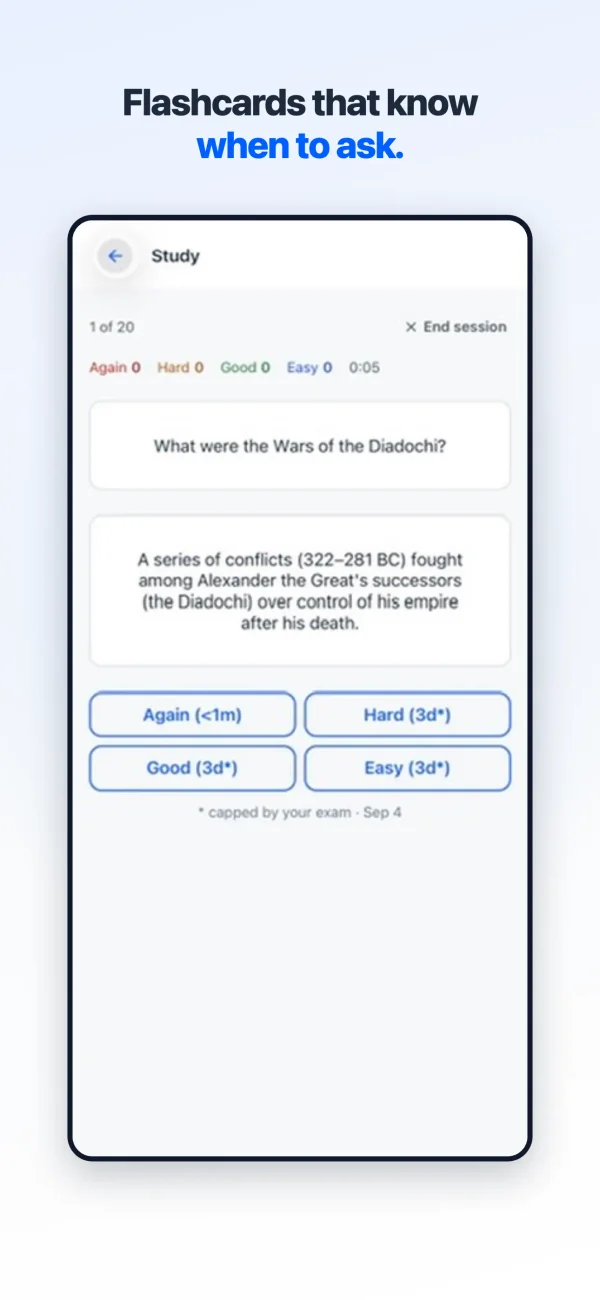
The Focus Path is free to download and use. Optional Pro and Premium subscriptions unlock flashcard studying, AI-generated decks, and monthly schedule scans. Available as monthly or annual auto-renewing plans; prices are shown in the app before you buy.
Payment is charged to your Apple ID at confirmation of purchase. Subscriptions renew automatically unless auto-renew is turned off at least 24 hours before the end of the current period. Manage or cancel anytime in your Apple ID account settings.
Terms of Use (EULA): https://www.apple.com/legal/internet-services/itunes/dev/stdeula/
Terms of Service: https://www.thefocuspath.com/terms
Privacy Policy: https://www.thefocuspath.com/privacy
What’s new
Version 1.2.4 · Oct 10, 2026
• Study your way. Choose which card types to review (Basic, True/False or Fill-in-the-blank) each time you start studying. Your choice is remembered for each topic, on every device.
• Filter your cards. Show only the card types you want in a topic's card list.
• Smarter flashcards. Every AI generation now creates all three card types, covers more of your material, and True/False cards explain the answer.
• Voice for exams and personal events. Say "Chemistry final on 19th Nov at 9am" and the form fills in the title, exam type, date and time.
• Tip of the day. One short tip a day on your Home screen, with "Show me" to take you straight to the feature.
• Active Score. Track your study days each month on the dashboard.
• Never lose a scan. Click and Configure now checks before you leave results unsaved.
• A fresh start. New dashboards begin empty, and the welcome is shorter.
• Fixes and smaller improvements throughout.
App privacy
What SImplilyfe Inc. declares on the App Store about how this app handles data.
-
Data linked to you
May be collected and linked to your identity.
- Contact info
- Identifiers
- Diagnostics
- Other data
-
Data not linked to you
May be collected but is not linked to your identity.
- User content
- Usage data
Privacy practices may vary, for example with the features you use or your age.
Information
- Seller
- SimpliLyfe Inc.
- Category
- Education
- Version
- 1.2.4
- Updated
- Oct 10, 2026
- Released
- Apr 14, 2026
- Size
- 45.2 MB
- Requires
- iOS 16.0 or later
- Age rating
- 4+
- In-app purchases
- Yes
- Languages
- English
- Copyright
- © 2026 SimpliLyfe Inc.
You might also like
-
 College Search Tracker: TourlyTrack Campus Tours & Compare
-
 StudyO: Study PlannerScience-backed study plans
-
 VirtU CollegeEducation
-
 CIMA OT PrepOperational to Strategic
-
 Student Study PlannerEducation
-
 Study On - Study PlannerFocus Timer & Study Planner
-
 Coursly: Student PlannerMoodle Organizer & Study AI
-
 GCSE History Topics PrepTopics & Source Skills
-
 Your schoolplannerOrganise homeworks easily
-
 UniSwipe: University FinderFind Your University Match