
- Age rating4+
- CategoryUtilities
- DeveloperGogita Kupatadze
- LanguagesEnglish
- Size187.8 MB
Links to the official App Store page
Download.org hosts no file of ThermoHammer. The button opens its official App Store page, published by Gogita Kupatadze. Listing last checked on Nov 11, 2026.
Screenshots

About
Evaluate your device's stability under sustained workloads, monitor thermal regulation safely, and see how you rank on the global leaderboard with ThermoHammer.
Designed as a diagnostic tool for power users, developers, and hardware enthusiasts, ThermoHammer safely analyzes how your device manages processing efficiency under standard, continuous multi-threaded tasks. It helps you understand your hardware's capabilities, thermal dissipation, and peak vs. sustained performance over time.
Do you experience frame drops during intensive tasks or long productivity sessions? ThermoHammer visualizes exactly how your device’s operating system manages efficiency to maintain optimal hardware health.
### KEY FEATURES:
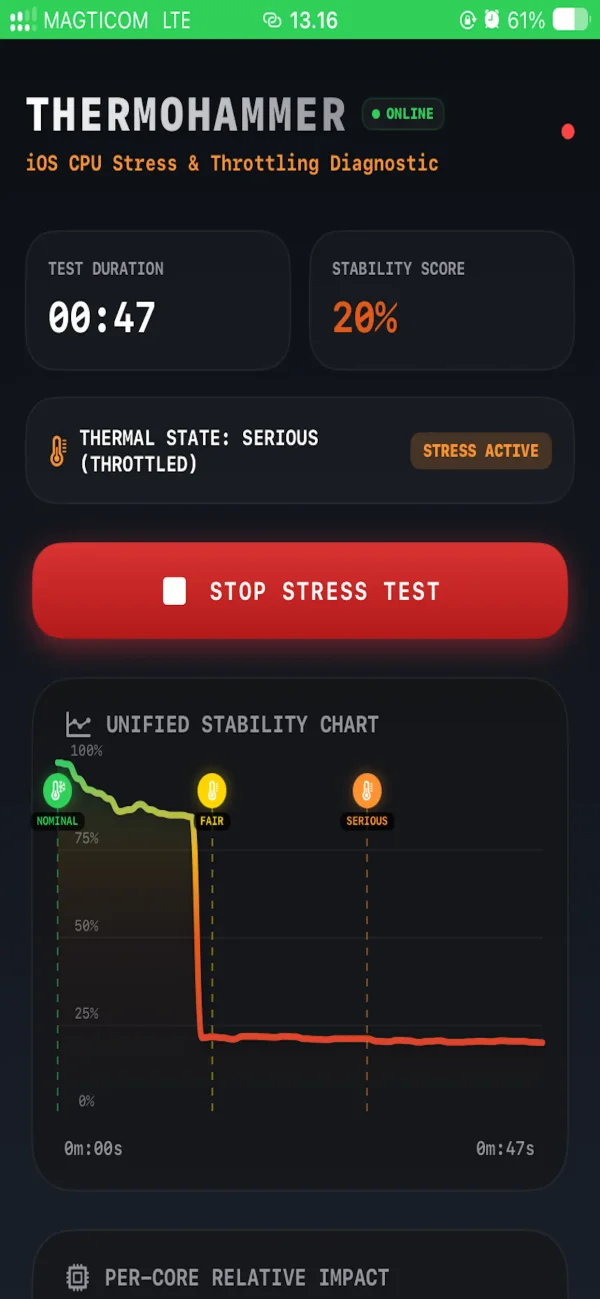
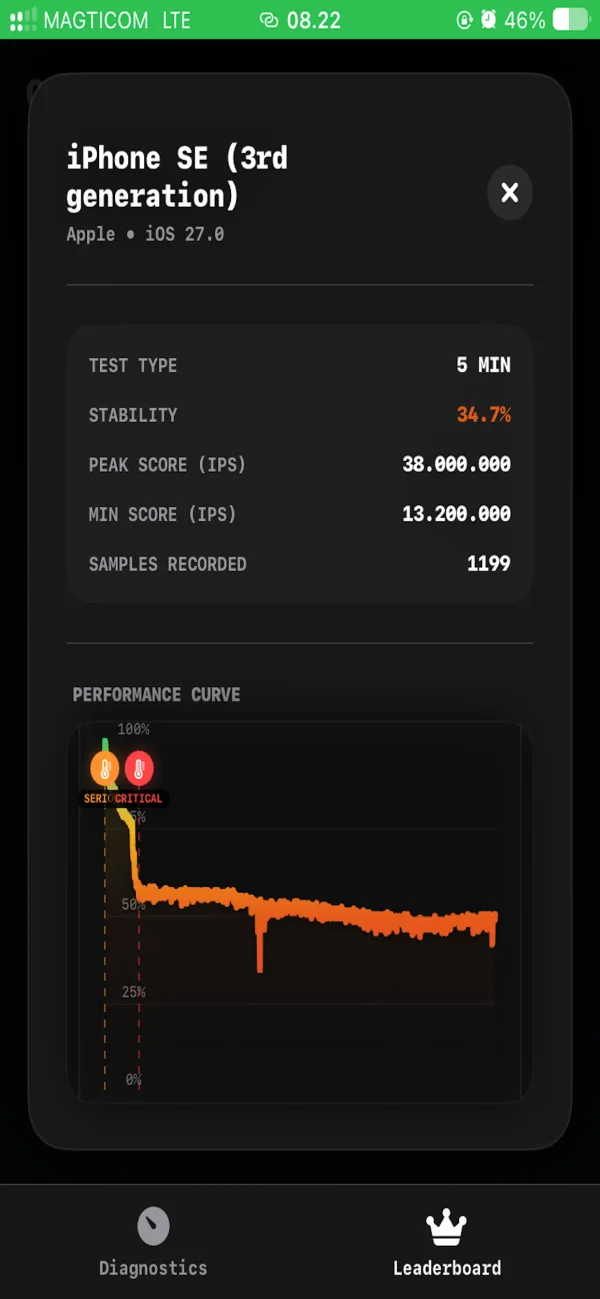
- **Real-Time Efficiency Graph:** Watch your device's performance curve in real-time. See clearly how the system dynamically regulates its processing power to manage heat.
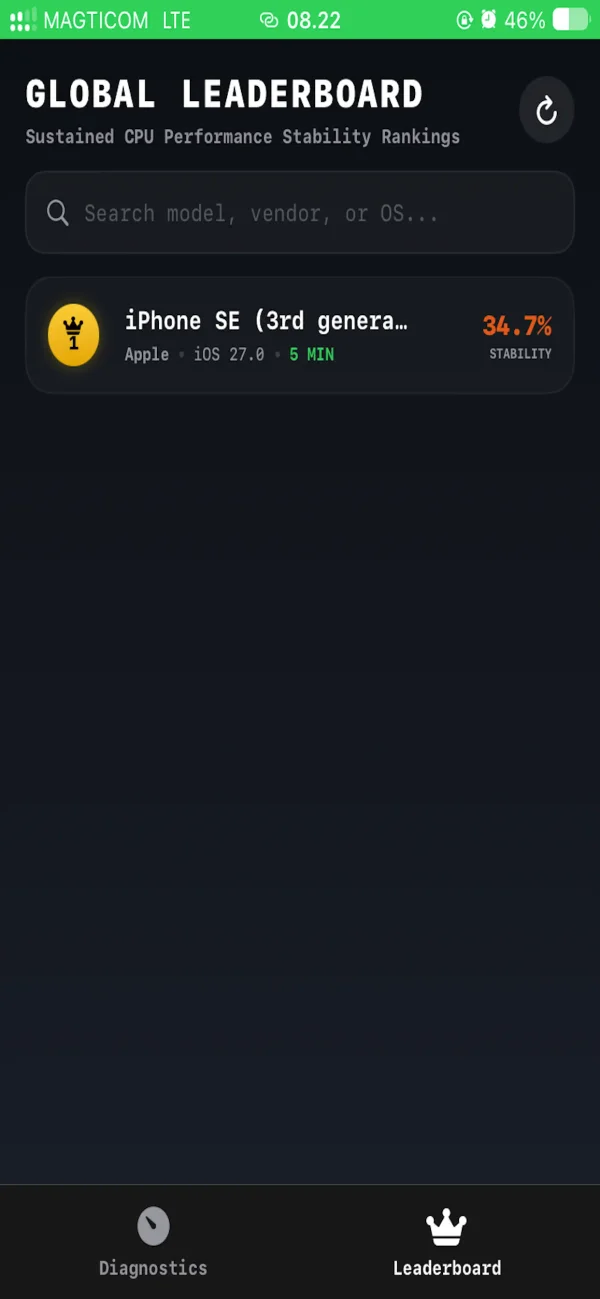
- **Global Comparison Leaderboard:** Submit your benchmarking scores and compare your device’s sustained performance (GIPS) against other users worldwide. Check how your specific model ranks in the global database.
- **Accurate GIPS Tracking:** Track performance in GIPS (Giga Instructions Per Second) to capture objective, high-precision performance metrics.
- **Three Standard Test Intervals:** Run structured, highly controlled tests of 5, 15, or 30 minutes to observe performance behavior over short, medium, and long durations.
- **Thermal Design Evaluation:** See how different environmental temperatures or protective cases impact your device's natural heat dissipation.
- **Clean, Data-Focused UI:** Minimalist and non-intrusive. Get straight to the diagnostics with clear, readable data visualization.
### SAFE & SYSTEM-COMPLIANT BENCHMARKING:
ThermoHammer is engineered with hardware safety as our top priority. The app acts as a standard diagnostic utility, running standard arithmetic calculations completely within the operating system's built-in thermal and power-management safeguards.
ThermoHammer does not bypass system limits, modify hardware settings, or override core safety parameters. It simply measures how the device's native thermal throttling protects the hardware during normal, sustained computational tasks. A stable, flat graph indicates highly efficient thermal design, while a gradual curve shows the system’s protective features working exactly as designed.
Download ThermoHammer today to understand your device's performance characteristics and join the global leaderboard!
What’s new
Version 2.0.1 · Oct 28, 2026
Tap any run on the Benchmark leaderboard to see its full details: CPU, memory, GPU, everyday UX, AI and LLM numbers, with the points each test earned.
Windows PCs on the leaderboard are now labelled Windows.
App privacy
What Gogita Kupatadze declares on the App Store about how this app handles data.
-
Data not linked to you
May be collected but is not linked to your identity.
- Identifiers
- Diagnostics
Privacy practices may vary, for example with the features you use or your age.
Information
- Seller
- Gogita Kupatadze
- Category
- Utilities
- Version
- 2.0.1
- Updated
- Oct 28, 2026
- Released
- Jul 20, 2026
- Size
- 187.8 MB
- Requires
- iOS 16.0 or later
- Age rating
- 4+
- Languages
- English
- Copyright
- © 2026 GranTurismo Group
You might also like
-
 Device Tuner Pro 26Battery, Game & Storage Tools
-
 Super PiBenchPi Benchmark & Leaderboard
-
 PhoneGauge: Heat Throttle TestThrottling & battery reports
-
 Nexus TelemetryUtilities
-
 Omni RecorderRecord, Transcribe & Sync
-
 SoftLock2FA, device & leak checker
-
 APSI BenchCPU performance tests
-
 AI Keyboard & Email WriterTranslate, Grammar Spell Check
-
 GPU ArenaCompare CPU, PC Build & FPS
-
 MainframeMonitorRetro CRT System Monitor