- Age rating4+
- CategoryProductivity
- DeveloperCultured Code GmbH & Co. KG
- LanguagesEnglish+ 8 more
- Size66.8 MB
Links to the official App Store page
Download.org hosts no file of Things 3 for iPad. The button opens its official App Store page, published by Cultured Code GmbH & Co. KG. Listing last checked on Nov 23, 2026.
Screenshots



About
Get things done! The award-winning Things app helps you plan your day, manage your projects, and make real progress toward your goals.
Best of all, it’s easy to use. Within the hour, you’ll have everything off your mind and neatly organized—from routine tasks to your biggest life goals—and you can start focusing on what matters today.
“Things offers the best combination of design and functionality of any app we tested, with nearly all the features of other power user applications and a delightful interface that never gets in the way of your work.”
—Wirecutter, The New York Times
KEY FEATURES
• Your To-Dos
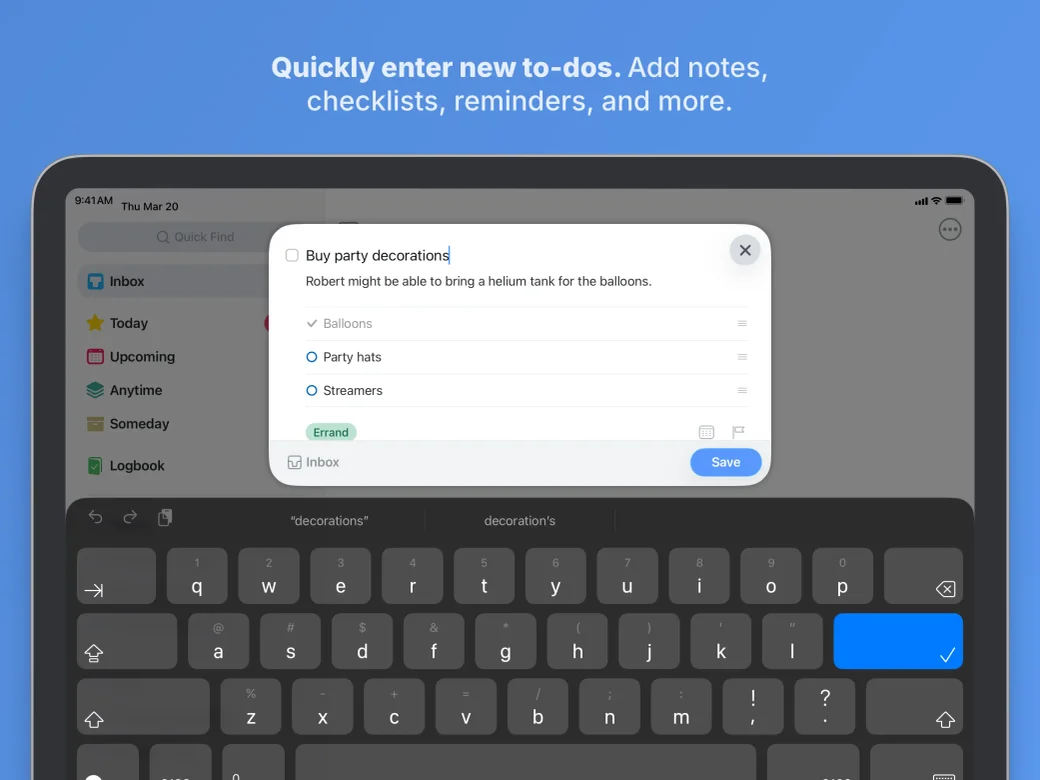
Your basic building block is the almighty To-Do—each a small step toward a great accomplishment. You can add notes, tag it, schedule it, and break it down into smaller steps.
• Your Projects
Create a Project for any big goal, then add the to-dos to reach it. Use headings to structure your list as you outline your plan. There’s also a place to jot down your notes, and a deadline to keep you on schedule.
• Your Areas
Create an Area for each sphere of your life, such as Work, Family, Finance, and so on. This keeps everything neatly organized, and helps you see the big picture as you set your plans in motion.
• Your Plan
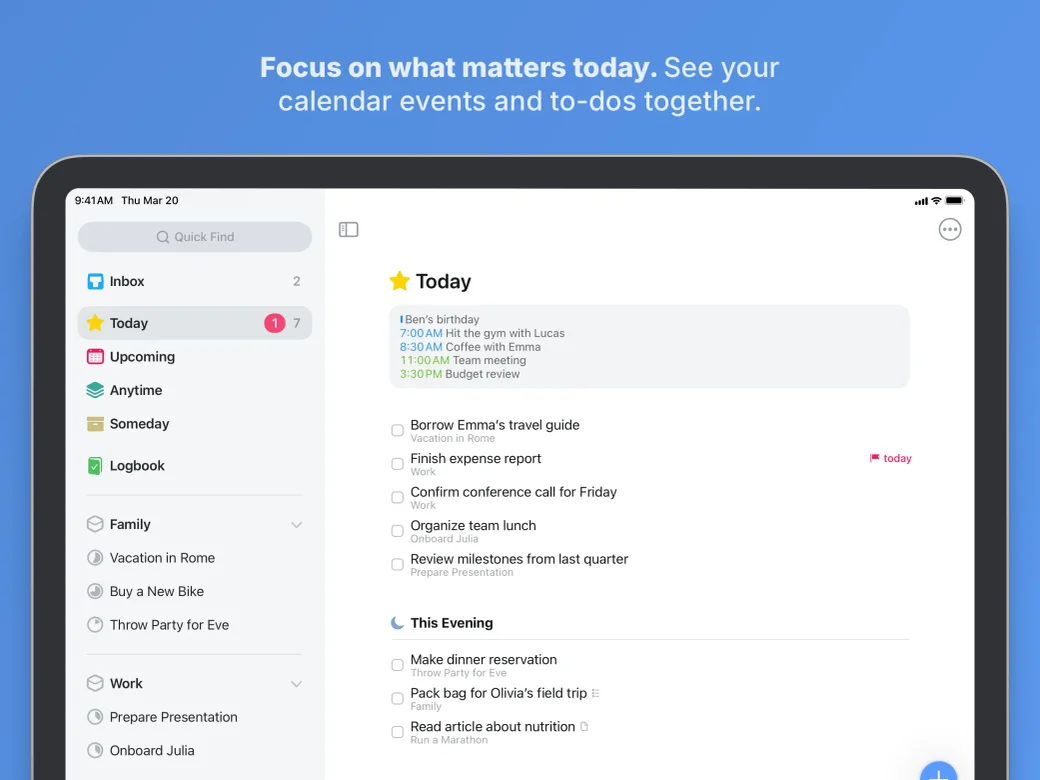
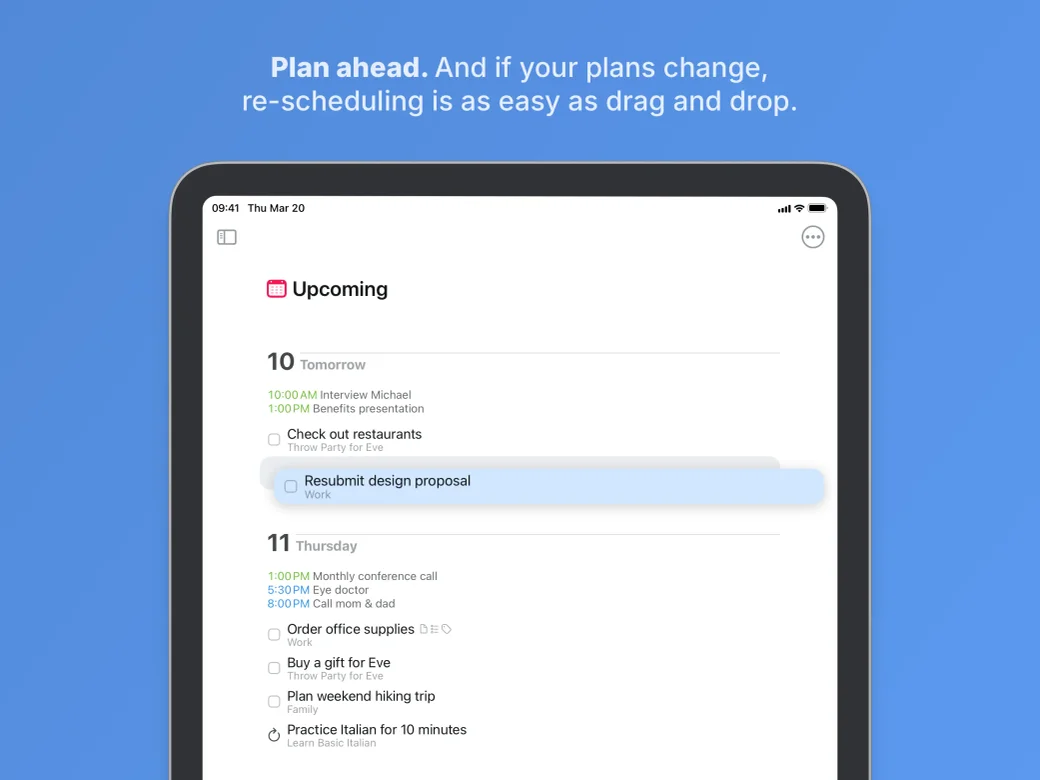
Everything on your schedule is neatly laid out in the Today and Upcoming lists, which show your to-dos and calendar events. Each morning, see what you planned for Today and decide what you want to do. The rest is down to you :)
MORE THINGS TO LOVE
As you dive deeper, you’ll find Things packed with helpful features. Here are just a few:
• Reminders — set a time and Things will remind you.
• Repeaters — automatically repeat to-dos on a schedule you set.
• This Evening — a special place for your evening plans.
• Calendar integration — see your events and to-dos together.
• Tags — categorize your to-dos and quickly filter lists.
• Quick Find — instantly locate to-dos, headings, or tags.
• Type Travel — jump from list to list with your keyboard; just start typing!
• Magic Plus — drag the + button to insert to-dos anywhere in a list.
• Share extension — create to-dos with content from other apps.
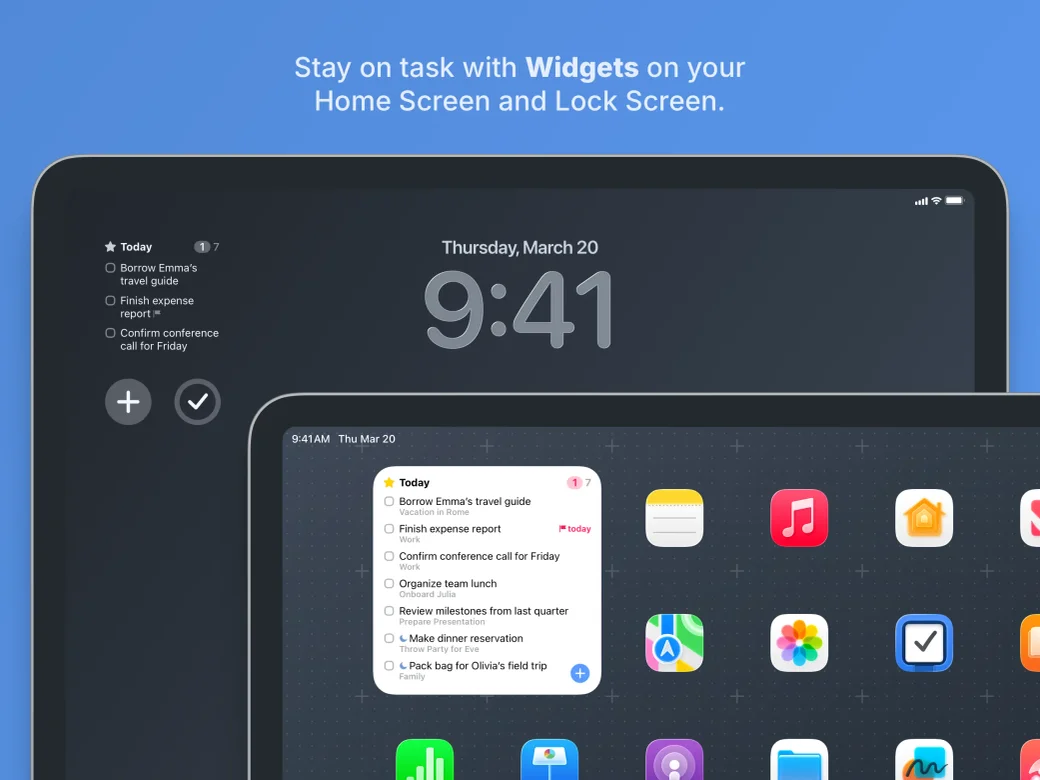
• Widgets — see lists on your home/lock screens.
• Mail to Things — forward an email to Things; now it’s a to-do.
• Markdown — structure & style your notes.
• And much more!
MADE FOR IPAD
Things is tailored to the iPad, with excellent pro features as well. Chief among them is the outstanding support for your keyboard & trackpad. You can edit your to-dos without touching the screen, utilize plenty of shortcuts, and navigate your lists at blistering speed—just start typing!
“Things has the best implementation of external keyboard support I’ve ever seen in an iPad app.”
—Federico Viticci, MacStories
You can also enjoy a beautiful dark mode at sunset, connect your calendars, open multiple windows, add a variety of widgets, scribble with Apple Pencil, create to-dos via Siri, import from Reminders—Things can do it all! There’s even Shortcuts integration if you want to automate your workflows.
AWARD-WINNING DESIGN
Made in Stuttgart, with two Apple Design Awards to its name, Things is a fine example of German engineering: designed not only to look fantastic, but to be perfectly functional as well. Every detail is thoughtfully considered, then polished to perfection.
“It’s like the unicorn of productivity tools: deep enough for serious work, surprisingly easy to use, and gorgeous enough to enjoy staring at.”
—Apple
GET THINGS TODAY
Whatever it is you want to accomplish in life, Things can help you get there. Install the app today and see what you can do!
• Things is also available for Mac, iPhone, Apple Watch, and Apple Vision Pro (sold separately).
• Sync is provided for free via our Things Cloud service.
• A free trial is available for Mac: www.things.app
If you have any questions, please get in touch. We provide professional support and will be glad to help you!
What’s new
Version 3.25.3 · Nov 19, 2026
• Improved performance when loading large lists, including Today, Upcoming, Anytime, Inbox, Trash, projects, and areas.
• Improved recognition of dates typed in the When field.
• Tweaked the layout of the tags dialog and secondary text in dialog rows.
• Fixed a bug where rescheduling a repeating to-do to a date already in its schedule would change its repeat rule.
• Fixed a bug where Things could take several seconds to open on a new day if you had a large Upcoming list and many repeating to-dos.
• Fixed a bug where adding or moving a to-do could cause excessive sync activity.
• Fixed a bug where dropping items from other apps into Things could stop working.
• Fixed a bug where a faint image of a dialog could remain on screen when swiping back immediately after closing it.
• Fixed a bug where Things showed an alert instead of calling the x-error callback when a Things URL couldn’t be parsed.
• Improved the German localization.
• Many other improvements under the hood.
App privacy
What Cultured Code GmbH & Co. KG declares on the App Store about how this app handles data.
-
Data linked to you
May be collected and linked to your identity.
- User content
-
Data not linked to you
May be collected but is not linked to your identity.
- Diagnostics
Privacy practices may vary, for example with the features you use or your age.
Information
- Seller
- Cultured Code GmbH & Co. KG
- Category
- Productivity
- Version
- 3.25.3
- Updated
- Nov 19, 2026
- Released
- May 18, 2017
- Size
- 66.8 MB
- Requires
- iOS 16.4 or later
- Age rating
- 4+
- Price
- $13.99
- Languages
- English, French, German, Italian, Japanese, Russian, Simplified Chinese, Spanish, Traditional Chinese
- Copyright
- © 2008-2026 Cultured Code
You might also like
-
 OmniFocus 4Accomplish More Every Day
-
 BusyCal: Calendar & TasksPlanner, Agenda & Reminders
-
 Superlist: To Do List & NotesAI Meetings, Tasks & Reminders
-
 Twos: Notes, Lists & RemindersWrite down things that matter
-
 iA Writer: Get FocusedWrite in plain text
-
 Due - Reminders & TimersNever Forget Anything Again
-
 NotePlan - To-Do List & NotesMarkdown, Planner, Calendar
-
 GoodTask: To Do List & PlannerReminders, Calendar & Projects
-
 Cardhop ContactsThe contacts app you'll love
-
 HEY CalendarMake your day