
Thinking Poker: Hand Tracker
AI Review, Journal & Tilt SOS
Designed for iPhone, iPad
Free · In-app purchases
- Age rating4+
- CategoryUtilities
- Developerlei cao
- LanguagesEnglish+ 2 more
- Size60.6 MB
Links to the official App Store page
Download.org hosts no file of Thinking Poker: Hand Tracker. The button opens its official App Store page, published by lei cao. Listing last checked on Nov 17, 2026.
Screenshots

About
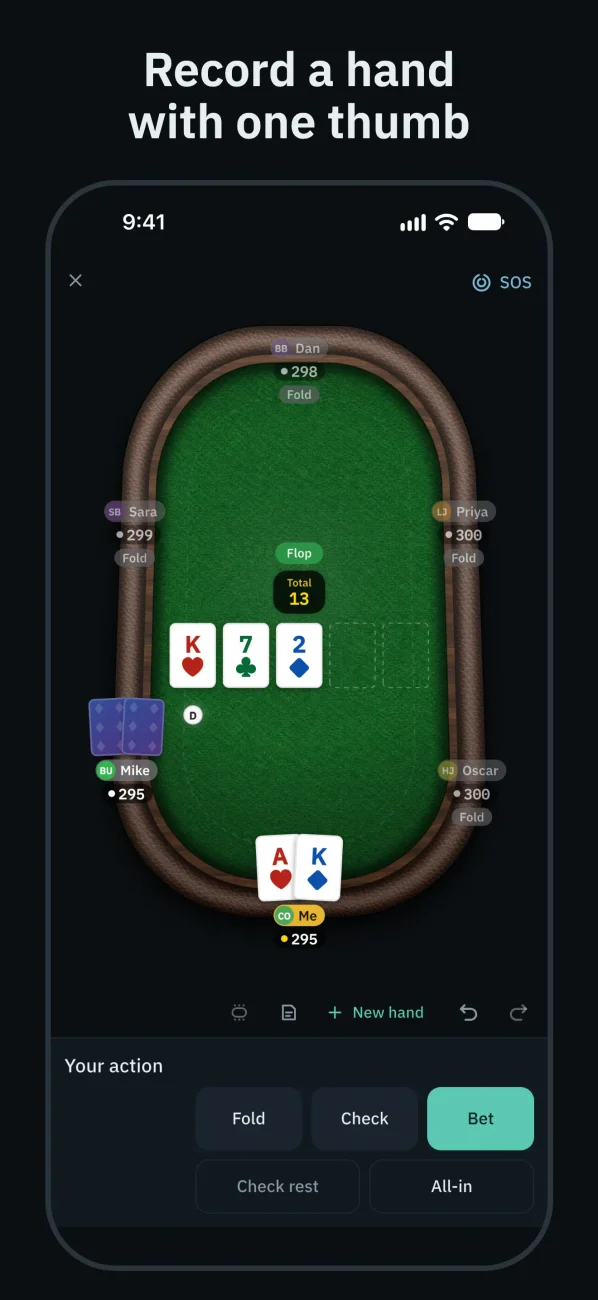
Thinking Poker is a private journal for live poker. Record hands with one thumb at the table, get an AI review that explains why, and keep every session safe on your phone.
AI REVIEW THAT EXPLAINS WHY
• Send a hand, or a finished session, for a street-by-street review: key moments, leaks, a read on the villain and a mental-game note.
• Every takeaway shows its reasoning: the pot odds, range or stack-depth logic behind it.
• Open the sample review first. It uses no credits.
• A review uses 1 credit, and a failed review is refunded. It is a second opinion, not a verdict.
RECORD HANDS AT THE TABLE
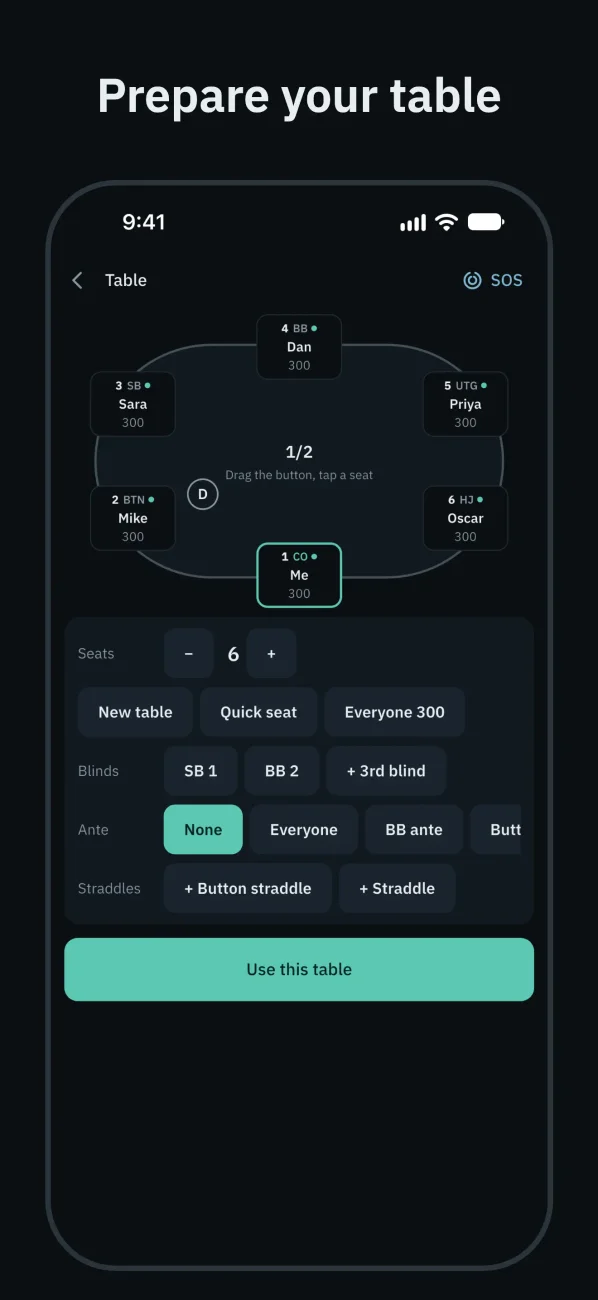
• Seats and action buttons lean toward your left or right thumb.
• Pick cards from a full-deck grid, a wheel, or suit then rank.
• Hold'em, PLO and PLO5. Antes, and a straddle from any seat. Double-board and bomb-pot hands go in the manual builder.
• Add notes and tags, mark favorites, and finish unfinished hands later.
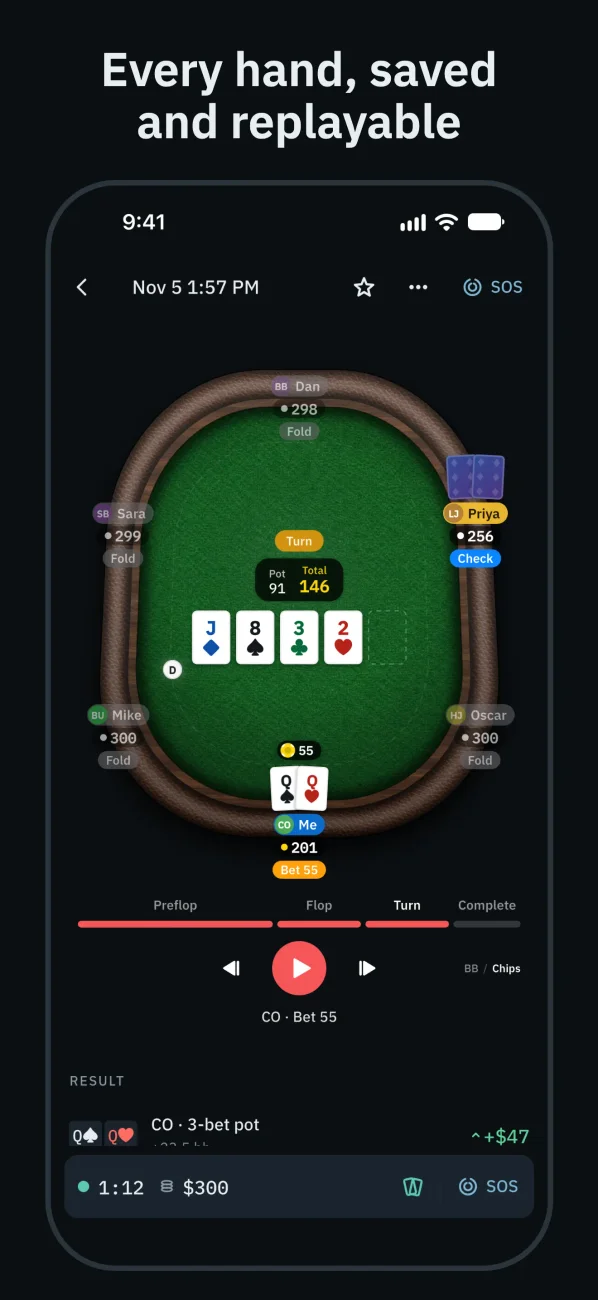
• Replay any hand street by street. Save it as an image, or share it with a link. Hands stay private until you share, and other players' names are hidden by default.
YOUR DATA IS SAFE
• Automatic backups on your phone every day, before every update and before any import.
• After each update the app checks that your sessions, hands and players are all still there, and brings back anything missing.
• Restore any backup from Me › Backup & restore. A restore never changes what you already have.
• Import your sessions from a CSV exported by another tracker or a spreadsheet. You see a preview first, duplicates are skipped, and nothing is overwritten.
• Export stays free: your whole journal as a ZIP with JSON and CSV.
PLAY A SESSION
• Start a cash game or tournament with stakes, location and buy-in. Your recent setups start again with one tap.
• Finish with a recap: profit, hourly rate, mood and one thing to change next time.
• Forgot to log one? Add a past session by hand, or edit any session later: stakes, times, buy-in, rebuys, cash-out and notes.
KNOW YOUR TABLE
• Player profiles with exploit notes, labels and an optional photo that stays on your phone.
• Stats from the hands you record: VPIP, PFR, 3-bet, c-bet and more. Style reads appear from 30 hands.
INSIGHTS
• Profit over time, bb/100, hourly rate with a confidence band, biggest upswing and downswing.
• Goals, and a bankroll with deposits and withdrawals.
STUDY BETWEEN SESSIONS
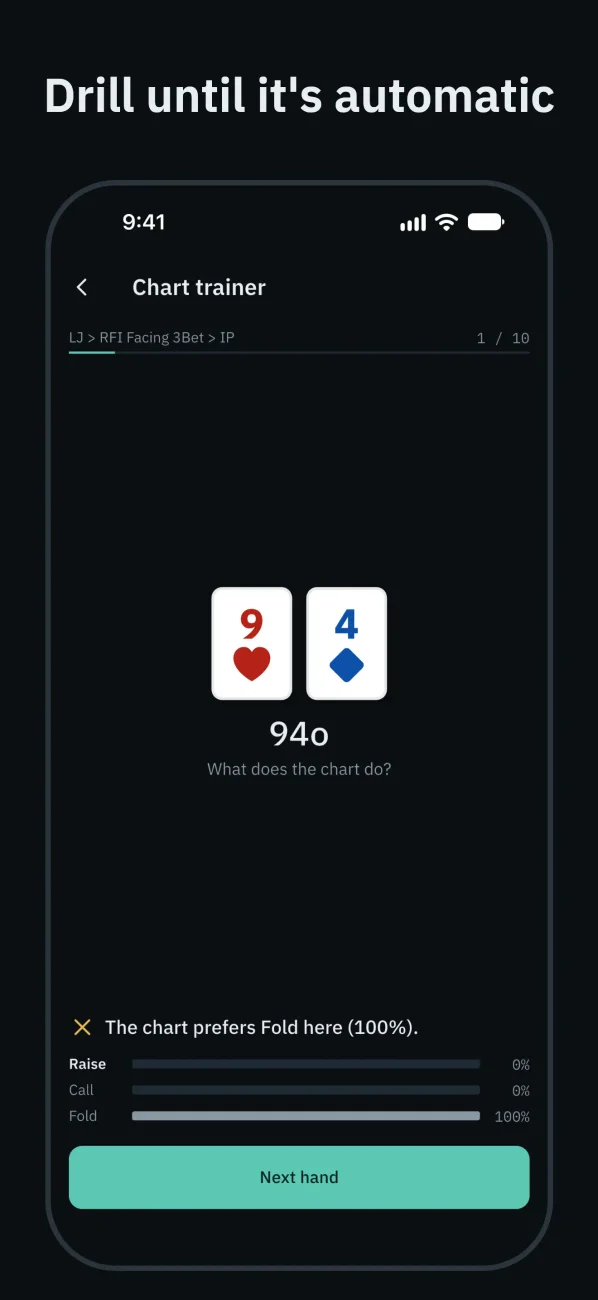
• Chart trainer: ten hands against a chart, with feedback on where you differed.
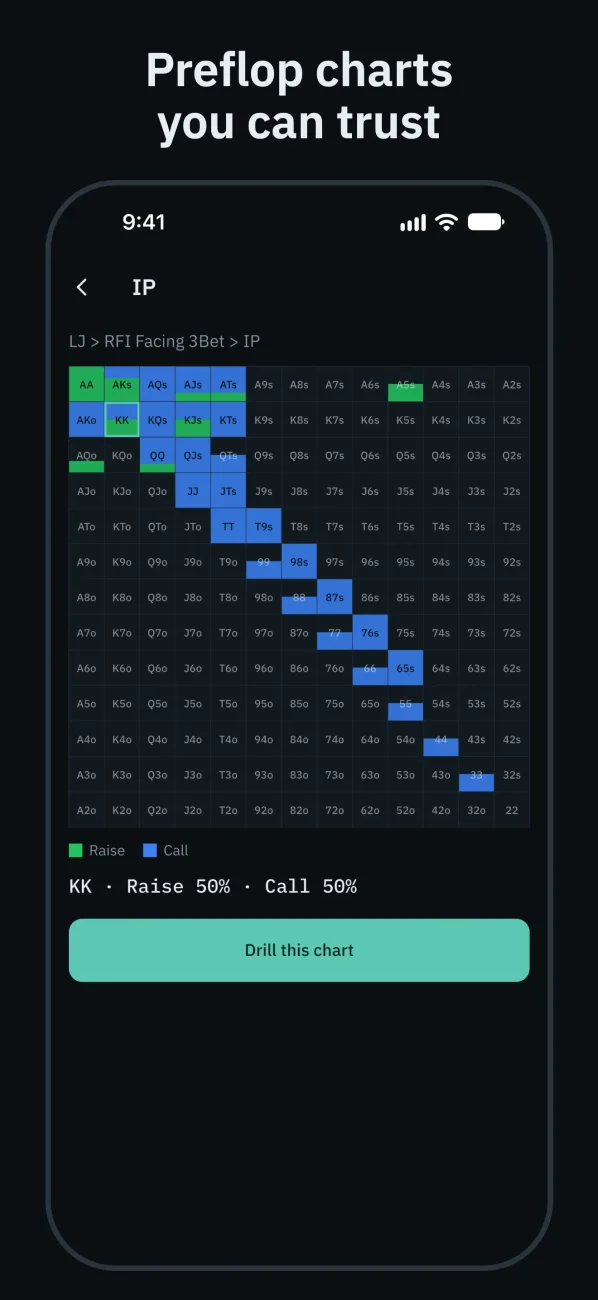
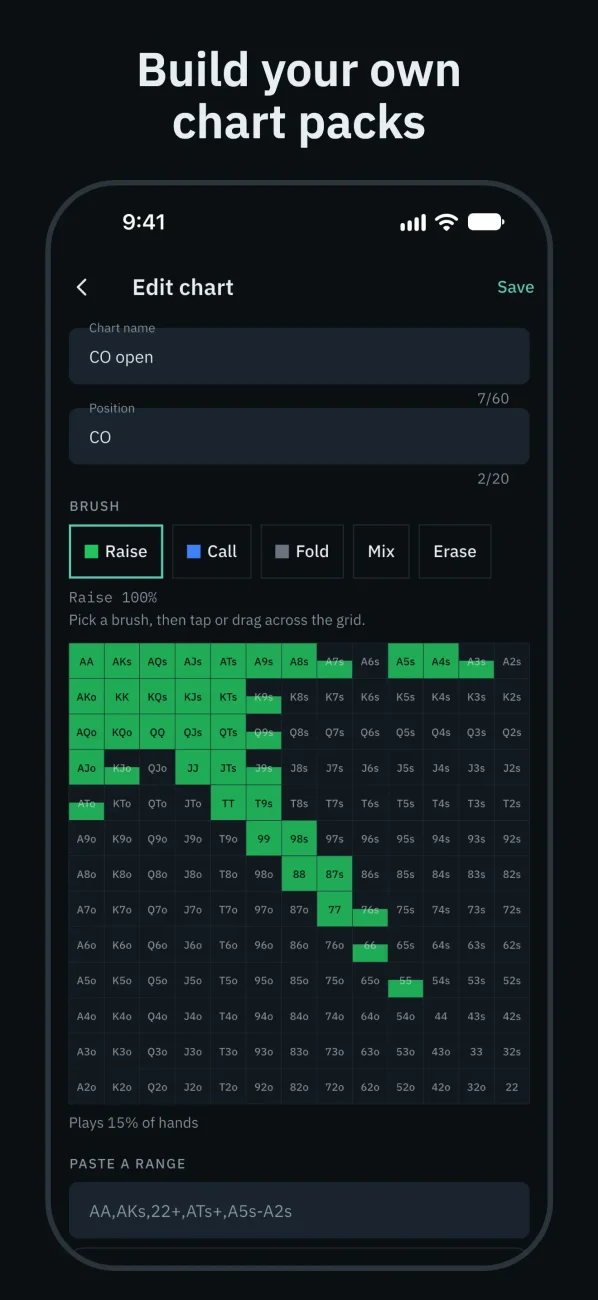
• 13x13 preflop charts with action frequencies. Build your own chart packs.
• Play whole hands against bots of different styles, with preflop graded against the charts.
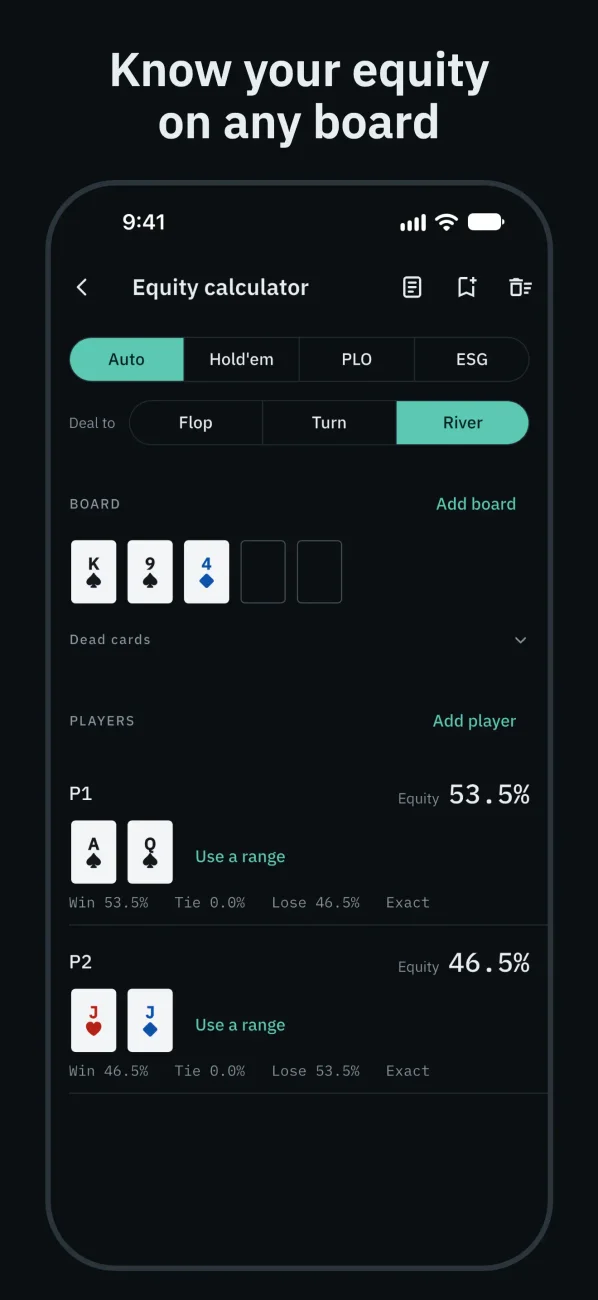
• Equity calculator for Hold'em, PLO and ESG with multiple boards.
KEEP YOUR HEAD IN THE GAME
• Tilt SOS: one tap, one minute of guided breathing, any time things turn. Works offline.
• Reset lines to say to yourself when tilt starts, and commitments to keep before you sit.
• Guided audio before you sit, after a hard stretch and to wind down, in English and Chinese.
SIGN IN, OR DON'T
• The journal works offline. Sign in with Apple or Google to keep your journal across phones, or stay a guest on this phone.
• Delete your account from inside the app.
COMING FROM TILTFREE
Thinking Poker is the new name of TiltFree, on the same App Store page. Your journal and Pro came over with the update.
PRO
The journal, export and Tilt SOS are always free. Pro lifts the daily hand limit, the chart-pack limit and the saved-spot limit, and includes AI review credits every month. Credit packs are also available as a one-time purchase.
A tracking and study tool. No real-money gambling.
Subscriptions renew automatically unless cancelled at least 24 hours before the end of the period. Manage or cancel any time in your Apple ID account settings.
Terms: https://pokertools.ai/terms
Privacy: https://pokertools.ai/privacy
What’s new
Version 5.3.0 · Nov 14, 2026
Thinking Poker 5.3: bankrolls, templates, the lock screen and safer updates.
• Lock screen: a running session shows on the lock screen and in the Dynamic Island, with time, stack and profit for cash games, and level, blinds and the level clock for tournaments. The Dynamic Island keeps to the app icon and the clock. Tapping it takes you back to where you were, or to the hand you were recording. You can turn it off in Me.
• Live session: the session's hands, notes and players each open from their own button, with Record hand on the hands page and a clear End session button. The screen is easier to use with one hand.
• Hand recorder: your stack stays in step with the session. A saved hand updates the session stack (you can switch that off), stack changes and rebuys flow both ways, and you can add a rebuy for any seat, which adds its chips to the stack by default. The hand list shows how many hands you've recorded.
• Tournaments: the default structure keeps to standard blinds past level 12 (4,000/8,000, 5,000/10,000…), and Turbo, Deep stack and Club night structures are built in.
• Study: Ranges opens on the Thinking Poker 6-max cash pack; pick a seat, then a spot, and the chart shows right there, with mixed hands split across the cell.
• Locations: each venue shows your result, sorted by most played, result, recent or name.
• Players: tell the app two players aren't the same person and it stops suggesting them.
• SOS: one calm screen. Pick what's going on (bad beat, revenge, a mistake…) and the lines are for that kind of tilt; reset lines stay one tap away the whole time.
• Bankrolls: keep separate bankrolls, each in its own currency, and filter your stats and charts by bankroll. Totals across currencies are converted and added up, marked ≈, at the European Central Bank's reference rates or at a rate you enter; one tap shows each currency on its own. Your existing sessions are in your main bankroll.
• Templates: save a session setup (game, stakes, venue, buy-in, currency) and start from it, or repeat your last session. You confirm before a session starts.
• Import preview: rows whose cash-out and profit don't match are listed before you import.
• Safer updates: the check after every update now catches any change in your counts, and if your journal can't be opened the app offers to restore a backup instead of starting empty.
• How to: Me › How to and the ? on the main screens open the Thinking Poker manual.
App privacy
What lei cao declares on the App Store about how this app handles data.
-
Data linked to you
May be collected and linked to your identity.
- Purchases
- Contact info
- Identifiers
-
Data not linked to you
May be collected but is not linked to your identity.
- Identifiers
- Usage data
- Diagnostics
Privacy practices may vary, for example with the features you use or your age.
Information
- Seller
- lei cao
- Category
- Utilities
- Version
- 5.3.0
- Updated
- Nov 14, 2026
- Released
- Jan 24, 2026
- Size
- 60.6 MB
- Requires
- iOS 17.0 or later
- Age rating
- 4+
- Price
- Free
- In-app purchases
- Yes
- Languages
- English, Simplified Chinese, Traditional Chinese
- Copyright
- © 2025 TiltFree
You might also like
-
 Live Poker HUDTrack & analyze poker hands
-
 SnapHand - Live Poker TrackerBankroll, Sessions & HUD Stats
-
 HandRecorder: Poker trackerHand history, GTO & Omaha
-
 Poker Live Notes — OfflinePoker notes for live games
-
 GrindStack: Live Poker TrackerTrack Hand History & Bankroll
-
 EDGE Poker: AI Coach & TrackerGTO Preflop Trainer & Bankroll
-
 Handflow - Poker Hand HistoryRecord, Replay & Share Hands
-
 The Poker Hand LoggerReplay, Ranges & Sessions
-
 德州撲克入池率 VPIP/PFR 記錄Utilities
-
 PokerLedger.netUltimate Bankroll Tracker