
Thrivner Planner
Task Manager & Time Management
Designed for iPhone, iPad
Free · In-app purchases
- Age rating4+
- CategoryProductivity
- DeveloperThrivner
- LanguagesEnglish
- Size35.8 MB
Links to the official App Store page
Download.org hosts no file of Thrivner Planner. The button opens its official App Store page, published by Thrivner. Listing last checked on Nov 16, 2026.
Screenshots

About
Find the simple view of your complex life with Thrivner Planner, a project planner and daily task management app!
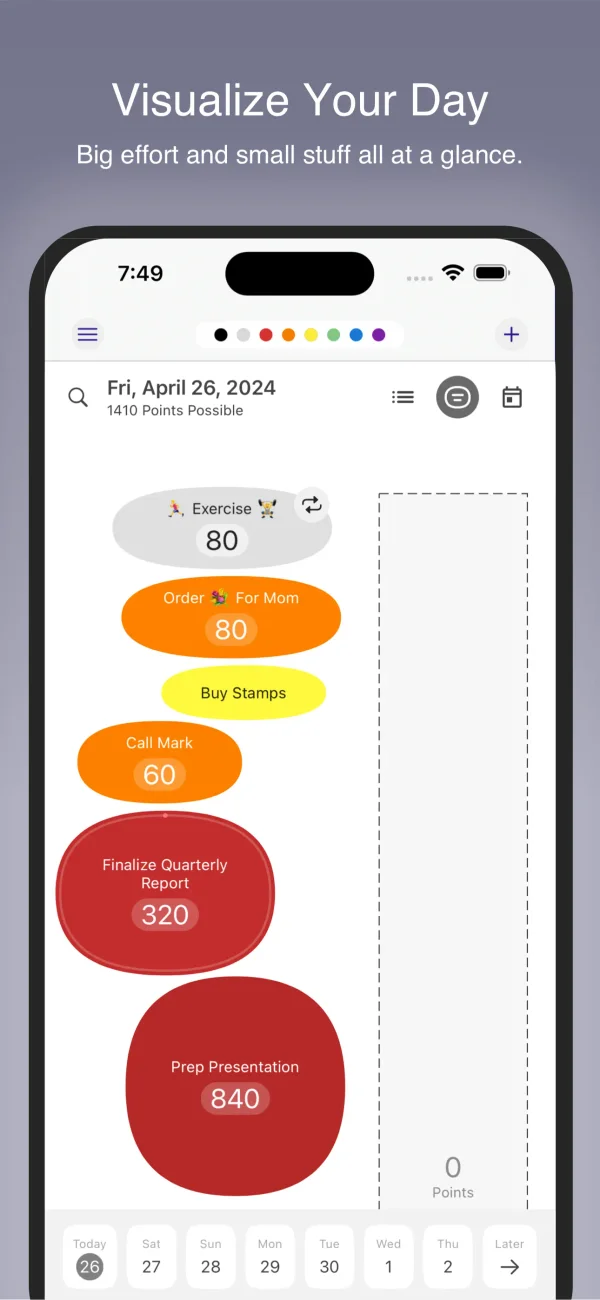
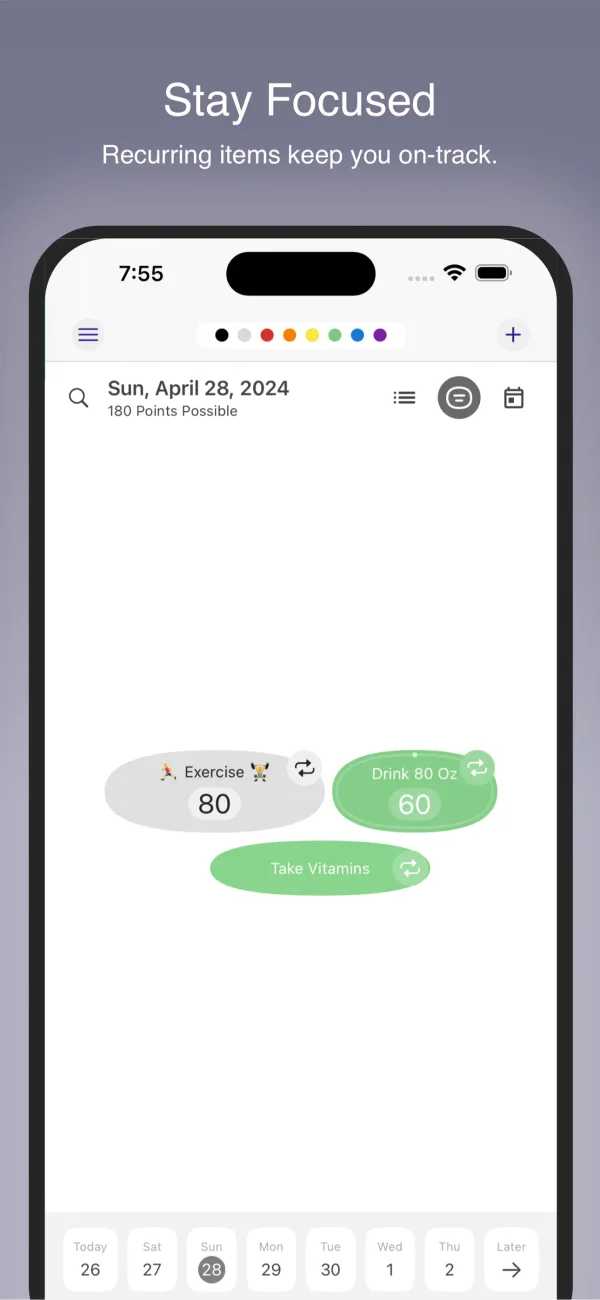
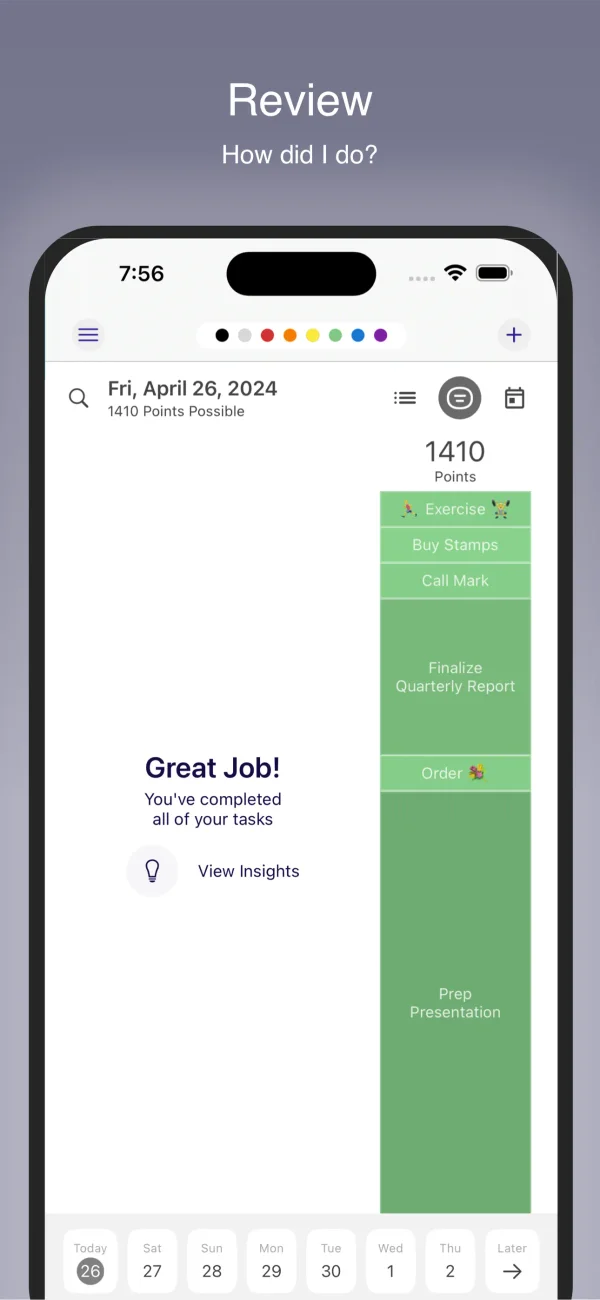
Thrivner Planner provides a personalized, color-coded view of your projects that shows you how much attention and energy are required today and throughout the week.
The visual display of big effort and small stuff together is a game-changer!
Project Planning
Enter your projects and assign colors so everything stays organized (work projects separate from home and family).
Prioritization
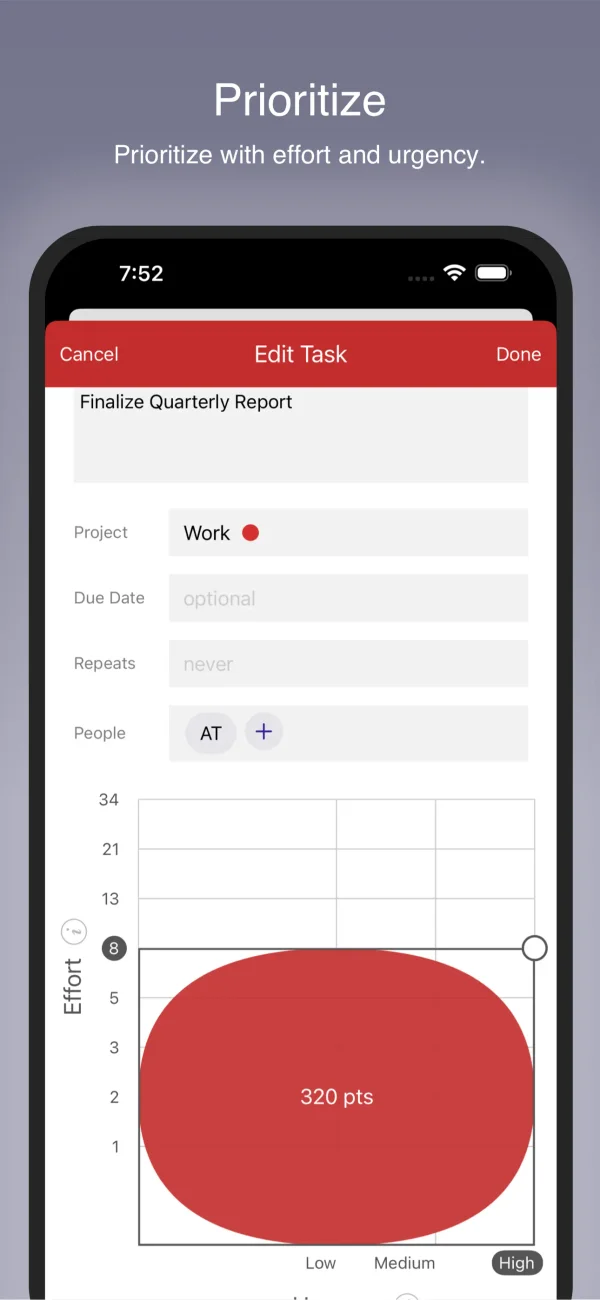
Enter your tasks and choose the urgency and effort it will take to complete (big things are big, small things are small).
Task Management
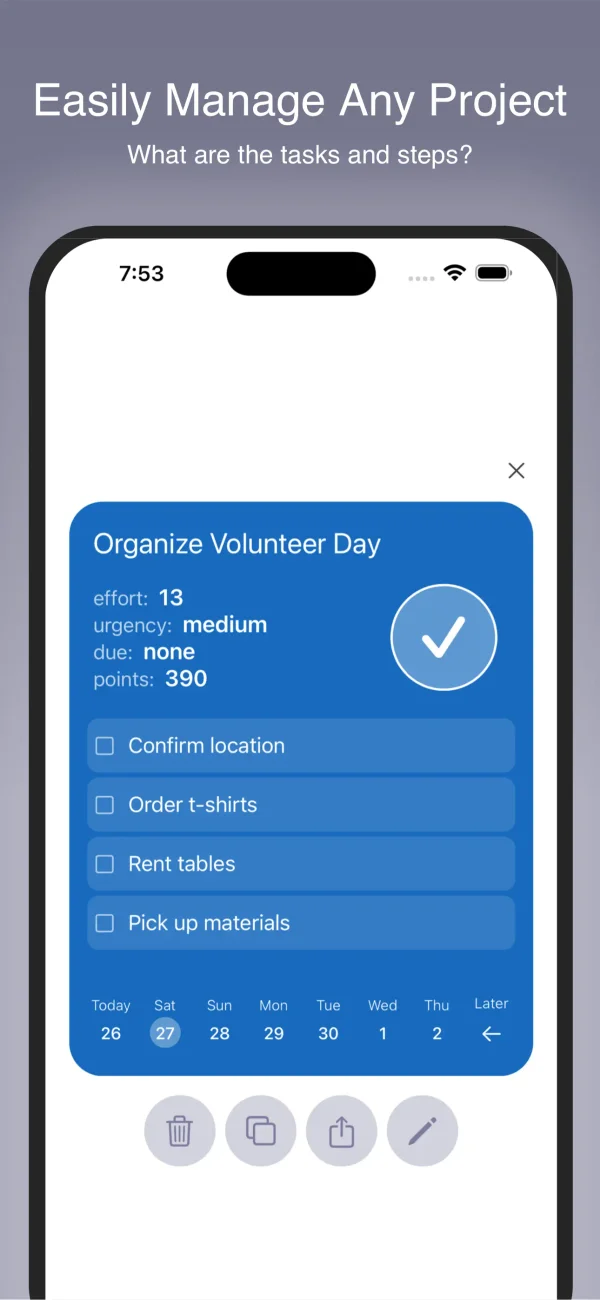
Add a checklist—either prebuilt or custom—to break down your tasks into smaller steps and to track the amount of effort required. Tasks can easily repeat: Enter your task once, choose how often it occurs, and count on it to appear as scheduled. And, when you’re ready to lighten the load, you can delegate to someone else via email or text.
Time Management
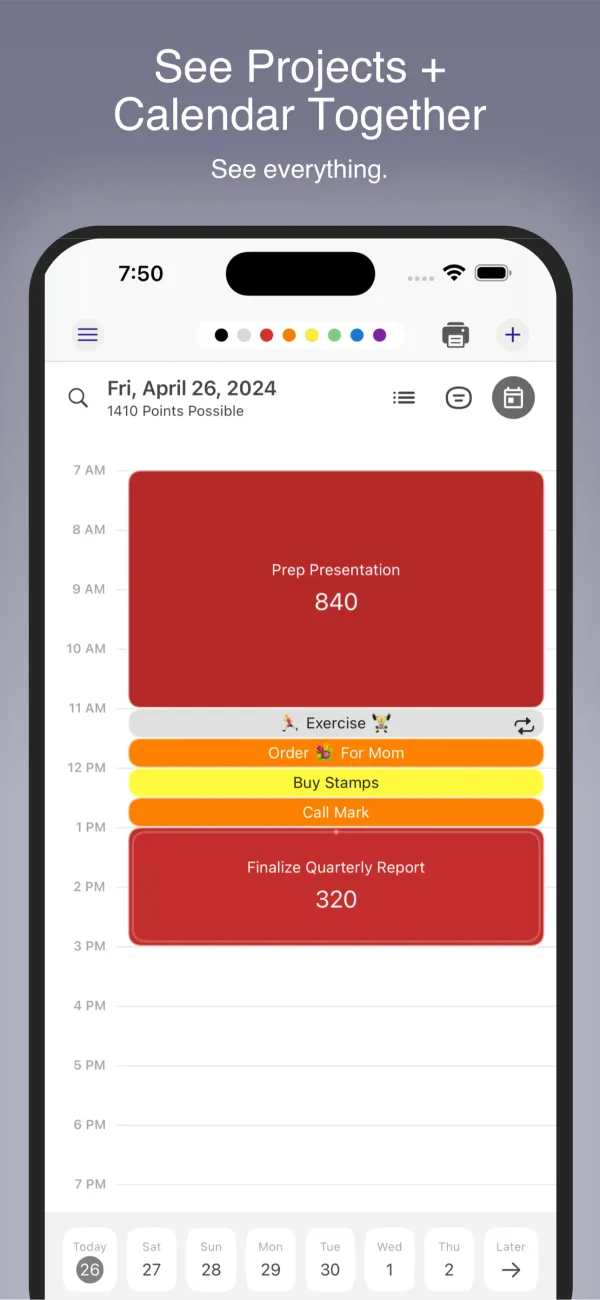
The Calendar view lets you see your projects overlaid with your appointments and meetings to show you know when you have time to work on projects. This is great for time-blocking!
Productivity
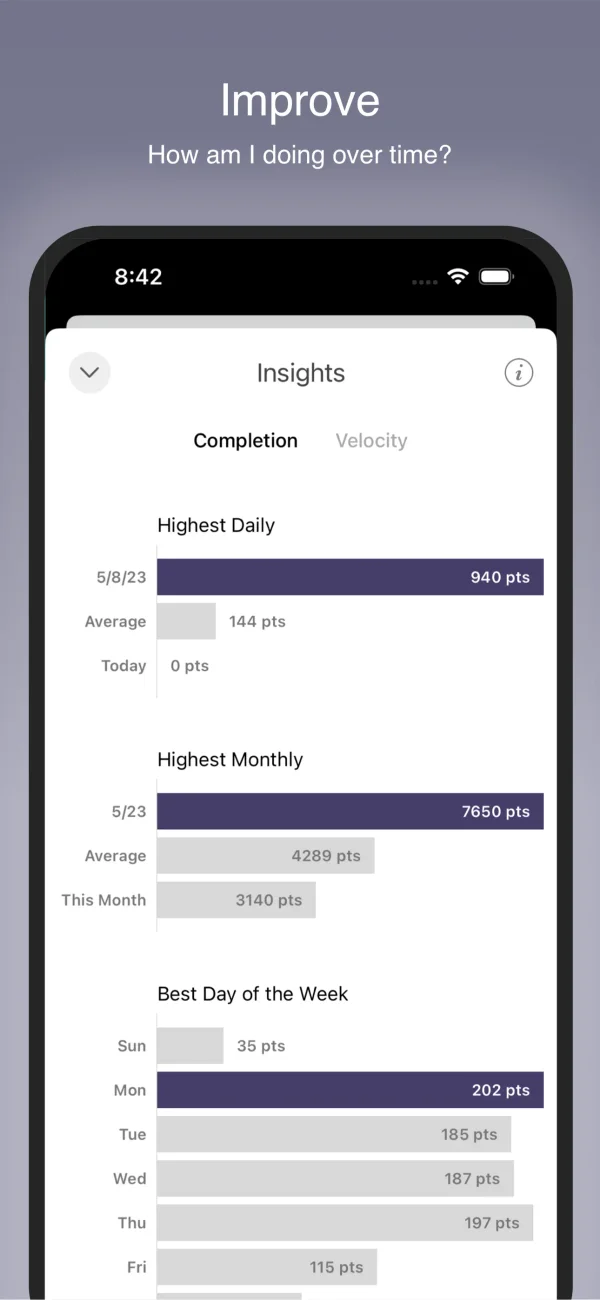
With insights and inspirations you can see when you’re most productive, set aside the time you need to focus, and even find ideas for getting “unstuck.”
Ease
Rescheduling happens. If you have to move a task to another day, just drag-and-drop it into the new day at the bottom of the screen.
The Fine Print
Sync across devices
In-app customer support
Thrivner Planner Pro includes:
Unlimited sync among devices
Unlimited projects and repeating tasks
Unlimited search
Unlimited insight and accomplishments history
Privacy Policy: https://www.thrivner.com/thrivner-planner
Terms of Use: https://www.thrivner.com/thrivner-planner
In Thrivner Planner find the simple view of your complex life.
What’s new
Version 3.6.1 · Nov 5, 2026
- security update
App privacy
What Thrivner declares on the App Store about how this app handles data.
-
Data linked to you
May be collected and linked to your identity.
- Contact info
- User content
- Identifiers
- Other data
-
Data not linked to you
May be collected but is not linked to your identity.
- Diagnostics
Privacy practices may vary, for example with the features you use or your age.
Information
- Seller
- Thrivner, Inc.
- Category
- Productivity
- Version
- 3.6.1
- Updated
- Nov 5, 2026
- Released
- May 1, 2018
- Size
- 35.8 MB
- Requires
- iOS 17.0 or later
- Age rating
- 4+
- Price
- Free
- In-app purchases
- Yes
- Languages
- English
- Copyright
- © 2018-2025 Thrivner, Inc.
You might also like
-
 Blip NotesEffortless, time-limited notes
-
 ZZinNote - for memo,notes,tododaily plan & todolist reminder
-
 Execute: Daily PlannerSchedule, prioritize, focus
-
 AI Transcribe Audio, VideoAudio to text , Voice memos
-
 Be Focused Pro - Focus TimerWork & Study Pomodoro Timer
-
 Bookmark Links: PostPocketSave content. Read It later.
-
 Habit & To Do List: MotidaytManage Tasks & Build Habits
-
 Ikes: Idea NotesCapture Ideas, Find Them Fast
-
 Trio: Mindful Todo ListGentle Task Manager for Goals
-
 HibiDo Pro: Todo Calendar NoteTask, Reminder & Event Planner