
Ticket Falcon
Sell tickets, scan, check in
Designed for iPhone, iPad, iPod touch
Free
- Age rating4+
- CategoryBusiness
- DeveloperTicket Falcon
- LanguagesEnglish
- Size74.5 MB
Links to the official App Store page
Download.org hosts no file of Ticket Falcon. The button opens its official App Store page, published by Ticket Falcon. Listing last checked on Nov 25, 2026.
Screenshots


About
Run your event's front door, and your live auction, from your phone. Ticket Falcon is the event registration and management platform with Direct Payouts, for general admission, reserved seating, and fundraising events.
FOR EVENT ORGANIZERS
Check guests in fast
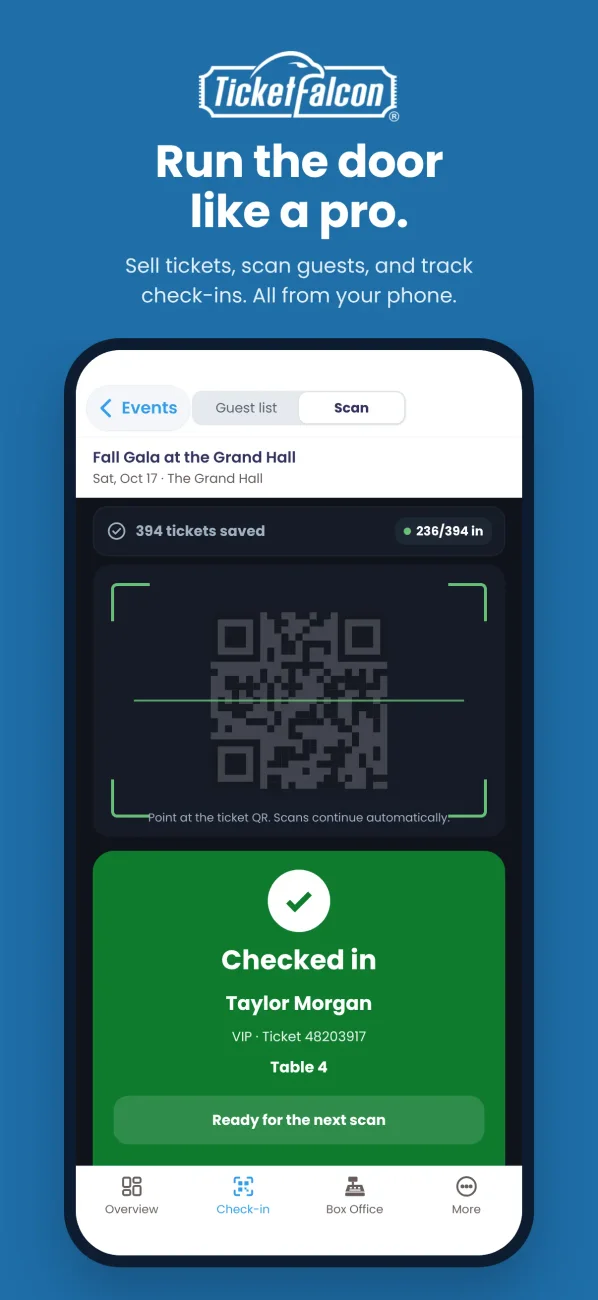
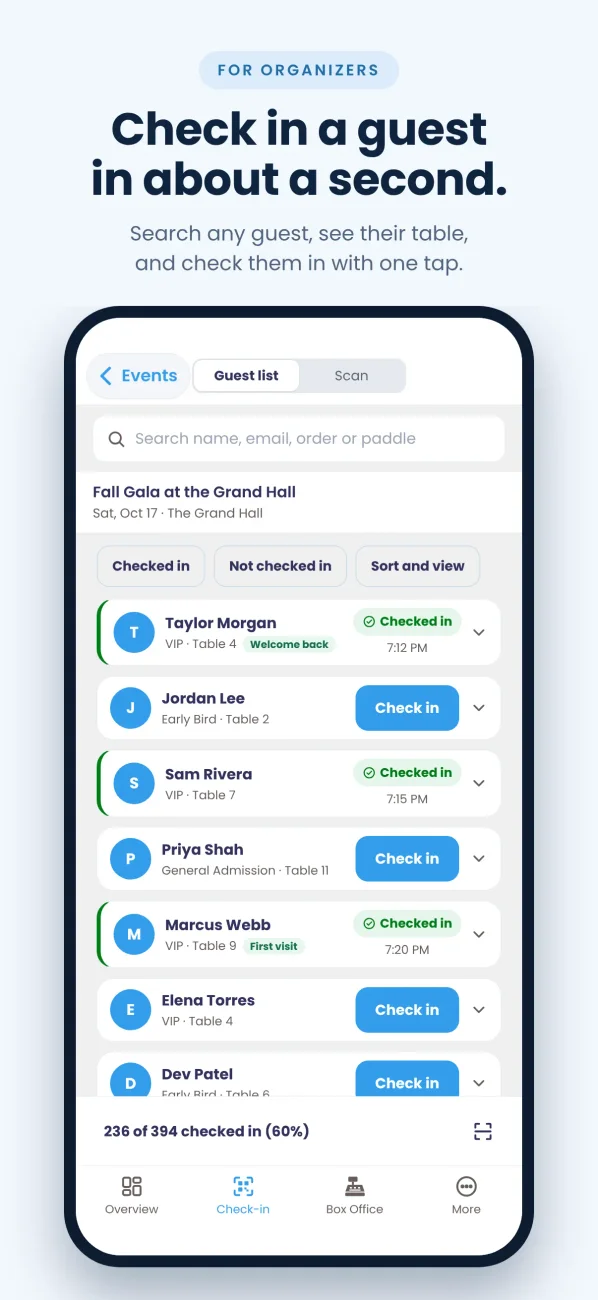
• Check-in opens on your guest list. Search any guest and check them in or out with one tap, or switch to Scan.
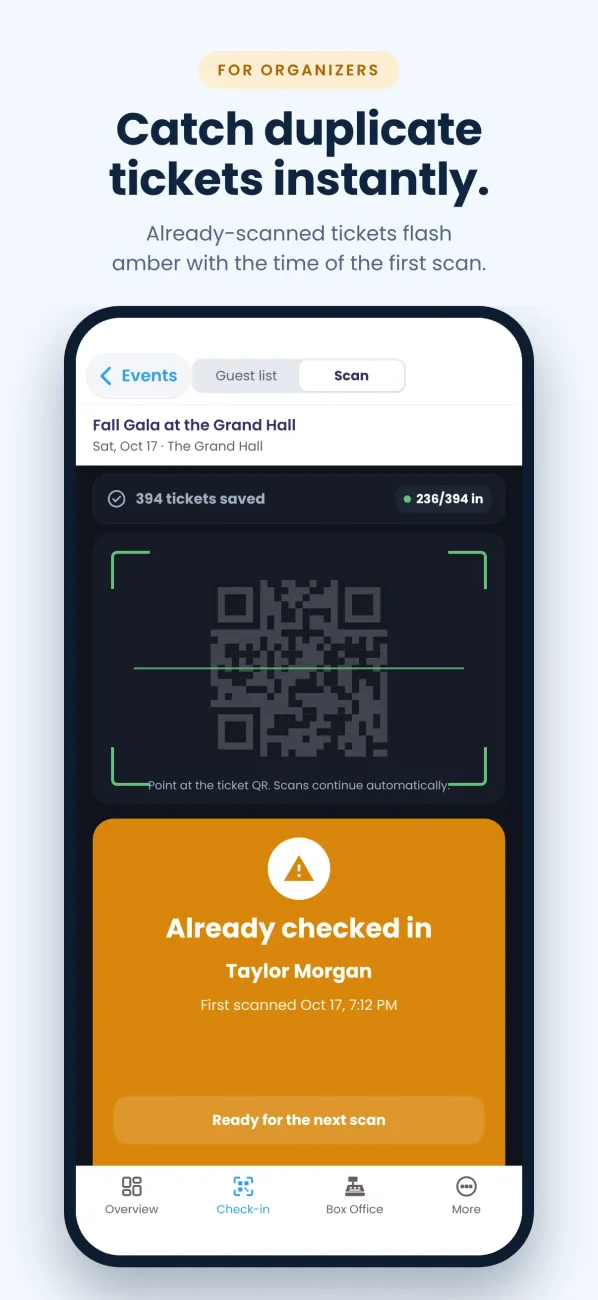
• Scan a ticket's QR code and get a clear answer in about a second: green for in, amber for already scanned, red for a ticket that is not valid.
• Your screen stays on while you scan, with no unlocking between guests.
• Greeting labels tell your team who is walking in: Top supporter, Regular, Welcome back, First visit, or a tag you choose.
• Pin the answers your door needs, like a meal choice, and see them on every guest.
• Scan one ticket and check in the rest of the order together.
• Hand volunteers a staff link. They work the door in the app with no account, and only on your event.
• No signal in the venue? Your events list and guest list are saved on the phone, so check-in keeps going.
Run your live auction
• Every guest reads Ready to bid, Needs a card, or Not a bidder, on the guest list, the scanner, and the Auction tab.
• Save a guest's card when they check in. The app makes sure it lands on the right guest.
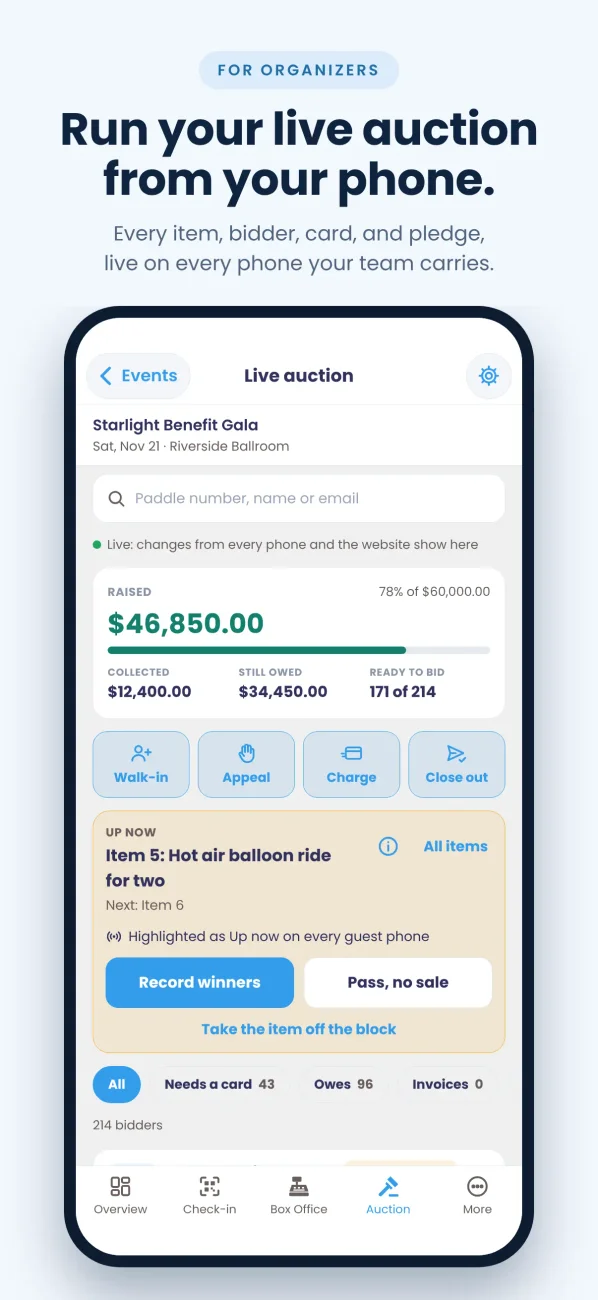
• Put each item on the block with one tap. Every guest's phone shows what is up now, up next, and sold.
• Enter paddle raise pledges as hands go up. If the Wi-Fi drops, they send when it comes back.
• Every win lands on the guest's tab and shows on every teammate's phone.
• See what is still owed, split into cards you can charge and guests who still need a card.
• At the end of the night, charge the saved cards of the guests you choose, and send everyone else their tab to pay on their own phone.
• See the night's report: raised, collected, and still owed.
Live auction tools work on events with a live auction turned on. Contact Ticket Falcon to add one.
Sell at the door
• Sell tickets and add-ons from your phone with the Box Office. Your event's sales tax is added for you.
• Accept contactless cards, Apple Pay, and other digital wallets with Tap to Pay on iPhone. No extra hardware.
• Pair a Stripe Reader M2 over Bluetooth for tap, chip, and swipe payments, so an iPad can take cards too.
• Take cash with built-in change math, share a payment link as a QR code, type in a card, or comp a ticket on the record.
• Sales go to your Stripe account with Direct Payouts.
The Box Office is rolling out to organizers now. Contact Ticket Falcon to get access.
Manage every event
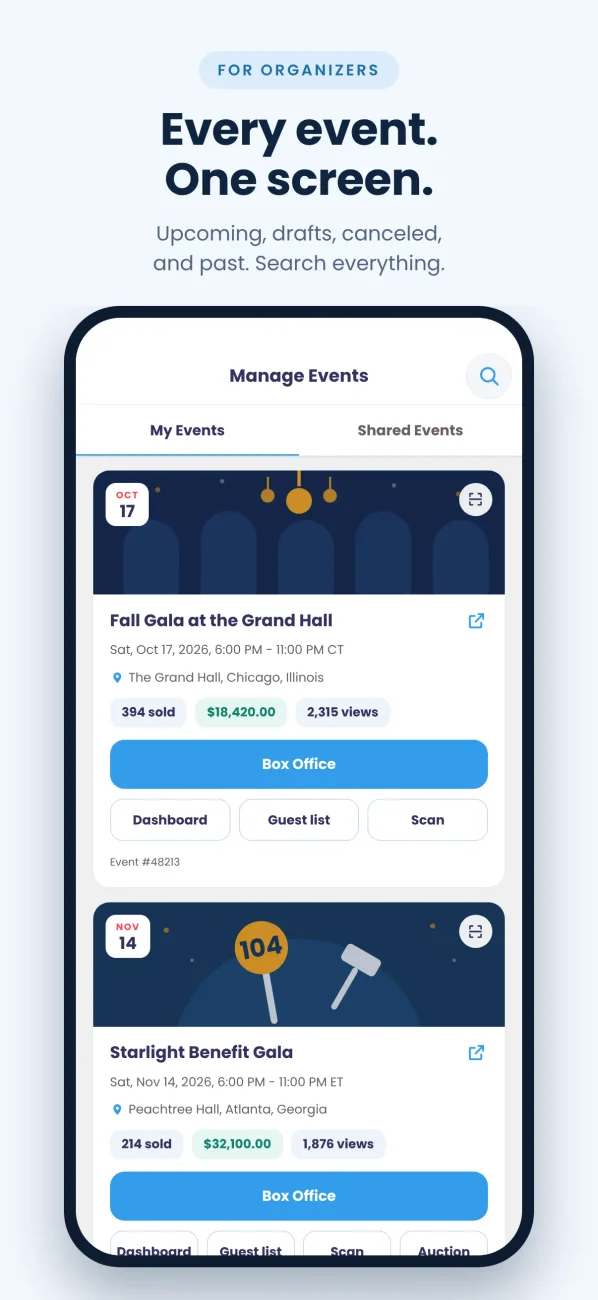
• Each event's tools sit in tabs along the bottom (a sidebar on iPad), so check-in, the Box Office, and your auction are one tap apart.
• Track tickets sold, donations, payouts, and page views for each event, up to the minute.
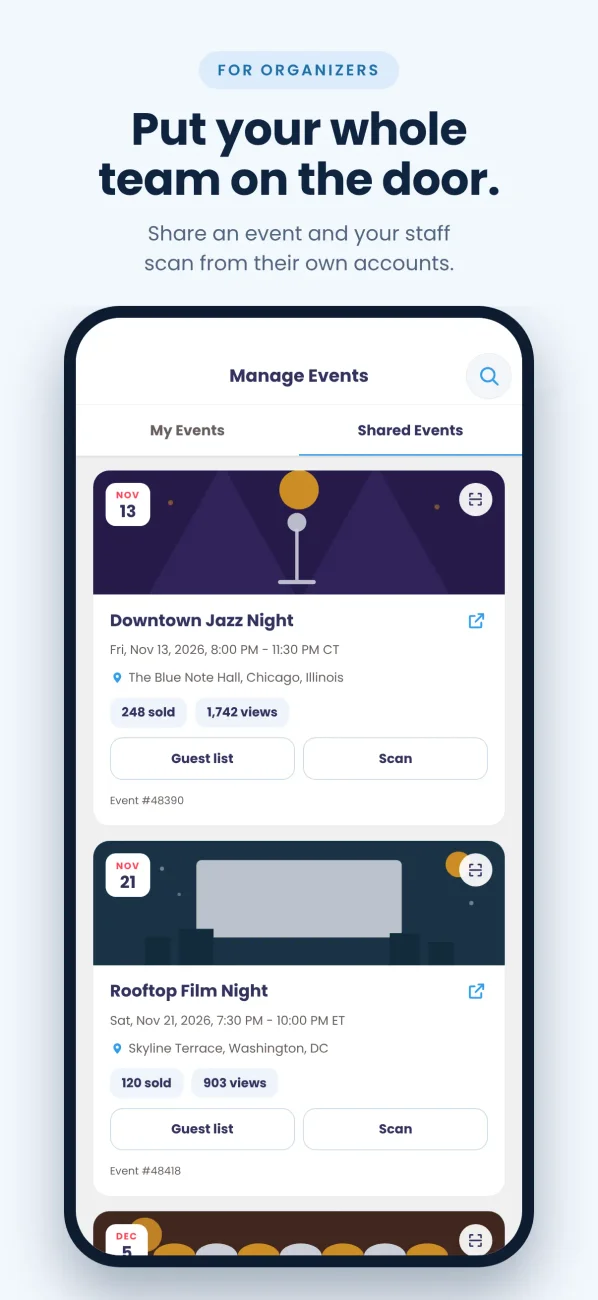
• Share an event with your team. Staff work from their own accounts, with only the access you give them.
• Get notified as sales milestones hit, plus a summary after your event.
FOR ATTENDEES
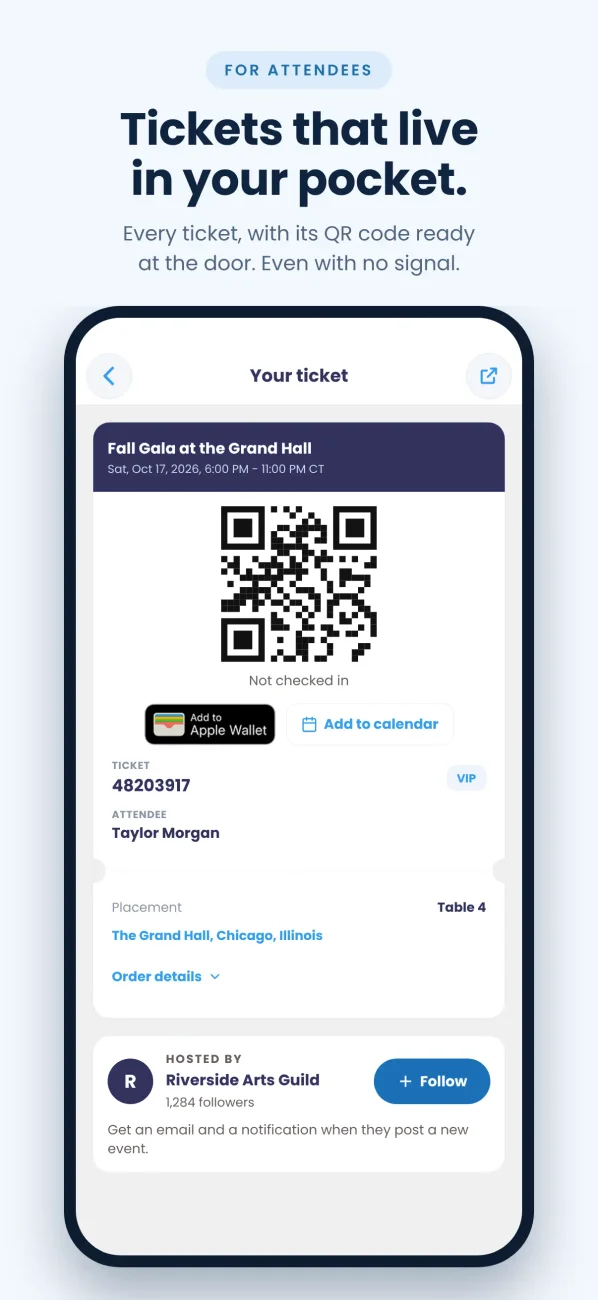
• Every ticket you buy, grouped by event, with its QR code ready at the door, even with no signal.
• Add your ticket to Apple Wallet, or add the event to your calendar, in one tap.
• Your code goes to full brightness while it shows, so it scans the first time.
• Get a reminder before your event. Tap it and your ticket opens.
• Tickets a friend gets for you show up too, once you confirm your email.
• Follow organizers you like and hear when they post a new event.
• Going to an auction? Get your paddle, add your card, and open your bidder page right from your ticket.
• Browse the night's live auction items on your paddle, and see what you won when the bidding ends.
• Give with your saved card in one tap.
Create and edit events at TicketFalcon.com, then run them from the app.
Tap to Pay on iPhone requires iPhone XS or later and the latest version of iOS. Stripe Reader M2 sold separately by Stripe.
Questions? Visit TicketFalcon.com.
What’s new
Version 4.7 · Nov 23, 2026
Ticket Falcon 4.7 puts your ticket in Apple Wallet and keeps the door moving.
For guests
• Add your ticket to Apple Wallet without leaving the app, or add the event to your calendar. Once it is in Wallet, the button reads View in Wallet.
• Your ticket's code goes to full brightness while it shows, so it scans the first time.
• Event reminders now open your ticket.
• Have several tickets? The count sits under the title. Tap it to see every ticket and jump to one.
• Under Transfer ticket, How transfers work explains where the ticket goes, whether you can take it back, and what it costs.
• After a live auction, your paddle shows your tab first, with anything you won marked You won.
• Hybrid events show both the address and the join link.
• Your paddle stays on your ticket when the signal drops.
• The app explains notifications before your phone asks.
• Your sign-in is now kept in your iPhone's secure Keychain.
For organizers
• The scanner and the Box Office keep your screen on between guests.
• No signal? Manage Events shows your saved list, so you can still reach check-in.
• Still owed on the Auction screen shows what is on a card you can charge and what still needs a card.
• Choose which of a guest's cards their tab is charged on.
• Close out lets you choose how to collect tabs still open after your date: reminders only, a note that you may charge their saved card, or charging saved cards automatically.
• If your auction's end time passes and it is still open, the Auction tab reminds you to close out. Afterward the items card shows a recap, with Record winners still there for late results.
• On a date with time slots, the Box Office sells into a slot and shows the places left in each.
• At the door, Add a card here comes first for a bidder with no card.
• Long names show in full on the Auction tab.
• Signing out warns you about anything not yet sent, then clears your events from the phone.
Plus fixes throughout, including clearer VoiceOver on the scanner, Apple and Facebook sign-in that say why they could not sign you in, and a clear "Please sign in again" when a sign-in ends.
App privacy
What Ticket Falcon declares on the App Store about how this app handles data.
-
Data linked to you
May be collected and linked to your identity.
- Contact info
- Identifiers
-
Data not linked to you
May be collected but is not linked to your identity.
- Identifiers
Privacy practices may vary, for example with the features you use or your age.
Information
- Seller
- Equity Twins, LLC
- Category
- Business
- Version
- 4.7
- Updated
- Nov 23, 2026
- Released
- Jan 29, 2020
- Size
- 74.5 MB
- Requires
- iOS 15.6 or later
- Age rating
- 4+
- Price
- Free
- Languages
- English
- Copyright
- © 2027 Ticket Falcon®