
TickTally: Rep Counter Timer
Workouts, study, habits daily
Designed for iPhone
Free · In-app purchases
- Age rating4+
- CategoryHealth & Fitness
- DeveloperSEONG HWA HONG
- LanguagesEnglish+ 3 more
- Size36.4 MB
Links to the official App Store page
Download.org hosts no file of TickTally: Rep Counter Timer. The button opens its official App Store page, published by SEONG HWA HONG. Listing last checked on Nov 20, 2026.
Screenshots
About
Set a target time, count how many times you do something in it, and stack every session up by day so you can compare.
You can start right away without signing in, and there are no ads.
■ How to use it
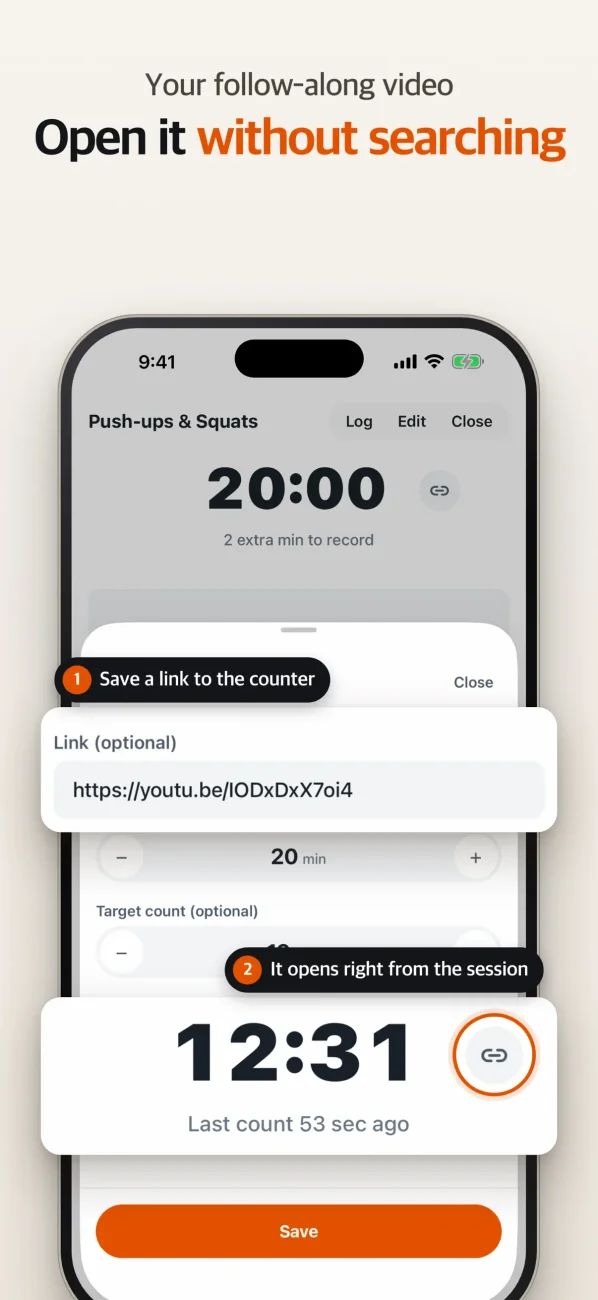
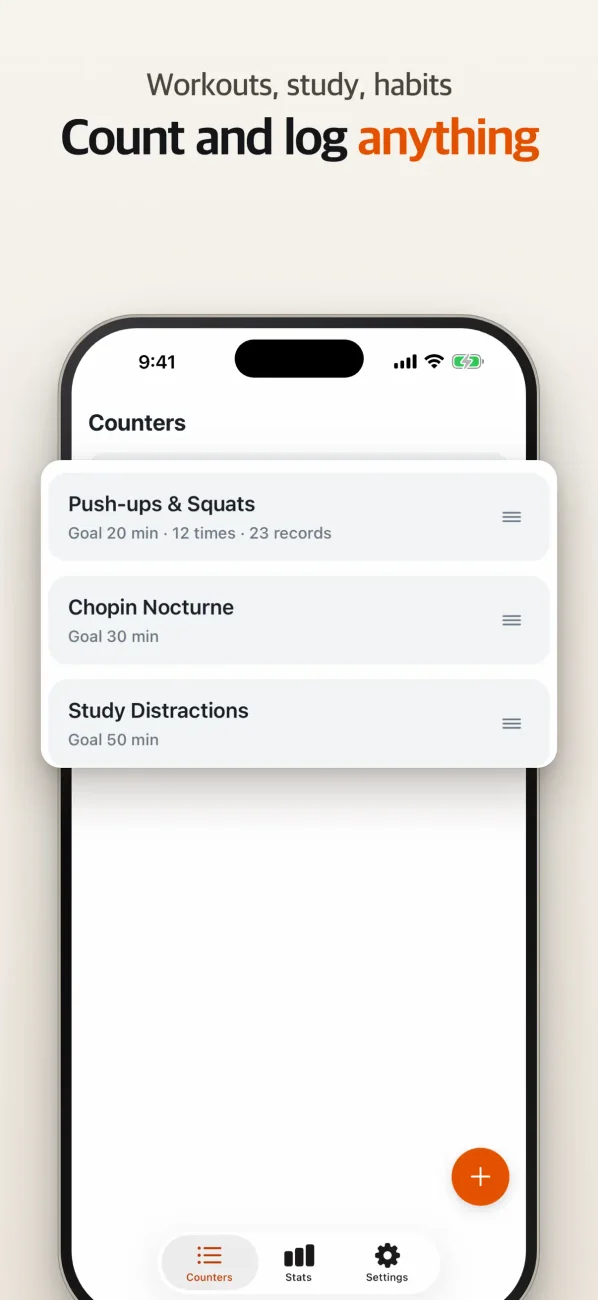
1. Make a counter with an activity name (e.g. Push-ups) and a target time (e.g. 20 min). A target count is optional — add one only if you want it.
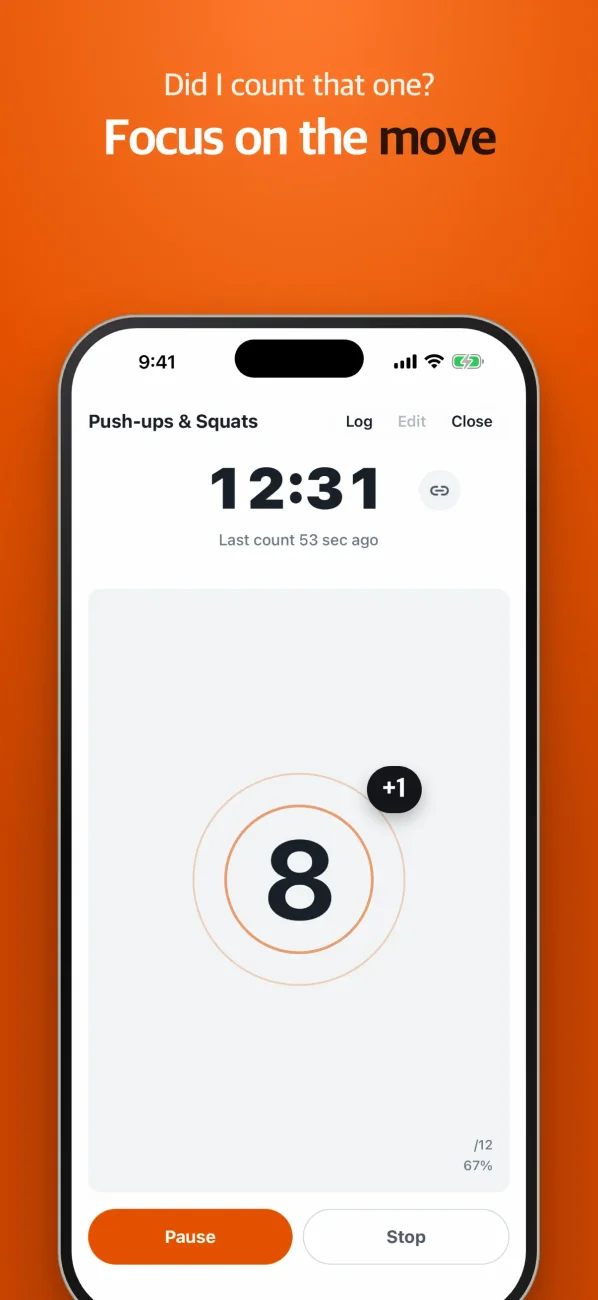
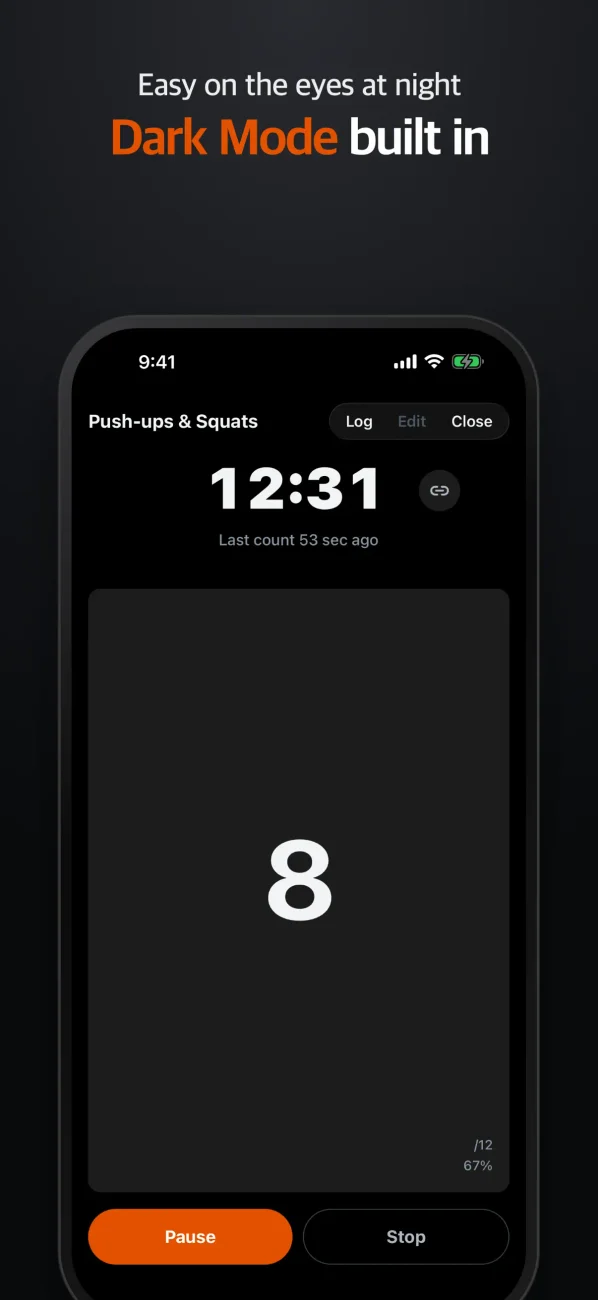
2. Tap Start and the time counts down. Tap the screen once for each one.
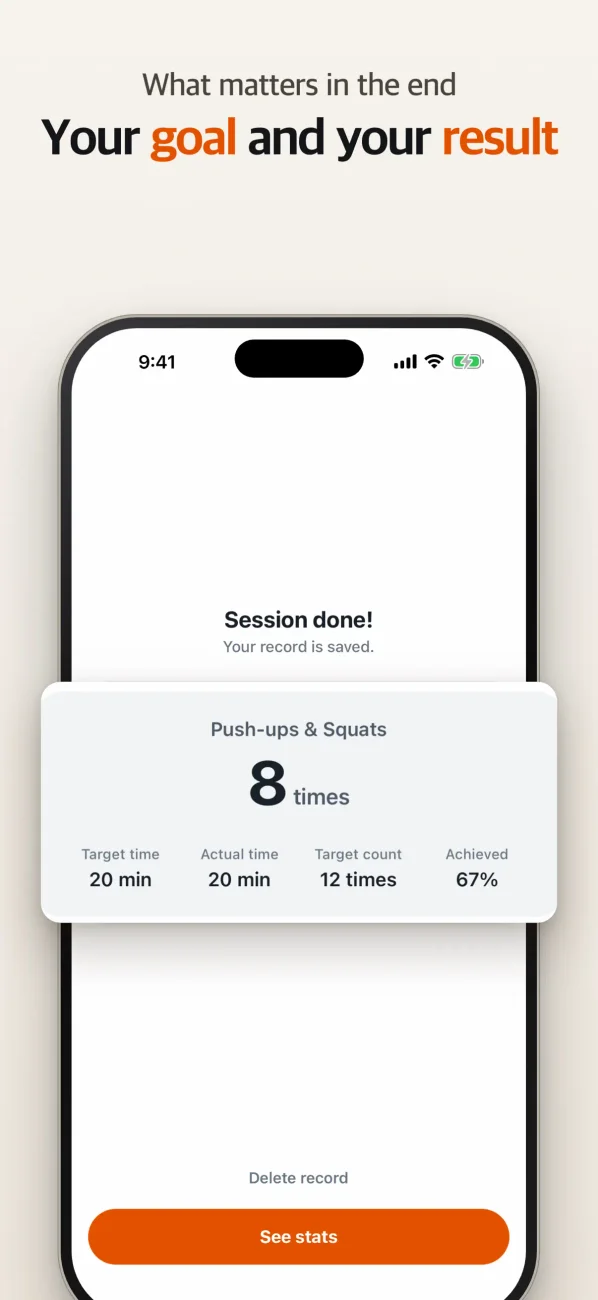
3. Need a break? Tap Pause, then Resume when you're ready. Tap Stop and your record is saved right away.
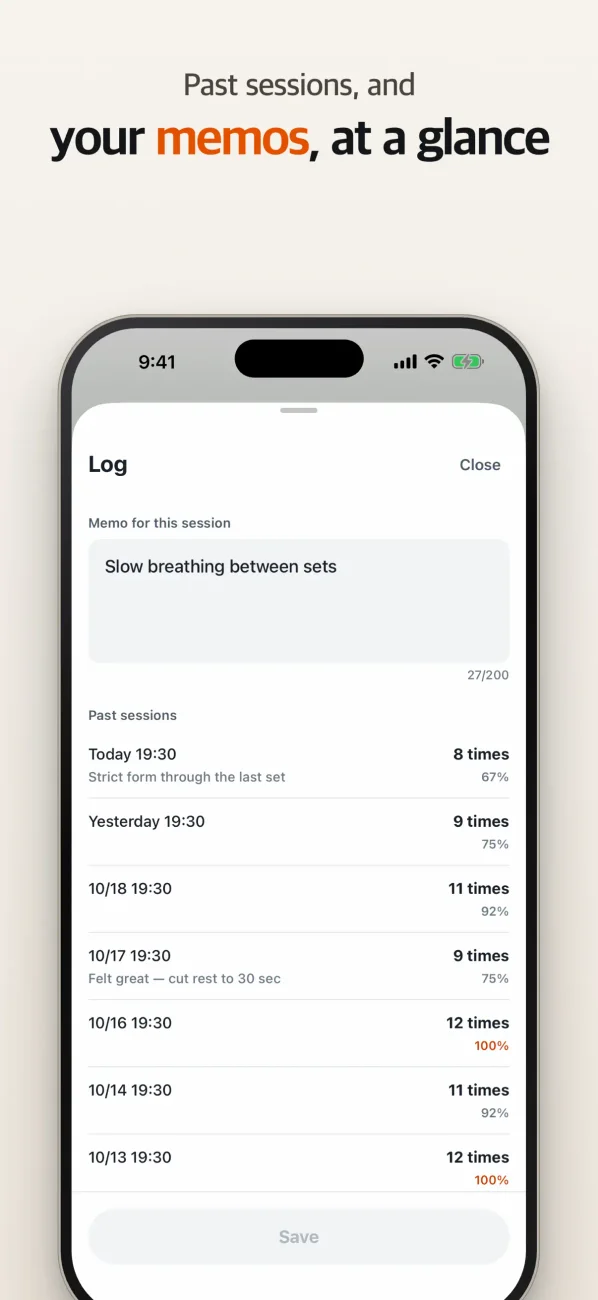
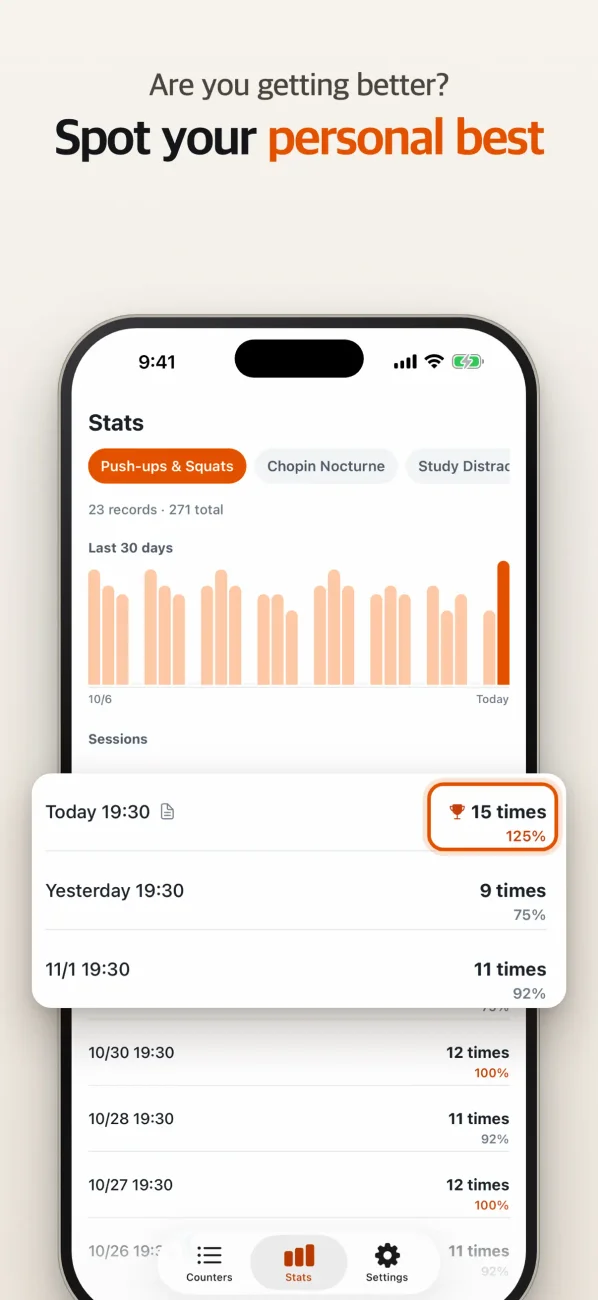
4. Open Stats to see the last 30 days as a day-by-day chart, plus every session in a list. Miscounted? Tap a session to fix it.
■ Good for counting
· Workouts — how many sets of push-ups, or laps around the track, in 20 minutes
· Study — how many times you got distracted during a 50-minute session (watch it go down)
· Practice — how many times you played a piece all the way through in 30 minutes
· Parenting — how many times the baby stirred while you settled them to sleep for 30 minutes
■ Your records stay on your device
Everything works without an account. Sign in with Apple or Google and your records are backed up, so they come back on a new phone or after a reinstall.
If you don't sign in, your records never leave your device.
■ Unlimited Counters (In-App Purchase)
For free, you can make up to 2 counters. To keep more at once, buy Unlimited Counters one time.
It's not a subscription — you pay once and that's it. On a new phone, Restore Purchases brings it back.
What’s new
Version 1.4.0 · Nov 8, 2026
· The app is now called TickTally
· See how you did compared to last time
When a session ends, you'll see "+n vs. last" if you beat your previous session with the same target time, or "Personal best" if it's your highest yet.
· Your best session now has a trophy in Stats
· Fixed extra line spacing and overlapping text with larger text sizes
· Fixed not being able to return to your session after changing the text size mid-session
App privacy
What SEONG HWA HONG declares on the App Store about how this app handles data.
-
Data linked to you
May be collected and linked to your identity.
- Contact info
- User content
- Identifiers
-
Data not linked to you
May be collected but is not linked to your identity.
- Identifiers
- Usage data
- Diagnostics
Privacy practices may vary, for example with the features you use or your age.
Information
- Seller
- SEONG HWA HONG
- Category
- Health & Fitness
- Version
- 1.4.0
- Updated
- Nov 8, 2026
- Released
- Sep 9, 2026
- Size
- 36.4 MB
- Requires
- iOS 16.4 or later
- Age rating
- 4+
- Price
- Free
- In-app purchases
- Yes
- Languages
- English, Japanese, Korean, Traditional Chinese
- Copyright
- © 2026 선데이노티카
You might also like
-
 Plus One – Workout Set CounterSet Counter & Rest Timer
-
 RepTrend: Pushup CounterPush Up Tracker: Reps & Sets
-
 Kountrain: Simple Rep CounterBodyweight & Calisthenics Log
-
 PB IntervalsPro timer for every workout
-
 Voice Rep Counter CoachHands-free workout rep timer
-
 Rep Counter: Voice WorkoutGym, fitness & strength
-
 Body Fat Calculator (PRO)Body Fat Composition Tracker
-
 Golds Gym IdahoHealth & Fitness
-
 Body Measurements - StartFitGain Muscle or Lose Weight
-
 Rock: Kegel Exercises For MenFor a Stronger Pelvic Floor