
- Age rating4+
- CategoryLifestyle
- Developerheewook shin
- LanguagesEnglish
- Size5.2 MB
Links to the official App Store page
Download.org hosts no file of Time Boxing: Top3 Task. The button opens its official App Store page, published by heewook shin. Listing last checked on Nov 14, 2026.
Screenshots

About
Take control of your day with TimeBoxing Planner — a focused daily planner built around the time-boxing productivity method.
HOW IT WORKS
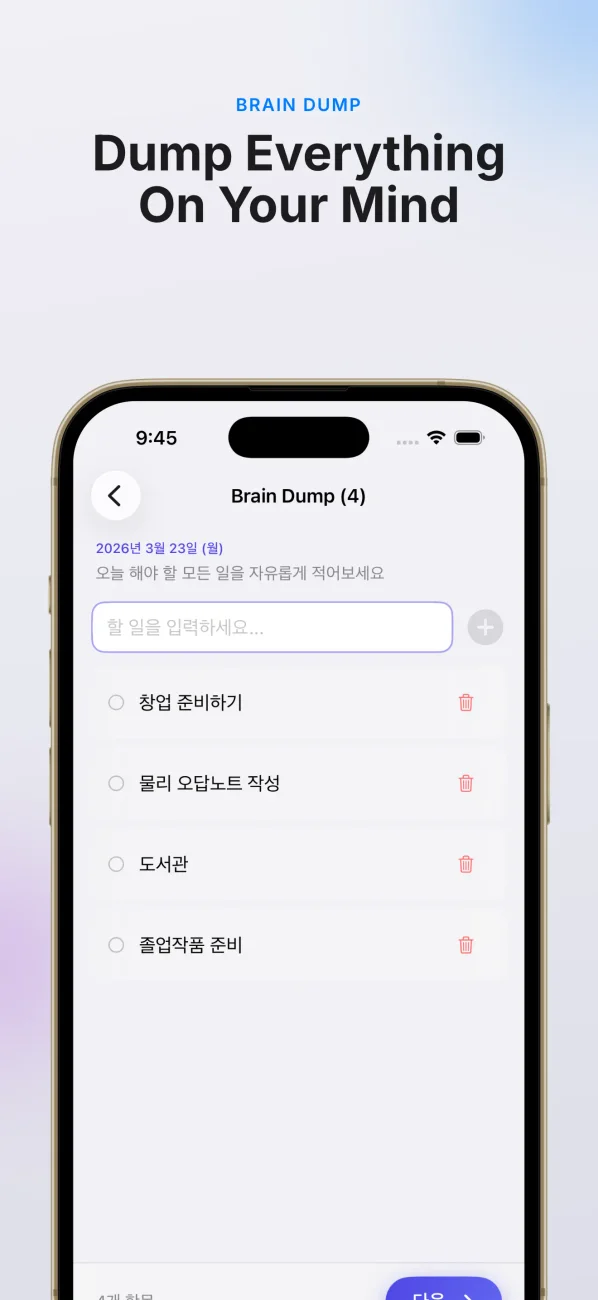
1. Brain Dump — Capture everything on your mind. Just type and add tasks without worrying about order or priority.
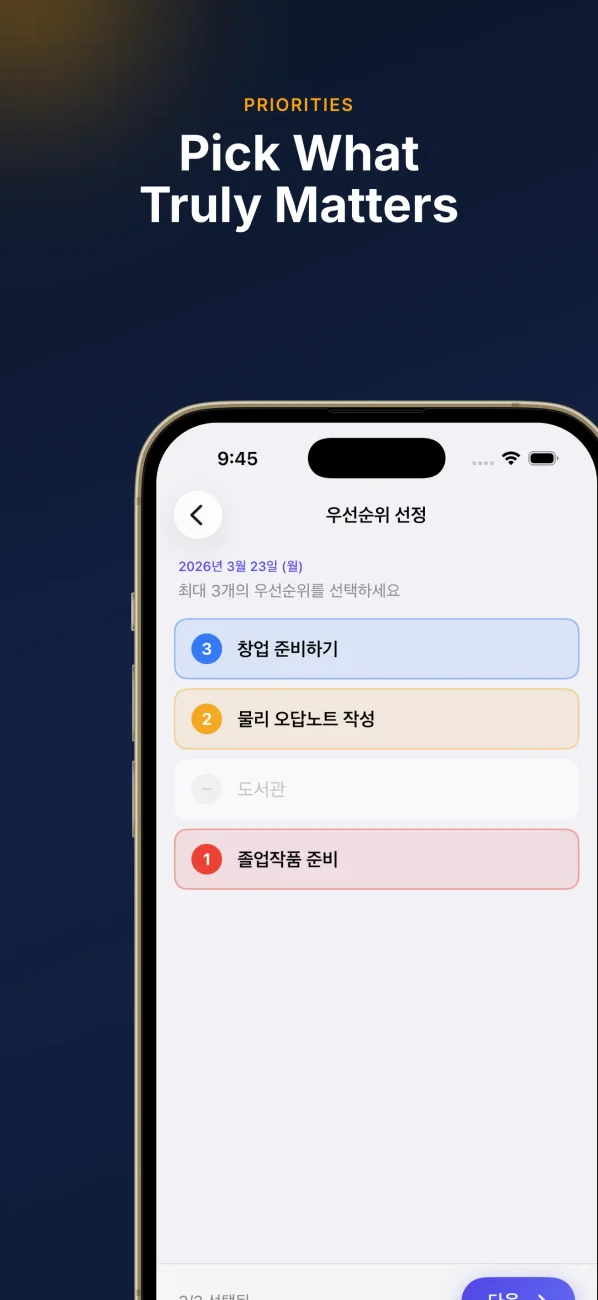
2. Set Priorities — Pick your top 3 must-do tasks for the day. Focus on what truly matters.
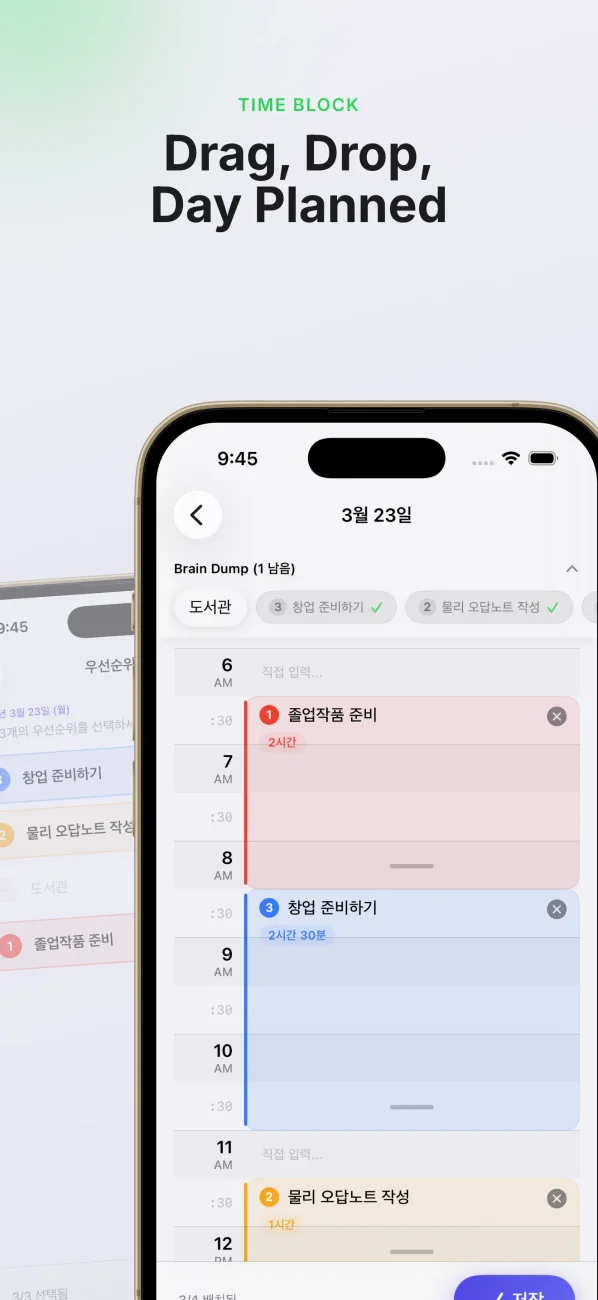
3. Time Block — Drag and drop tasks into 30-minute time slots from 5 AM to midnight. Resize blocks to fit longer tasks.
4. Execute — Follow your visual schedule throughout the day with notification reminders for each block.
KEY FEATURES
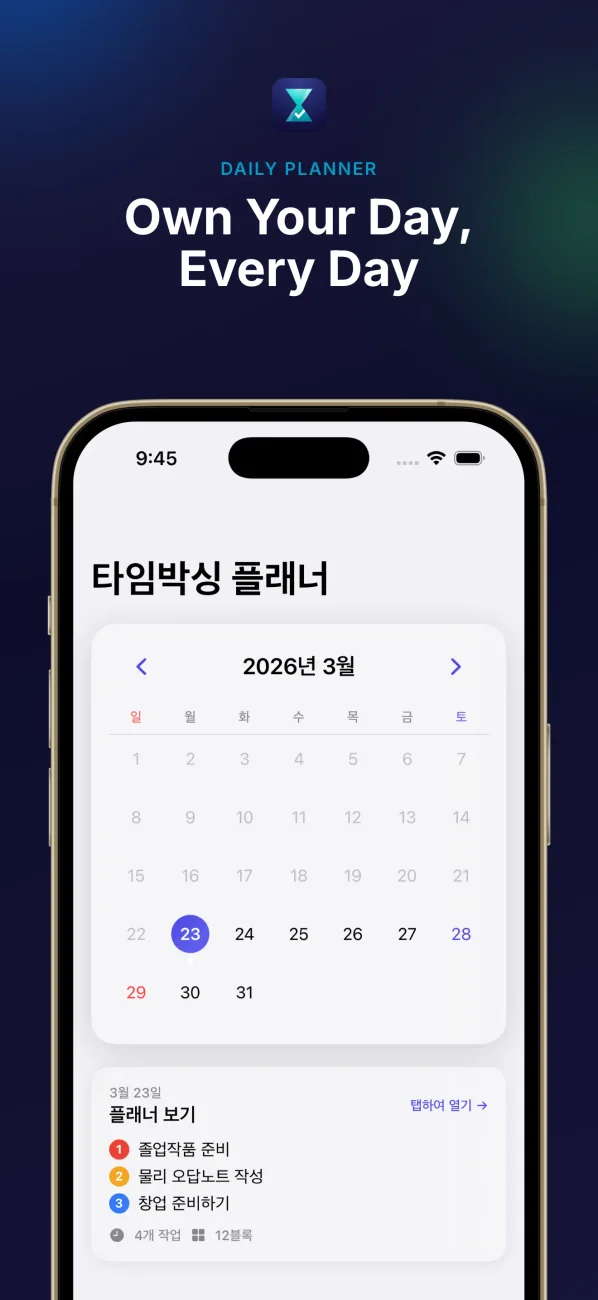
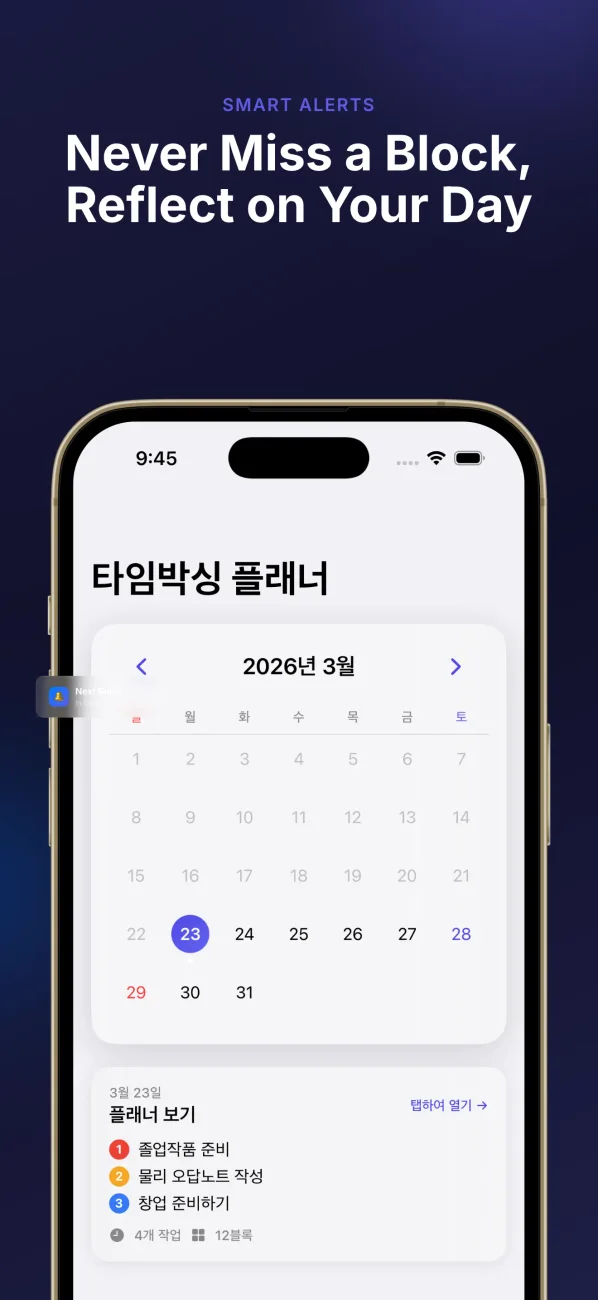
• Calendar Overview — See all your planned days at a glance with a monthly calendar view. Tap any date to preview or create a planner.
• Drag & Drop Scheduling — Intuitively assign tasks to time slots. Drag to move, resize handles to extend.
• Smart Notifications — Get reminded before each time block starts so you stay on track.
• Past Day Review — Look back at previous days in read-only mode to reflect on how you spent your time.
• Print & Share — Export your daily plan as a beautifully formatted page to print or share.
• Notes Section — Add free-form notes for the day to capture thoughts, reflections, or reminders.
• Clean, Minimal Design — A glass-inspired UI that stays out of your way and lets you focus on planning.
TimeBoxing Planner is designed for people who want a simple, distraction-free way to plan their day using proven time management techniques. No accounts, no cloud sync, no complexity — just you and your plan.
What’s new
Version 1.0.1 · Apr 19, 2026
Fixed an issue where focus remained when moving between planner direct-input slots.
Empty direct-input slots are now removed automatically when they lose focus.
Updated the app icon with a new design.
App privacy
What heewook shin declares on the App Store about how this app handles data.
-
Data not collected
The developer does not collect any data from this app.
Privacy practices may vary, for example with the features you use or your age.
Information
- Seller
- heewook shin
- Category
- Lifestyle
- Version
- 1.0.1
- Updated
- Apr 19, 2026
- Released
- Mar 23, 2026
- Size
- 5.2 MB
- Requires
- iOS 18.0 or later
- Age rating
- 4+
- Price
- Free
- Languages
- English
- Copyright
- © 2026 AXI Inc.
You might also like
-
 CheckCheck - 성취감으로 채우는 하루매일 체크, 습관이 되다
-
 모노그리드Lifestyle
-
 아직 남았다Lifestyle
-
 Daylight: Photo DiaryPlan Your Days, Save Memories
-
 SoulTalk: Self-ReflectionSelf-Growth & Pattern Insights
-
 ReLoop homesupply run out predictor
-
 똑띠 플래너Lifestyle
-
 VibeRoutineWrist AI coach, log by voice
-
 OrangeGoals - Set Yearly GoalsSet your plan for this year
-
 Today Tile: Routine LogA simple daily routine log