Time Clock: Hours Tracker
Work Log, Timesheet & Pay
Designed for iPhone, iPod touch
Free · In-app purchases
- Age rating4+
- CategoryUtilities
- DeveloperIcons8 LLC
- LanguagesEnglish
- Size34.5 MB
Links to the official App Store page
Download.org hosts no file of Time Clock: Hours Tracker. The button opens its official App Store page, published by Icons8 LLC. Listing last checked on Nov 16, 2026.
Screenshots


About
Track your work hours and see exactly what you earned. Time Clock: Hours Tracker turns your shifts into money, then into a PDF your client or boss can actually use.
Most hour trackers stop at counting time. This one finishes the job: set your hourly rate, clock in, and watch your earnings add up in real time. When it's time to get paid, export a clean invoice or timesheet in one tap.
CLOCK IN, GET PAID
• One-tap clock in and clock out with a live running timer
• Watch your earnings grow in real time, not just your hours
• Forgot to clock in? Add or edit any shift by hand
• Deduct unpaid breaks from any shift
• Round shifts to 5, 10, 15 or 30 minutes to match your employer's rules
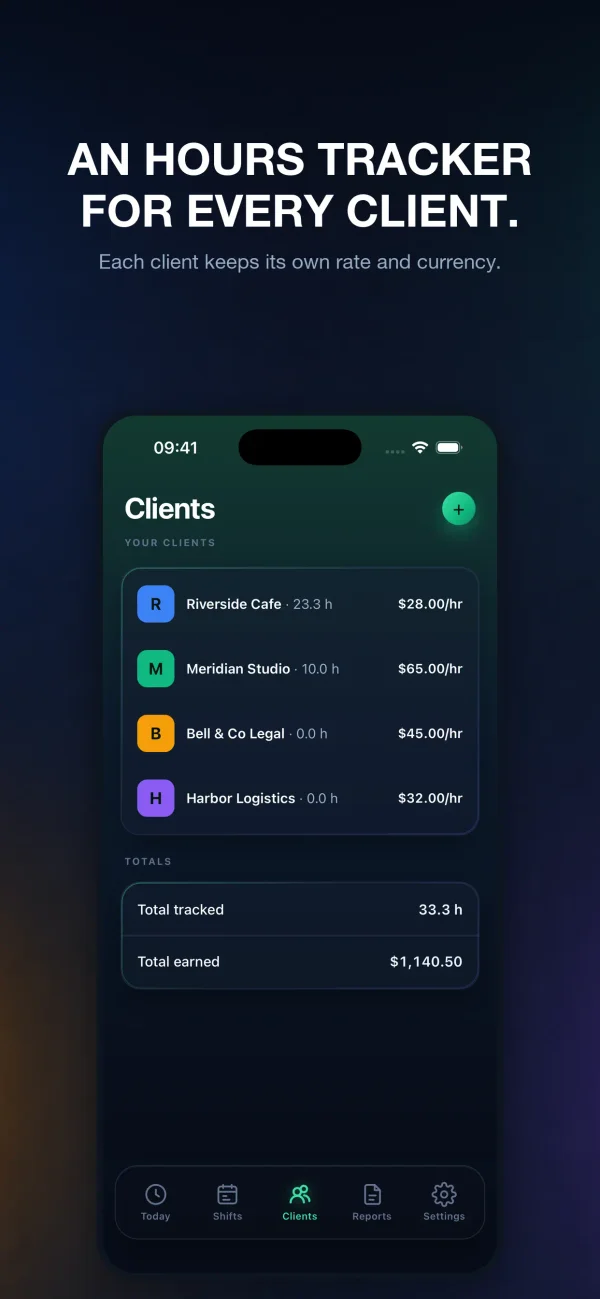
MULTIPLE JOBS AND CLIENTS
• Give each job its own hourly rate, currency and color
• Shifts inherit the right rate automatically, so the math is always correct
• See total hours and total earned per job
• 2 jobs included, unlimited jobs with PRO
OVERTIME THAT ACTUALLY MATCHES YOUR PAYCHECK (PRO)
• Set a multiplier like 1.5x after 8 hours in a day
• Or after 40 hours in a week
• Overtime is calculated and shown separately, so you can check your pay stub against it
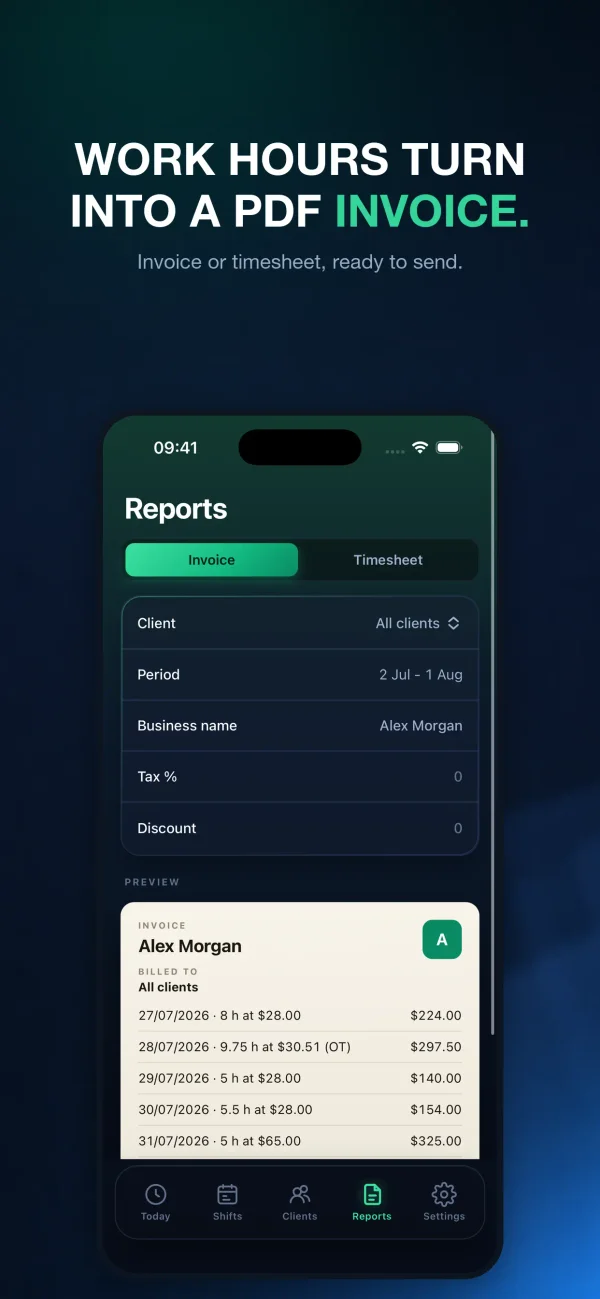
PDF INVOICE AND TIMESHEET (PRO)
• Pick a client and get a finished document for the last 30 days
• Invoice mode for clients: line items, subtotal, tax, discount, total
• Timesheet mode for employers: dates and hours
• Add your business name and contact details
• Share by email or messenger, or save the file
CLEAR HISTORY
• Shifts grouped by week, the way payroll and invoices actually work
• Period totals: hours worked, amount earned, overtime separately
• Filter shifts by job
• Tap to edit, swipe to delete
• Set your own first day of the week and 12h or 24h time
BUILT FOR PEOPLE PAID BY THE HOUR
Freelancers and contractors billing clients. Hourly employees checking their paycheck. Shift workers with overtime. Tutors, cleaners, drivers, nannies, carers, handymen, designers, developers - anyone whose income is hours times a rate.
STORED ON YOUR DEVICE
Your shifts, rates and earnings are stored on your device and work offline. No account, no sign-up.
Terms of Use: https://icons8.github.io/time-clock-legal/terms.html
Privacy Policy: https://icons8.github.io/time-clock-legal/privacy.html
What’s new
Version 1.2.3 · Nov 9, 2026
• First day of week now updates every tab as soon as you change it in Settings, and time format applies right away to the Shifts list and Add Shift.
• More accurate totals: weekly overtime counts the whole week even when a period starts mid-week, and week and month totals no longer include shifts dated after the period ends.
• Privacy choices in Settings, where required.
App privacy
What Icons8 LLC declares on the App Store about how this app handles data.
-
Data used to track you
May be used to track you across apps and websites owned by other companies.
- Purchases
- Location
- Identifiers
- Usage data
-
Data linked to you
May be collected and linked to your identity.
- Purchases
- Location
- Identifiers
- Usage data
- Diagnostics
Privacy practices may vary, for example with the features you use or your age.
Information
- Seller
- Icons8 LLC
- Category
- Utilities
- Version
- 1.2.3
- Updated
- Nov 9, 2026
- Released
- Aug 5, 2026
- Size
- 34.5 MB
- Requires
- iOS 15.0 or later
- Age rating
- 4+
- Price
- Free
- In-app purchases
- Yes
- Languages
- English
- Copyright
- © 2026 Generated Media, Inc.
You might also like
-
 Salary Calculator CroatiaGross to Net Pay Croatia
-
 PeekSafe:Social SafetySocial Safety, No Phone Needed
-
 DeadClaw - Mindful DoodlingSketch Calm & Breathe Deep
-
 Tap Tap Simple Tip CalculatorTip Calculator
-
 Al Dia AppUtilities
-
 Controle PontoUtilities
-
 NavigoSicuroUtilities
-
 Act Now - Live NotificationAct Now - Live Notification
-
 Hours Tracker: Flip ClockTime Calculator
-
 Canal Direto Japan PrienoUtilities