
- Age rating17+
- CategoryLifestyle
- DeveloperYUTAKA IZUMIYAMA
- LanguagesJapanese+ 1 more
- Size5.9 MB
Links to the official App Store page
Download.org hosts no file of Gohamo - Meal Time & Food Log. The button opens its official App Store page, published by YUTAKA IZUMIYAMA. Listing last checked on Nov 28, 2026.
Screenshots

About
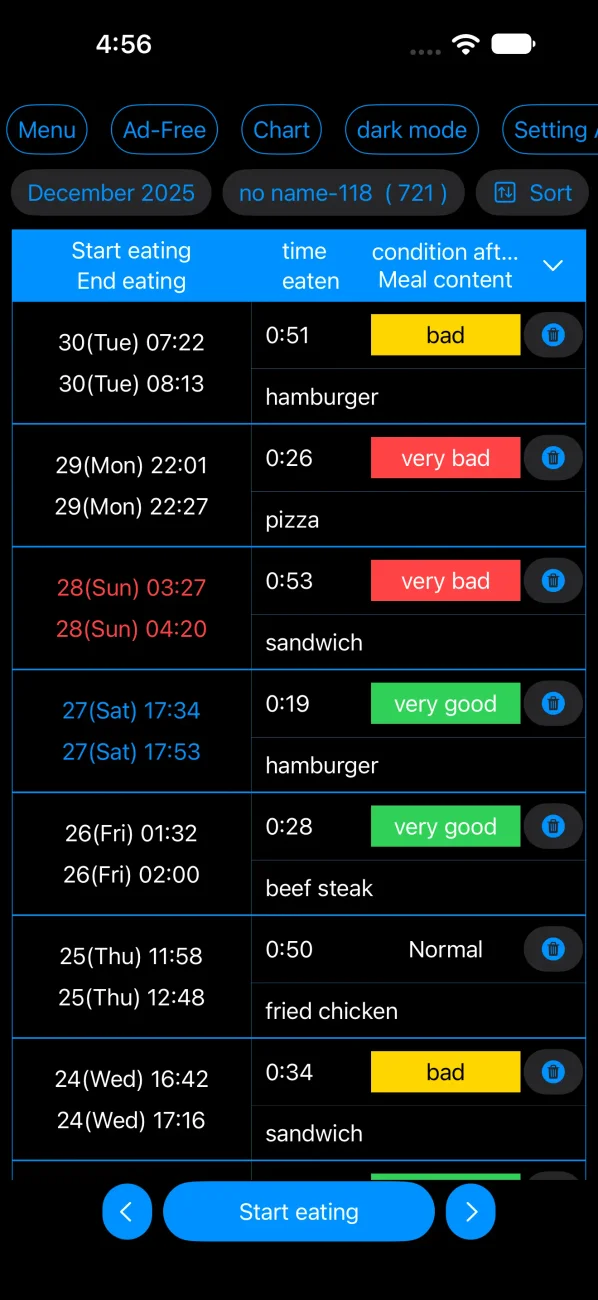
Press the ”Start eating” button and record the start date and time.
You can record the end date and time by clicking "Record end eating date and time" in the table.
time eating is calculated and displayed based on the start date and time and end date and time.
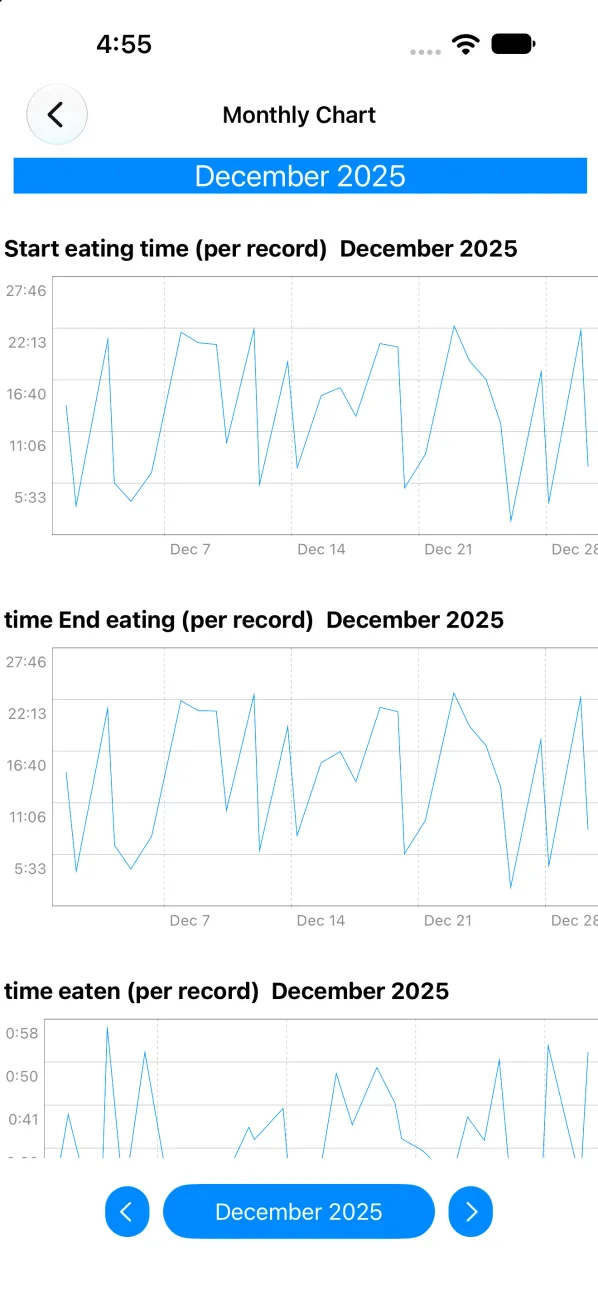
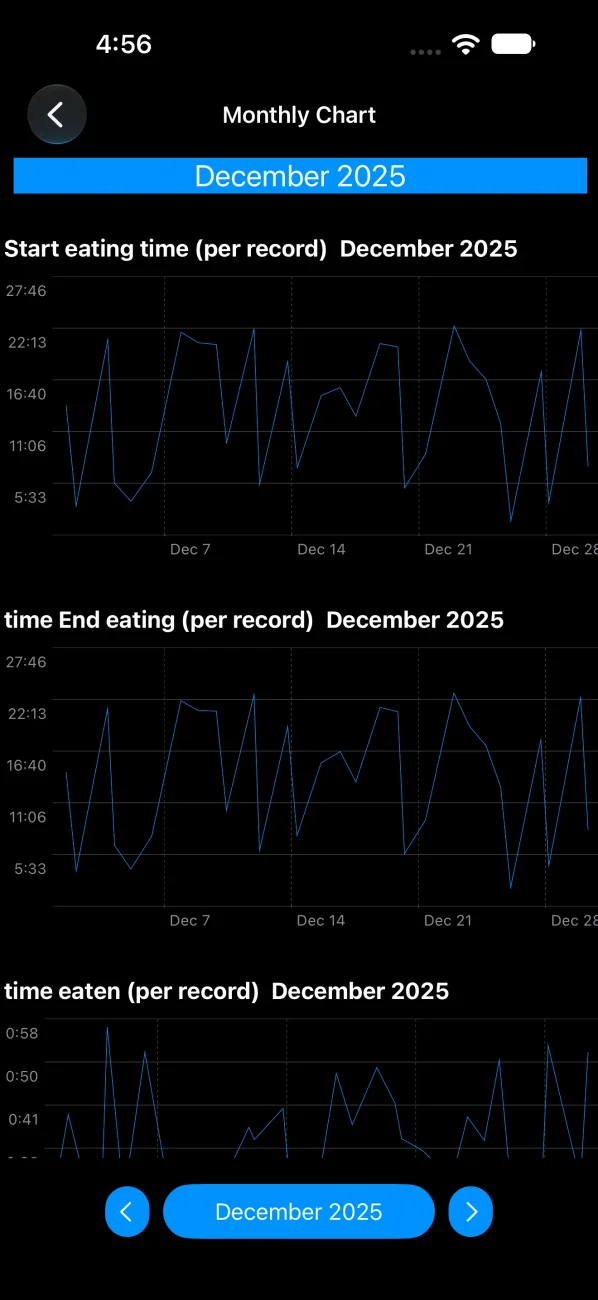
Display time in a line charts.
▼ Sorting order
You can change the sort order of the table by tapping the arrows (↓↑) to the left of the year and month.
▼ time eaten
“The time eaten” in the table is automatically displayed based on the start date and time and end date and time.
▼Enter meal content
1. Tap the meal content in the table.
2. Enter the meal content and tap OK.
▼Delete a record
1. Tap the trash can in the table.
2. Tap the red delete button.
▼Dark mode (top right menu)
Select dark mode ON/OFF from the menu on the top right
Press Dark Mode to switch to a screen display with a color scheme based on black.
If you press Light mode, the screen will be displayed in the normal white color.
▼If you want to delete all records
Delete all data from the top right menu
You can delete all records below.
・Delete all recorded data (eaten time, subjects, users)
・Delete all recorded data on iCloud
▼Display charts
1. Press the line chart button at the top.
2. Click the displayed chart from the menu below.
Monthly graph
Meal time chart
Meal time rhythm chart
Annual total/average/graph
Full period graph
▼Add user
1. Press the line menu button at the top
2. Press add user
3. Enter your username and press OK.
▼Edit username
1. Press the line menu button at the top
2. Press user edit and delete
3. Press the username from the list.
4. Edit the user name on the edit screen and press OK.
▼Delete username
1. Press the line menu button at the top
2. Press user edit and delete
3. Swipe the username you want to delete from the list from the left and press Delete.
・Model change data migration
For users with the same Apple ID
Because records are stored in iCloud
View the same recording on a new iPhone/iPad
【Terms of Use】
This app complies with the Apple Standard Terms of Use (EULA).
Please refer to the link below for details:
https://www.apple.com/legal/internet-services/itunes/dev/stdeula/
What’s new
Version 26.11.7 · Nov 27, 2026
Change app screen
App privacy
What YUTAKA IZUMIYAMA declares on the App Store about how this app handles data.
-
Data used to track you
May be used to track you across apps and websites owned by other companies.
- Location
- Identifiers
- Usage data
- Diagnostics
-
Data linked to you
May be collected and linked to your identity.
- Location
- Identifiers
- Usage data
- Diagnostics
Privacy practices may vary, for example with the features you use or your age.
Information
- Seller
- YUTAKA IZUMIYAMA
- Category
- Lifestyle
- Version
- 26.11.7
- Updated
- Nov 27, 2026
- Released
- Jul 1, 2025
- Size
- 5.9 MB
- Requires
- iOS 18.6 or later
- Age rating
- 17+
- In-app purchases
- Yes
- Languages
- Japanese, English
- Copyright
- © 2025 Yutaka Izumiyama
You might also like
-
 でたかにゃ|猫のうんち・おしっこ記録Lifestyle
-
 願いを育てる-Wish Note-Lifestyle
-
 Frame - Photo & Word DiaryYour memories, back on the map
-
 Easy Declutter - RakuDanLifestyle
-
 Yume Note - Bucket List GoalsDream List & Life Goals
-
 sitatokiEffortlessly Record Daily Task
-
 One-Line Diet MemoLog easily, without pressure
-
 BAPOS Hair SalonLifestyle
-
 Today, a Note — Photo DiaryA photo a day, one honest line
-
 Year In ColorYour Daily Progress in Pixels