
Time Manage: Count-Up Timer
Study Timer & Time Tracker
Designed for iPhone
Free · In-app purchases
- Age rating4+
- CategoryProductivity
- DeveloperHajime Nakamura
- LanguagesEnglish+ 9 more
- Size23.2 MB
Links to the official App Store page
Download.org hosts no file of Time Manage: Count-Up Timer. The button opens its official App Store page, published by Hajime Nakamura. Listing last checked on Nov 22, 2026.
Screenshots

About
Where did your time go today?
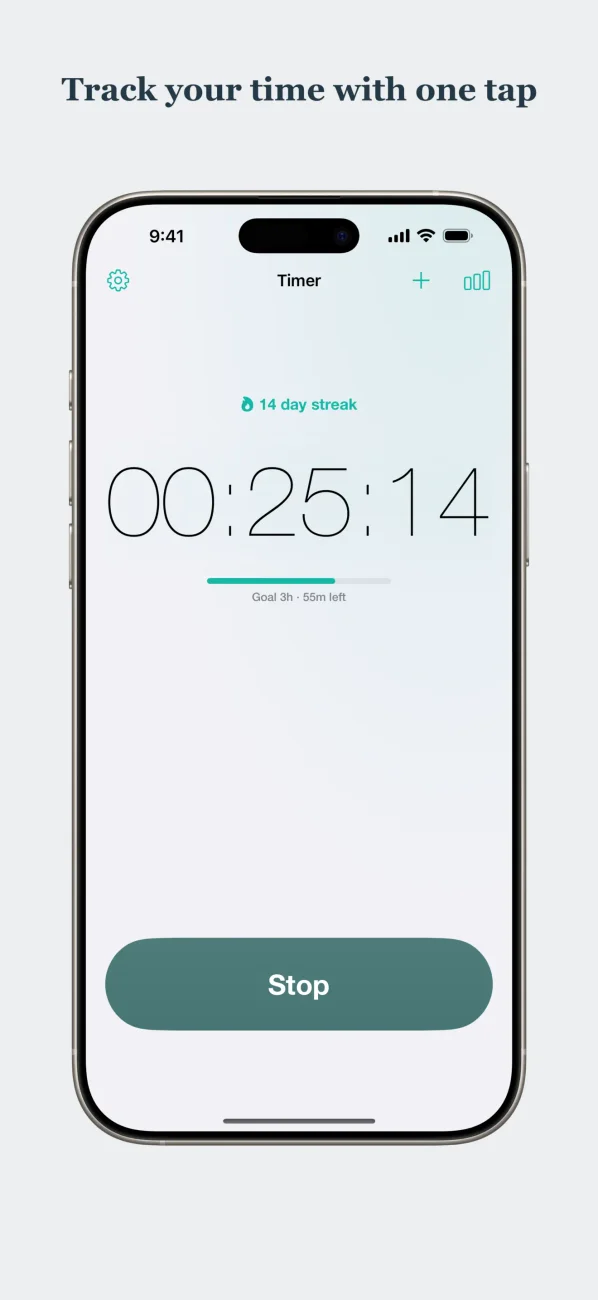
Time Manage is the simplest way to answer that question. It works with just two taps: start to begin timing, stop when you're done. Study, work, workouts—track any activity the moment you start it.
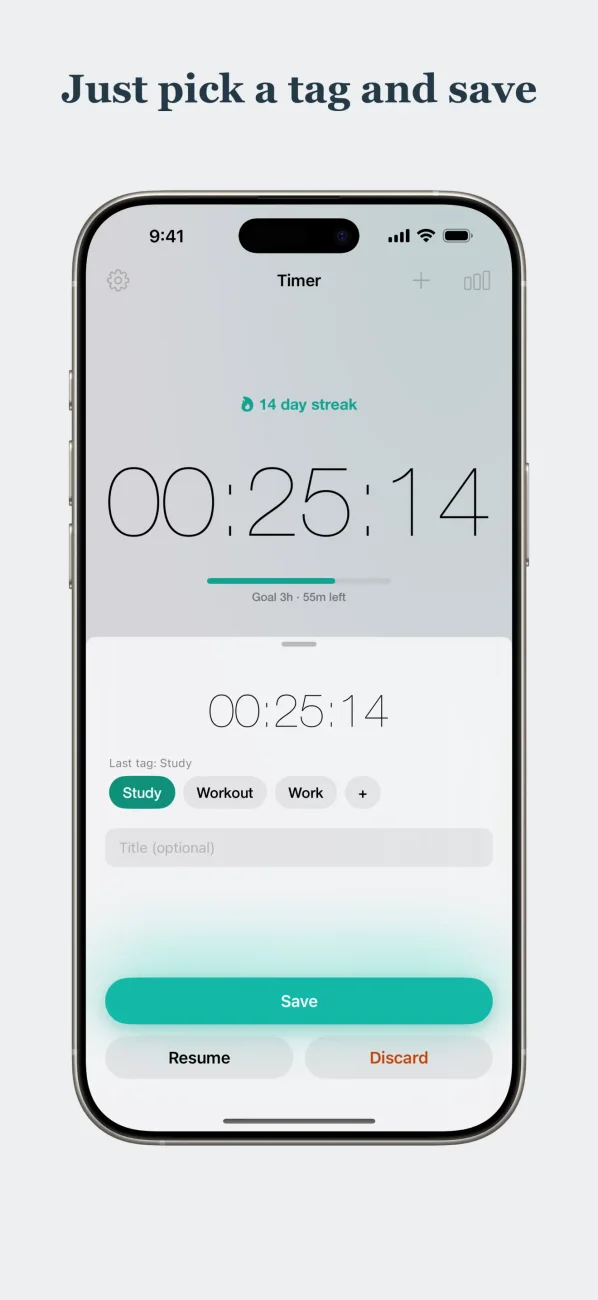
Unlike full-blown time-tracking tools, there are no projects to configure and no mandatory setup. When you save, just pick a tag like Study, Work, or Workout—your last tag is already selected, so repeating an activity is a single tap. Tags are always optional; Time Manage does the rest.
SEE WHERE YOUR TIME GOES
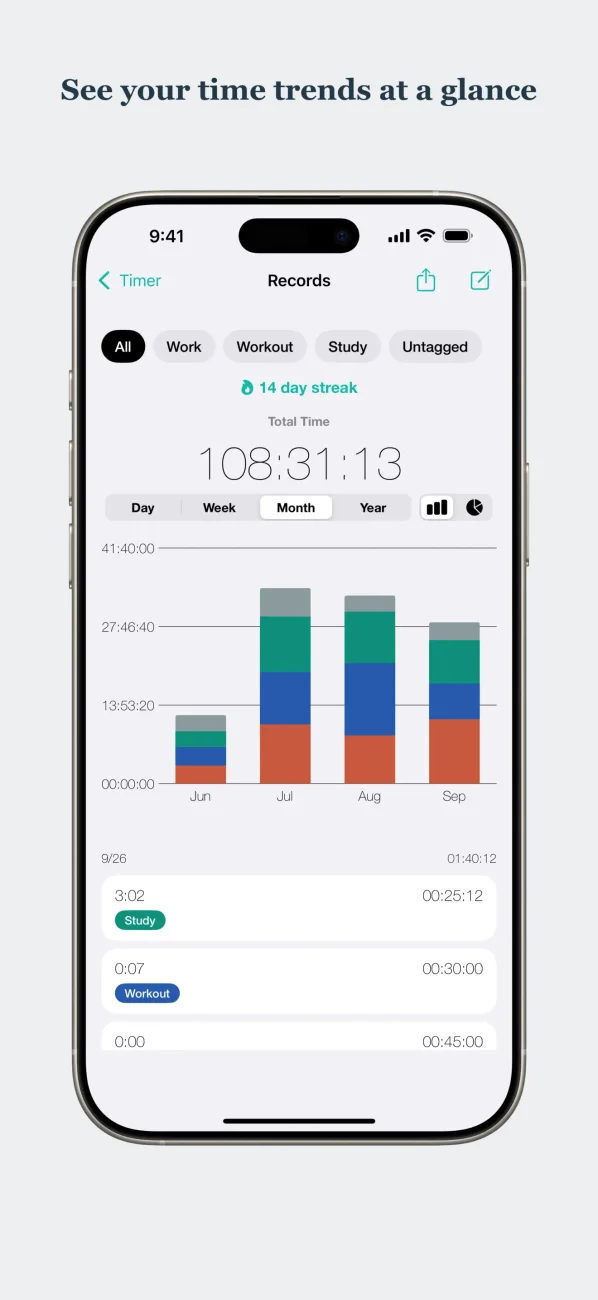
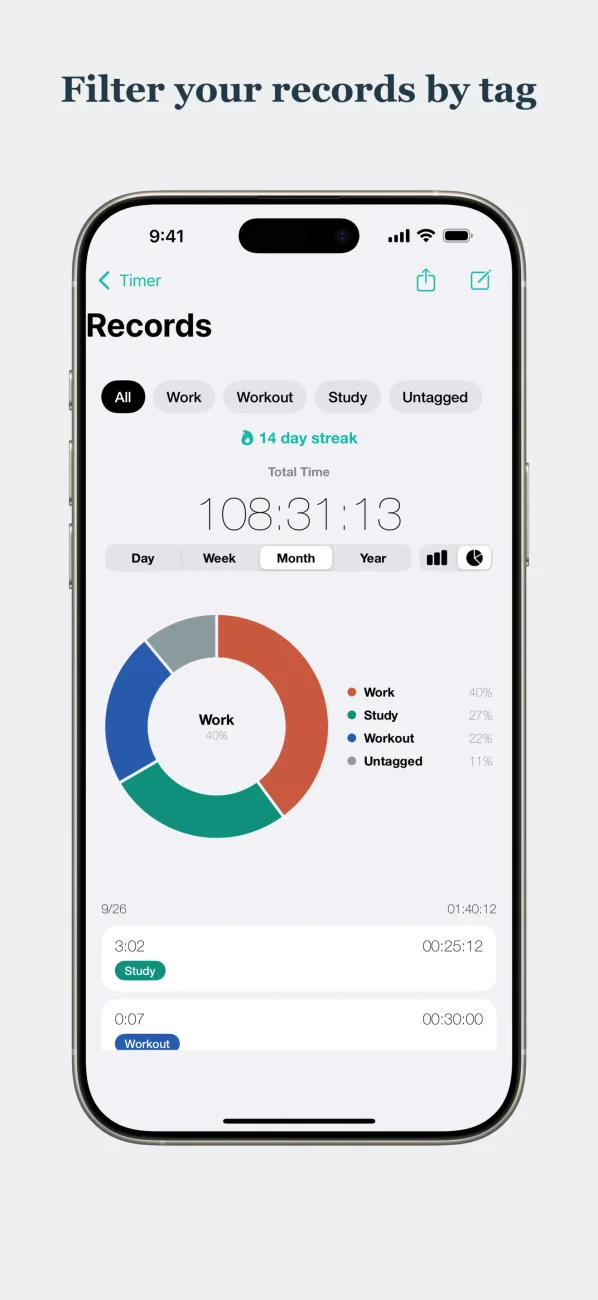
- A pie chart breaks your time down by tag, so you finally know how you spend your days
- A daily bar chart shows how your hours stack up, tag by tag
- Check today's total and your all-time total at a glance
BUILD A DAILY HABIT
- A streak counter shows how many days in a row you've tracked—keep it alive!
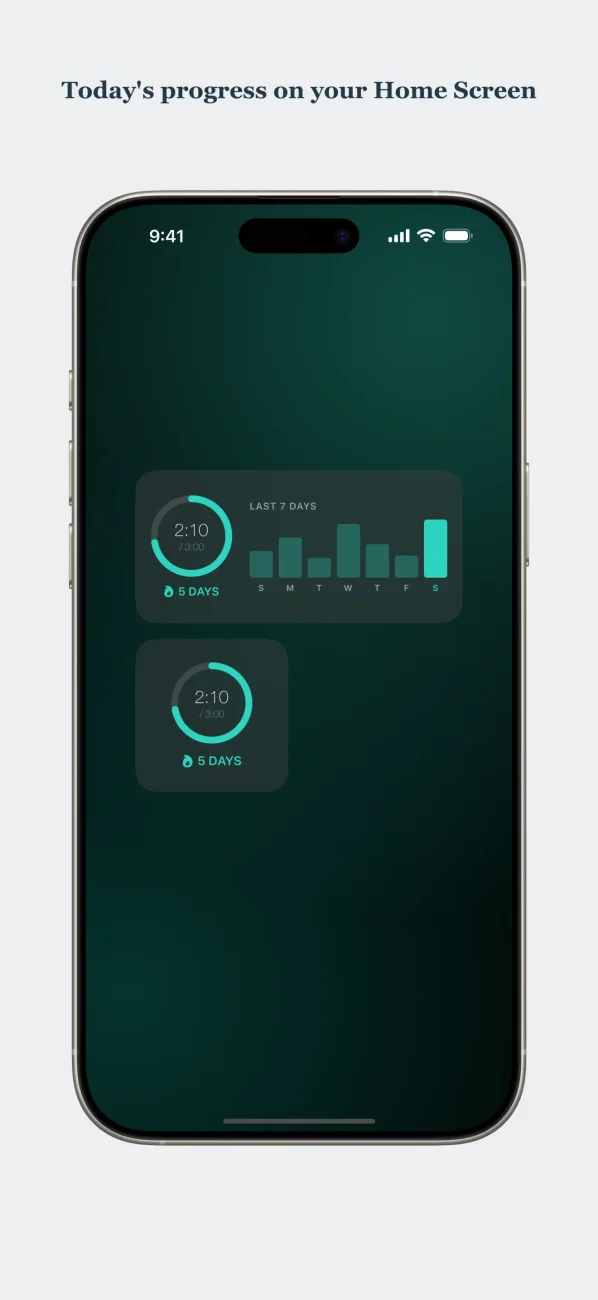
- A Home Screen widget puts today's total and your current streak right where you'll see them
- While the timer runs, your elapsed time appears live on the Lock Screen and in the Dynamic Island (Live Activity)—no need to open the app
- An optional, gentle evening reminder only when your streak is about to break
- Set a daily goal and the widget, Lock Screen, and notifications all show how much is left (entirely optional)
- Catch a timer you forgot to stop: when a session runs far longer than usual, one tap trims it to your typical length
SIMPLE AND YOURS
- Fully offline and private—no account, no sign-up
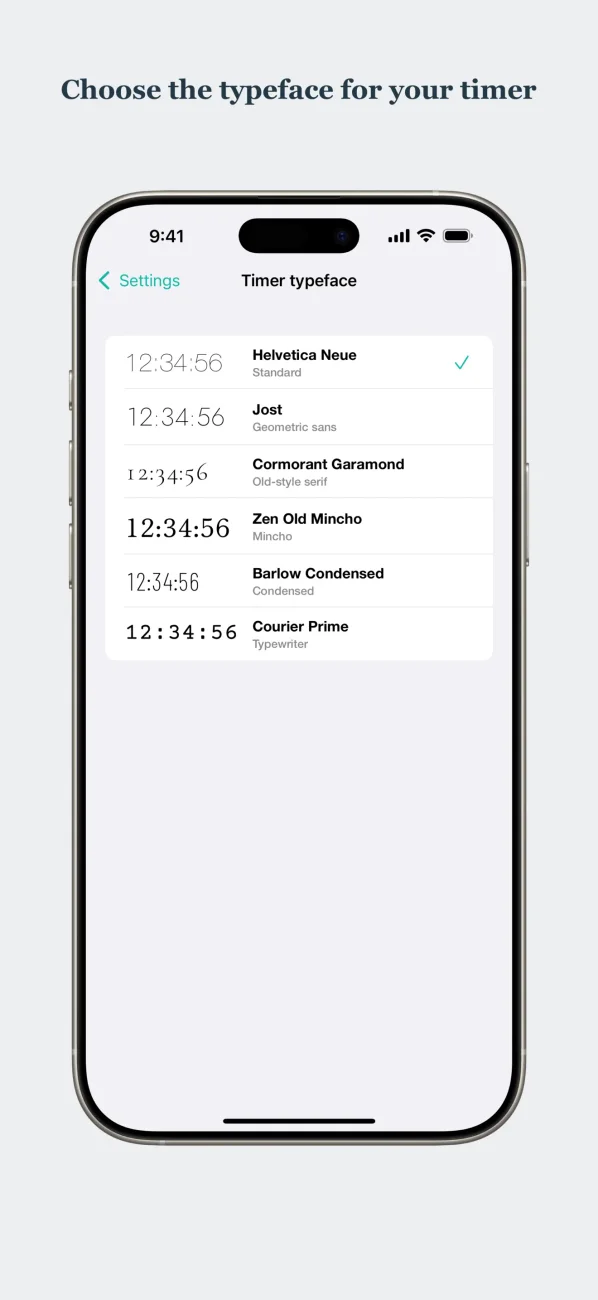
- Multiple color themes with matching app icons
Perfect for studying, deep work, focus sessions, workouts, and building better habits one day at a time.
Track your time. See your day. Keep your streak going with Time Manage.
What’s new
Version 6.6.2 · Oct 14, 2026
Fixed a crash that prevented the app from opening on iOS 27.
We apologize for the trouble.
App privacy
What Hajime Nakamura declares on the App Store about how this app handles data.
-
Data used to track you
May be used to track you across apps and websites owned by other companies.
- Usage data
-
Data not linked to you
May be collected but is not linked to your identity.
- Usage data
- Diagnostics
Privacy practices may vary, for example with the features you use or your age.
Information
- Seller
- Hajime Nakamura
- Category
- Productivity
- Version
- 6.6.2
- Updated
- Oct 14, 2026
- Released
- Jul 13, 2015
- Size
- 23.2 MB
- Requires
- iOS 17.0 or later
- Age rating
- 4+
- Price
- Free
- In-app purchases
- Yes
- Languages
- English, French, German, Italian, Japanese, Korean, Portuguese, Simplified Chinese, Spanish, Traditional Chinese
- Copyright
- © 2026 Hajime Nakamura
You might also like
-
 Count Up Down TimerSwipe to set, count & speed
-
 Time Tracker & ManagementTrack your Daily Productivity
-
 Time Tracker - TimelogHours tracking and goal timer
-
 Countdown & Count Up TimerEvent Reminders and Widgets
-
 Flip Timer & stopwatchUse for fitness,workout,study
-
 Focus - Deep Work TimerTime Management with Pomodoro
-
 Ultimate Focus - Visual TimerPomodoro, Study, App Block
-
 ClockZ | Desk Clock & AlarmNight & Standby Display
-
 Timelines Time TrackingPersonal & Work Hours Tracker
-
 Flynow - Tasks, Habits & GoalsProductivity, Habits and Goals