- Age rating4+
- CategoryProductivity
- DeveloperAnton Sydorov
- LanguagesEnglish
- Size6.9 MB
Links to the official App Store page
Download.org hosts no file of TimeBits: Day Planner. The button opens its official App Store page, published by Anton Sydorov. Listing last checked on Nov 15, 2026.
Screenshots




About
Plan your day. Know what needs your attention.
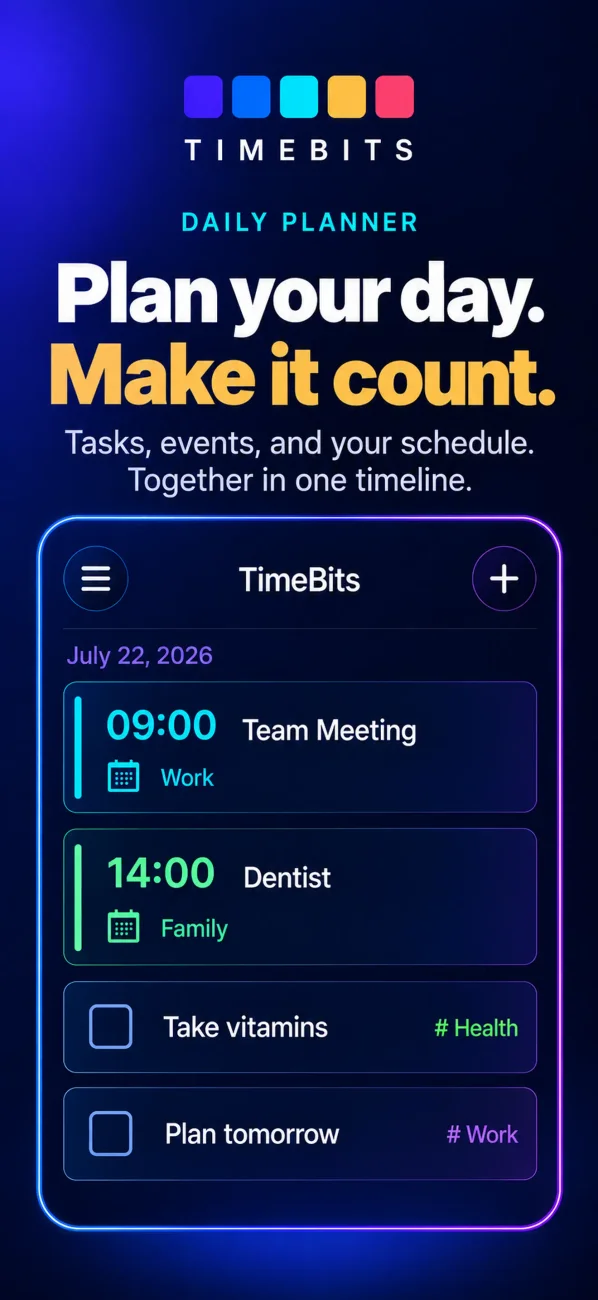
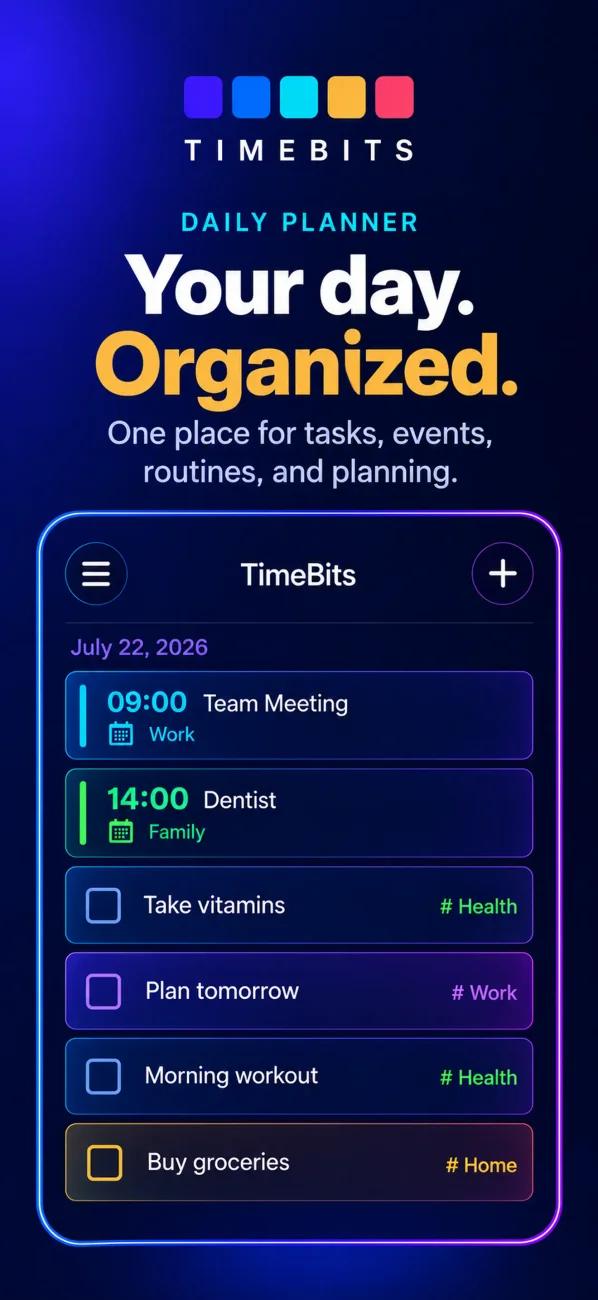
TimeBits is a daily planner that brings your tasks, routines, and calendar events together in one clear timeline. See what is planned for today, prepare for tomorrow, and keep unfinished tasks in view.
From work and appointments to errands and personal goals, TimeBits helps you turn a collection of to-dos into a plan for your day.
• See your whole day in one place
View tasks alongside your calendar events, organized by date. Clear Today and Tomorrow sections help you focus on what is coming up, while your appointments give you the context to plan the tasks around them.
• Capture now, plan when you are ready
Have something to do but haven't decided when? Add it without a date. The Needs Planning section keeps these tasks together until you choose a day for them. Capture the idea first, then give it a place in your schedule.
• Keep unfinished tasks in sight
A compact Overdue summary highlights tasks that still need attention. Review what you have missed and decide what to tackle next, without having to search through past dates.
• Organize every part of your life
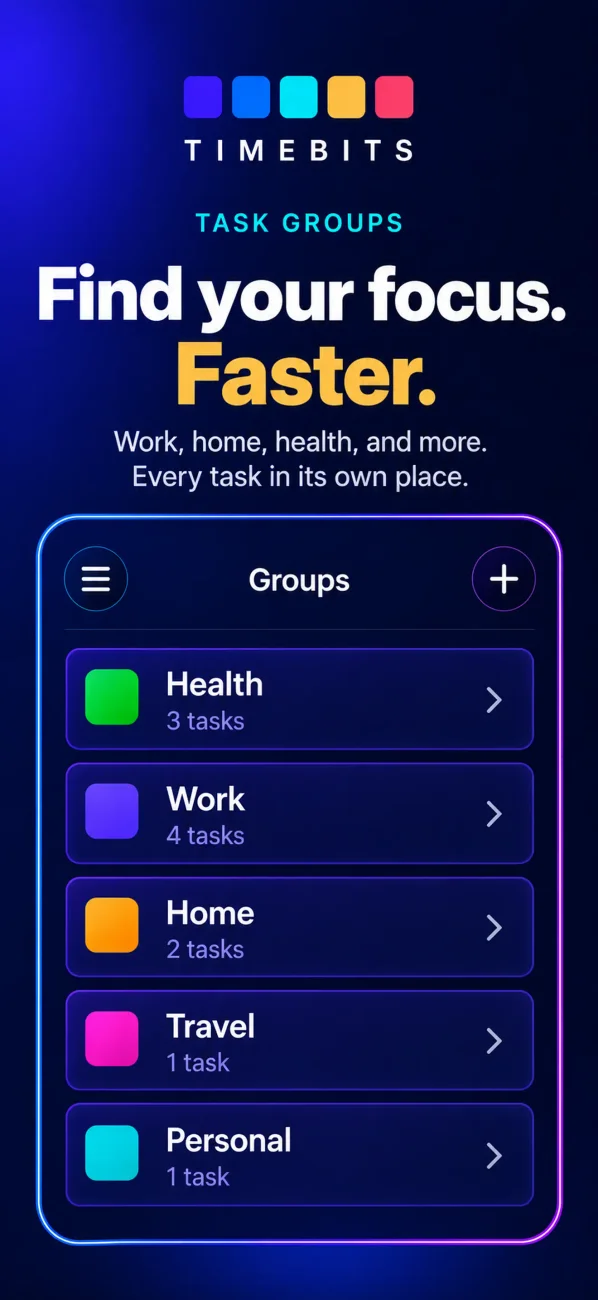
Create task groups for Work, Home, Personal, Health, Travel, or any area that matters to you. Enable group colors to make your timeline easier to scan and recognize different kinds of tasks at a glance.
• Make recurring tasks easier to manage
Set tasks to repeat daily, weekly, monthly, or on a custom schedule. Use recurring tasks for household chores, regular work, exercise, and other routines, so you do not have to create the same to-do each time.
• Build a daily planning habit
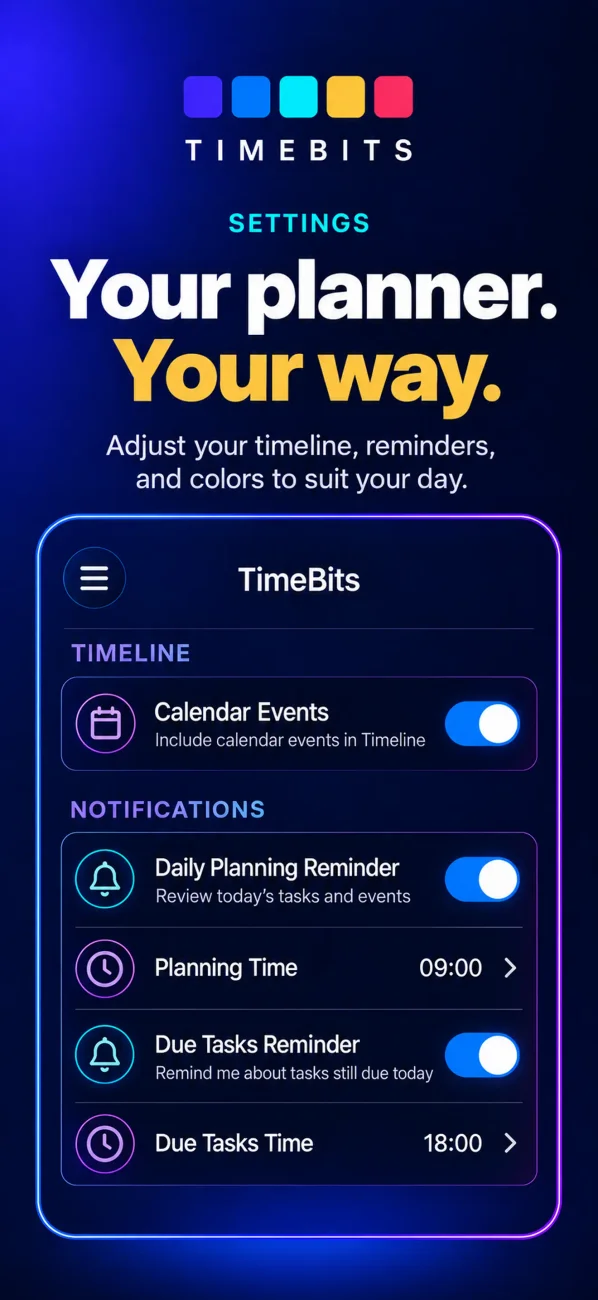
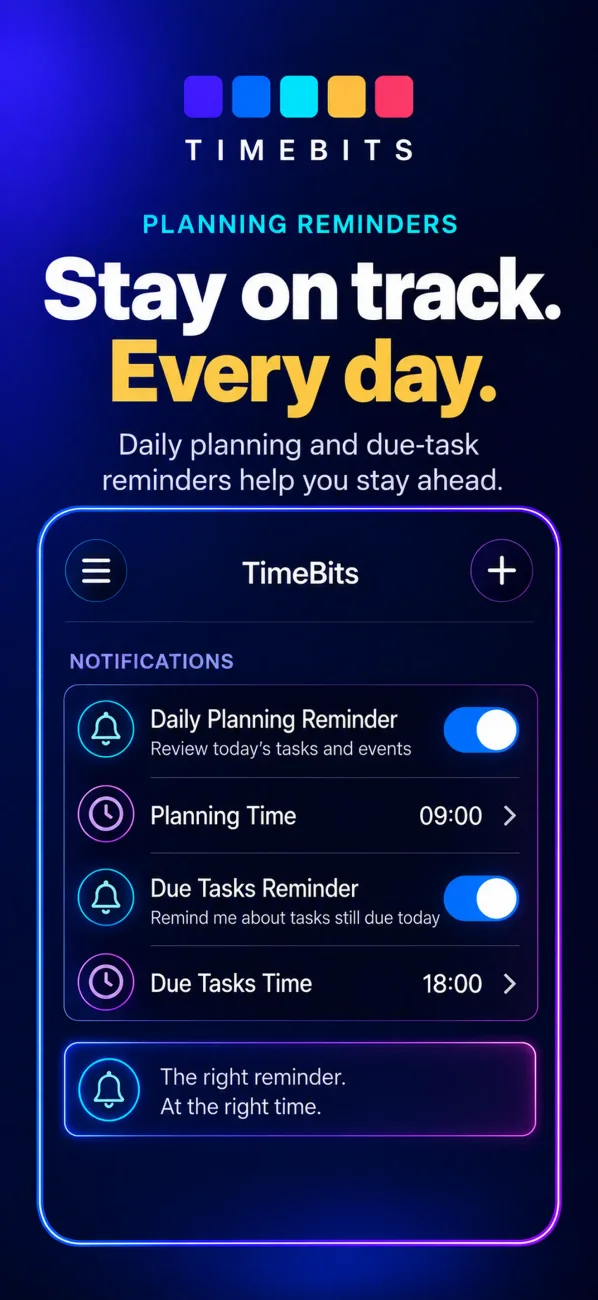
Choose a time for your Daily Planning Reminder and take a moment to review your tasks and calendar events. Use it for a morning check-in or a review later in the day, at a time that suits you.
• Get a nudge about tasks still due today
Enable the Due Tasks Reminder to receive a reminder when unfinished tasks are still due that day. Choose its time separately from your planning reminder, so each serves a useful part of your routine.
• See what you have accomplished
Mark tasks as done and revisit them in Completed Tasks. Review the work you have finished and give yourself a clear picture of the progress you have made.
• Keep your planner focused
Choose whether calendar events appear in your timeline, whether tasks use group colors, and which reminders you receive. A simple layout keeps your daily plan easy to read.
A practical rhythm for your day:
• Review today's tasks and appointments.
• Give undated tasks a day when you are ready.
• Check overdue items that need attention.
• Look ahead to tomorrow.
• Review what you have completed.
Calendar access is optional. Your calendar events are used only to display your schedule inside TimeBits.
Notifications are optional. You can enable or disable them and adjust reminder times in Settings.
Bring your tasks, events, and routines into one daily plan. Plan your day with TimeBits.
What’s new
Version 1.2 · Oct 6, 2026
A fresh look and a clearer way to plan your day.
• New app icon inspired by daily planning.
• Improved timeline with clear Today and Tomorrow sections.
• Needs Planning keeps tasks without dates together until you are ready to schedule them.
• A compact Overdue summary highlights tasks that still need attention.
• Color-coded task groups make your daily plan easier to scan.
• Updated onboarding and Settings for a smoother experience.
• General interface improvements and bug fixes.
App privacy
What Anton Sydorov declares on the App Store about how this app handles data.
-
Data not linked to you
May be collected but is not linked to your identity.
- Identifiers
- Usage data
- Diagnostics
Privacy practices may vary, for example with the features you use or your age.
Information
- Seller
- Anton Sydorov
- Category
- Productivity
- Version
- 1.2
- Updated
- Oct 6, 2026
- Released
- Jun 22, 2026
- Size
- 6.9 MB
- Requires
- iOS 17.5 or later
- Age rating
- 4+
- Price
- Free
- Languages
- English
- Copyright
- © 2026 Anton Sydorov. All rights reserved.
You might also like
-
 Birthday ScheduleProductivity
-
 Cloudless RemindersReminders In 22 Languages
-
 Routizo: Smart Daily PlannerTo-Do, Habits & Reminders
-
 Get It Done - Smart TasksProductivity
-
 RemindBroSmart Reminders
-
 Planner: Routines & ChecklistsCalendar-Backed Planning
-
 I Can't Even News FilterWeb Content Filter
-
 Pocket Pages: Paper PlannerPhoto, voice & sticky notes
-
 InfiniChat AIAlternative, Unlimited AI Chat
-
 Lumday: Birthday TrackerReminders & Countdown