TimeCard: Work Hours & Pay
Overtime, Holidays & Export
Designed for iPhone, iPad
Free · In-app purchases
- Age rating4+
- CategoryFinance
- DeveloperGang Chen
- LanguagesEnglish+ 2 more
- Size6.1 MB
Links to the official App Store page
Download.org hosts no file of TimeCard: Work Hours & Pay. The button opens its official App Store page, published by Gang Chen. Listing last checked on Nov 17, 2026.
Screenshots

About
Log a shift in three taps and see exactly what it pays.
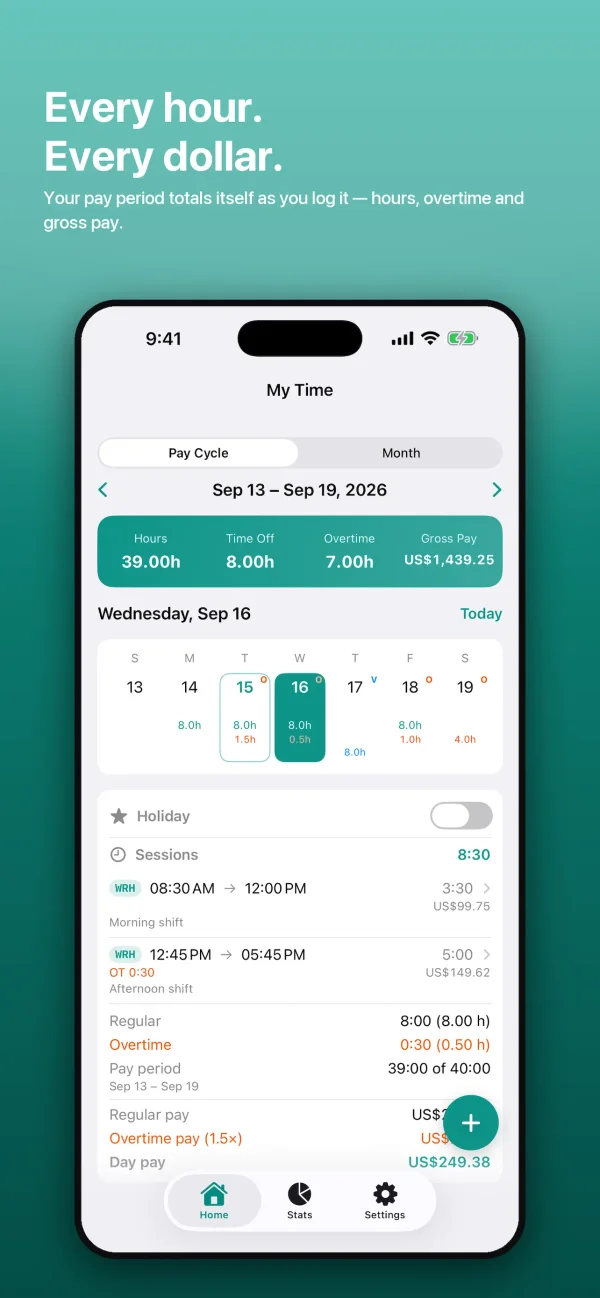
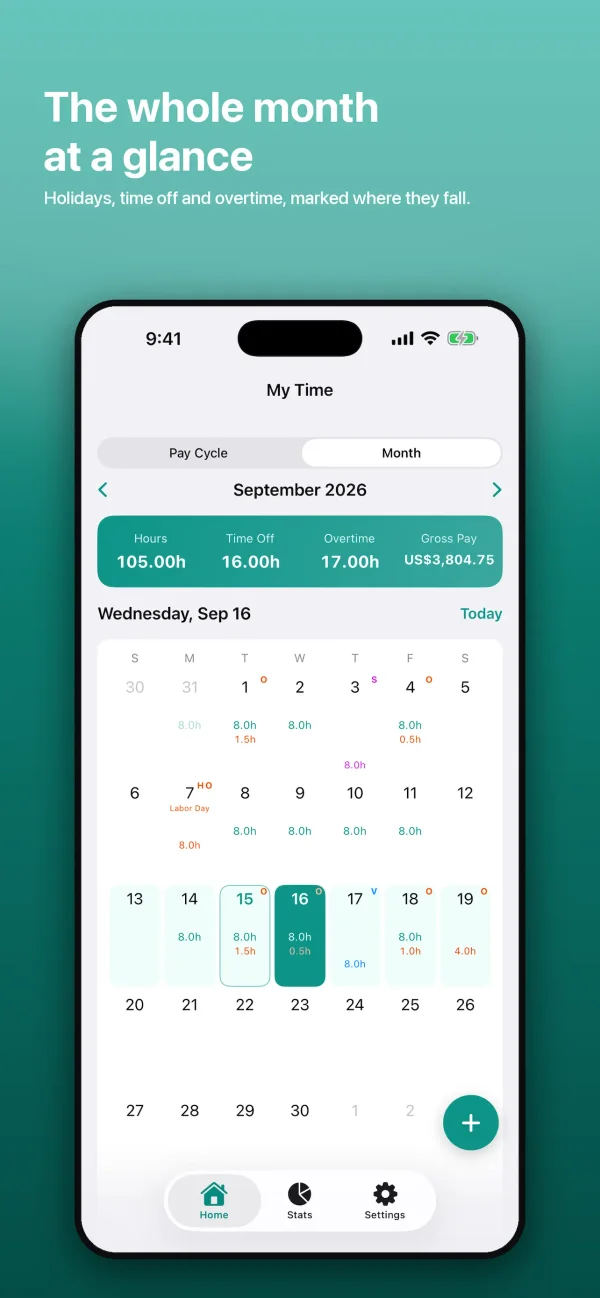
TimeCard is a timesheet for people paid by the hour. It opens on the pay period you are in right now — weekly, bi-weekly, or monthly — with every day's hours on a calendar and the period's gross pay across the top. No account, no sign-up, no sync.
CLOCK IN, CLOCK OUT
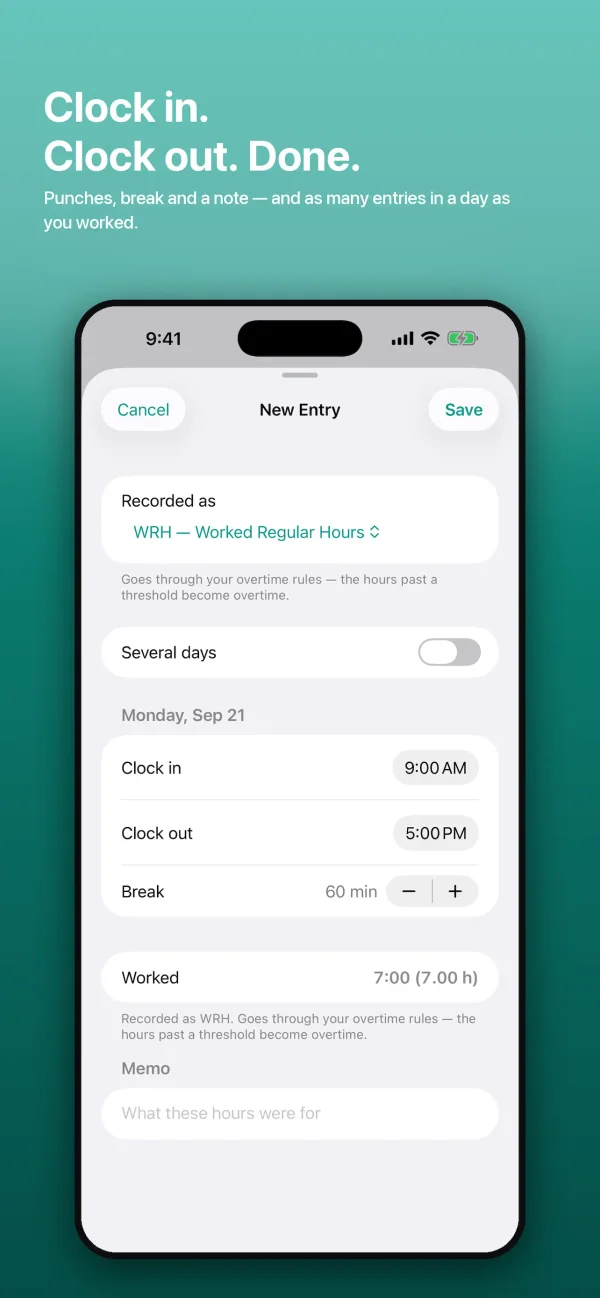
• Tap + to add a shift: in, out, break. Overnight shifts are handled.
• Several shifts in one day, each with its own break.
• Overlapping entries are caught before you can save them.
• Optional punch rounding — 5, 6, 10 or 15 minutes.
OVERTIME THAT MATCHES YOUR RULES
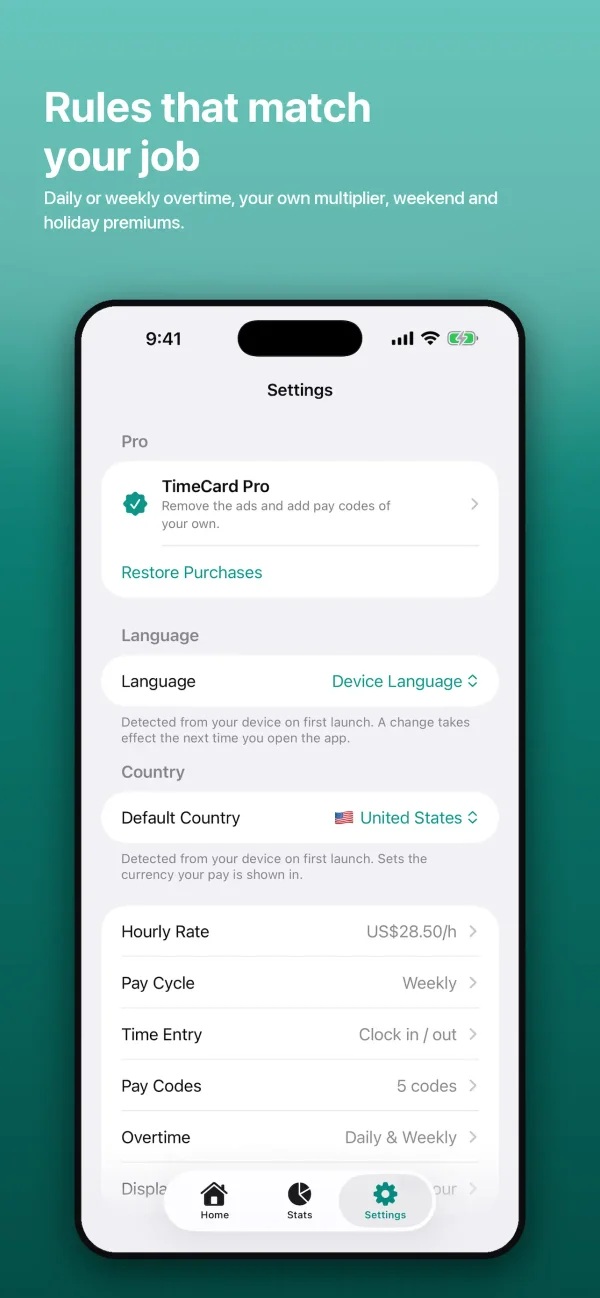
• Daily, weekly, both, or off.
• Your thresholds (8h a day, 40h a week — or whatever your employer uses) and your multiplier (1.5×, 2×).
• Overtime is resolved across the whole pay period, so a week that spills into the next month still counts correctly.
• Every shift shows which of its hours were overtime and what they earned.
PAY CODES FOR THE WHOLE TIMESHEET
Not every hour is a worked hour. Add codes for vacation, sick days, holidays, unpaid leave or premium overtime — each with its own colour, badge and rate. Paid time off never eats into an overtime threshold.
HOLIDAYS FOR YOUR STATE OR PROVINCE
Built-in holiday calendars for all 50 US states and DC, and for every Canadian province and territory — federal days plus the local ones.
SEE WHERE THE MONEY WENT
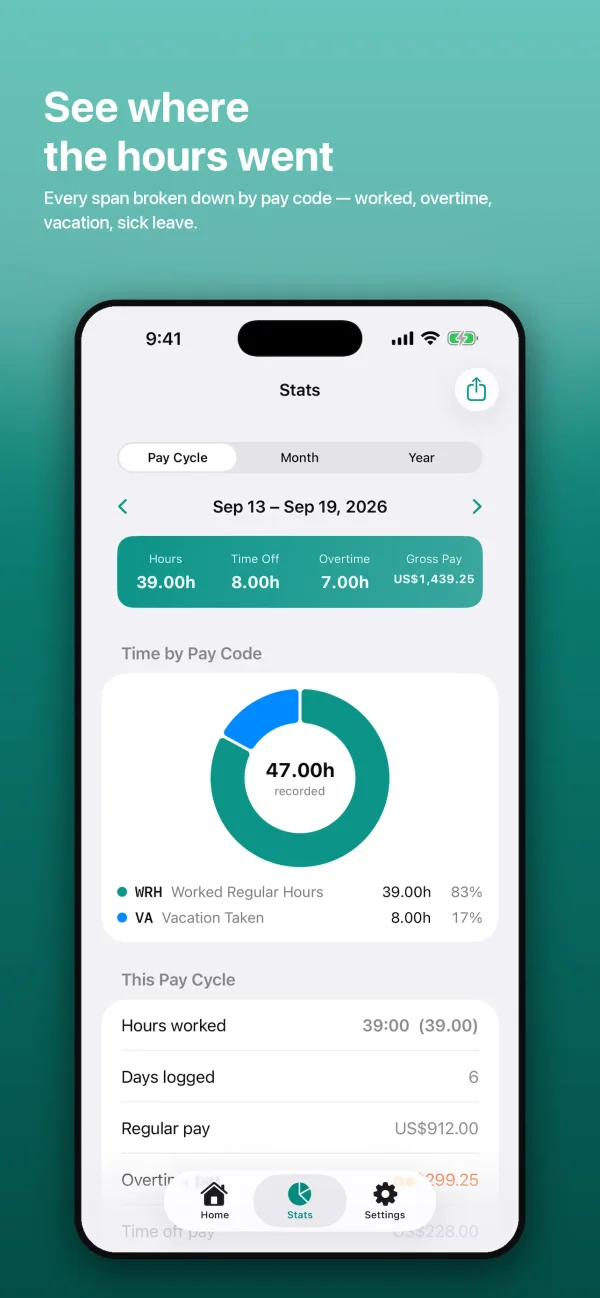
The Stats tab breaks out a pay cycle, a month or a whole year: regular, overtime and total hours, days worked, regular pay, overtime pay and gross — over a chart of hours per pay code.
EXPORT TO EXCEL — FREE
Send any pay cycle, month or year as an .xlsx workbook: a Summary sheet, a row per day, and a row per entry. Hours and money are real numbers with number formats, so you can total, sort and pivot them. Hand it to payroll or keep it for your own records. Export is not a paid feature.
BUILT FOR HOURLY WORK
Nurses, servers, drivers, tradespeople, retail and warehouse staff, contractors, caregivers, and anyone working two jobs — anyone who wants to know the paycheck is right before it arrives.
PRIVATE BY DEFAULT
No account. No login. No cloud. Your hours are stored on your device and none of them are uploaded. The app works in airplane mode.
ALSO
• US and Canadian dollars.
• English, Spanish, Simplified Chinese.
• Light, dark, or follow the system.
• 12- or 24-hour time; 1 to 3 decimal places.
• Week starts Sunday or Monday.
FREE AND PRO
The app is free, with one small banner on two screens. Pro removes every ad and unlocks pay codes of your own: $0.99 a week, $1.99 a month, $5.99 a year, or $9.99 once for lifetime. Everything else — unlimited shifts, overtime rules, holidays, stats and Excel export — is free. Hours logged while subscribed keep paying out if the subscription lapses.
Weekly, Monthly and Yearly are auto-renewable subscriptions. Payment is charged to your Apple Account at confirmation of purchase. A subscription renews automatically unless it is turned off at least 24 hours before the end of the current period; the account is charged for renewal within 24 hours before the period ends. Manage or cancel in Settings › Apple Account › Subscriptions. Lifetime is a one-time purchase.
Terms of Use: https://www.apple.com/legal/internet-services/itunes/dev/stdeula/
Privacy Policy: https://only4study.com/apps/privacy
What’s new
Version 1.1 · Oct 20, 2026
1. added Mexico holidays
2. decreased minimum deployments of IOS to 17.6
App privacy
What Gang Chen declares on the App Store about how this app handles data.
-
Data not collected
The developer does not collect any data from this app.
Privacy practices may vary, for example with the features you use or your age.
Information
- Seller
- Gang Chen
- Category
- Finance
- Version
- 1.1
- Updated
- Oct 20, 2026
- Released
- Sep 29, 2026
- Size
- 6.1 MB
- Requires
- iOS 17.6 or later
- Age rating
- 4+
- Price
- Free
- In-app purchases
- Yes
- Languages
- English, Simplified Chinese, Spanish
- Copyright
- © 2026 Gang
You might also like
-
 EarnCheck: Shift & Pay TrackerHours, Overtime & Payday Check
-
 ShiftSlip: Server Tip TrackerShift log, tip-outs, offline
-
 Nine2Five: Paycheck TrackerHourly Pay & Overtime Tracker
-
 Budget Planner Budget AdvancePayday Loan Money Cash Manager
-
 QistiqYour paycheck before payday
-
 TSP FundsFinance
-
 Time Financing ServiceFinance
-
 Butterfield Card AlertsFinance
-
 PaySurgeFinance
-
 Pipol PayFinance