
- Age rating4+
- CategoryPhoto & Video
- DeveloperDaniel Ricciotti
- LanguagesEnglish
- Size10.0 MB
Links to the official App Store page
Download.org hosts no file of Timecode+. The button opens its official App Store page, published by Daniel Ricciotti. Listing last checked on Nov 12, 2026.
Screenshots

About
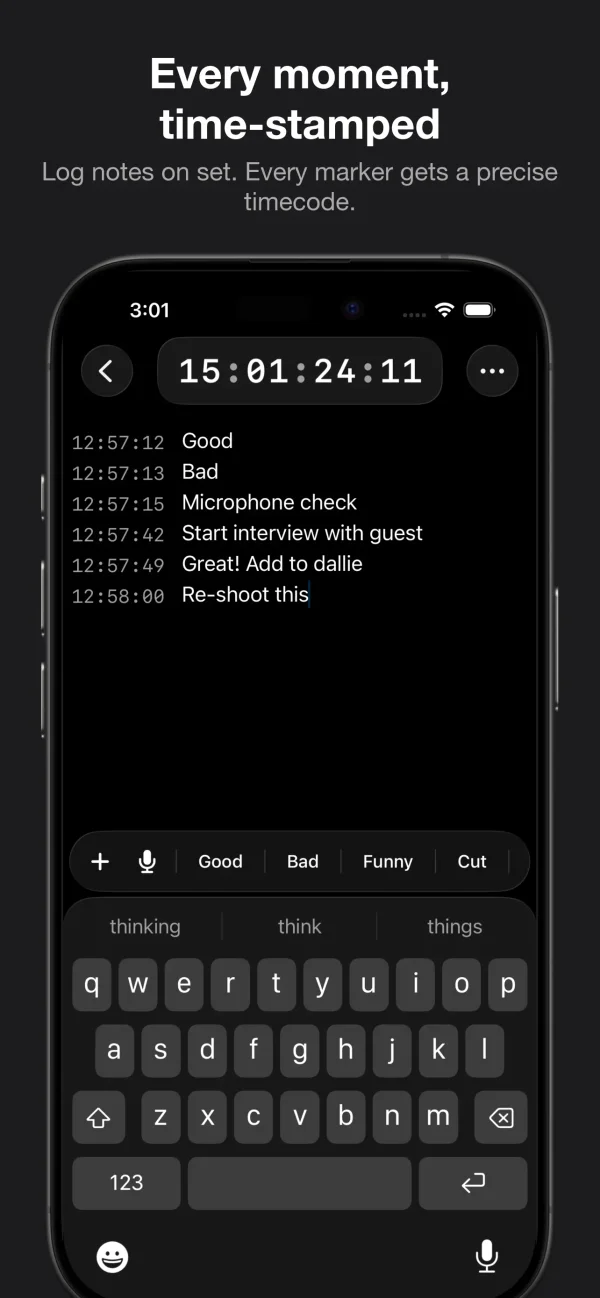
Drop time-stamped markers while you shoot. Timecode+ is production logging for crews who move fast. One tap creates a marker at the exact timecode, so you never lose track of a good take.
Used by camera operators, DITs, producers, and script supervisors on sets worldwide since 2012.
WHAT IT DOES
Start a session, name your scene, and tap to mark moments as they happen. Each marker stores the precise timecode. Good takes, mistakes, boom in frame, great performances - whatever your crew needs to remember.
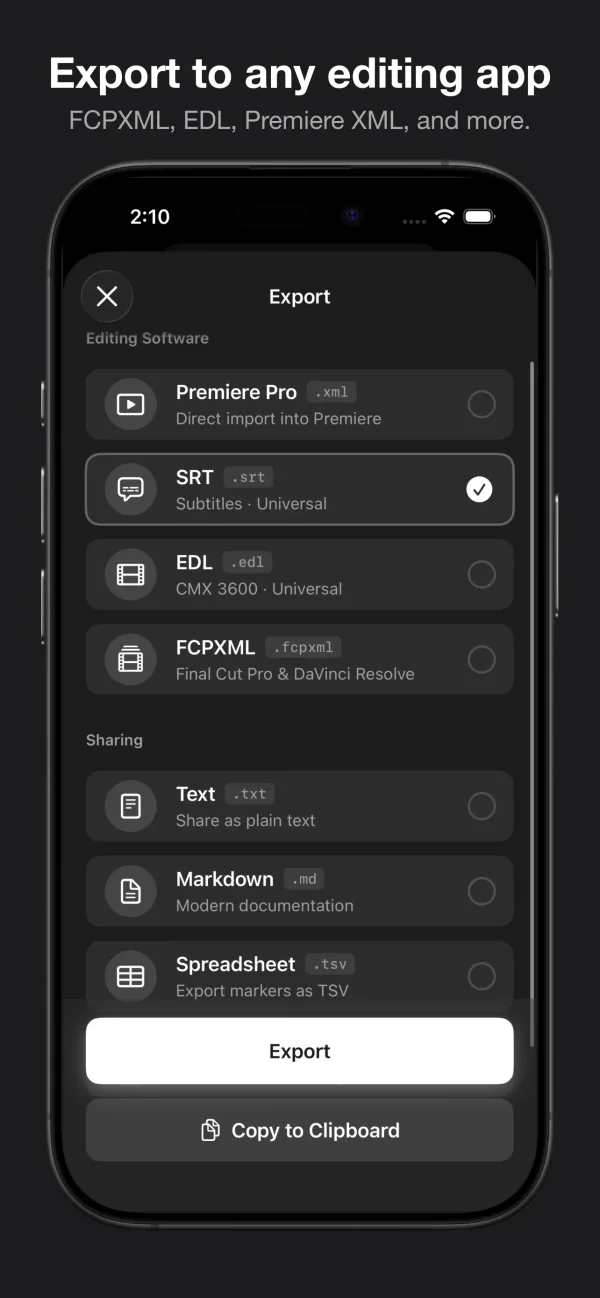
One note holds dozens of markers. When the scene wraps, export your log directly to Final Cut Pro, DaVinci Resolve, Premiere Pro, or Avid.
KEY FEATURES
- One-tap markers with custom Quick Labels
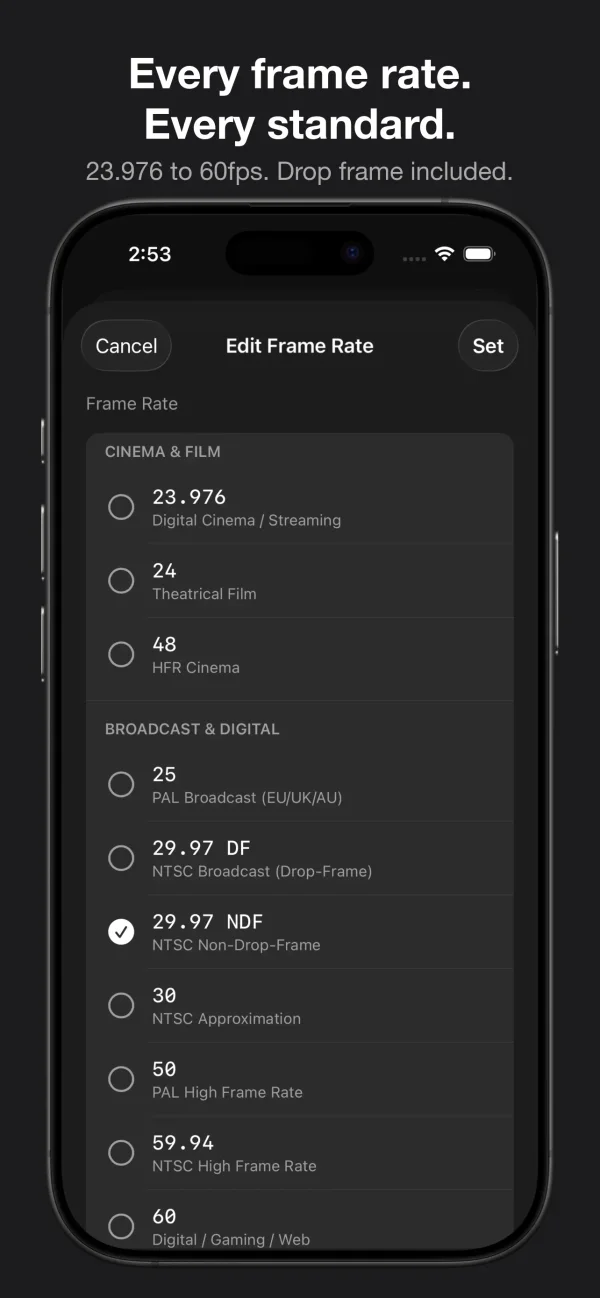
- Time-of-day or manual timecode source
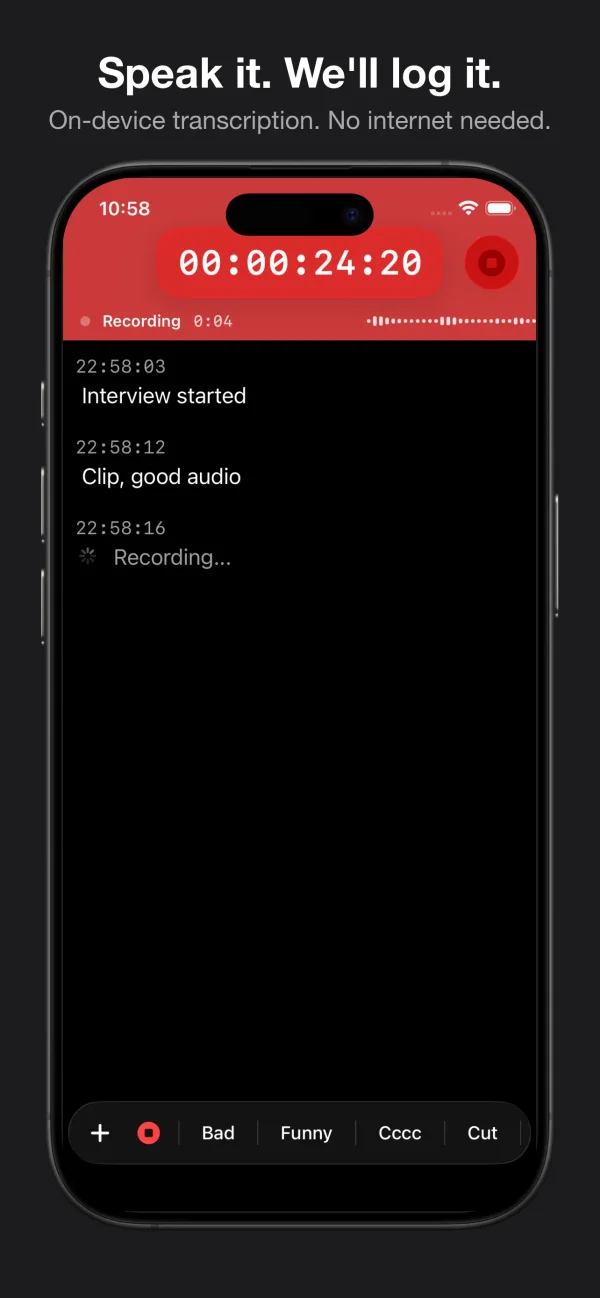
- On-device voice transcription (no internet needed)
- Full-screen slate display your whole crew can read
- Designed for iOS 26
EXPORT FORMATS
- FCPXML for Final Cut Pro
- EDL for DaVinci Resolve
- Premiere XML for Adobe Premiere Pro
- CSV and TSV for spreadsheets
- Markdown and plain text for sharing
- SRT for subtitles
BUILT FOR THE SET
No accounts. No cloud. No internet required. Everything stays on your device. Open the app, start logging, export when you wrap.
TRUSTED BY PROFESSIONALS
12+ years on the App Store. Used on TV productions, film sets, live events, and corporate shoots around the world.
Questions? support@timecodeplus.com
More at timecodeplus.com
What’s new
Version 5.6 · Jul 23, 2026
- Fixed exporting on iPad: the share sheet could silently fail to appear
- Fixed a stuck navigation bar on iPad when opening a note
- Premiere Pro XML export: markers now import as timeline markers on the ruler, not clip markers
- CSV export: renamed the Colour column to Color for compatibility with marker conversion tools
App privacy
What Daniel Ricciotti declares on the App Store about how this app handles data.
-
Data not linked to you
May be collected but is not linked to your identity.
- Diagnostics
Privacy practices may vary, for example with the features you use or your age.
Information
- Seller
- Daniel Ricciotti
- Category
- Photo & Video
- Version
- 5.6
- Updated
- Jul 23, 2026
- Released
- Jan 7, 2013
- Size
- 10.0 MB
- Requires
- iOS 17.0 or later
- Age rating
- 4+
- Price
- $19.99
- Languages
- English
- Copyright
- © Starship Studios LLC 2025
You might also like
-
 Tentacle TimebarPhoto & Video
-
 Timecode MarkerMarker for video recording
-
 MovieSlate® 8Clapperboard, Logging, Reports
-
 Timecode Audio RecorderRecord with embedded timecode
-
 FOX REVUPowered by RePro
-
 Marker for Creators: TimecodeTimecode Notes while filming
-
 No Budget SlatePhoto & Video
-
 DigiSlatePhoto & Video
-
 Vuer HDRLive Video Monitor
-
 ZoeLogCamera Reports for Film & TV