Timecode Calculator Pro
SMPTE drop-frame & frame rates
Designed for iPhone, iPad
Free · In-app purchases
- Age rating4+
- CategoryPhoto & Video
- DeveloperNitrosoft Technology Inc.
- LanguagesEnglish
- Size8.0 MB
Links to the official App Store page
Download.org hosts no file of Timecode Calculator Pro. The button opens its official App Store page, published by Nitrosoft Technology Inc. Listing last checked on Nov 12, 2026.
Screenshots
About
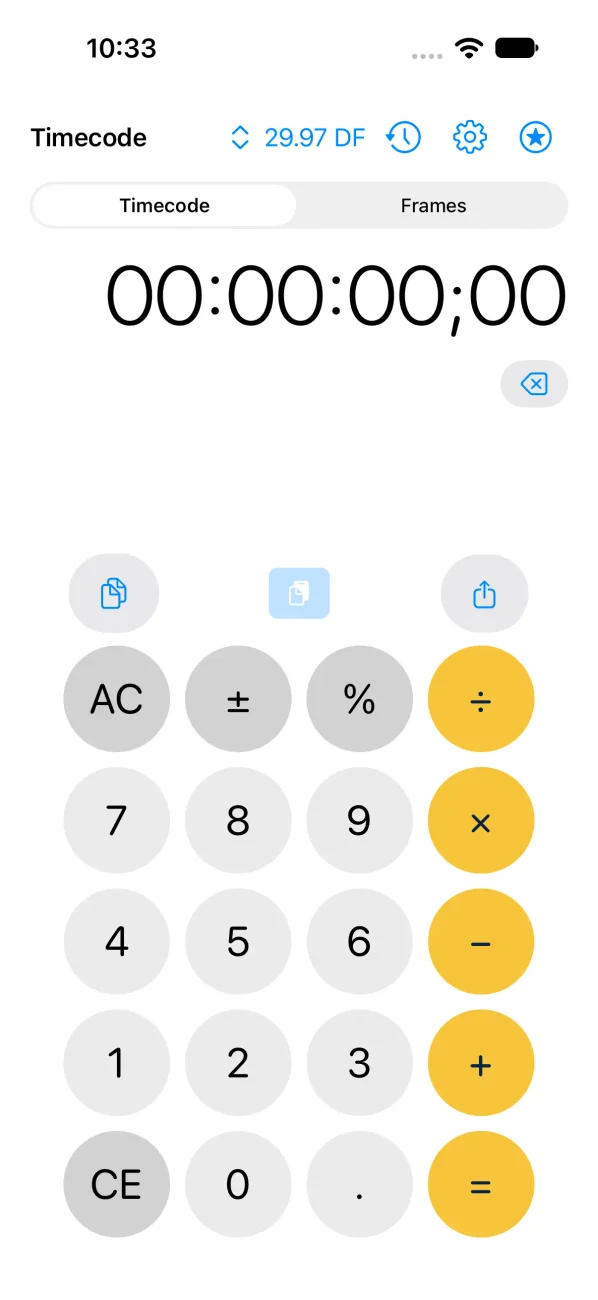
Timecode math for editors, assistant editors, DITs, colorists and post-production crews. Add, subtract, multiply and divide timecode at your project's frame rate, convert between timecode, frames and seconds, and change frame rate without losing the duration.
Timecode Calculator Pro is free to download. The calculator, all ten frame rates, history and copy and paste are free. Pro is an optional one-time in-app purchase of $1.99 that adds four tools for longer workflows. No subscription.
MADE FOR IPHONE AND IPAD
• Large round keys with a light haptic on every tap
• Tap a result to copy it, and paste with the Paste button, without repeated permission prompts
• History, Settings and the Pro tools open in native sheets
• Type with a hardware keyboard on iPad
• Dynamic Type, VoiceOver labels on every key, and Light and Dark Mode
• Fits every iPhone and iPad screen, including Split View
FREE
• Ten frame rates: 23.976, 24, 25, 29.97 drop-frame, 29.97 non-drop, 30, 50, 59.94 drop-frame, 59.94 non-drop and 60
• SMPTE drop-frame at 29.97 and 59.94: timecode labels are skipped, never video frames
• Add, subtract, multiply and divide, left to right, with percent entry (150 % multiplies by 1.5)
• Convert between timecode, frames and exact wall-clock seconds
• Find the duration between two timecodes, with an inclusive or exclusive end frame
• Change frame rate and keep the duration, then choose Undo or Keep digits
• Press = again to repeat the last operation
• Negative results and results over 24 hours are shown as they are, or turn on 24-hour wrap
• A line under every result shows the math, including when a result was rounded to the nearest frame
• Invalid entries are named and never changed silently: "Seconds must be 00 to 59"
• Paste timecodes written with : or ; and other common separators
• Your last 50 results stay in History between launches; tap one to reload it
• Your mode and frame rate are remembered
PRO
• Frame-rate conversion table: the same duration at every rate, with speed-change percentages, for example 23.976 to 25
• Feet and frames for 35mm 4-perf (16 frames per foot) and 16mm (40 frames per foot), in both directions
• Paste a list of timecodes and get the total duration
• Export History as text or CSV with the share sheet
One purchase unlocks Pro on iPhone, iPad and Mac with the same Apple Account. Restore purchases is in Settings.
No account and no ads. Your calculations, history and settings stay on your device. Purchases and restores go through the App Store.
Timecode Calculator Pro is made by Nitrosoft®.
App privacy
What Nitrosoft Technology Inc. declares on the App Store about how this app handles data.
-
Data not linked to you
May be collected but is not linked to your identity.
- Purchases
Privacy practices may vary, for example with the features you use or your age.
Information
- Seller
- Nitrosoft Technology Inc.
- Category
- Photo & Video
- Version
- 2.0.0
- Updated
- Nov 9, 2026
- Released
- Nov 9, 2026
- Size
- 8.0 MB
- Requires
- iOS 17.0 or later
- Age rating
- 4+
- Price
- Free
- In-app purchases
- Yes
- Languages
- English
- Copyright
- © 2026 Nitrosoft Technology Inc